
Microsoft Surface Pro 13-inch 256GB
4.3Editor score
High-contrast OLED display
16GB unified memory
Windows 11 Copilot+ PC
Detachable keyboard support
A tablet for Microsoft Office should feel more like a compact computer than a limited app accessory. The best models combine a responsive touchscreen, enough memory and storage for demanding documents, comfortable screen proportions, and a keyboard or mouse ecosystem that makes editing spreadsheets, writing reports, and presenting remotely practical.
This guide compares ten Microsoft Surface tablets across processor performance, memory, storage, display size and resolution, battery claims, connectivity, operating system, and value-oriented considerations. It includes current Copilot+ PC models, renewed Intel configurations, compact Surface Go devices, and larger Pro models to cover everything from light note-taking to intensive desktop-style work.
Each review explains who benefits most from that particular tablet, along with the compromises that potential buyers should understand. The top selections represent different priorities—overall capability, premium display quality, and value—while prices and availability can change, so readers should confirm current listing details and accessory requirements before purchasing.
4.3Editor score

4.3Editor score

3.8Editor score
As an Amazon Associate we earn from qualifying purchases.
The table below places all ten Surface options side by side, focusing on the specifications that most directly affect Microsoft Office work: processor, memory, storage, display, operating system, and connectivity. Renewed devices and newer Copilot+ PC models appear together because the right choice depends on the buyer's budget, desired portability, and tolerance for different generations of hardware.
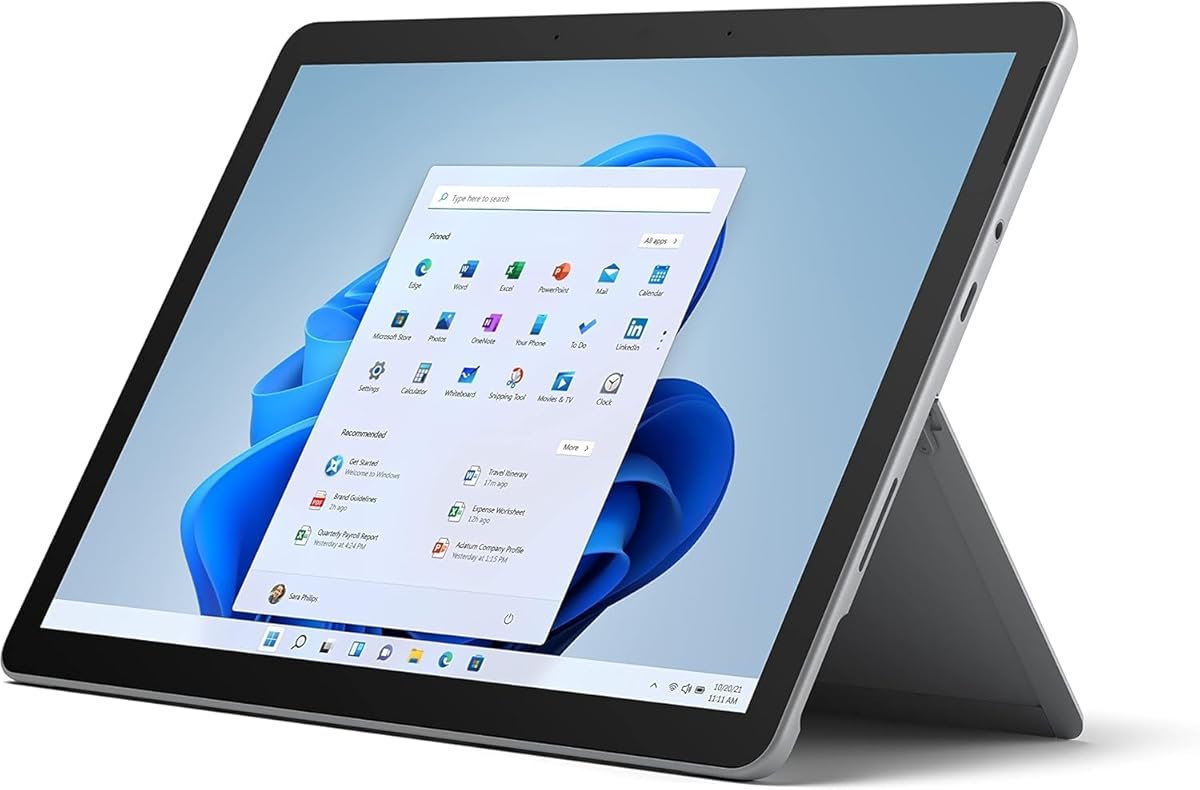


The Microsoft Surface Go 2 is a compact renewed tablet rated 4.3 out of 5, and it stands out for bringing a complete Windows 11 Pro experience to a particularly portable body. Its 10.5-inch PixelSense display supports ten-point touch, making it suitable for navigating Excel workbooks, reviewing Word documents, browsing file repositories, and joining online meetings without carrying a conventional laptop.
We may earn a commission when you buy through this link, at no additional cost to you.
The listed Intel Core m3 processor, 8GB of memory, and 128GB solid-state drive provide a sensible foundation for everyday Office use. The 1920-by-1280 resolution provides enough density for comfortable reading, while the integrated Intel HD Graphics 615 should handle standard business graphics and media. A MicroSD card reader adds flexibility when more file storage is needed, although the internal capacity remains modest for large local libraries.
Its primary advantage is portability. The device starts at just 1.15 pounds, making it easier to carry than the larger Surface Pro models. USB-C, a headphone jack, Surface Connect, and a Surface Type Cover port provide useful connections, and the battery is rated for up to nine hours of unplugged use. The trade-offs are the small screen, limited storage, and the fact that the Type Cover and other accessories are sold separately.
This is a strong choice for commuters, students, and field workers who need a small Windows tablet for reading, annotating, email, presentations, and light spreadsheet work. People who regularly manipulate enormous files, work across several demanding applications, or type lengthy reports should choose a larger Pro model with more storage. For most portable Office workflows, however, the Go 2 balances capability and convenience unusually well.
At a starting weight of 1.15 pounds, the Go 2 is the lightest option in this guide. That portability makes it particularly useful for travel, note-taking, and reviewing documents away from a desk.
Windows 11 Pro provides the familiar Microsoft Office environment, while the MicroSD reader and USB-C connection give users more ways to move files and connect accessories than a locked-down mobile tablet would.
We may earn a commission when you buy through this link, at no additional cost to you.
This 13-inch Surface Pro carries a 4.3 rating and is the strongest all-around recommendation for Microsoft Office work in this collection. It pairs a large OLED touchscreen with 16GB of memory, 512GB of storage, and a Snapdragon X Elite processor with 12 cores. That combination provides ample room for extensive document libraries, browser research, spreadsheets, presentations, and multitasking.
We may earn a commission when you buy through this link, at no additional cost to you.
The OLED display is especially attractive for Office users who spend long periods creating and reviewing content. Its larger 13-inch canvas makes side-by-side document review, detailed spreadsheet editing, and remote presentations more comfortable than on a compact 10-inch device. The built-in kickstand supports several viewing angles, and adding the separately sold Surface Pro Flex Keyboard turns the tablet into a laptop-like workstation.
The Snapdragon X Elite platform also includes a capable NPU and is positioned as a Copilot+ PC with AI-accelerated experiences. Battery life is advertised at up to 14 hours, and charging is possible through Surface Connect or USB-C with a 65-watt power supply. The principal caution is software compatibility: buyers whose workflows depend on specialized x86 applications, drivers, or plugins should verify that the required software supports the Snapdragon platform.
This model suits professionals, students, and creators who want a large display, generous local storage, and long-lasting Windows productivity in one device. It is less suitable for users who require older desktop accessories or a bundled keyboard at no additional cost. Even with those caveats, its combination of screen quality, memory, storage, and portability makes it the most complete general-purpose tablet in the roundup.
The 13-inch OLED screen creates a comfortable workspace for complex spreadsheets and side-by-side document review. Its high-contrast picture quality also makes charts, photographs, and presentation slides look polished.
With 512GB of storage, the device is better prepared than lower-capacity models for local media, project files, application data, and extensive Office document libraries without constant reliance on external storage.
We may earn a commission when you buy through this link, at no additional cost to you.
The renewed Surface Pro 5 has a 3.4 rating, the lowest in this roundup, but it remains a capable Microsoft Office tablet for buyers who prioritize a larger high-resolution screen, familiar Intel architecture, and useful port selection over processor recency. Its 12.3-inch anti-glare display has a 2736-by-1824 resolution, offering a sharp 3:2 canvas for reading and editing.
We may earn a commission when you buy through this link, at no additional cost to you.
The Intel Core i5-7300U is a dual-core, four-thread processor rated from 2.6GHz to 3.5GHz. With 8GB of DDR4 memory and a 256GB SSD, the system can handle standard Office documents, web browsing, email, and several lighter applications at once. It lacks the headroom of the newest Snapdragon models, so intensive multitasking and demanding work would benefit from more capable hardware.
Connectivity is a meaningful strength. The tablet includes a full-size USB 3.0 port, a headphone jack, Mini DisplayPort, a cover port, and a charging port. It also has a 5MP front-facing camera and an 8MP rear-facing camera capable of 1080p recording. Windows 11 Pro adds management, security, virtualization, remote-access, and multilingual support for professional use.
This renewed model is best for students, home users, and budget-minded professionals who need a dependable Windows tablet for Office documents, presentations, browsing, and video calls. Its old processor and lower rating are legitimate reasons to consider newer alternatives, especially for sustained heavy workloads. For less demanding applications, the sharp display, 256GB drive, and broad port selection can still make it a useful and economical 2-in-1.
The high-resolution 3:2 display offers more usable area than a typical widescreen phone and the anti-glare treatment can reduce reflections during long reading or editing sessions.
Full-size USB, Mini DisplayPort, a card reader, and legacy Surface connections make this an adaptable system for peripherals that predate the USB-C-focused design of recent models.
We may earn a commission when you buy through this link, at no additional cost to you.
The Amazon Exclusive 13-inch Surface Pro combines a 4.3 rating with a 1:1 contrast-ratio OLED display, making it the most visually premium option here. It is especially relevant for Microsoft Office users who spend time reviewing photography, designing presentations, or comparing detailed charts because its deep blacks and wide color range improve visual depth.
We may earn a commission when you buy through this link, at no additional cost to you.
Inside, the Snapdragon X Elite processor has 12 cores, while 16GB of unified memory supports demanding multitasking. The 256GB storage capacity is less generous than that of the 512GB configuration, but it remains sufficient for active documents, cloud-synced libraries, and a moderate collection of locally installed files. Copilot+ PC features add AI-oriented tools for writing, summarizing, and multitasking.
Up to 14 hours of claimed battery life supports extended work away from an outlet, while fast charging works through Surface Connect or USB-C. The signature kickstand lets the device shift between handheld use, sketching, and a propped desktop arrangement. As with other detachable Surface systems, the Surface Pro Flex Keyboard is sold separately, and the total cost of a keyboard-based setup should be considered.
This configuration is ideal for creative professionals, executives, and students who prioritize a large, beautiful display and strong everyday performance. Buyers who maintain very large local project libraries should look toward the 512GB version, while users dependent on specialized Intel software should verify compatibility. Otherwise, it offers an excellent balance of premium visuals, portability, and modern Windows productivity.
The stated 1:1 contrast ratio makes this a compelling display for visual work. Dark interface elements, photographs, and presentation elements gain depth that many conventional laptop panels cannot reproduce.
Windows 11 Copilot+ PC features and the processor's NPU position this model for AI-assisted writing, summarization, and multitasking, while the 12-core design supplies ample everyday compute capacity.
We may earn a commission when you buy through this link, at no additional cost to you.
The 12-inch, 512GB Ocean Surface Pro carries a 4.4 rating, making it the highest-rated product in this guide. It offers a particularly attractive balance of a manageable 12-inch display, 16GB of memory, and 512GB of storage. That combination suits Microsoft Office users who want more local capacity than a compact tablet without moving to a large 13-inch device.
We may earn a commission when you buy through this link, at no additional cost to you.
The eight-core Snapdragon X Plus processor includes an AI engine capable of up to 45 trillion operations per second, according to the supplied product information. It is designed to handle writing, summarizing, multitasking, and routine document work with responsive performance. The PixelSense touchscreen provides a crisp canvas for Excel, Word, PowerPoint, browser-based applications, and annotation.
Battery life is advertised for up to 16 hours, exceeding the stated figures for the 13-inch models in the roundup. A built-in kickstand provides stable desktop viewing, and a separately sold Surface Pro Keyboard can transform the device into a more traditional laptop. The principal compromise is the lack of an OLED panel, so buyers whose work depends on maximum contrast and color depth may prefer the 13-inch premium option.
This is a strong recommendation for professionals, students, and content creators who prioritize storage, battery endurance, and a manageable display size. It also works well for users who create and edit documents regularly but do not need the largest possible screen. As always, specialized application and driver compatibility should be checked before committing to the Snapdragon architecture.
The 512GB drive removes much of the pressure to rely on cloud storage for Office files, project folders, and local media. Combined with a 12-inch display, it offers a practical middle ground between compact and large-screen Surface models.
A claimed 16-hour battery life makes the device suitable for long meetings, travel days, and school schedules where reliable access to a charger may be uncertain.
We may earn a commission when you buy through this link, at no additional cost to you.
This platinum Surface Pro 12-inch model earns a 4.2 rating and delivers a balanced configuration for everyday Office productivity. Its 12-inch PixelSense touchscreen is large enough for detailed spreadsheets and document work without becoming as bulky as a 13-inch tablet, while 16GB of memory provides comfortable headroom for browser research and multiple open applications.
We may earn a commission when you buy through this link, at no additional cost to you.
The Snapdragon X Plus processor has eight cores and an AI engine, supporting Windows 11 Copilot+ features for writing, summarizing, and multitasking. Its 256GB SSD is adequate for an active document collection, especially when files are synchronized with cloud storage, but it offers less room for large media libraries than the 512GB variant. The distinction makes this model a sensible choice when the priority is memory and screen size rather than maximum storage.
A built-in kickstand supports multiple working angles, and the claimed 16-hour battery life supports a full workday of document editing, browsing, and communication. The detachable design also works well for handwriting, sketching, or presenting to a group. The Surface Pro Keyboard is sold separately, so buyers who need frequent typing should include that expense in their overall budget.
This is a good everyday recommendation for students, mobile professionals, and home-office users who want modern Windows performance in a flexible 2-in-1. It is better suited to users who manage files primarily through cloud services than to people who need to retain large videos or project archives locally. Check software compatibility before using organization-specific line-of-business applications.
The 16GB allocation helps when Outlook, a browser, Excel, and a collaboration tool remain open at once. It also provides a more comfortable margin than the 8GB configurations found among several renewed models.
Users can work flat in tablet mode, prop the device on its kickstand, or add a keyboard for more conventional laptop use. That flexibility suits both focused desk work and informal meetings.
We may earn a commission when you buy through this link, at no additional cost to you.
The renewed Surface Pro 7 combines a 3.8 rating with a capable Intel Core i7 processor, 16GB of memory, and a 256GB SSD. Its 12.3-inch PixelSense display uses a 2736-by-1824 resolution at 267 pixels per inch, providing a sharp 3:2 workspace well suited to reading documents, editing spreadsheets, and creating presentations.
We may earn a commission when you buy through this link, at no additional cost to you.
The Core i7-1065G7 has four cores and eight threads, providing strong performance for full Microsoft Office suites, many browser tabs, and simultaneous business applications. Compatibility with familiar Intel software is another advantage over ARM-based models. The 256GB SSD offers enough room for core applications and a practical working collection of files, while a MicroSDXC reader adds optional storage expansion.
Ports include USB-C, USB-A, a 3.5mm headphone jack, Surface Connect, a Type Cover port, and a MicroSDXC reader. Wi-Fi 6 and Bluetooth 5.0 support current wireless needs. The device starts at 1.70 pounds, balancing portability with a large display, though renewed-condition differences and the older processor generation should be considered.
This model makes sense for buyers who want more memory and stronger traditional PC compatibility without moving to a current Copilot+ platform. It is well suited to general office work, academic research, and multi-application productivity. Those who need the newest AI features, longer advertised battery life, or a more modern display should compare it with the current Surface Pro options.
Traditional x86 architecture can simplify software selection for organizations that depend on older drivers, business applications, plug-ins, or hardware accessories. That makes the Surface Pro 7 a conservative productivity choice.
Sixteen gigabytes of memory is a meaningful advantage for users who regularly move between large spreadsheets, web research, email, and presentation editing. It also reduces pressure from numerous background applications.
We may earn a commission when you buy through this link, at no additional cost to you.
The renewed Surface Pro 7 Plus has a 4.2 rating and offers an attractive combination of a large, sharp display and a portable body. Its 12.3-inch PixelSense touchscreen resolves at 2736 by 1824, while the 3:2 aspect ratio provides a practical canvas for Office documents rather than the narrower shape of many conventional tablets.
We may earn a commission when you buy through this link, at no additional cost to you.
The Core i3-1114G5 runs from 1.70GHz to 3.0GHz and works with 8GB of memory and a 128GB SSD. These specifications are sufficient for writing, email, web browsing, presentations, and moderate spreadsheet work. The 128GB drive will fill more quickly with local media, but cloud synchronization and the MicroSDXC reader offer ways to manage files without upgrading internal storage.
The device weighs as little as 1.70 pounds and includes USB-C, USB-A, a headphone jack, Surface Connect, a Type Cover port, and a card reader. Wi-Fi 6 and Bluetooth 5.0 provide modern wireless connectivity. Its platinum silver finish gives it a professional appearance, and Windows 11 Professional is preinstalled for business and organizational use.
This Surface is best for buyers who prioritize a large, high-resolution display and want a full Windows tablet without paying for a higher-tier processor or larger drive. It is less attractive for intensive multitasking, large local archives, and professional software with demanding graphics requirements. For light-to-moderate Office work, it remains a practical renewed option.
The 3:2 screen resembles the proportions of a sheet of paper more closely than a widescreen tablet. That makes it easier to arrange spreadsheets, paragraphs, and presentation slides naturally.
Windows 11 Professional adds management and security capabilities useful in work environments, while the device's light weight allows it to move easily between a desk, meeting room, and travel bag.
We may earn a commission when you buy through this link, at no additional cost to you.
This business-oriented Surface Pro has a 5.0 rating, the highest score among the listed products, and it prioritizes mobility, security, and management. At just 1.51 pounds, the 12-inch device is designed to be carried easily throughout a workday while still offering a screen large enough for documents, spreadsheets, presentations, and video meetings.
We may earn a commission when you buy through this link, at no additional cost to you.
The Qualcomm Snapdragon X Plus processor is described as an eight-core Oryon platform operating at 3.20GHz. With 16GB of memory, it should support smooth application switching, browsing, and standard Office productivity. A 256GB SSD supplies local storage, and Windows 11 Pro contributes security, remote management, and business-oriented administration features.
The product information lists up to 16 hours of battery runtime, fast responsiveness, and an efficient LCD display. Wireless LAN connectivity supports everyday office communication and collaboration. As with other current Snapdragon-based Surface models, users should confirm that required business applications, extensions, virtual-machine tools, and peripherals support the platform before purchasing.
This tablet is a compelling recommendation for mobile workers, field professionals, and organizations standardizing on Windows 11 Pro. Its light weight and long claimed runtime reduce friction during travel, while remote management features suit managed deployments. Buyers needing extensive local file storage may prefer a 512GB alternative, and highly specialized software users should review compatibility carefully.
The 1.51-pound design and claimed 16-hour runtime target people who work across offices, customer sites, and travel environments. The device can move from presentations to email and document editing without becoming a desk-bound laptop.
Windows 11 Pro supplies the security and remote-management foundation described in the product information, making this model relevant to organizations that need device oversight as well as strong personal productivity.
We may earn a commission when you buy through this link, at no additional cost to you.
The original renewed Surface Go carries a 4.1 rating and remains one of the most portable Windows tablets in the guide. Its 10-inch PixelSense display, 3:2 aspect ratio, and starting weight of 1.15 pounds make it convenient for carrying, reading, note-taking, and light Office work in situations where larger tablets become burdensome.
We may earn a commission when you buy through this link, at no additional cost to you.
Its Intel Pentium Gold processor, 4GB of memory, and 64GB storage set clear limits for intensive productivity. The system can handle email, web browsing, document review, and straightforward editing, but 4GB of memory becomes restrictive when many applications or large spreadsheets are open. The 64GB drive also leaves little room for locally stored files, so cloud storage or external media is important.
The supplied information lists Windows 10 in S mode, which was designed around Microsoft-verified security, Windows Defender, parental controls, and support. Potential buyers should verify the current operating-system state and confirm that their required applications and workflow are supported. USB-C, fast charging through Surface Connect, a headphone jack, and multitasking features add practical flexibility.
This model is best for simple travel, reading, note-taking, light document work, and users who prioritize minimum weight over demanding performance. It is not the right choice for heavy Excel work, large local project libraries, or intensive multitasking. Within those limits, it provides a highly portable entry into Windows tablet use.
At a starting weight of 1.15 pounds, the Surface Go reduces the physical burden of bringing a computer to meetings, classes, flights, and appointments. Its smaller screen also remains easy to hold in one hand.
The device is most appropriate for reading, annotation, email, and basic document editing. Users who need advanced multitasking should move to a model with more memory and storage.
We may earn a commission when you buy through this link, at no additional cost to you.
Choosing a tablet for Microsoft Office requires balancing screen comfort, computing capacity, portability, connectivity, and the accessories you already own. The most important distinction is whether you need a compact reading device or a flexible computer capable of sustained document, spreadsheet, and presentation work.
In short, choose 10 inches for maximum portability, 12 inches for balanced productivity, and 13 inches for a desktop-like workspace.
In short, modern Snapdragon models suit mainstream users, while Intel-based models can be safer when legacy business-software compatibility is essential.
In short, 16GB is the most future-oriented choice for intensive work, 8GB is adequate for moderate use, and 4GB is best for lightweight tasks.
In short, 512GB minimizes storage pressure, 256GB suits active work, and smaller drives work best with disciplined cloud use.
In short, prioritize the newest platforms for the strongest endurance claims, and consider a charger or power bank for all-day heavy use.
In short, include the cost of a keyboard and any essential accessories when judging the complete cost of a tablet-based Office setup.
In short, check the ports your existing equipment requires and verify that any dock, display, or peripheral is compatible with the tablet.
In short, compare warranty coverage and return policies carefully, and treat renewed specifications as helpful guidance rather than a guarantee about cosmetic or battery condition.
Begin by completing the Windows setup process, signing into your Microsoft account, and installing or updating Microsoft Office and the applications used in your work. Open each essential application before leaving Wi-Fi so that activation and updates do not interrupt a presentation or trip. If a keyboard is planned, pair it and adjust the on-screen layout to make the most of the 3:2 display.
Create a working folder structure for active documents and a separate backup location for completed files. Keep a current cloud or local backup, especially when relying on a renewed device or a smaller internal drive. Use the keyboard for sustained typing, the touchscreen for navigation and annotation, and an external mouse when precision spreadsheet work becomes easier with pointer input.
Care for the tablet by keeping the display clean, avoiding excessive pressure on the touchscreen, and using a protective case during travel. Update Windows and applications regularly, maintain available storage, and monitor battery health on renewed models. When carrying the device, protect the kickstand and ports, and use a supported charger appropriate for the model's Surface Connect or USB-C connection.
The 13-inch Surface Pro with Snapdragon X Elite, 16GB of memory, and 512GB of storage is the strongest all-around option in this guide. Its large display provides room for detailed spreadsheets and side-by-side work, while 16GB of memory supports heavier multitasking. The 12-inch models with 16GB are also excellent for most users who want a more compact device. Whichever model you choose, check that your specialized software and accessories are compatible.
A Surface Pro offers a more traditional Windows desktop and a built-in kickstand, which can make it more convenient for mouse-and-keyboard Office workflows. An iPad may appeal to users who prefer a highly refined mobile interface and a broad touch-first accessory ecosystem, but those specific models are outside this comparison. Among the listed options, the Surface Pro models provide a direct fit for users who want Windows 11 and familiar Microsoft Office applications.
Sixteen gigabytes is not required for basic document editing, but it offers better comfort when you use large spreadsheets, many browser tabs, video calls, and several Office applications together. Eight gigabytes is usually adequate for moderate productivity, while 4GB is better reserved for lighter tasks. Your storage choice and screen size also influence how comfortably the tablet handles a large working set of files.
A 256GB drive can be sufficient for active documents, installed applications, and files synchronized with cloud storage. It may become restrictive if you retain large videos, high-resolution photographs, extensive project archives, or several years of email locally. A 512GB configuration offers more breathing room, while smaller drives benefit most from disciplined file management and access to expandable or external storage.
Microsoft's mainstream Office applications are designed for the current Windows platform, but buyers should verify specialized business software, drivers, plug-ins, and accessories. Older Intel-based models in this guide may be a safer choice for organization-specific applications that depend on x86 support. The most important step is to check the requirements of every program you use rather than assuming one processor architecture supports everything.
The listed Surface Pro 2-in-1 configurations and Surface Go 2 mention that their Type Cover, Surface Pro Keyboard, or Surface Pro Flex Keyboard is sold separately. The original Surface Go includes a Surface Type Cover port but does not list a keyboard in the supplied information. Prospective buyers should therefore add a compatible keyboard to the comparison if regular typing is a central part of the intended Office workflow.
The 10-inch and 10.5-inch models are easiest to carry, but spreadsheets are more comfortable on the 12-inch or 12.3-inch displays. The 13-inch models offer the largest workspace and are best for detailed or side-by-side editing. If portability and spreadsheet capacity are equally important, the 12-inch Surface Pro configurations provide the most balanced middle ground.
A renewed Surface can be suitable for daily productivity when its specifications meet your needs and the seller provides appropriate condition details and warranty coverage. Renewed units may vary in cosmetic condition, battery life, and included accessories, so reviews of the seller's policy are important. A renewed model can make sense for light or moderate work, while demanding workflows may justify the newer processor and battery platforms found in current configurations.
The 13-inch Surface Pro with Snapdragon X Elite, 16GB of memory, and 512GB of storage is the most complete overall recommendation because it combines a large OLED workspace, strong multitasking capacity, and generous local storage. The 13-inch 256GB version is the premium visual choice, while the renewed Surface Pro 7 offers strong memory and Intel compatibility for value-focused buyers.
The right tablet for Microsoft Office should match the actual workload. Choose a 10-inch model for reading and light travel tasks, a 12-inch configuration for balanced daily productivity, or a 13-inch model for detailed spreadsheets and side-by-side editing. Memory, storage, processor compatibility, battery needs, and the cost of a separate keyboard deserve as much attention as the display.
Product availability and prices can change, and renewed-device conditions can vary. Before buying, confirm the current listing specifications, operating-system status, keyboard inclusion, accessory requirements, and return policy. Those checks can prevent an attractive specification sheet from becoming an incomplete or incompatible Office setup.