
DKE Desktop Computer Power Switch
4.7Editor score
Two-meter cable
Compact button housing
Includes power splitter
An external PC power button brings the primary startup control outside the case, making it easier to power a desktop that sits beneath a desk, inside a cabinet, or beyond convenient reach. The best unit combines a reliable motherboard connection, straightforward installation, useful cable routing, and a clean mounting method.
The products in this guide are compared by their supplied specifications, including supported connections, cable length, available controls, mounting hardware, splitter options, and added USB or wireless functions. The list covers simple adhesive-mounted switches, multi-control panels, hub-equipped models, and a remote-operated alternative.
Each review explains where the product fits best and where its design may be less suitable. Ratings and product details reflect the supplied listings, while specifications and availability can change. Check the current listing, motherboard manual, and connector layout before purchasing.
4.7Editor score

4.8Editor score

4.5Editor score
As an Amazon Associate we earn from qualifying purchases.
The comparison highlights the most important differences among these ten switches: wired or remote operation, control features, cable reach, motherboard connections, and mounting approach. Every model is designed for desktop use rather than laptops.

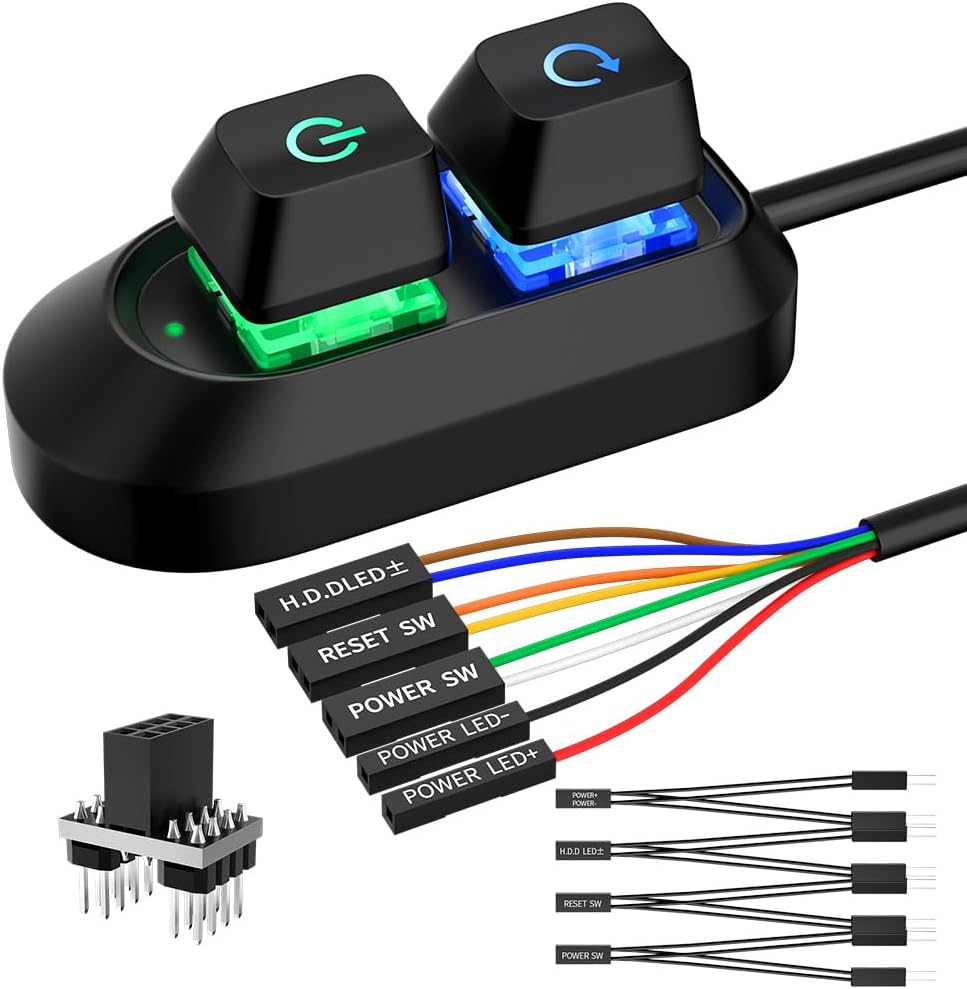




The OwlTree Desktop Computer Power Button is an acrylic external control panel designed for desktop owners who want startup access without reaching the chassis. Its listed 4.8 rating is the highest among the ten products, while the combination of a power button, restart button, power indicator, and hard-drive indicator gives it broader everyday utility than a basic one-button switch.
We may earn a commission when you buy through this link, at no additional cost to you.
The supplied description emphasizes straightforward use in homes, computer rooms, bare-bone systems, and water-cooled custom builds. Its 1.6-meter cable is long enough for many desk and cabinet arrangements, while the four separate panel elements make it easier to monitor and manage a PC from one accessible location. It can also serve as a practical repair when an original case button has been damaged.
One limitation is that the listing does not mention a one-to-two splitter, so installers should not assume the original case button can remain electrically connected in parallel. The 1.6-meter lead is also shorter than the two-meter and 118-inch options elsewhere in the list, making prior measurement worthwhile for unusually deep cases or distant installations.
This is the strongest all-round recommendation for users who value multiple controls, useful indicators, a clean presentation, and a well-rated design. Choose it when the case is inconvenient to access and you want more than a single power function in an external desktop panel.
The dedicated reset function and separate power and hard-drive indicators make this panel useful for everyday monitoring. It can replace several front-panel functions in one accessible location without requiring software configuration.
When the original chassis button is damaged, the external panel can provide a new operating point. Its cable may be routed through an optical-drive bay, rear fan opening, or expansion-slot area as described in the listing.
We may earn a commission when you buy through this link, at no additional cost to you.
The DKE Desktop Computer Power Switch is a compact, single-button solution with a listed 4.7 rating. It is aimed at owners of ATX desktop cases whose built-in switch is inconvenient or broken, particularly systems positioned under furniture, inside cabinets, or close to a wall.
We may earn a commission when you buy through this link, at no additional cost to you.
Its two-meter cable provides ample routing flexibility for most desktop towers, and the compact housing measures only 2.1 by 2.1 centimeters according to the supplied specification. The package includes a power-switch splitter cable, adhesive plate, and installation instructions, while the panel connects to the motherboard's POWER SW and HDD LED connections as described.
The trade-off is a narrower feature set than several competitors. It does not list reset controls, visible status indicators, USB ports, or a wireless receiver, and its splitter appears intended for the power-switch connection rather than a complete four-control panel. The physical size may also be less visually prominent than a larger multi-button console.
This is a compelling pick for anyone seeking a straightforward repair at an accessible location without adding unnecessary features. Verify that your motherboard has the expected front-panel header and follow the supplied pin labels carefully during installation.
The small housing is designed to sit on a desk, shelf, or side surface without consuming much room. It is especially suitable for users who only need a relocated power control.
A two-meter lead offers enough distance to connect a button outside the case while retaining a tidy route. The included adhesive plate provides a simple way to secure the control where it is easy to reach.
We may earn a commission when you buy through this link, at no additional cost to you.
The Wireless Remote PC Power Switch is the most unconventional choice in this guide because it separates the desktop control from the PC through a wireless receiver. Its listed 4.5 rating reflects a distinctive feature set rather than the highest customer score, but it solves a specific problem exceptionally well: starting or shutting down a computer from up to 50 feet away.
We may earn a commission when you buy through this link, at no additional cost to you.
The package includes a wireless button, a PCIe receiver board, a connection cable for the motherboard POWER SW header, an adhesive pad, and electronic instructions. The system is described as compatible with standard desktop motherboards without software or drivers. A short press starts the PC, while a five-second press initiates shutdown, giving the two controls clear purposes.
Unlike an adhesive wired switch, this model requires the receiver and connection cable to be installed inside the tower. That internal work makes it less convenient for quick repairs, and its wireless nature is less desirable if a long cable could simply run to a nearby desk. The BIOS note about disabling ErP/EUP Ready if the button does not respond is also worth checking before installation.
Choose this model for a home studio, server room, office, or entertainment space where remote desktop startup is the priority. It is the premium feature pick for users who value distance and flexibility over an entirely cable-mounted button.
The listed 50-foot range lets the operator start a system without walking to the tower. A receiver-based design can also keep the desk or control area free of a long external cable.
The receiver connects through the standard POWER SW header, so the listing does not require software or driver installation. Always inspect the BIOS power settings and header orientation before assuming the unit is faulty.
We may earn a commission when you buy through this link, at no additional cost to you.
The PC Power Button and Splitter is a full-style external front-panel solution for users who want more than basic power control. It carries a 4.5 rating and provides connections labeled for POWER SW, RESET SW, POWER LED, and HDD LED, allowing it to consolidate several functions away from the chassis.
We may earn a commission when you buy through this link, at no additional cost to you.
A two-meter cable gives the installer room to route the panel from the case to a desk or work surface. The package includes both a small one-to-two splitter board and a one-to-two splitter cable, so the original case switch can operate alongside the extension in systems with a compatible header arrangement. Adhesive stickers and an installation manual are also included.
The additional connections make installation less plug-and-play than a one-button model. Every lead must be matched to the correct motherboard pin, and incorrect orientation can cause the expected controls to behave incorrectly. Users who cannot comfortably identify front-panel pins should consult the motherboard manual before installation.
This is a strong option for bare-bone systems, labs, custom chassis projects, and full towers with a damaged original panel. It offers a broad feature set and flexible splitter packaging, though the OwlTree panel is simpler for users who need fewer connections.
Power, reset, and indicator connections bring the most frequently used chassis functions into one accessible location. This is useful in a custom enclosure where the original panel is difficult to operate.
Both a compact splitter board and a splitter cable are supplied, offering alternatives for different mounting spaces. They can allow the original chassis button and the external button to work together.
We may earn a commission when you buy through this link, at no additional cost to you.
The 118-Inch Cable Power Button is built for installations where the computer is much farther away than a conventional panel lead permits. With a listed 4.6 rating, it stands out for its 118-inch cable and the practical ability to place the control on a desk, rack, floor, or panel while the tower remains elsewhere.
We may earn a commission when you buy through this link, at no additional cost to you.
The listing identifies a standard four-pin arrangement with POWER SW and LED positive and negative connections, compatible with most ATX motherboards according to the supplied information. Installation guidance calls for locating the JFP1 or F_PANEL pins, matching the labels, and securing the button with adhesive rather than drilling. A one-to-two splitter allows the original and extended switches to be used together.
Extra length is the central benefit and the central inconvenience. A 118-inch cable may need careful routing to avoid tension, snags, or excess loops, and it is excessive for a normal tower beside the desk. The stated motherboard compatibility should also be understood as a broad standard-header claim rather than a guarantee for every unusual layout.
This is the best choice for unusually distant desktops, floor-mounted systems, racks, and elaborate custom installations. It is less appropriate for compact builds where standard one- or two-meter cable length is already sufficient.
The extended lead allows a tower to remain in a remote or awkward position while the switch stays convenient. It is especially practical for floor, rack, and under-desk arrangements where direct access is restricted.
The supplied instructions identify the JFP1 or F_PANEL area and explain how to match the labeled wires. Adhesive mounting avoids permanent chassis modification but benefits from careful surface cleaning before attachment.
We may earn a commission when you buy through this link, at no additional cost to you.
The External PC Power Button for ATX combines a straightforward desktop switch with a seven-color breathing LED effect. Its listed 4.5 rating and two-meter cable make it suitable for under-desk, hidden-case, and custom-build arrangements where an accessible, visually noticeable control is useful.
We may earn a commission when you buy through this link, at no additional cost to you.
The product description states that it works with standard motherboard power-switch pins and is intended for most desktop PCs and custom builds. Its low-voltage design is presented as a stable connection method, while the LED effect requires no software or configuration. That combination makes it easier to install than a decorative control that depends on proprietary software.
The RGB-like illumination may not suit a workbench, office, or minimalist environment, and the listing does not mention a one-to-two splitter. It also focuses on power control rather than offering a reset button or separate drive and power indicators, so it is less functionally complete than the OwlTree and multi-control models.
Choose it for an ATX desktop where appearance and straightforward placement are priorities. Users needing a second control function or parallel original-button operation should examine one of the splitter-equipped options instead.
The breathing LED provides a visible status cue while avoiding the need for configuration utilities. It can make the switch easier to locate in a dark or visually cluttered setup.
A two-meter cable gives installers room to position the button near a desk or around a large case. The stated standard power-switch connection supports straightforward use with typical ATX desktop systems.
We may earn a commission when you buy through this link, at no additional cost to you.
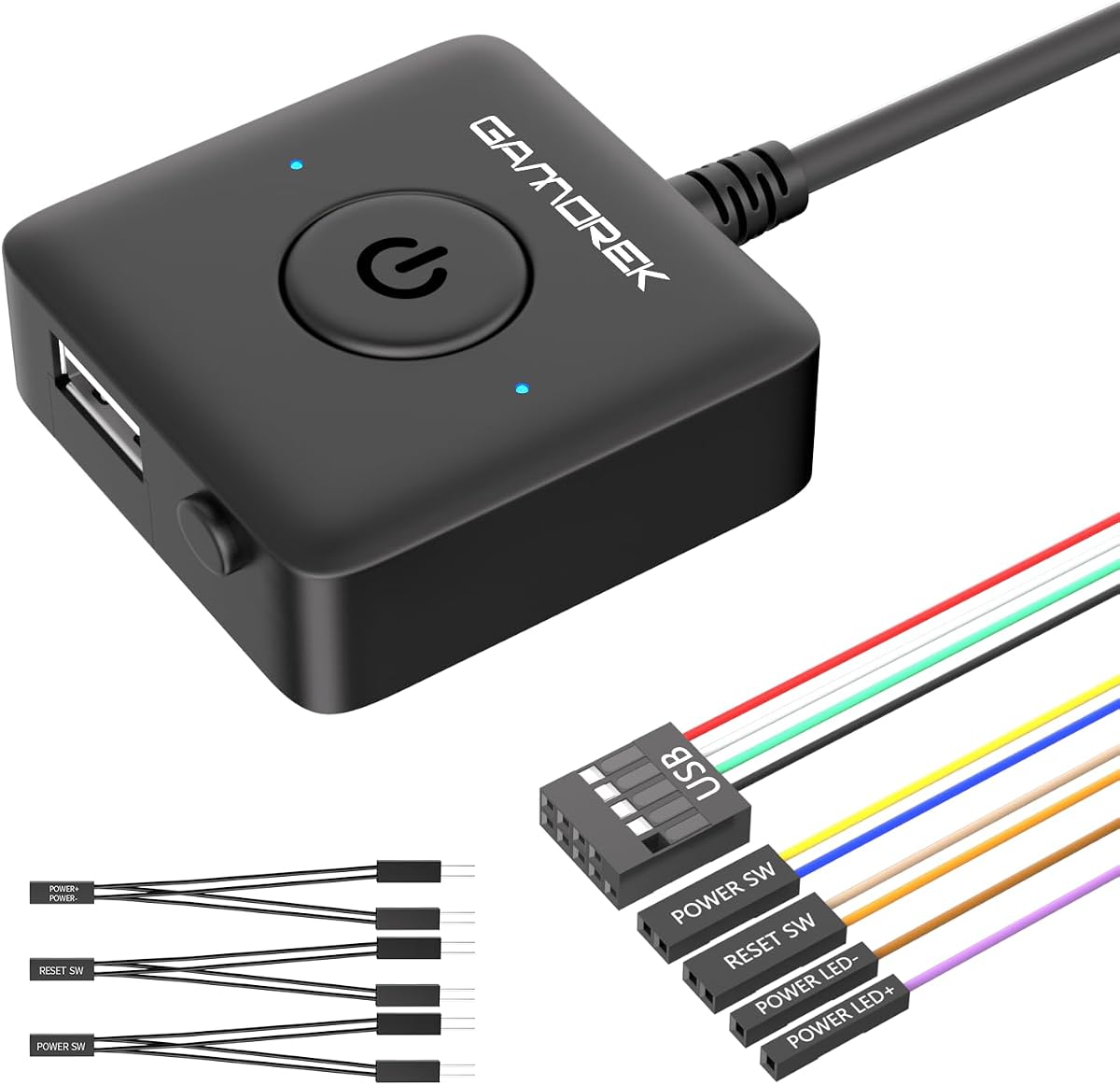
The PC Power, Reset, and USB Button is a feature-oriented external panel with a listed 4.7 rating. It combines accessible power and reset controls with a USB 2.0 connection that can extend a front-panel USB port to the desk, making it more useful than a conventional standalone switch.
We may earn a commission when you buy through this link, at no additional cost to you.
The USB connection attaches to the motherboard's nine-pin USB 2.0 header, allowing compatible flash drives, keyboards, mice, card readers, and other accessories to use the panel's port. A 1.7-meter cable reaches from the internal header area to the external control, while the included PCI bracket provides a more integrated installation in ATX and micro-ATX cases.
Compared with adhesive-mounted models, bracket installation requires opening the case and securing a component at a rear expansion position. The nine-pin USB header may also be absent or already occupied on some systems, so compatibility should be checked before buying. Users who only need power control will have more wiring to manage than necessary.
This is an excellent match for builders who want power, reset, and one convenient USB port in a single external panel. It is particularly appealing when a case's native front USB ports are inconvenient or unavailable.
Power and reset controls sit alongside a front-access USB 2.0 port. This saves desk space and can make frequently used devices easier to connect without reaching into the case.
The supplied PCI bracket allows the external controls to integrate with the rear expansion area of an ATX or micro-ATX case. It offers a more structured appearance than relying only on adhesive placement.
We may earn a commission when you buy through this link, at no additional cost to you.
The PC Power Button with USB 3.0 Hub is the most connectivity-heavy model in the list, combining desktop power control with a four-port USB 3.0 hub. Its listed 4.3 rating is the lowest among these products, but the supplied specifications make it compelling for users who want several fast USB connections beside their PC controls.
We may earn a commission when you buy through this link, at no additional cost to you.
The installation process combines the motherboard's POWER SW, RESET SW, and POWER LED connections with a green USB header cable and a black USB 3.0 connection. Once attached, the four USB ports support a listed 5.0 Gbps data rate and are intended for devices such as flash drives, keyboards, mice, desktop fans, and compatible phone-charging equipment.
Its 1.2-meter cable is the shortest listed among the ten models, and a short lead may be limiting if the PC is mounted away from the desk. USB hub performance can also depend on the motherboard's implementation, connected devices, and available bandwidth, so the headline data rate should not be interpreted as a guarantee for every transfer.
This panel is best for a crowded desk where one accessible location can handle startup, reset, and several USB accessories. It is less suitable when long cable reach is the primary need or when a simple, minimal button would be easier to install.
Four front-access ports reduce the need to reach the case for routine peripherals. The listed 5.0 Gbps interface supports high-speed storage and other compatible accessories without a separate desktop hub.
The power, reset, and USB wiring is designed to connect to the corresponding motherboard headers. Adhesive placement keeps the external panel accessible without requiring a dedicated bracket.
We may earn a commission when you buy through this link, at no additional cost to you.
The DKE Two-Meter Power Switch is a portable single-button option for desktop users who need nothing more than reliable access to the power connection. It shares the listed 4.7 rating of the stronger multi-function panel, while its small 2.1 by 2.1 centimeter housing and one-ounce weight make it especially unobtrusive.
We may earn a commission when you buy through this link, at no additional cost to you.
The two-meter lead provides ample reach for most under-desk and cabinet arrangements. The package includes a power-switch splitter cable, a 3M adhesive plate, and installation instructions, while the supplied description states that POWER SW and HDD LED connectors link to the motherboard. Users can place the button in a comfortable location and route the cable through an appropriate opening.
Because this is primarily a power switch, it lacks the richer reset and indicator combinations offered by several competitors. The mention of an HDD LED connection may imply some indicator handling, but the product should not be treated as a full replacement front panel without verifying the exact lead layout.
Choose it for a small, tidy, budget-conscious repair where a visible desk button is the goal. It is less suitable for builders who need reset controls, a USB hub, or a comprehensive external status panel.
The compact housing can sit at the edge of a desk or shelf without taking up much space. The longer lead allows the button to be separated from the tower while remaining easy to operate.
For a damaged case button, the package provides the essentials needed to create an alternate operating point. Matching the supplied leads to the motherboard's front-panel header remains the critical installation step.
We may earn a commission when you buy through this link, at no additional cost to you.
The Aluminum Multi-Control Power Switch offers a more substantial-looking external panel with power, reset, and indicator connections. Its listed 4.6 rating and two-meter lead position it as a versatile option for computer labs, gaming setups, custom chassis projects, and towers installed in difficult locations.
We may earn a commission when you buy through this link, at no additional cost to you.
The supplied description identifies connections for POWER SW, RESET SW, POWER LED, and HDD LED, allowing the panel to act as a relocated front-panel control center. It includes a two-meter cable, a compact one-to-two splitter board, a one-to-two splitter cable, an adhesive sticker, and an installation manual. Both splitter formats are useful because the board may not fit in every available space.
The aluminum-style enclosure differentiates it visually from the acrylic and compact plastic designs elsewhere, although the listing does not provide a detailed weight specification. The multiple leads can also make setup more complex than a one-button model. Owners should keep the motherboard manual nearby and confirm the correct front-panel pin arrangement.
Choose it for a permanent external panel that consolidates common chassis functions and looks coordinated with a desktop setup. It is a better fit than a single-button model when reset and indicator access are important to daily operation.
Combining power, reset, and two status connections recreates key elements of a normal front panel. This makes the switch useful for builds where the case itself is hidden or mounted away from the operator.
The included splitter board and cable provide alternatives for different case layouts. This is helpful when a rigid board will not fit but a narrower cable route remains available.
We may earn a commission when you buy through this link, at no additional cost to you.
The right external switch depends on case placement, motherboard headers, desired controls, and installation preferences. Measuring the available distance and confirming connector requirements should come before comparing cosmetic features.
Most desktop external power switches use the motherboard's front-panel header, commonly identified as JFP1, F_PANEL, or a similar label. The relevant contacts typically provide power-switch and LED connections, but the exact arrangement varies by board. A model that looks suitable may still need adapters if your motherboard lacks a standard header, uses an unusual layout, or has limited free pins.
Measure the distance from the intended button location to the motherboard's front-panel header, then allow extra length for bends and routing. Standard leads around 1.2 to 2 meters suit many desk and under-desk arrangements, while an approximately 118-inch cable is valuable for remote or floor-mounted towers. Longer is not automatically better, because excess cable must be managed neatly.
A basic switch only handles startup, while a multi-control panel can add reset, power status, and drive activity. These extra functions are useful when the case is remote and its original panel cannot be seen. A remote model may provide long-distance power operation without a desk-mounted control, while a USB-equipped panel can consolidate peripheral connections.
Adhesive mounting is the least invasive option and works well on a desk, wall, shelf, or accessible panel. Clean the surface before attaching the button and avoid placing it where it can be knocked, exposed to moisture, or pulled by the cable. Bracket-mounted designs offer a more integrated appearance but require access to the case interior and compatible expansion-slot space.
If the goal is to relocate rather than replace the case button, a one-to-two splitter may be needed so both switches can operate together. The supplied listings mention both board-style and cable-style splitters on several products. Confirm whether the splitter supports the exact functions you need and avoid connecting more switches than the splitter or motherboard arrangement permits.
Acrylic, aluminum-style, illuminated, and compact plastic housings serve different preferences. A larger panel may be easier to locate and offer more controls, while a small button blends more discreetly into a workstation. LED effects can provide a useful visual cue, though they may be distracting in an office or minimalist environment.
Some panels extend a USB port or include a multi-port USB hub, which can reduce desk clutter by combining peripheral access with PC controls. These models add motherboard connections and may require an available internal USB header. Wireless remote switches remove the need for a long desktop cable but require a receiver installed inside the computer and careful attention to the stated operating range.
A good installation should begin with an unplugged and powered-down system. Identify the correct front-panel pins, match positive and negative LED connections, and route the cable without pinching it. If a correctly connected button does not respond, the wireless product's listing recommends disabling the BIOS ErP/EUP Ready option. Save any BIOS changes carefully and restore them if needed.
Before installing anything, shut down the computer, switch off the power supply, and disconnect the mains cable. Open the case, locate the front-panel or POWER SW header, and compare the supplied labels with the motherboard manual. The positive and negative LED leads must also be matched correctly, and the small power-switch connector should be seated without forcing it.
Route the cable through an optical-drive bay, rear fan opening, expansion-slot area, or another suitable passage without blocking a fan or drive. Test the complete connection before applying final adhesive. Once the switch operates normally, clean the mounting surface, attach the supplied sticker or bracket, and position the button where it is visible but protected from accidental knocks.
For daily use, press the power control only when the operating system is ready to shut down. Do not use the button to force a frozen computer off, and do not repeatedly press it while the system is starting. Periodically inspect the adhesive mount and cable for looseness, and keep the surface dry. Remote and USB-equipped models should also be checked for interference, header stability, and accidental activation.
Most models use a standard front-panel power-switch connection, but compatibility still depends on the motherboard's header layout and available connectors. Consult the motherboard manual and compare its pin labels with the wires supplied with the switch. Some systems may require an adapter, and laptops generally are not supported by these desktop-oriented products.
Often, yes, provided the external switch includes a compatible one-to-two splitter and the motherboard arrangement supports both controls. Several listings include both a splitter board and a splitter cable for different installation spaces. Follow the included instructions carefully and avoid connecting incompatible or additional switches.
Choose a lead that reaches from the motherboard header to the desired button location with enough slack for routing. A one- or two-meter cable fits many desktop arrangements, while a much longer option is useful for distant or floor-mounted systems. Measure the actual path and consider how excess cable will be concealed.
Only models specifically described with USB connectivity provide that function. Some include a single USB 2.0 port, while one offers four USB 3.0 ports, but all require the correct internal motherboard USB header. A basic power switch without USB specifications should be treated strictly as a power control.
First verify that the PC is receiving power and that the switch is connected to the correct POWER SW pins. Inspect the motherboard manual, check the connector orientation, and confirm that no other front-panel feature has been accidentally disconnected. For the wireless model, also check the receiver connection and BIOS energy-saving settings, including disabling ErP/EUP Ready if instructed.
Adhesive can work well on a clean, smooth, rigid surface, but the bond depends on surface texture, cleanliness, cable strain, and accidental impacts. Clean the area before mounting and avoid pulling on the wire. A PCI bracket or another mechanical attachment may be preferable in a frequently used or heavily handled location.
No laptop compatibility is claimed for these products, and they are designed around desktop motherboard front-panel headers. A laptop may have a different power interface and proprietary internal controls. Confirm that the computer is a standard desktop system before considering an external power switch.
A wired switch connects directly to the motherboard through a cable, while a wireless unit uses a receiver board installed inside the PC and a remote control. Wired models are usually simpler and cheaper, while wireless models can operate from a greater distance without a long visible cable.
The OwlTree Desktop Computer Power Button is the most complete all-round panel, combining a strong listed rating with power, reset, and status functions. The DKE Desktop Computer Power Switch stands out as the best compact budget-oriented repair, while the Wireless Remote PC Power Switch offers the most distinctive premium feature with a stated operating range of 50 feet.
Before choosing, prioritize motherboard-header compatibility, measured cable length, and the placement where you will actually press the button. Add reset, indicators, USB ports, splitters, or wireless control only when they solve a real problem in your setup. A simple, correctly connected switch is usually more useful than an elaborate panel with connections the computer cannot support.
Product details, ratings, and availability can change, so verify the current listing and included accessories before ordering. Check the motherboard manual, confirm that the chassis is powered down during installation, and compare the button's location with the planned cable route. Following those steps will help ensure that the selected external PC power button integrates cleanly with your desktop.