
ivoler 4-Pack Tempered Glass Screen Protector
4.8Editor score
Four tempered glass protectors
Alignment frame included
99.9% claimed transparency
A Nintendo Switch OLED screen protector is a small accessory with an outsized effect on everyday usability. The best options preserve the console’s vivid display, responsive touchscreen, and comfortable handheld experience while adding protection from scratches, fingerprints, dust, and minor impacts.
This guide compares ten screen protectors designed for the 7-inch Nintendo Switch OLED model, with particular attention to model compatibility, installation method, glass or film construction, clarity, touch sensitivity, edge treatment, and special features such as anti-glare or blue-light filtering.
Each review identifies the strongest reason to consider its product and any practical limitations to keep in mind. The three leading choices are summarized up front, while all ten are compared side by side below. Availability and pricing can change, so confirm the current details before ordering.
The Nintendo Switch OLED uses a larger 7-inch display than the original Switch and Switch Lite, which means a protector made for the older 6.2-inch console will not be a suitable substitute. It also makes optical clarity and touch response especially important, since the wider screen is used both in handheld play and when the console is docked.
4.8Editor score

4.6Editor score

4.7Editor score
As an Amazon Associate we earn from qualifying purchases.
The table below compares all ten Nintendo Switch OLED screen protectors by construction, installation system, quantity, and their most relevant display or protection features. Every option is intended for the 7-inch OLED model, but the included accessories and specialized coatings vary considerably.




The ivoler four-pack combines a high 4.8 rating with one of the most useful accessory bundles in this category. It is designed specifically for the 7-inch Nintendo Switch OLED, including the 2021 and 2023 versions identified in the product information, and it includes four tempered glass protectors rather than a single disposable sheet.
We may earn a commission when you buy through this link, at no additional cost to you.
Its most appealing feature is the combination of four protectors and an easy-install alignment frame. The frame gives first-time installers a more structured way to position the glass, while the squeeze card and dry and wet wipes help prepare the surface and press out minor imperfections. At 0.3mm thick, the glass is intended to preserve touchscreen sensitivity and remain practical when the console is docked.
The listed 99.9% transparency, 9H hardness, and scratch-resistant laser-cut design address the two central concerns for an OLED screen: maintaining visual quality and providing a sacrificial layer against everyday abrasion. A precise cut is particularly useful on a console whose wide display and rounded outer body can make positioning feel less forgiving than on a phone.
This is the strongest general-value choice for buyers who want multiple replacements or regularly use the Switch in shared spaces. Its limitation is model specificity: it should not be selected for the original 6.2-inch Switch, Switch Lite, or the HAC-001 model. Careful cleaning and steady handling of the frame are still needed, but the included tools make the process approachable for first-time installers.
Four individual tempered glass pieces provide a convenient supply of spares. That makes the set practical for households with multiple Switch systems or for replacing a protector that becomes scratched, cloudy, or chipped without ordering another full set.
The listed 99.9% transparency and 9H hardness make this a practical middle ground between visual openness and surface durability. Its 0.3mm profile also reflects the emphasis on responsive touch input rather than adding a noticeably thick layer over the display.
We may earn a commission when you buy through this link, at no additional cost to you.
The NEW'C protector is a straightforward tempered-glass option for owners of the OLED model, and its 4.8 rating places it alongside the most well-regarded products in this guide. It is designed to provide a clear, responsive surface while resisting scratches from keys, storage cases, and other objects that may contact the console during travel.
We may earn a commission when you buy through this link, at no additional cost to you.
The glass is described as 0.33mm thick with rounded edges and 9H hardness. A solid silicone adhesive on the back supports secure attachment and is intended to preserve delicate touchscreen response. The product information also highlights space between the protector and display that helps accommodate the installation of many phone-style cases.
Installation is presented as a dust-free, fingerprint-free, one-push process that is designed to reduce bubbles. Although no dedicated alignment tray is listed, the adhesive system and simple application method may appeal to buyers who want a familiar tempered-glass installation without a larger accessory frame. The rounded edges can also feel more comfortable along the perimeter of the screen.
This protector is most appropriate for an OLED owner who values scratch resistance and a thin, responsive layer over elaborate installation hardware. The warnings are important: it is not compatible with the original Switch or Switch Lite, and careful dust removal remains necessary even with a simplified adhesive. It is a strong all-glass alternative for the top of the list.
The glass features rounded edges, a detail that can make the display perimeter feel less harsh when the console is held without a case. This is useful in handheld play, where the screen edge is handled frequently.
The listed silicone adhesive is designed to hold the glass firmly without interfering with touch sensitivity. A clean, evenly pressed installation remains essential for maintaining smooth swipes, taps, and menu navigation.
We may earn a commission when you buy through this link, at no additional cost to you.
The amFilm OneTouch is the guide’s Editor’s Choice because installation is likely to be the biggest hurdle for many buyers, and its automatic alignment system directly addresses that concern. The product is designed around a guided tray that positions the glass over the 7-inch OLED screen instead of relying entirely on manual placement.
We may earn a commission when you buy through this link, at no additional cost to you.
The brand states that installation can be completed in 30 seconds using the alignment kit. Its tempered glass has a listed 9H hardness rating, while a hydrophobic, oil-repellent transparent layer is designed to reduce the appearance of fingerprints caused by sweat and skin oils. The coating also supports a clear viewing experience and responsive swiping, tapping, and gaming.
The main trade-off is that this listing does not offer the multi-piece value of several higher-ranked alternatives, and its 4.6 rating is slightly below the leaders. Nevertheless, the alignment tray can make that extra convenience worthwhile for a first-time installer or anyone who has previously struggled with bubbles and uneven placement.
Choose the OneTouch when installation confidence and a clean appearance matter more than keeping several spare sheets. It combines a strong protective specification with a guided setup that reduces the margin for error. For most buyers, that balance makes it the most practical all-around recommendation in the guide.
The automatic alignment kit gives the glass a defined starting position. Users can center the console, lower the protector, and follow the tray’s process rather than trying to balance a loose sheet above the screen by hand.
The transparent hydrophobic and oil-repellent layer is intended to reduce visible fingerprint marks. It does not eliminate the need for occasional cleaning, but it can make a frequently touched gaming screen look clearer between sessions.
We may earn a commission when you buy through this link, at no additional cost to you.
The TJS two-pack is a 4.8-rated option built around a particularly thin 0.3mm profile. It is specifically designed for the Nintendo Switch OLED Model 2021 with its 7.0-inch display, making clear model verification an essential part of the buying process.
We may earn a commission when you buy through this link, at no additional cost to you.
Its thin construction is the defining feature. The product information states that the protectors are designed to work while the console is docked and to help prevent the screen from being scratched during docking. The Japanese processed glass and innovative adhesive are presented as supporting impact, scratch, scrape, and bump resistance without sacrificing native-resolution clarity.
The package includes two tempered glass protectors, two alcohol preparation pads, two microfiber cloths, and two dust-removal films. That provides a useful cleaning and preparation set, although no dedicated alignment frame is mentioned. Buyers who have installed screen protectors before may therefore find the process more approachable than complete beginners.
This is a persuasive choice for users who regularly dock the Switch or who prioritize a low-profile layer. The limitation is that the two-piece pack provides fewer backups than the four-piece ivoler, daydayup, and Orzly options. Even so, the strong rating, thin design, and clear focus on docked use make TJS a well-rounded recommendation.
The Switch can sit near a display stand, dock, or other hard surface while playing on a television. The ultra-thin design is specifically marketed to work in that context without creating a thick gap.
Alcohol pads, microfiber cloths, and dust-removal films cover the basic preparation stages. These accessories are important because small particles trapped beneath glass are a common source of bubbles and visible scratches.
We may earn a commission when you buy through this link, at no additional cost to you.
The MAGIC JOHN protector is the most specialized entry in the guide. Unlike the standard clear-glass options, it combines circular-polarization and blue-light blocking with anti-glare treatment, making it especially relevant for players who game in bright rooms or want a softer visual presentation.
We may earn a commission when you buy through this link, at no additional cost to you.
Its alignment applicator uses a pull, slide, and wait process that is claimed to remove dust automatically before the protective film settles. The manufacturer says this takes 10 seconds, after which the arrow sticker is peeled away to reveal the screen. The result is a system intended to reduce trapped particles and bubbles during installation.
The protector also carries a listed 9H hardness rating and an edge-to-edge fit for the 2021 7.0-inch OLED console. The product data describes it as a tempered film, a different construction from the glass protectors elsewhere in the list. Buyers who value glare reduction and blue-light filtering may accept a slightly less neutral viewing presentation in exchange for those features.
This is the premium choice for gamers who spend substantial time playing in bright environments or who specifically want eye-care-oriented filtering. It is less compelling for someone seeking the most neutral, unfiltered view. For its target user, however, the specialized optical treatment and automated dust-removal installation create a clear reason to choose it.
Circular-polarization and blue-light blocking are intended to soften glare and reduce harsh reflected light. These features distinguish the protector from conventional clear glass, although buyers sensitive to any change in color should consider how the filtering appears on their own display.
The applicator’s pull-slide-wait process is designed to identify and remove dust before the adhesive fully settles. This approach targets one of the most common installation problems without requiring the user to repeatedly peel and replace the film.
We may earn a commission when you buy through this link, at no additional cost to you.
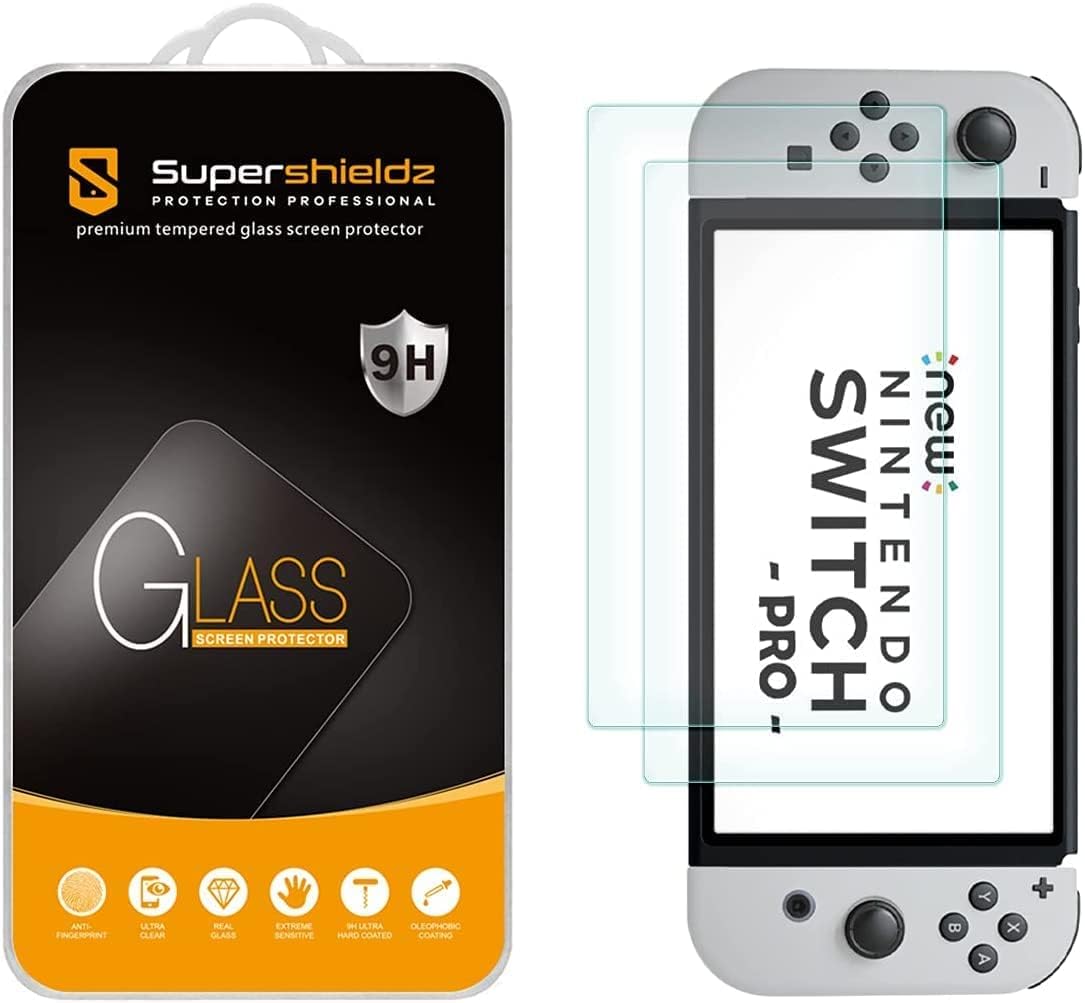
The Supershieldz two-pack focuses on comfortable handling and dependable scratch protection. It is designed for the Nintendo Switch OLED released in 2021, and its tempered glass uses a 2.5D rounded edge construction that softens the feel of the display perimeter during handheld play.
We may earn a commission when you buy through this link, at no additional cost to you.
The product listing specifies 9H hardness, 99.99% HD clarity, and a hydrophobic, oleophobic coating. Those features cover three practical needs: resistance to everyday abrasion, a clear view of the OLED display, and reduced sweat and fingerprint residue. The protector is also described as leaving no residue when removed.
Unlike products built around a dedicated alignment tray, this option emphasizes a simple two-piece format. That may suit buyers who are comfortable with a conventional peel-and-place installation. The rounded edge is a subtle feature, but it is particularly relevant to a hybrid console often used without a protective shell.
The Supershieldz is a well-rounded choice for an OLED owner who values edge comfort, clear viewing, and a useful hydrophobic coating. Its rating of 4.7 places it solidly among the higher-rated products. The absence of a listed alignment system and the smaller pack count are the main reasons it does not lead the guide.
The rounded edge profile can feel more natural around the screen boundary than a completely flat, sharp-edged sheet. That matters when the console is held close during portable play or when a case surrounds the display.
A hydrophobic and oleophobic surface helps reduce the visibility of sweat and oily fingerprints. It preserves a cleaner appearance between cleanings while retaining the clarity expected from a glass screen protector.
We may earn a commission when you buy through this link, at no additional cost to you.
The Orzly four-pack is a replacement-oriented choice for Nintendo Switch OLED owners who want several glass protectors available at once. Its 4.7 rating reflects a generally positive reception, and the four-piece configuration is a major practical advantage over single or two-pack products.
We may earn a commission when you buy through this link, at no additional cost to you.
The glass is designed to protect the OLED screen from scratches and fingerprints while maintaining smooth, responsive touch controls. The package includes a microfiber cloth and hinge stickers, which assist with cleaning and handling during installation. The product information also states that the set is designed by a team of Nintendo enthusiasts in London.
The listing calls the product a lifetime edition, and the four protectors support repeated replacement over time. As with any glass-based option, the protector remains vulnerable to chips or cracks from concentrated impact, so having a spare is useful. A hinged edge can also be more susceptible to damage during removal than a fully adhesive-backed film.
This is a practical choice for households that share a console, keep the Switch in a heavily used travel setup, or simply prefer keeping several replacements on hand. The main drawback is that the product data provides fewer technical details about thickness and transparency than several competing listings. The pack size and straightforward accessories nevertheless make Orzly easy to recommend.
Four protectors offer more flexibility than a typical single-piece purchase. A fresh sheet can be installed when the current one accumulates scratches, edge wear, or fingerprint residue, extending the useful life of the setup.
The protector is designed to maintain a natural touch experience rather than adding an obstructive layer over the touchscreen. Its principal roles are scratch protection and reducing the visibility of fingerprints.
We may earn a commission when you buy through this link, at no additional cost to you.
The daydayup four-pack combines many of the features that define a strong general-purpose screen protector. It is specifically designed for the 7-inch Nintendo Switch OLED Model 2021 and includes an alignment frame, four tempered glass pieces, dry and wet wipes, and a squeeze card.
We may earn a commission when you buy through this link, at no additional cost to you.
Its 0.3mm thickness is intended to preserve touch sensitivity, while the listed 99.9% transparency emphasizes a natural view of the console’s OLED panel. A 9H surface hardness rating and scratch-resistant coating provide everyday protection, and an oleophobic layer helps reduce fingerprint marks.
Compared with the ivoler pack, daydayup has a similar configuration and similar listed technical specifications, though the products have different ratings, with ivoler at 4.8 and daydayup at 4.7. The lower rating is still strong, and the additional backup pieces and alignment frame make this a capable alternative for multiple systems or frequent replacement.
The trade-off is that it does not offer a distinctive optical treatment or an automated alignment system. It is a clear, thin, and straightforward option. For a buyer who values the balance of several protectors, reliable alignment accessories, and touch sensitivity, daydayup remains a compelling multi-pack recommendation.
The four-piece quantity is useful for owners with more than one compatible console or for keeping a replacement ready. It also reduces the inconvenience of having to order again after a sheet becomes badly marked or damaged.
At 0.3mm, the glass is designed to remain thin enough for smooth touch interaction. The high transparency claim also supports a clear view of games, system menus, and the wider OLED display.
We may earn a commission when you buy through this link, at no additional cost to you.
This amFilm OneTouch version stands out from the standard amFilm offering through its anti-glare material. It is designed for gamers who encounter reflections from windows, room lighting, or overhead fixtures and want a screen that remains easier to view in bright conditions.
We may earn a commission when you buy through this link, at no additional cost to you.
The automatic alignment kit supports a claimed 30-second installation, helping position the glass over the OLED display. The protector is made from Ultra 9H tempered glass, while a transparent hydrophobic and oil-repellent layer is intended to reduce fingerprint marks. Together, these features address installation, impact and scratch resistance, and everyday cleanliness.
Anti-glare coatings inevitably make a choice about presentation. They can reduce mirror-like reflections while slightly softening perceived contrast or color intensity, making this option less suitable for buyers who want the most unfiltered OLED appearance. The benefit is particularly relevant when the Switch is used near windows or under strong indoor lights.
The product shares a 4.6 rating with the standard amFilm OneTouch but serves a different use case. Choose this version if reflections are a recurring problem and installation convenience matters. Those who prioritize maximum color neutrality should favor the clear version instead, while anti-glare users gain a practical upgrade.
The anti-glare layer disperses ambient light that would otherwise reflect directly into the player’s eyes. This can improve visibility in sunny rooms and reduce distracting highlights during bright scenes.
The alignment system is designed to place the protector quickly and consistently. It combines with the 9H glass and hydrophobic layer to create a protector that addresses both installation quality and ongoing screen maintenance.
We may earn a commission when you buy through this link, at no additional cost to you.
The three-pack amFilm tempered glass protector provides a larger supply than a single-sheet purchase without reaching the four-piece count offered by several competitors. Its 4.7 rating indicates solid customer reception, and the product data highlights high transparency, scratch resistance, and touch compatibility.
We may earn a commission when you buy through this link, at no additional cost to you.
The glass is 0.5mm thick and carries a listed 11H surface hardness rating. It also has 99.11% transparency and an oleophobic coating intended to reduce fingerprints. These specifications make it a clear, relatively robust option for a console that may be carried between locations or stored alongside accessories in a bag.
The 0.5mm profile is thicker than the 0.3mm glass used by the ivoler, TJS, and daydayup products, and the listing does not mention a dedicated alignment frame. While the glass remains designed for full touchscreen compatibility, buyers who are especially concerned about case clearance may want to compare dimensions with their case before installation.
The package contains three glass protectors, a microfiber cleaning cloth, and an easy-installation manual. It is a good option for owners who want multiple sheets but do not need four. Its strong transparency, elevated hardness claim, and 4.7 rating make it a solid final recommendation, particularly for clear-glass users who do not require anti-glare treatment.
The listed 11H surface hardness makes this one of the strongest stated scratch-resistance specifications in the guide. It does not make the screen immune to concentrated impacts, but it is designed to withstand routine contact with hard objects.
A three-piece package offers enough material to replace a protector several times. The microfiber cloth supports routine cleaning, while the manual helps organize the preparation and placement process.
We may earn a commission when you buy through this link, at no additional cost to you.
The best protector balances model accuracy, optical quality, reliable touch response, and an installation method suited to your experience. Because the Nintendo Switch OLED is a costly console with a delicate 7-inch screen, a few specific details can determine whether an inexpensive sheet becomes a satisfactory long-term accessory.
The Nintendo Switch OLED has a 7-inch display, while the original Switch and Switch Lite use a 6.2-inch panel. The products in this guide are intended for the OLED model, and several listings explicitly warn against use with earlier versions. Check the model information on the console and confirm that the listing names the 7-inch OLED system rather than relying on a generic “Nintendo Switch” label.
Buy a protector specifically labeled for the Nintendo Switch OLED Model 2021, or for the 2021 and 2023 versions where stated. A protector with the wrong cut may cover too much bezel, leave portions of the display exposed, interfere with the console’s controls, or prevent a case from fitting properly.
Tempered glass is the dominant construction in this category because it combines scratch resistance with a smooth, familiar touch surface. Most of the products listed here offer 9H hardness, although one claims 11H, and several use rounded edges for comfort. The MAGIC JOHN option uses a tempered film with blue-light filtering and anti-glare properties, providing a different feature set for buyers who prioritize lighting conditions.
Choose standard glass when clarity, hardness, and familiar touchscreen behavior are the leading priorities. Consider a specialized filtering film when reflections and harsh light are recurring problems, but review its visual effect first if maximum color neutrality is important. The protection type should be matched to the player’s environment rather than chosen solely by marketing terminology.
Installation quality determines whether a protector looks seamless or displays bubbles, dust, and uneven edges. Alignment frames, dedicated trays, and pull-tab systems all make positioning easier, but they do not replace proper surface preparation. The amFilm OneTouch products use an automatic alignment kit, MAGIC JOHN includes an alignment applicator with automatic dust removal, and the ivoler and daydayup packs include frames.
A first-time installer should prioritize a guided or automatic alignment system. A buyer comfortable with conventional application may prefer a simpler two-piece glass pack. Whichever route you choose, work in a dust-free area, clean the display with the supplied preparation material, and avoid touching the exposed adhesive side before it reaches the screen.
A protector should preserve the smooth swiping, tapping, and menu navigation expected from the Switch OLED touchscreen. Many listings emphasize a thin profile as a sign that touch sensitivity will remain intact. Products in this guide use thicknesses from 0.3mm to 0.5mm, with the 0.3mm options and the NEW'C 0.33mm protector particularly focused on a low-profile fit.
Look for a listed 0.3mm profile when case compatibility and maximum sensitivity are priorities. A slightly thicker protector can still work well, especially when made with a properly fitted adhesive layer, but it is worth checking the dimensions of any case already in use. Clean, bubble-free placement is equally important because gaps and trapped debris can interfere with accurate input.
The OLED panel is known for rich contrast and vivid color, so a low-opacity protector is desirable for many players. The ivoler and daydayup products list 99.9% transparency, Supershieldz lists 99.99% HD clarity, and the three-pack amFilm product lists 99.11% transparency. These are manufacturer claims, but they indicate that each product is designed primarily to preserve an unobstructed view.
Anti-glare protection can be valuable near a sunny window or under bright indoor lighting. The amFilm anti-glare OneTouch disperses reflected light, while MAGIC JOHN combines anti-glare treatment with blue-light filtering. The trade-off is that less reflective finishes can slightly mute contrast or color. Choose a clear protector for maximum neutrality or an anti-glare option for better visibility in bright surroundings.
The difference between one, two, three, and four protectors is more significant than it may first appear. A small pack can be sufficient for one careful installation, while four sheets provide spares for a household with several consoles, an active travel setup, or a tendency to replace a protector when edge wear becomes visible. The ivoler, Orzly, and daydayup options each include four pieces.
Multi-packs offer convenience but do not make installation quality any easier. Use the extra sheets to replace visibly damaged or heavily marked protectors rather than stacking layers, which can reduce clarity and create a raised edge. If you only own one Switch and already have a case, two or three high-quality sheets may offer the most practical balance.
The Nintendo Switch can be used in handheld or docked modes, and the screen protector should work in both. TJS specifically promotes its 0.3mm profile as docking-friendly, while NEW'C notes that spacing around the protector can accommodate many phone-style cases. If your setup includes a tightly fitted shell, check whether the protector is flush or has a slightly raised edge.
Avoid adding more than one layer to the screen. The more material between your fingers and the display, the more important smooth responsiveness becomes. A thin protector installed cleanly is generally more comfortable for gameplay than a thicker or poorly aligned alternative, particularly when the console is held in a case without a storage sleeve.
Hydrophobic and oleophobic coatings help reduce visible fingerprints and oily residue. They appear on the amFilm products, NEW'C protector, Supershieldz glass, and daydayup set, making them useful for frequently touched handheld sessions. A coating can slow the appearance of smudges, but it does not remove the need for occasional cleaning with a soft cloth.
Keep a microfiber cloth nearby and clean the screen before applying the protector. Follow the supplied preparation instructions, avoid using harsh household cleaners, and allow the console to power off and cool before installation. This simple routine reduces the chance of embedding dust, leaving streaks, or trapping moisture beneath the glass.
Begin with the console powered off and place it on a clean, flat surface. Confirm the model, remove the protective glass carefully, and use the supplied alcohol preparation pad or appropriate cleaning material to remove fingerprints and dust from the display. Wipe it again with a microfiber cloth, and avoid creating a heavily streaked or damp surface before application.
Follow the instructions for your specific alignment system. A frame or tray can guide placement, while an adhesive pull-tab or dust-removal film may require the protector to be lowered, held briefly, and then exposed by peeling a sticker. Work slowly in a room with minimal dust, keep your fingers away from the adhesive surface, and do not repeatedly lift and reposition the glass after it begins to settle.
Once installed, press gently across the surface and around the edges to secure the glass. Check for bubbles, dust, or raised corners, and follow the manufacturer’s guidance if a defect appears. During normal use, clean the protector with a soft microfiber cloth, avoid abrasive pads, and remove the console from bags or cases where objects can press against the screen.
No. The OLED model has a 7-inch display, while the original Nintendo Switch uses a 6.2-inch display. The cut, dimensions, and edge placement do not match, so a protector made for the original console should not be used on the OLED system. Always verify that the product specifically names the 7-inch Nintendo Switch OLED model.
A high-transparency clear protector is designed to preserve the appearance of the display, while anti-glare and blue-light-filtering products can intentionally alter the viewing experience. Filters may soften reflections but can also make colors or contrast appear slightly less intense. Choosing based on your lighting conditions and preferred image quality is the best approach.
Tempered glass is generally stronger against scratches and feels smoother under the fingers, which can make it preferable for a frequently touched gaming screen. Plastic films may offer specialized filtering and easier edge-to-edge installation, but they are more vulnerable to punctures and may feel less solid. The right choice depends on whether protection, filtering, or flexibility matters most.
Yes, provided the protector is designed for the OLED model and the console fits normally in the dock. Thin options such as the TJS 0.3mm protector explicitly emphasize docked use. Very tight cases or raised-edge protectors may require additional clearance, so check the fit before placing the console into its dock or storage sleeve.
Power off the console, clean both the display and the underside of the protector in a low-dust area, and use the supplied alignment system. Do not touch the adhesive surface with bare fingers. If a bubble remains, follow the manufacturer’s installation instructions rather than repeatedly peeling the glass, because repeated removal can introduce more dust or weaken the adhesive.
An alignment frame provides a fixed boundary for positioning the glass and can be especially helpful for first-time installers. It does not automatically remove dust, so cleaning remains essential. Automatic trays and pull-tab applicators can provide additional guidance, but the basic principles of clean preparation and steady placement still apply.
Replacement depends on visible wear rather than a fixed schedule. Replace it when scratches interfere with viewing, the edge becomes chipped, fingerprints remain difficult to clean, or touch input starts to feel uneven. Keeping a multi-piece pack makes replacement easier and prevents a small chip from being left on the display indefinitely.
A 0.3mm protector is generally easier to fit with cases and can feel closer to an unprotected screen. A 0.5mm protector may still provide good sensitivity, but it creates a slightly larger gap above the display. The material, adhesive, and installation quality also affect usability, so thickness should be considered alongside the complete design.
The ivoler four-pack is the best overall value for most buyers because it combines 4.8 stars, four tempered glass sheets, a 0.3mm profile, and a practical alignment frame. The amFilm OneTouch is the Editor’s Choice for anyone who prioritizes a guided 30-second installation, while MAGIC JOHN is the premium selection for blue-light filtering, anti-glare viewing, and automatic dust removal.
If you prefer a simple tempered-glass design without a dedicated alignment accessory, NEW'C offers a 4.8-rated 0.33mm option with rounded edges. TJS is particularly relevant for docked play, Supershieldz emphasizes rounded-edge comfort, and the amFilm three-pack stands out with a high listed hardness and multiple sheets. Always verify OLED compatibility and consider your case before applying a protector.
Product availability and pricing can change, so review the current listing and included accessories before purchasing. The core priorities remain consistent: choose a precise 7-inch OLED fit, a responsive surface, an installation method you can use confidently, and a coating or optical treatment suited to where you play.