
ScanSnap iX2500 Black
4.3Editor score
45-page-per-minute duplex scanning
100-sheet automatic document feeder
Built-in Wi-Fi 6 connectivity
Large touchscreen profile controls
Multi-feed and skew detection
Our expert guide compares the best scanner for legal size documents, evaluating legal-length support, speed, feeder capacity, OCR, connectivity, and portability
A scanner for legal size documents should handle more than standard letter-size paper without forcing you to split long files into several pages. The right model combines an adequate document feeder, reliable duplex scanning, searchable PDF creation, and handling suited to the volume and location of your work.
We compared all ten products across paper-path capacity, supported dimensions, scanning speed, OCR tools, connectivity, workflow features, portability, and document-management capabilities. The list includes compact sheet-fed scanners, wireless desktop models, and flatbed units, so it covers mobile professionals, small offices, and legal practices with different needs.
Each review identifies the feature that makes the model distinctive, along with practical limitations to consider before purchase. We also note where the supplied specifications do not explicitly confirm legal-size support. Product availability, features, and pricing can change, so confirm the current specifications and deal terms before ordering.
4.3Editor score

4.4Editor score

4.0Editor score
The comparison below highlights feeding capacity, throughput, connection options, and document-processing features. Because not every listing states a maximum page size, buyers handling legal files should specifically confirm long-page support before purchase.


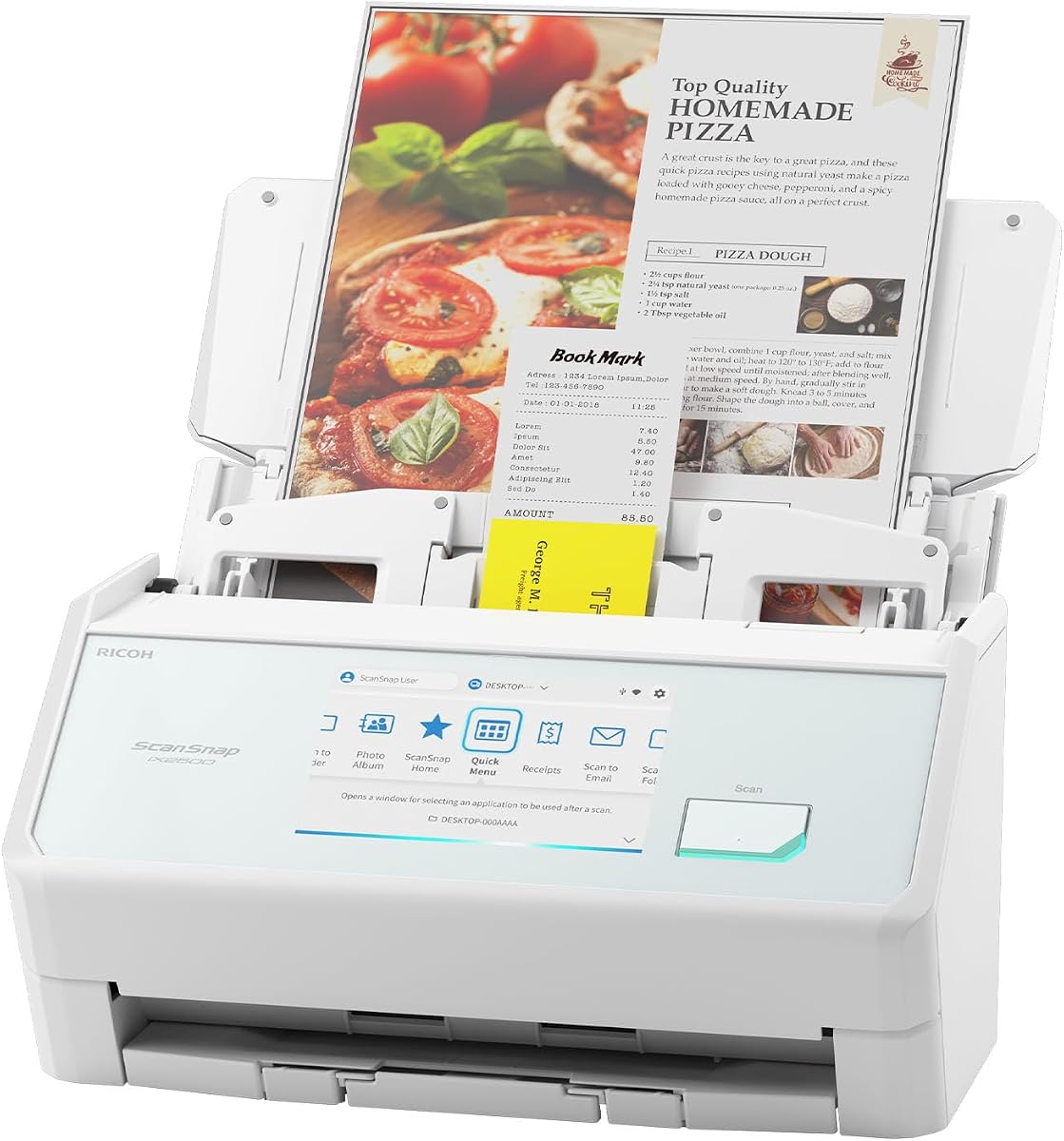
The ScanSnap iX2500 Black earns a 4.3 rating and stands out as the most feature-forward scanner in this group. Its headline capabilities are a 45-page-per-minute duplex engine, a 100-sheet automatic document feeder, a large touchscreen, and both Wi-Fi 6 and USB-C connectivity. That combination makes it well suited to a legal office that needs rapid digitization without tying every job to a desktop computer.
We may earn a commission when you buy through this link, at no additional cost to you.
Speed is the scanner's strongest distinguishing feature. Forty-five pages per minute in duplex mode can substantially reduce the time required to capture lengthy pleadings, contracts, exhibits, and case files. The 100-sheet feeder also favors batch work, while personalized touchscreen profiles let users select destinations and scanning actions with less dependence on desktop software. Scans can go to PCs, Macs, mobile devices, cloud services, or favorite computer applications through the Quick Menu.
Its paper-management system is particularly relevant when originals must be preserved. A brake roller feeds sheets smoothly, a multi-feed sensor identifies pages stuck together, and skew detection helps prevent crooked feeding, damage, or missing data. Automatic optimization, naming, and sorting can also reduce the manual cleanup normally required after scanning. The tradeoff is that the supplied specification does not explicitly state the maximum legal page length, so buyers should verify that detail.
This is the strongest all-around recommendation for users who prioritize speed, flexible destinations, and manageable desk workflow. It is particularly attractive for a growing practice that scans from multiple locations or wants to send completed files directly to cloud storage. Confirm legal-length compatibility before committing, but for high-volume mixed-document work, the iX2500 offers the most sophisticated balance of automation and capacity.
The 45-page-per-minute duplex rate and 100-sheet feeder make this model particularly effective for contracts, case binders, and other document sets where productivity depends on fewer feed interruptions. Confirm page dimensions and daily volume before choosing a workflow profile.
Built-in Wi-Fi 6 supports connections to smart devices and cloud services without a computer, while USB-C remains available for wired workflows. This flexibility suits hybrid offices and distributed legal teams.
We may earn a commission when you buy through this link, at no additional cost to you.
The Epson Workforce ES-50 carries a 4.3 rating and is the clearest choice in the group for unusually long documents. It scans up to 8.5 by 72 inches, giving it far more length than a conventional legal-size page. That makes it useful for long contracts, detailed records, oversized diagrams, and continuous-form documents that would otherwise require multiple scans.
We may earn a commission when you buy through this link, at no additional cost to you.
The mobile design is equally important. Epson describes the ES-50 as compact and lightweight, and its USB-powered operation removes the need for batteries or an external power supply. A page can be scanned in as little as 5.5 seconds, while automatic feeding mode combines individually inserted sheets into one file. Users can create searchable PDFs and editable Word or Excel documents through bundled OCR software.
The main compromise is throughput. This is a single-sheet-fed scanner, so each page must be inserted manually, and the 72-inch maximum means even an ordinary legal-size sheet may take longer than it would in a conventional feeder. It also does not provide duplex scanning, and portability comes at the expense of batch capacity. The ES-50 is built for convenient digitizing, not continuous high-volume processing.
Choose it when mobility or exceptional sheet length matters more than office-scale speed. A lawyer visiting a client, a tax preparer collecting records, or a remote worker scanning signed forms can benefit from its simple USB workflow and automatic file assembly. For ordinary legal pages, however, a feeder-based model will usually be faster.
The stated 72-inch maximum is the ES-50's defining advantage and gives it exceptional flexibility for continuous forms, long agreements, and extended records. It comfortably covers conventional legal-length sheets while extending well beyond them.
Because the scanner draws power through USB and needs no battery, it can be used wherever a compatible computer is available. Automatic file combining reduces the inconvenience of feeding one page at a time.
We may earn a commission when you buy through this link, at no additional cost to you.
The Epson Workforce ES-400 II receives the highest product rating in this roundup at 4.5. It is a conventional desktop scanner with a 50-sheet automatic document feeder, duplex capture, color scanning, searchable PDF creation, and conversion to editable Word and Excel files. Those features make it a sensible middle ground for a legal office that values dependable document handling without needing a large touchscreen.
We may earn a commission when you buy through this link, at no additional cost to you.
Its software supports direct email, Dropbox, Evernote, Google Drive, and OneDrive destinations. Epson ScanSmart also provides previews, automatic file naming, and integration with document-management software through the included TWAIN driver. Automatic cropping, blank-page removal, background removal, and image processing simplify the preparation of scanned pleadings, invoices, and contracts.
Paper handling is one of the model's strongest practical features. Ultrasonic double-feed detection identifies feeding problems, while dynamic skew correction helps keep pages aligned. Compared with the ScanSnap iX2500, the ES-400 II offers less feeder capacity and no stated wireless connection. The supplied information also does not explicitly list legal page dimensions, making dimension verification essential for buyers whose core requirement is legal-size support.
This scanner is best for a fixed office that needs strong OCR, direct sharing, and reliable duplex operation. It may be especially suitable for paralegals and administrative staff who process recurring document sets. Choose it over a portable model when the desk will remain stationary and a 50-sheet feeder is sufficient.
OCR can turn scanned contracts and case records into searchable PDFs or editable office files. Automatic file naming and image cleanup help maintain consistent output without extensive manual intervention.
Ultrasonic double-feed detection and dynamic skew correction reduce the likelihood of lost pages and crooked scans. These protections are valuable when originals cannot be repeatedly refed or damaged.
We may earn a commission when you buy through this link, at no additional cost to you.
The Brother DS-640 has a 4.3 rating and focuses on portability. It is less than one foot long, weighs about 1.5 pounds, and can fit in a bag or even a pocket. A micro USB 3.0 cable supplies power and data, allowing operation wherever a compatible computer is available without hunting for an outlet.
We may earn a commission when you buy through this link, at no additional cost to you.
Its listed scanning speed reaches 16 pages per minute, and color pages scan at the same rate as black-and-white documents. The free iPrint&Scan application provides destinations including a PC, network locations, cloud services, email, and OCR. Brother iPrint&Scan also supports Windows, Mac, and Linux, along with TWAIN, WIA, ICA, and SANE drivers.
Automatic color detection and adjustment, image rotation, bleed-through prevention, background removal, text enhancement, and color drop improve output. The included document-management and OCR software adds further utility. As with many portable scanners, however, the listing does not explicitly confirm legal-size support, and the small feed mechanism limits batch convenience.
The DS-640 suits a lawyer or legal assistant who frequently travels, works from client sites, or needs to digitize a few documents without setting up a desktop unit. It is less appropriate for processing large archives at a desk. Verify long-page compatibility, especially if a substantial portion of the workflow involves oversized records.
At under a foot long and roughly 1.5 pounds, the DS-640 is easy to carry between offices or client locations. Its USB-powered design further reduces the accessories needed for mobile use.
Color documents scan at the same listed rate as black-and-white files, which helps when records contain signatures, stamps, or highlighted passages. Automatic adjustments simplify mixed-document batches.
We may earn a commission when you buy through this link, at no additional cost to you.
The Canon imageFORMULA R10 earns a 4.0 rating and has the clearest legal-document claim in the group, with its supplied information explicitly stating that it handles legal documents. It also supports receipts, business cards, plastic or embossed cards, and reports, making it a versatile choice for a small legal practice that digitizes varied paper records.
We may earn a commission when you buy through this link, at no additional cost to you.
The scanner handles both sides of a document at up to 12 pages per minute through a 20-sheet automatic feeder. It produces searchable PDFs, JPEGs, and other formats, while built-in software supports editing, straightening, trimming, custom buttons, and destination settings. Windows and Mac compatibility broadens its appeal, and the software updates automatically without a separate installation process.
Its main limitation is its modest 20-sheet feeder, which is smaller than the 50- and 100-sheet options offered by several desktop competitors. The 12-page-per-minute rate is also less impressive for sustained batch work. Canon states that the unit is not intended for photographs printed on photo paper or other photographic media, so it should be viewed as a document scanner rather than a photography solution.
The R10 is a strong recommendation for users who want explicit legal-document support in a portable, uncomplicated package. It is well suited to a home office, classroom, or small practice handling a moderate flow of papers. Choose it for legal support and compact duplex operation; choose a larger desktop model for continuous high-volume archiving.
Unlike several competing listings that do not state a maximum legal dimension, the R10's supplied description explicitly identifies legal documents among its supported media. Buyers can therefore shortlist it with greater confidence for long-page workflows.
Automatic updates and integrated editing tools reduce setup complexity. Users can straighten, trim, organize, and route scans without relying on a separate installation for common tasks.
We may earn a commission when you buy through this link, at no additional cost to you.
The ScanSnap iX1300 has a 4.2 rating and distinguishes itself with a folding design that reduces its desk footprint. It can scan documents, photos, cards, and thicker items, including plastic cards, and supports color duplex capture at up to 30 pages per minute.
We may earn a commission when you buy through this link, at no additional cost to you.
Wireless and USB connections provide flexibility. Users can send scans to a Mac, PC, mobile device, or cloud service, while Chromebook support is available through the mobile app. The scanner can also operate without a computer, which is useful for sending files directly to a nearby mobile device or cloud destination.
Automatic deskew, color optimization, and blank-page removal improve the quality of mixed batches. ScanSnap Home software and the Quick Menu make files easy to organize, edit, and place into preferred applications. The listing does not provide a feeder capacity or explicitly state legal-size support, so those details require verification.
This model is a sensible option for a home office or legal practice with limited desk space. Its faster duplex rate and wireless flexibility are compelling, although the newer iX2500 adds a larger touchscreen, a 100-sheet feeder, and a higher listed speed. For maximum batching, favor the iX2500; for a compact footprint, the iX1300 remains effective.
The foldable body can free desk space when the scanner is not in use. This makes the iX1300 suitable for legal offices where documents are often reviewed beside a computer and limited work surface is available.
Wi-Fi operation allows files to be sent directly to mobile devices or cloud services without a desktop computer. USB remains available for users who prefer a wired workflow.
We may earn a commission when you buy through this link, at no additional cost to you.
The HP Small USB Scanner, model HPPS100, has a 4.2 rating and stands out for a clearly stated maximum dimension of 8.5 by 14 inches. That specification directly covers conventional legal-size pages, making it one of the most relevant options for the keyword even though it lacks a traditional automatic document feeder.
We may earn a commission when you buy through this link, at no additional cost to you.
It scans in black and white or color at 15 pages per minute, with a stated 1200 dpi resolution. The device uses a lightweight sheet-fed design, draws power through USB 2.0, and is intended to move easily between home, office, and business environments. The supplied information calls it suitable for invoices, contracts, reports, letters, business cards, photos, bills, and brochures.
HP WorkScan is free for Windows and macOS and provides auto-scan, size detection, previewing, zooming, cropping, editing, background cleaning, edge and hole cleanup, and destination selection. Its one-sided design means users must turn pages manually when both sides need to be retained, and no automatic feeder capacity is listed.
The HPPS100 is a compelling option for mobile legal work involving standard legal sheets. It is particularly useful for a solo professional who values explicit legal-length support, image quality, and a small footprint over duplex throughput. For large document sets, a feeder-based scanner will be more efficient.
The stated 14-inch maximum length directly accommodates standard legal-size sheets. This explicit limit is valuable when comparing the scanner with products whose listings do not disclose maximum dimensions.
A stated resolution of 1200 dpi and automatic size detection support clean, consistent files. HP WorkScan adds editing and cleanup tools without a paid subscription.
We may earn a commission when you buy through this link, at no additional cost to you.
The Epson Workforce ES-580W earns a 4.4 rating and offers an excellent premium combination of touchscreen control, wireless flexibility, and a 100-sheet feeder. It scans up to 35 pages per minute and captures both sides through Single-Step Technology, making it well suited to recurring office document sets.
We may earn a commission when you buy through this link, at no additional cost to you.
A 4.3-inch touchscreen provides direct control over scanning destinations and settings. Files can be sent to smartphones, tablets, computers, cloud storage accounts, USB media, or email, and popular services including Dropbox, Evernote, Google Drive, and OneDrive are supported. Importantly for legal teams, the scanner can save documents without a computer being present.
The software produces searchable PDFs and converts scans to editable Word or Excel files. Auto crop, blank-page deletion, background removal, dirt detection, and paper-skew correction help maintain clean output. The 100-sheet feeder is a major advantage for pleadings, discovery materials, and client files, while the 35-page-per-minute rate is substantial without reaching the ScanSnap iX2500's listed 45 pages per minute.
The primary uncertainty is legal page support, which is not explicitly stated in the supplied specifications. Buyers should confirm that detail before purchase. Otherwise, the ES-580W is a top premium recommendation for a fixed legal office that wants effortless wireless routing, touchscreen operation, and high feeder capacity.
The 4.3-inch display puts destinations, file organization, and job settings within easy reach. It reduces dependence on desktop software, which helps when staff scan from different locations around the office.
Wireless scanning to popular cloud services, email, USB, phones, and tablets can shorten the path from paper to shared workspace. No computer is required for supported direct destinations.
We may earn a commission when you buy through this link, at no additional cost to you.
The Epson Perfection V19 II carries a 3.9 rating and is a different kind of document scanner from the feeder-based options. It is a flatbed model with 4800 dpi optical resolution, designed primarily around photo, artwork, illustration, book, and general document capture. It is not the strongest standalone legal-size workflow, but it can complement a high-speed scanner.
We may earn a commission when you buy through this link, at no additional cost to you.
The removable high-rise lid allows books and photo albums to be scanned, while one-touch controls reduce the number of steps. Easy Photo Fix restores color to faded photographs, and Epson ScanSmart supports searchable PDFs plus editable Word, Excel, and PowerPoint files through OCR.
The scanner weighs 3.1 pounds, is USB-powered, and includes a kickstand for vertical placement and storage. It can scan letter-sized documents in as fast as 10 seconds. However, there is no automatic document feeder, and legal page dimensions are not stated. Flatbed capture also requires placing each page manually and closing the lid.
Buy the V19 II when preserving bound legal materials, photographs, or fragile originals matters more than batch speed. It is a strong companion scanner for exhibits and documents that could be damaged by aggressive feeder rollers. For routine long pages or large stacks, rely on a sheet-fed or feeder-based model and confirm its legal-size rating.
A flatbed platen avoids pulling original pages through rollers, making the V19 II suitable for fragile documents, books, and albums. The removable lid provides clearance for thicker items.
The 4800 dpi optical resolution is particularly valuable for photographs, illustrations, and fine print. OCR and office-format conversion extend the scanner beyond image-only use.
We may earn a commission when you buy through this link, at no additional cost to you.
The white ScanSnap iX2500 has a 4.4 rating and provides the same core capabilities as the black model listed first. Its 45-page-per-minute duplex engine, 100-sheet feeder, large touchscreen, Wi-Fi 6, and USB-C make it one of the most capable products in the guide.
We may earn a commission when you buy through this link, at no additional cost to you.
Personalized touchscreen profiles support direct delivery to computers, mobile devices, and cloud services. Quick Menu enables scan-drag-drop workflows, while automatic optimization, naming, and sorting make downloaded files easier to manage. The scanner can handle documents, receipts, photos, and business cards without requiring a nearby computer.
Paper protection includes a brake roller system, multi-feed sensor, and skew detection. These features help reduce jams, missing pages, and damage to originals. The same limitation applies as with the black version: the supplied listing does not explicitly identify the maximum legal page dimension, so confirmation remains necessary.
This model is a straightforward alternative for buyers who prefer white hardware. Because the operating features match the black iX2500, there is no functional reason to select one over the other unless color preference, availability, or current deal terms differ. For high-volume office digitization, it remains one of the strongest choices in the roundup.
The white model delivers the same 45-page-per-minute duplex rate, 100-sheet feeder, and wireless and wired connectivity as the black version. Selection can therefore be based on appearance and availability.
The brake roller, multi-feed sensor, and skew detection work together to improve feeding consistency. These safeguards are especially useful for irreplaceable documents and mixed-quality paper stacks.
We may earn a commission when you buy through this link, at no additional cost to you.
The most important factor is confirmed support for the exact page dimensions you use. From there, compare feeding capacity, duplex capability, OCR quality, routing options, portability, and paper-protection features according to the volume and location of your work.
A scanner marketed for general documents is not automatically suitable for legal-size pages. Look for a stated maximum width and length, especially when records include lengthy contracts, court filings, or multi-page agreements. Among the listed products, the Canon imageFORMULA R10 explicitly mentions legal documents, the HP Small USB Scanner states a maximum length of 14 inches, and the Epson Workforce ES-50 supports pages up to 72 inches. Other models appear capable of handling standard office documents, but their supplied specifications do not explicitly confirm the legal-size limit. Always check the current manufacturer specifications or listing details before purchase.
The automatic document feeder determines how efficiently a scanner handles a large stack. The ScanSnap iX2500 models provide the largest listed capacity at 100 sheets, followed by the Epson ES-400 II at 50 sheets and the Canon R10 at 20 sheets. The Epson ES-50 and Brother DS-640 prioritize compact single-sheet designs, while the HPPS100 and Epson V19 II do not list a traditional automatic feeder. A larger feeder is advantageous for recurring case files and records, but it also increases the scanner's physical footprint.
Duplex scanning captures both sides in one pass and is especially useful for contracts, pleadings, and exhibits printed on both sides. The listed duplex rates range from 12 pages per minute on the Canon R10 to 45 pages per minute on the ScanSnap iX2500. The Epson ES-580W reaches 35 pages per minute, the iX1300 reaches 30, and the Brother DS-640 reaches 16 pages per minute in a compact design. The ES-50 scans one page in as little as 5.5 seconds but feeds sheets individually, while the V19 II is a manual flatbed.
OCR converts image-only pages into searchable PDFs and editable files, allowing a legal team to find names, dates, clauses, and case references without reopening every image. The Epson models include searchable PDF and Word or Excel conversion, while the ES-50 also offers searchable PDFs and editable office files. The Canon R10 creates searchable PDFs, the Brother package includes OCR software, and the HP WorkScan application supports common PDF and image outputs. Accurate OCR still depends on scan quality, page alignment, and the original print condition.
USB provides a dependable wired route, while Wi-Fi can reduce cable clutter and allow direct delivery to cloud storage, email, phones, or tablets. The ScanSnap iX2500 models use Wi-Fi 6 and USB-C, the iX1300 supports Wi-Fi and USB, and the Epson ES-580W provides extensive wireless destinations. The Canon R10, Brother DS-640, Epson ES-50, and HPPS100 rely on USB for their basic connection. Cloud support should be checked against the services and document-management platforms your practice already uses.
A good scanner should remove routine manual work through automatic cropping, deskewing, blank-page removal, background cleanup, and descriptive file naming. ScanSnap's Quick Menu and profile system, Epson's ScanSmart and image-processing tools, HP WorkScan, and Canon's integrated editor all offer forms of automation. Review the software ecosystem carefully if your practice relies on cloud storage, a specific case-management system, or standardized naming conventions. A convenient scanner is one that fits the existing workflow rather than forcing every document through a separate manual process.
Legal originals may be valuable, fragile, or impossible to replace. Multi-feed detection, skew correction, and controlled paper-feed systems reduce the risk of skipped or damaged pages. The ScanSnap iX2500 models include a brake roller, multi-feed sensor, and skew detection. The Epson ES-400 II uses ultrasonic double-feed detection and dynamic skew correction, while the ES-580W includes dirt detection and paper-skew correction. For bound materials or fragile exhibits, a flatbed such as the Epson V19 II may be gentler than a feeder.
A portable scanner is valuable when legal work happens across offices, court locations, or client sites. The Epson ES-50, Brother DS-640, Canon R10, HPPS100, and Epson V19 II emphasize compact construction. The ScanSnap iX1300 uses a folding design to reduce desk space, while the iX2500, ES-580W, and ES-400 II are better suited to permanent workstations. USB-powered models offer convenience, but wireless desktop units can also free a desk by reducing direct computer dependency.
Begin by checking the scanner's current maximum page dimensions and comparing them with the smallest and largest originals in your workflow. Clean the glass or feeder path according to the manual, straighten curled edges, and remove staples, paper clips, adhesive notes, and other fasteners that can cause jams or tears. For a long legal page, make sure the entire sheet fits within the feed path and that the selected profile matches the document's orientation and size.
Choose an output profile before loading the first sheet. For legal records, searchable PDF is usually the most useful general-purpose format, while editable Word or Excel files can help with text-based records that require revision. Name files consistently using matter, client, date, and document type. If using wireless routing, test the selected cloud, email, or device destination with a short sample before processing an entire batch.
For care, power the unit off before removing a jammed page and follow the manufacturer's instructions rather than pulling forcefully through the feed rollers. Keep the feed path clean, avoid forcing unusual media, and separate damaged or very fragile sheets from routine batches. Periodically review double-feed warnings and image quality, and back up completed scans before deleting the original paper records.
Legal-size paper is commonly 8.5 by 14 inches, while letter-size paper is 8.5 by 11 inches. A legal-capable scanner must accept the additional three inches without cropping the page or dividing it into multiple images. Confirm the manufacturer's stated maximum dimensions rather than assuming every document scanner supports legal sheets.
The Canon imageFORMULA R10 explicitly lists legal documents among its supported media. The HP Small USB Scanner states a maximum dimension of 8.5 by 14 inches, while the Epson Workforce ES-50 supports up to 72 inches. For the other models, the supplied information does not state a legal-size limit, so buyers should verify the current specifications.
Duplex scanning is helpful when both sides of a contract, filing, or exhibit must be captured. It reduces page handling and makes a multi-page set easier to organize. A simplex model can still work well, but users must manually turn and rescan pages whenever both sides are required.
Yes, because searchable PDFs let you locate names, dates, citations, and contract language across many files. Editable Word or Excel output can also support downstream review and recordkeeping. OCR quality varies with faint printing, skew, heavy backgrounds, handwriting, and other source conditions, so representative samples should be checked.
A model with a large automatic feeder and fast duplex throughput is generally more practical. The ScanSnap iX2500 models lead the list with a 100-sheet feeder and 45-page-per-minute duplex rate, while the Epson ES-400 II provides a 50-sheet feeder and the ES-580W offers a 100-sheet feeder at 35 pages per minute. Legal-size support still needs separate confirmation.
The Brother DS-640 is extremely compact and USB-powered, while the Epson Workforce ES-50 supports exceptionally long pages and automatically combines inserted sheets into one file. The Canon R10 and HPPS100 are also portable, although their specific paper-path designs differ. Travelers should compare maximum page size, duplex needs, and destination support first.
Several models can route scans to cloud services without saving every file locally first. The ScanSnap iX2500, iX1300, Epson ES-580W, Epson ES-50, Brother DS-640, and Canon R10 list cloud or flexible scan-to options. Confirm that your preferred provider is supported and set up the destination before processing originals.
A flatbed can be safer for fragile, bound, or unusually shaped documents because the page is not pulled forcefully through rollers. The Epson Perfection V19 II is the flatbed in this group and offers a removable high-rise lid. For routine loose legal pages, a feeder-based scanner will usually be faster and more convenient.
The ScanSnap iX2500 models offer the strongest combination of speed, feeder capacity, wireless flexibility, and paper protection, with the black version taking the first position and the white version providing an equivalent alternative. The Epson Workforce ES-580W is a particularly polished premium office choice, while the Canon imageFORMULA R10 stands out for explicit legal-document support in a portable duplex design.
For most buyers, the first step should be matching the scanner to the actual documents. Choose the HPPS100 for a portable 14-inch maximum, the ES-50 for pages up to 72 inches, or the Canon R10 when its stated legal support aligns with your workload. If you need larger batches, prioritize the 100-sheet feeders in the ScanSnap iX2500 and Epson ES-580W, while the Epson ES-400 II offers a balanced 50-sheet alternative.
Finally, confirm page dimensions, duplex behavior, software, and current destination support before purchasing. Product features, software compatibility, availability, and pricing can change, and current terms should be checked at the time of purchase. With those details confirmed, the right scanner can turn lengthy paper records into organized, searchable digital files with far less manual effort.