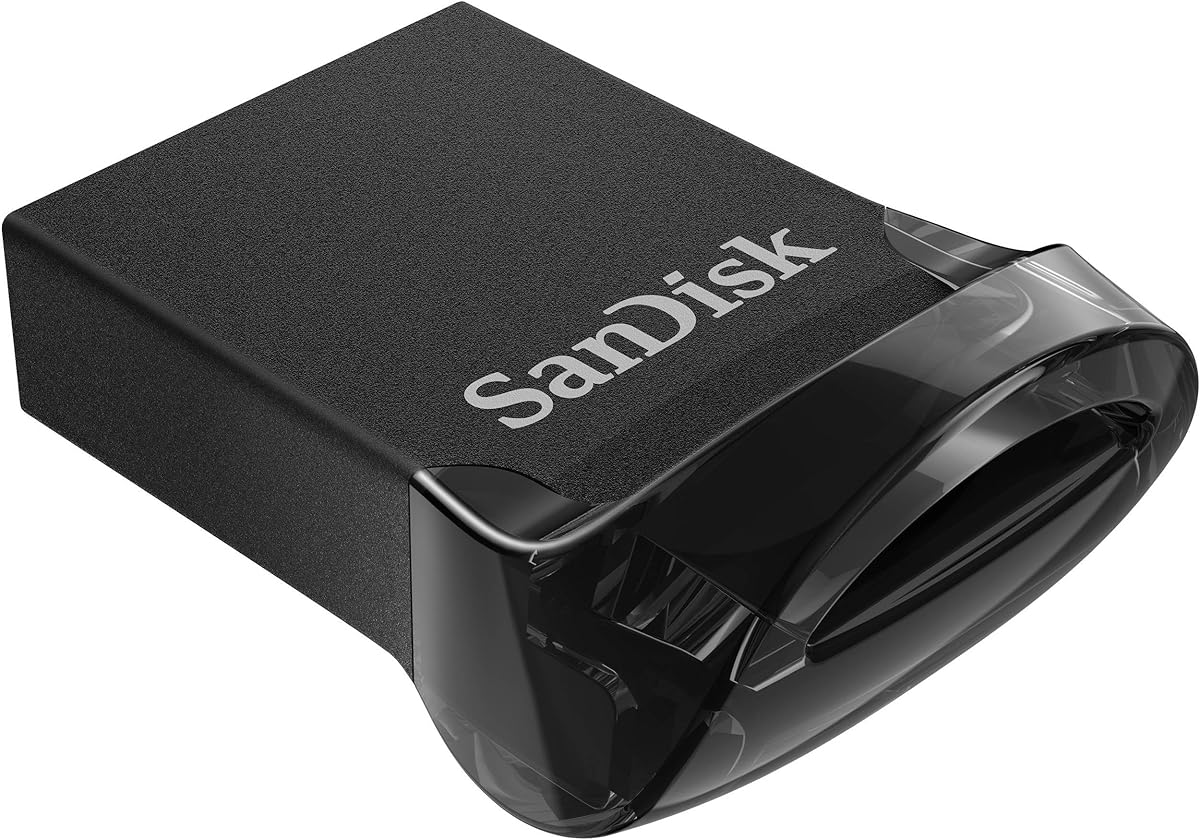
SANDISK 32GB Ultra Fit
4.6Editor score
Up to 130MB/s read speed
Low-profile portable design
Five-year limited warranty
Explore the best slim USB flash drives, comparing capacity, speed, connector type, security, portability, and storage needs for everyday devices.
Slim USB flash drives offer convenient removable storage without the bulk of a traditional thumb drive. A good model should fit crowded ports, transfer files efficiently, store the amount of data you need, and remain easy to carry between laptops, game consoles, vehicles, and other compatible devices.
We compared all ten options by capacity, stated read speed, connector design, physical footprint, security features, operating-system support, and intended use. The list covers USB-A and USB-C models, compact everyday drives, higher-capacity choices, and two metal-bodied USB 2.0 drives that may suit different needs.
Each numbered review explains the strongest reasons to consider that particular model, along with its practical limitations. The three highlighted selections represent a strong budget choice, a versatile editor's choice, and a high-capacity premium option, while product availability and pricing can change over time.
4.6Editor score

4.4Editor score
4.4Editor score
The table below places all ten drives side by side, highlighting the key differences in capacity, interface, performance, and security so you can quickly identify the model that fits your devices and storage requirements.



The SANDISK 128GB Ultra Fit combines a useful amount of portable storage with one of the strongest speed ratings in this guide. Its stated read speed reaches 400MB/s, while its 128GB capacity is ample for documents, photographs, video clips, music libraries, and everyday files that need to travel between devices. The drive holds a 4.4 rating, making it a balanced all-purpose option.
We may earn a commission when you buy through this link, at no additional cost to you.
Its low-profile, plug-and-stay design is especially useful in laptops, game consoles, in-car audio systems, and other places where a full-size thumb drive can feel intrusive. The USB Type-A connector works with the many computers and accessories that still rely on that standard, and the product information indicates transfer speeds can reach up to 400MB/s when connected to a compatible USB 3.0 host. SanDisk also supports 128-bit AES file protection through downloadable software.
The main limitation is the need for the correct host and software. A USB 3.0 port is required to realize the advertised speed, and the password-protection utility is not described as a fully built-in feature. Actual performance can also vary with the host device, file attributes, capacity, and usage conditions. Buyers who primarily use older USB 2.0 systems may see slower results, but that limitation applies to many high-speed flash drives.
This is the most straightforward recommendation for most shoppers seeking a slim flash drive. It offers enough capacity for regular use, a compact shape, meaningful transfer speed, and optional protection without requiring a large or complicated device. Choose the 128GB version when you want a versatile balance of storage and portability rather than either the smallest capacity or the highest available capacity.
The up-to-400MB/s read rating makes this drive well suited to moving sizeable files between modern computers. SanDisk states that a 1.2GB MPEG-4 video can be transferred in less than 30 seconds when used with a USB 3.2 Gen 1 or USB 3.0 host, although real-world results depend on the source device and file type.
The plug-and-stay profile is useful when a drive must fit beside other peripherals or remain inserted in a console or vehicle. It also reduces the chance of losing a separate cap, making the design convenient for users who move between compatible devices regularly.
We may earn a commission when you buy through this link, at no additional cost to you.
The SANDISK 256GB Ultra Fit is a natural upgrade for users who want more room without abandoning a compact profile. It provides twice the nominal capacity of the 128GB version while retaining an up-to-400MB/s read-speed claim. Its 4.4 rating indicates strong customer reception, and the USB-A interface gives it broad compatibility with common laptops, consoles, and vehicle media systems.
We may earn a commission when you buy through this link, at no additional cost to you.
A 256GB capacity is useful for people who routinely carry more than a small document folder. It can accommodate larger photo collections, multiple video files, project archives, or an offline media library while remaining small enough for a pocket or keychain. The plug-and-stay construction also makes it practical for temporarily expanding the storage of a compatible game console or in-car audio system.
Its requirements are straightforward but worth considering. Full speed depends on a USB 3.0 or equivalent host, and password protection requires downloadable software using 128-bit AES encryption. As with other performance figures in this category, transfer speed can vary with the host device, capacity, usage conditions, and files being transferred. The larger capacity may also be unnecessary for someone who only needs to carry documents and presentations.
This drive is a strong choice for frequent travelers, students, media users, and professionals who need a dependable balance of capacity and speed. It may be the most practical Ultra Fit configuration for users who want fewer drive swaps but still prefer a tiny Type-A device over a full-size body or a different connector standard.
The 256GB capacity is a useful middle ground for users who routinely move high-resolution photographs, videos, documents, and software installers. It reduces the need to divide large collections across several removable drives while preserving the low-profile format.
As with the 128GB model, the advertised speed relies on a USB 3.0 host. Compatible systems can take advantage of the stated transfer rate, while older USB 2.0 ports remain functional but will not deliver the same performance.
We may earn a commission when you buy through this link, at no additional cost to you.
The SANDISK 128GB Ultra Flair stands out for its sleek, durable metal casing and a 4.6 customer rating. It offers USB 3.0 performance with read speeds up to 150MB/s, a useful step above older USB 2.0 storage. The 128GB capacity and familiar Type-A connector make it broadly practical for documents, media, and routine file sharing.
We may earn a commission when you buy through this link, at no additional cost to you.
The metal body gives the drive a more substantial feel than many ultra-compact models. It is a good fit for a work bag, keychain arrangement, or shared drive kept at a desk where appearance and a durable exterior matter. Password protection uses 128-bit AES encryption and is supported by the listed Windows versions and Mac OS X v10.9 or later, with a download required for Mac.
The primary trade-off is speed. Its 150MB/s maximum read rating trails the newer Ultra Fit models that reach up to 400MB/s. It is also less micro-sized than the plug-and-stay drives in this list. Those disadvantages matter most for people who regularly move large video files or want the drive to disappear completely into a crowded port.
Shoppers should choose the Ultra Flair when they value a refined, durable enclosure and dependable everyday performance more than maximum transfer speed. Its 4.6 rating is among the strongest in the collection, and it provides enough capacity and portability for a broad range of tasks. It is particularly well suited to work, school, and shared-storage applications.
The metal casing gives the drive a durable, professional appearance that can work well as a shared or frequently handled storage device. Although larger than a micro-style option, it remains portable enough for a laptop bag, pocket, or keychain attachment.
The downloadable password-protection utility can help protect sensitive material with 128-bit AES encryption. Compatibility covers the stated Windows systems and Mac OS X v10.9 or later, making it useful for users who need controlled access to important files.
We may earn a commission when you buy through this link, at no additional cost to you.
The SANDISK 32GB Ultra Fit is a focused choice for people who need a small, inexpensive-looking drive for essential files. It has a 4.6 rating, a low-profile plug-and-stay form, and read speeds up to 130MB/s. The 32GB capacity is less generous than the larger options, but it remains practical for documents, presentations, playlists, and a selection of smaller media files.
We may earn a commission when you buy through this link, at no additional cost to you.
The drive is designed to work with USB 3.1 Gen 1 or USB 3.0 systems for its highest stated performance. SanDisk says it can write up to 15 times faster than standard USB 2.0 drives, based on internal testing, and may move a full-length movie in less than 30 seconds under the stated conditions. The included SecureAccess utility provides 128-bit AES password protection on the listed operating systems.
Its main limitation is capacity. Thirty-two gigabytes can feel restrictive for extensive photo libraries, large video archives, or multiple high-resolution projects. Its 130MB/s read rating is also substantially lower than the 400MB/s offered by newer Ultra Fit models. Users should also remember that a fast host is needed to take advantage of the improved USB generation performance.
For a straightforward budget pick, this model is hard to overlook because of its compact profile, strong customer rating, and long limited manufacturer warranty. It suits students, office workers, and anyone who wants a dependable drive for frequently transferred documents without carrying a larger storage device.
At 32GB, the drive is best treated as a portable essentials container rather than a media archive. It works well for active work documents, school assignments, a small photo selection, and files that need to move between home and office devices.
Its plug-and-stay body avoids the need for a removable cap and fits into tight spaces more easily than larger flash drives. The stated five-year limited manufacturer warranty also adds reassurance for a frequently used portable accessory.
We may earn a commission when you buy through this link, at no additional cost to you.
The PNY 512GB Elite-X Fit combines roomy storage with a micro-sized body and a stated read speed of up to 200MB/s. Its 4.3 rating is slightly lower than the highest-rated products here, but the combination of 512GB capacity and a compact footprint appeals to users who want to carry a substantial media or project collection.
We may earn a commission when you buy through this link, at no additional cost to you.
It uses USB 3.1 Gen 1, which provides the same underlying performance designation as USB 3.0, and is backward compatible with USB 2.0. That makes it a practical option for newer computers while retaining the ability to work with older ports, albeit at reduced performance. The long-stay, low-profile design is intended to remain connected to a host without protruding excessively.
The biggest trade-off is that the 200MB/s read-speed figure is about half the 400MB/s maximum stated for the newest Ultra Fit drives. The supplied information also does not mention a password-protection utility, so users handling confidential material may want to use operating-system encryption or another protective measure. A 4.3 rating is still solid, though it does not lead this field.
This PNY drive is well matched to people who prioritize capacity and portability over having the latest interface or the highest listed transfer rate. It is useful for photographers, media enthusiasts, and students carrying extensive files who want one low-profile drive rather than several smaller options.
The 512GB capacity is substantial enough for extensive media, documents, and project files, yet the drive remains micro-sized. That balance can reduce the need to carry multiple USB devices or repeatedly exchange files.
USB 3.1 Gen 1 delivers the same performance tier as USB 3.0, while backward compatibility allows use with USB 2.0 hosts. Older systems will function with the drive but cannot match the speed available on compatible newer ports.
We may earn a commission when you buy through this link, at no additional cost to you.
The ABLAZE 128GB Flash Drive 2 Pack is unusual in this selection because it provides two matching 128GB drives with keychains. Its 4.4 rating and slim metal housings make it an interesting option for sharing one drive with a colleague, keeping separate personal and work sets, or simply having a backup available.
We may earn a commission when you buy through this link, at no additional cost to you.
The package uses USB 2.0 and is designed for straightforward plug-and-play operation. The supplied information lists support for numerous Windows versions, Linux, Mac OS, and Chrome, along with compatibility with USB 2.0 and earlier interfaces. Because no software is required for basic use, the drives are convenient for people who need file transfer without configuring an application first.
The obvious drawback is transfer speed. USB 2.0 is substantially slower than the USB 3.0, USB 3.1, and USB 3.2 options elsewhere in this guide, making the drives less attractive for large video libraries. No hardware or software password protection is mentioned either. The metal casing is described as waterproof and durable with vacuum-sealed components, and the cap-less design removes the risk of losing a cover.
This two-pack works best for simple document transfer, sharing, and light media storage. Buyers who routinely move large files should favor a newer USB interface. For anyone who needs two inexpensive, durable, portable drives with matching keychains, however, the package is practical and clearly organized.
Two matching drives are useful for students working in pairs, families sharing a media collection, or professionals separating work and personal files. The included keychains make each drive easier to carry and reduce the chance of leaving it behind.
The cap-less construction eliminates a common failure point in flash drives: losing or misplacing the protective cover. Vacuum-sealed internal components and a metal shell also support the stated durability and water-resistance benefits.
We may earn a commission when you buy through this link, at no additional cost to you.
The SANDISK 512GB Ultra Fit is the premium capacity choice in this guide, pairing 512GB of storage with an up-to-400MB/s read speed. The compact plug-and-stay body challenges the idea that a high-capacity drive must be bulky. Its 4.4 rating and USB Type-A interface make it a strong option for users who want one drive to cover extensive storage needs.
We may earn a commission when you buy through this link, at no additional cost to you.
The 512GB capacity is well suited to large photo collections, video archives, audio libraries, and portable project folders. SanDisk states that a 1.2GB MPEG-4 video can move to the drive in less than 30 seconds when used with a USB 3.2 Gen 1 or USB 3.0 host. The same host requirement applies to the full 400MB/s read-speed potential.
Password protection is available through downloadable software using 128-bit AES encryption, with support listed for Windows 10 and later and macOS v10.9 or later. This adds useful privacy for sensitive documents, although users must install the utility. As with all performance claims, actual results vary according to the host device, capacity, file type, and operating conditions.
This is the right model for users who want maximum storage without switching to a physically larger or less discreet device. It is particularly compelling for content creators, media enthusiasts, and professionals who regularly take substantial collections on the move. If 512GB is more room than required, the 128GB or 256GB versions offer a more moderate capacity.
At 512GB, the drive can consolidate files that would otherwise be divided among several devices or storage cards. That makes it convenient for traveling photographers, editors, and anyone who prefers a single portable archive.
The combination of a 400MB/s stated read speed and a micro-sized profile is the main appeal. It preserves the convenience of a low-profile drive while reducing transfer time for large files on compatible USB 3.0 systems.
We may earn a commission when you buy through this link, at no additional cost to you.
The SANDISK 16GB Ultra Fit is best understood as a compact carrier for essential files rather than a general media library. It has a 4.6 rating, a tiny plug-and-stay design, and a stated read speed of up to 130MB/s. For documents, a small presentation collection, and essential software installers, its 16GB capacity can be sufficient.
We may earn a commission when you buy through this link, at no additional cost to you.
The drive uses USB 3.2 Gen 1 or USB 3.0 for its highest stated performance and can write faster than standard USB 2.0 drives. It is designed for laptops, game consoles, and in-car audio systems, where the low-profile body is useful. SanDisk SecureAccess supplies password protection with 128-bit AES encryption, subject to the listed operating-system support and software requirements.
Capacity is the decisive limitation. Photos, videos, backups, and large installers can quickly fill a 16GB drive, and the 130MB/s read rating is modest compared with 400MB/s models. Because actual user capacity is lower than the advertised decimal gigabytes, and some system space may be used by formatting, available room can be less than the nominal figure suggests.
This drive makes sense for users who want a nearly invisible way to carry a small set of working files or keep a recovery copy of essential documents. It is less suitable for creative archives or long-term media storage. When minimal size and a focused purpose matter more than flexibility, the 16GB Ultra Fit is a convincing option.
A 16GB drive is most effective for a small, regularly used set of documents or installers. Keeping the workload focused prevents the drive from becoming cluttered and makes it easier to find the file you need at a moment's notice.
The low-profile body can remain inserted without protruding far from the host. This is convenient for shared computers and compatible consoles because it reduces visual clutter and the chance of the drive being knocked loose.
We may earn a commission when you buy through this link, at no additional cost to you.
The SANDISK 64GB Ultra Fit occupies a useful middle ground between the 32GB and 128GB versions. Its 64GB capacity can hold a meaningful collection of documents, photographs, audio, and smaller videos without becoming unnecessarily large. A 4.6 rating reflects strong customer satisfaction, while the compact Type-A design ensures broad compatibility with common devices.
We may earn a commission when you buy through this link, at no additional cost to you.
Read speeds reach up to 130MB/s when the drive is connected to a USB 3.1 Gen 1 or USB 3.0 host. SanDisk states that writes can be up to 15 times faster than standard USB 2.0 drives and that a full-length movie can be transferred in less than 30 seconds under the stated test conditions. Actual performance depends on the host, file attributes, and usage environment.
The 130MB/s ceiling is the primary disadvantage. Newer Ultra Fit models reach up to 400MB/s, so buyers moving large video files may find the newer versions more efficient. The drive also requires a suitable host for its strongest performance. Despite these limitations, 64GB is still enough for many active work folders and a curated personal media collection.
This is a sensible choice for users who want more freedom than a 16GB or 32GB drive without the bulk and expense of a much larger capacity. It works particularly well for school materials, client documents, playlists, and photo backups. The combination of strong rating, useful capacity, and discreet size makes it an easy all-around recommendation.
Sixty-four gigabytes is enough for a working collection of office documents, classroom files, photographs, and audio. It offers more breathing room for daily use without occupying the storage envelope required by 256GB or 512GB options.
The drive supports 128-bit AES password protection through the listed compatibility systems. Combined with its low-profile body, it provides a practical balance of discretion, privacy, and removable storage for work or school.
We may earn a commission when you buy through this link, at no additional cost to you.
The SANDISK 128GB Extreme Fit is the modern-device choice and earns the highest customer rating in the collection at 4.7. Its USB Type-C connector fits modern computers, tablets, and other compatible devices, while the 128GB capacity offers useful room for documents, media, and personal files. The drive also has a stated read speed of up to 400MB/s.
We may earn a commission when you buy through this link, at no additional cost to you.
The biggest advantage is direct USB-C compatibility. It avoids the need to carry a full-size Type-A adapter when working with newer devices, and its snug, low-profile shape is well suited to tablets and compact laptops. USB 3.2 Gen 1 performance supports the listed 400MB/s read-speed potential for the 128GB-to-1TB range described in the product information.
The trade-off is device compatibility. A USB-C drive cannot be inserted directly into a conventional USB-A port, and no adapter is included in the supplied information. The product details also highlight organization and management through the SANDISK Memory Zone app for Windows or Mac rather than emphasizing a built-in password-protection feature. Users who need broad cross-platform plug-and-play access may prefer a Type-A model.
This Extreme Fit is a strong recommendation for anyone working primarily with USB-C equipment. It combines a top rating, strong stated performance, useful capacity, and a particularly small body. The 128GB version hits a particularly versatile point between modest and high capacity, making it easier to recommend as an everyday modern portable drive.
A native USB-C connector simplifies use with compatible modern computers and tablets. The small, close-fitting design also stays tidy when the drive is inserted, avoiding the bulk created by larger flash drives or bulky adapters.
The SANDISK Memory Zone app for Windows or Mac provides a dedicated way to organize and manage files on the drive. It is useful for users who want more than simple copy-and-paste storage, although the drive remains practical for routine transfers as well.
We may earn a commission when you buy through this link, at no additional cost to you.
The best slim USB flash drive depends on your device ports, the amount of data you carry, transfer frequency, and need for security. Capacity, interface speed, physical design, and protection features should be considered together rather than treating any single specification as decisive.
Connector type is the first compatibility check. Most devices in this guide use USB Type-A, including laptops, many game consoles, and in-car audio systems. The SANDISK Extreme Fit uses USB Type-C, which fits modern computers and tablets but cannot be inserted directly into a Type-A port. Confirm which shape your equipment accepts before buying, particularly if you switch between older and newer systems. A Type-C-to-A adapter can provide a physical bridge, but it adds another item to carry and may affect convenience.
The Ultra Fit family is physically tiny, so its capacity options remain easy to carry. The 16GB model suits essential documents, 32GB handles a small working collection, 64GB offers useful medium-capacity storage, and 128GB or 256GB suit more demanding file libraries. The 512GB choices are appropriate for extensive media or project archives. More capacity can reduce the need to split files among drives, but it is unnecessary if you only need a few working documents. Always remember that the displayed decimal capacity is not identical to the space visible after formatting.
Several drives in this guide claim read speeds of up to 130MB/s, 150MB/s, 200MB/s, or 400MB/s. Higher potential speed can shorten the time required to open or copy large files, but the host connection matters. The newest Ultra Fit and Extreme Fit drives require a USB 3.0 or appropriate newer host to reach their headline performance. The ABLAZE pair uses USB 2.0 and will be slower on compatible systems. Stated figures also come from internal testing and can vary with file attributes, device conditions, and the amount of data transferred.
Password protection can be valuable for tax records, contracts, identification documents, and confidential work files. Most SanDisk options in this list use 128-bit AES protection through downloadable SanDisk software. Compatibility differs among the 16GB, 32GB, 64GB, Ultra Flair, and newer Ultra Fit models, so check the listed operating-system requirements before relying on encryption. The PNY Elite-X Fit and ABLAZE two-pack do not list a password-protection feature in the supplied information. If security is essential, verify the utility and recovery options before moving important files.
Low-profile or micro-sized drives are easier to use in crowded ports, on game consoles, and in vehicles. Plug-and-stay models also eliminate loose caps. The SANDISK Ultra Flair and ABLAZE pair use larger metal housings that may feel more substantial and can accommodate keychains. A slim design is not automatically more durable, so handle the drive carefully, avoid moisture, and use a protective pouch when carrying it with keys or other metal objects.
Flash drive support can depend on the host device as well as the computer operating system. The Ultra Fit, Ultra Flair, and Extreme Fit descriptions mention laptops, game consoles, tablets, and in-car audio, but not every model or capacity necessarily works with every device. The ABLAZE drives list broad operating-system support and require no software for basic operation. Check the device manual if you intend to use the drive with a game console, media system, or vehicle, particularly if you need a particular folder structure or interface generation.
A drive can function as a simple extension of internal storage, but management tools can make it easier to keep large collections organized. The SANDISK Extreme Fit supports the SANDISK Memory Zone app for Windows and Mac. The other models focus primarily on file transfer and, in several cases, password protection. If you maintain a large media archive, a dedicated organization utility may be worthwhile. If you only move a few documents, a simple drive with broad system support may be less complicated.
A limited manufacturer warranty can provide useful support if a drive develops a fault, although warranty terms vary by product. The 32GB Ultra Fit specifically includes a five-year limited manufacturer warranty. For all drives, reliability also depends on careful use: eject the device properly, avoid sudden removal during writes, keep the connector clean, and maintain backups of irreplaceable files. A flash drive is useful for transfer and temporary storage, but it should not be the only location for important data.
Before transferring files, confirm that the host device supports the drive's connector and operating system. For first use, let your computer detect the drive, then open its file manager and format it using the file system recommended for your device. Copy important existing data elsewhere before formatting or changing a drive between systems. When possible, use a native USB 3.0, 3.1, or 3.2 port to take advantage of the advertised transfer speed.
Insert the drive directly and wait for the system to recognize it before copying files. Drag the entire folder rather than saving individual files piecemeal, and give large transfers enough time to finish. Before unplugging the device, use the file manager or operating-system menu to eject it safely. Premature removal can interrupt writes and contribute to file corruption, particularly when transferring large video libraries or project folders.
Keep the connector clean and dry, and use a protective sleeve or pouch when carrying the drive with keys, tools, or other metal items. Avoid leaving it in extreme heat, direct sun, or a parked vehicle. If important files are protected with a password utility, save the software or recovery information in a secure location and test access before relying on the drive during an emergency. Finally, maintain separate backups of critical documents because removable flash storage can fail, be lost, or be damaged.
No, physical size alone does not determine transfer speed. Capacity, controller, interface generation, host device, and file characteristics all matter. Some micro-sized models in this guide reach up to 400MB/s, while the metal ABLAZE pair uses USB 2.0 and is correspondingly slower. Check the interface and speed specifications rather than judging performance by the drive's dimensions.
Newer laptops often include USB-C ports, making the SANDISK 128GB Extreme Fit a direct fit. Check whether your model also provides USB-A ports, because Type-A drives remain useful with accessories and older systems. If your laptop only has USB-C, a Type-C flash drive avoids the need for a separate adapter.
Several products in this guide are designed for compatible game consoles, including the SanDisk Ultra Fit family. Support can vary by console model, software, or required storage format, so check the console's instructions before purchasing. A Type-A drive is generally more universally associated with console accessories, while USB-C compatibility depends on the specific console.
Documents and presentations are usually modest, making 16GB or 32GB sufficient for a focused essentials drive. A 64GB or 128GB option provides more room for photographs, audio, and mixed work files. Users with extensive high-resolution media or project archives should consider 256GB or 512GB, while remembering that the available space after formatting will be lower than the nominal capacity.
Password protection is advisable when the drive may contain financial, medical, identity, or confidential business information. Several SanDisk models support 128-bit AES protection through downloadable software, but compatibility varies by model and operating system. The PNY Elite-X Fit and ABLAZE two-pack do not list password protection in the supplied information.
The host port, device controller, file type, available system resources, and amount of data being transferred can all affect results. Drives with high speed ratings generally need USB 3.0 or a compatible newer interface. A USB 2.0 port, a less capable media device, fragmented files, or simultaneous heavy workloads can reduce the speed reached in practice.
Yes, because it removes a small component that can be lost or misplaced. Plug-and-stay models are also easier to use in crowded ports and can remain connected to a host without protruding substantially. The trade-off is that the exposed connector needs occasional cleaning and should be protected from moisture, dirt, and impact.
No. Flash drives are convenient for transfer and temporary storage, but they can fail, be lost, or suffer damage like any other removable device. Keep irreplaceable files on more than one storage method, and verify that critical copies open correctly before relying on a flash drive for backups, recovery media, or long-term records.
The SANDISK 128GB Ultra Fit is the most versatile overall recommendation because it combines a 4.4 rating, 400MB/s stated read speed, optional AES protection, and a genuinely compact Type-A body. The 32GB Ultra Fit stands out as the budget-oriented choice for essential files, while the 512GB Ultra Fit is the premium selection for users who need extensive storage in a small enclosure.
Prioritize connector compatibility first, then choose the smallest capacity that comfortably holds your usual files. Pay attention to the host interface when speed matters, and verify password-protection compatibility if you plan to carry sensitive information. USB-C is the cleaner choice for modern equipment, while USB-A remains the more broadly compatible standard across the many devices listed in this guide.
Product availability and pricing can change, so check the current listing details before purchasing. Compare the capacity, interface, speed, software requirements, and physical design against the way you actually use removable storage. The right slim flash drive is the one that fits your devices, carries what you need, and remains convenient enough to use every day.