
USX MOUNT Corner TV Wall Mount with 31.22-inch Long Arm
4.7Editor score
Supports screens through 65 inches
Holds televisions up to 80 pounds
Retracts to 2.52 inches
Corner TV mounts make awkward walls more useful by bringing a screen out from the corner, redirecting it toward different seating areas, and freeing furniture space. A capable mount should combine strong wall support with smooth articulation, useful extension, and adjustment angles that make the viewing experience more comfortable.
The ten products in this guide are compared using their stated TV-size compatibility, VESA patterns, weight limits, arm extension, retraction depth, swivel, tilt, leveling, installation provisions, and wall support. The list covers compact models for smaller screens, versatile long-arm designs, and heavy-duty options for large displays.
Each review identifies the strongest features, practical limitations, and the type of room or television setup best suited to that mount. Ratings and specifications reflect the supplied product information, while prices can change over time, so compare the current listing and confirm compatibility before making a purchase.
4.7Editor score

4.8Editor score

4.8Editor score
As an Amazon Associate we earn from qualifying purchases.
The comparison below makes it easier to match each mount with your television, wall type, room dimensions, and preferred range of motion. Pay particular attention to weight capacity, VESA dimensions, and retracted depth because these determine whether the bracket fits both the display and the intended space.




The Perlegear Corner TV Wall Mount Long Arm TV Mount Bracket for 37-75 Inch TVs earns a 4.8 rating and stands out as the most adaptable option in this guide. It combines a generous 37-to-75-inch size range, a 100-pound capacity, and substantial reach in a bracket designed specifically for corner placement and changing viewing positions.
We may earn a commission when you buy through this link, at no additional cost to you.
Its arm extends 32.37 inches from the wall and retracts to 3.12 inches, giving it a useful balance between directional control and a compact appearance when the television is not in use. The mount offers plus or minus 90-degree swivel, a negative-15 to positive-5-degree tilt range, tool-free tilt operation, and plus or minus 4-degree post-installation leveling. That combination lets users redirect the screen toward different seating areas and reduce glare without removing the television from the bracket.
The single-stud format can make placement more flexible than a two-stud design, while compatibility with concrete, brick, and wood-stud walls broadens its installation options. All necessary hardware and a user-friendly manual are included. The principal trade-off is the explicit requirement not to install the mount on drywall alone. Maximum swivel can also depend on television size and positioning, so the room geometry should be mapped before drilling.
This is a strong recommendation for a living room, bedroom, kitchen entertainment area, or other space where one television must serve multiple seats. It accommodates a broad range of screen sizes without forcing buyers into the smallest or most specialized corner mount. Buyers should verify the television's VESA pattern, weight, and wall construction, then allow enough clearance for the arm to move through its intended range.
Extending the television toward the center of a room makes corner installations far more useful than a fixed bracket. The 32.37-inch reach can redirect the screen toward alternate seating, while the short retracted depth preserves a relatively clean wall when extended viewing is not needed.
Swivel, tilt, and post-installation leveling work together to solve common problems involving side seating and glare. The tool-free tilt range is particularly convenient for frequent adjustments without removing the display from the wall.
We may earn a commission when you buy through this link, at no additional cost to you.
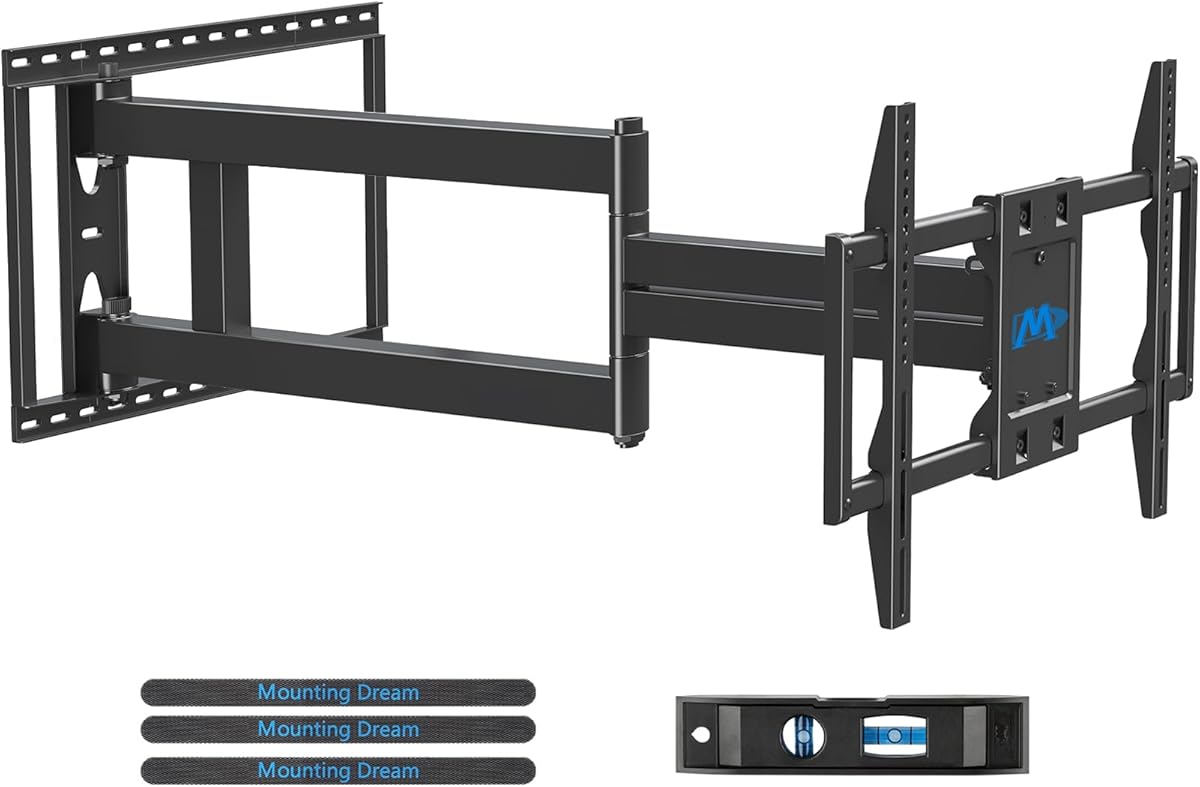
The USX MOUNT Corner TV Wall Mount with a 31.22-inch arm provides an effective combination of reach, compactness, and everyday versatility. Its 4.7 rating reflects a strong overall proposition for 26-to-65-inch televisions, with an 80-pound limit, VESA support up to 400x400mm, and full-motion positioning in a relatively unobtrusive format.
We may earn a commission when you buy through this link, at no additional cost to you.
The arm extends 31.22 inches, which is enough to pull a corner-mounted display toward the primary seating area and redirect it toward other parts of a room. It retracts to only 2.52 inches, one of the shallower figures among the mounts reviewed, helping the television sit close to the wall when not actively repositioned. Swivel reaches plus or minus 90 degrees, tilt covers negative 12 to positive 5 degrees, and leveling allows plus or minus 4-degree correction after mounting.
The solid hinge pin is designed to keep movement firm and smooth, while UL listing and the stated 80-pound capacity provide clear support parameters. Installation can use concrete, brick, or wood studs, and the package includes a manual with hardware organized in labeled bags. One practical limitation is that concrete anchors or specified M8x50 screws may need to be requested separately, which could add a step to preparation.
This mount is well suited to apartments, bedrooms, living rooms, and compact home entertainment areas with a television no larger than 65 inches. It is a particularly compelling choice for buyers who want long reach and full articulation without moving to a heavy-duty bracket. Confirm that the television falls within both the size and weight limits, and that its VESA pattern appears in the compatible range.
The 2.52-inch retracted depth is useful where a projecting television would interfere with circulation. Buyers can pull the screen toward the room for viewing and then return it close to the wall when the corner is not being used.
Full 90-degree swivel, adjustable tilt, and leveling provide enough control for side seating, glare reduction, and final alignment. The result is a versatile bracket for both fixed-position and occasional multi-angle viewing.
We may earn a commission when you buy through this link, at no additional cost to you.
The PERLESMITH Corner TV Wall Mount for 37-to-70-inch televisions carries a 4.8 rating and offers a refined alternative to the longest articulating arms. It supports displays up to 99 pounds and fits numerous VESA patterns, including 600x400mm and several narrower and intermediate standards.
We may earn a commission when you buy through this link, at no additional cost to you.
Its primary appeal is flexible furniture placement. Pulling a television into a corner leaves more usable tabletop and floor space for furniture, decorations, and audiovisual components. The high-strength steel frame is powder coated for durability, giving the mount a substantial appearance designed for long-term use in living rooms, bedrooms, and other everyday spaces.
Adjustment is somewhat more restrained than on the long-arm models. The mount offers a 45-degree swivel, with the maximum angle depending on television size, along with a positive-5 to negative-10-degree tilt and plus or minus 3-degree leveling. Those angles are useful for reducing glare and correcting alignment, but buyers who need to move the screen across a broad room should not mistake it for a 90-degree-swivel bracket.
This product is best for buyers who want a corner installation and convenient furniture arrangement more than maximum reach. It suits many LED, LCD, OLED, and 4K televisions across a broad size range. Because the supplied information does not state a precise extension or retraction measurement, measuring the available wall and furniture space is especially important before ordering.
A corner-mounted screen can shift storage or seating arrangements because the tabletop no longer needs to accommodate the television. That makes this model relevant to multipurpose rooms where every piece of furniture has to work hard.
The generous VESA list gives buyers more flexibility when matching the mount to a television. Its 99-pound capacity also offers useful margin for many mid-to-large displays without moving into the heaviest load category.
We may earn a commission when you buy through this link, at no additional cost to you.
The Perlegear Long Arm TV Wall Mount for 32-to-65-inch televisions earns a 4.7 rating by combining substantial reach with a 110-pound load rating. Its 37.4-inch extension is among the longest in this group, making it a practical option when the television must reach well beyond the corner toward a central seating area.
We may earn a commission when you buy through this link, at no additional cost to you.
The model, identified as PGMF25B, is constructed from thicker heavy-duty steel with a reinforced wall plate and solid central pivot. It can be installed on a single wood stud or on solid concrete, with a stated maximum load of 110 pounds even at full extension. Movement includes plus or minus 90-degree swivel, positive-5 to negative-15-degree tool-free tilt, and plus or minus 3-degree leveling after installation.
The single-stud design and long extension can make placement more flexible in unusual rooms. The supplied information specifically mentions corners beneath roof eaves, indoor patios, poolside areas, and backyards, but also clearly states that the mount is not intended for outdoor use. Drywall alone is not acceptable, and buyers should account for the large swept area created by a 37.4-inch arm.
It is a good match for 32-to-65-inch screens in rooms with unusual seating layouts, an extra-wide corner, or multiple viewing zones. Its strength rating and extended reach distinguish it from shorter, lighter brackets. Confirm stud or masonry support, television weight, VESA pattern, and sufficient ceiling or furniture clearance before installation.
The 37.4-inch extension changes the geometry of a corner installation. It is particularly useful when a fixed wall mount would leave the television aimed away from the main sofa or other frequently used seating.
A reinforced wall plate and solid central pivot support the mount's stated 110-pound capacity. The single-stud approach still requires accurate placement and sound framing because leverage increases as the arm extends.
We may earn a commission when you buy through this link, at no additional cost to you.
The Mounting Dream Long Arm TV Wall Mount for 42-to-94-inch screens is built for substantial displays and room layouts that need considerable reach. Its 4.8 rating reflects a strong combination of a 150-pound capacity, VESA support up to 800x400mm, and an arm that extends 40 inches from the wall.
We may earn a commission when you buy through this link, at no additional cost to you.
This mount can accommodate many large LED, LCD, and other compatible flat panels, while fitting standard 16-, 18-, and 24-inch wood-stud spacing. The articulation includes a backward-5 to forward-12-degree tilt, plus or minus 90-degree swivel, and plus or minus 3-degree leveling. The long extension allows the screen to move toward multiple viewing positions, making the bracket particularly appropriate for large corner installations.
The package includes instructions, mounting hardware, a template, and a bubble level. Concrete anchors of the specified 10x50mm size are sent by request, and the mount is explicitly not intended for drywall alone. Its minimum supported screen size is 42 inches, so it is not designed for compact bedroom sets even though its articulation may resemble smaller full-motion mounts.
Choose this option for a large living room, open-plan entertainment area, or dedicated media corner where a heavy display needs to be repositioned. Verify the television's weight, VESA dimensions, and the room's clearances, particularly at full extension. A mounting professional may be worthwhile for very large screens because the television itself may also require a two-person lift.
A 150-pound capacity and support for 800x400mm VESA patterns expand the mount beyond the range of many everyday corner brackets. That makes it relevant to large modern televisions that may be difficult to accommodate on conventional mounts.
The 40-inch extension can bring a large television away from the corner and toward the main audience. Swivel and tilt then help resolve glare and off-axis viewing in a space where seating is spread out.
We may earn a commission when you buy through this link, at no additional cost to you.
The VIVO Black Corner TV Wall Mount, model MOUNT-CR70C, receives a 4.7 rating and distinguishes itself with separating wall plates designed for angled corner walls. That structural approach is notable because corners are not always formed by two perfectly perpendicular surfaces, and a conventional bracket may not sit or articulate as naturally in an irregular room.
We may earn a commission when you buy through this link, at no additional cost to you.
The mount supports flat-panel and curved televisions from 32 to 70 inches, with a 99-pound capacity. Its VESA compatibility includes 75x75mm through 600x400mm standards. Articulation consists of a 180-degree swivel, positive-5 to negative-15-degree tilt, and adjustable arms, giving it a broad range of directional positioning without the 40-inch reach seen on dedicated long-arm brackets.
A solid steel frame forms the structure, and the product information states that the construction was tested at three times the stated weight capacity. Detachable VESA plates simplify display attachment, while included hardware and instructions support installation. The three-year manufacturer warranty adds a different type of reassurance than the longer product-support periods advertised by some competing brands.
This bracket is well suited to angled corners, flexible seating, and displays between 32 and 70 inches. It may be especially attractive for curved televisions because the compatible range explicitly includes them. Since the supplied specifications do not provide a precise arm-extension figure, buyers wanting to pull the screen far into a room should consider the Mounting Dream and Perlegear long-arm alternatives instead.
Separating wall plates offer more adaptation than a fixed single plate on corners that are not exactly square. This can improve alignment and make the articulated position feel more natural in unconventional room geometry.
The stated 180-degree swivel can redirect the screen across a wider arc than the 45- or 90-degree options in this list. It is useful in rooms where the television needs to serve seating positioned on different sides of the room.
We may earn a commission when you buy through this link, at no additional cost to you.
The USX STAR Corner TV Wall Mount offers a 4.7 rating and an extensive advertised screen range covering most 37-to-84-inch televisions. It supports displays up to 100 pounds and uses a 32-inch extension arm, combining the positioning flexibility of a long-arm design with a fairly short 2.52-inch retracted depth.
We may earn a commission when you buy through this link, at no additional cost to you.
The listed VESA standards run from 200x100mm through 600x400mm, including several square and rectangular patterns used by common television sizes. Movement includes plus or minus 90-degree swivel, with the maximum angle depending on screen size, a positive-5 to negative-15-degree tilt for glare reduction, and plus or minus 4-degree leveling. A built-in hook-and-loop cable-management feature is also included.
Installation information lists a single wood stud, solid brick, or concrete as suitable wall structures. The package includes a cable storage manager, bubble level, instructions, and pre-labeled standard hardware. Concrete anchors in the stated 10x50mm size are sent by request. Buyers should treat the broad size headline as less important than the exact weight, VESA, and wall requirements.
This mount is a versatile choice for living rooms, bedrooms, studies, offices, and other spaces listed by the brand. Its broad size coverage, cable organization, and ten-year product support make it appealing for buyers who want several convenience features. Confirm the actual display specifications before ordering and make sure the extended arm can move without striking nearby furniture or walls.
A built-in hook-and-loop storage feature helps keep cords gathered near the mount. This is a small feature, but it can make a retracted corner installation look more deliberate and reduce loose cable movement behind the display.
The listed compatibility covers many popular screen dimensions from 37 through 84 inches. Actual fit still depends on the television's weight and VESA measurements, so the bracket should be selected by complete specifications rather than diagonal size alone.
We may earn a commission when you buy through this link, at no additional cost to you.
The HCMOUNTING Corner TV Wall Mount combines a 4.7 rating with a noteworthy 132-pound weight capacity. It supports televisions from 26 to 70 inches, making it a flexible middle ground between compact corner brackets and mounts intended only for very large displays.
We may earn a commission when you buy through this link, at no additional cost to you.
Its steel construction and dual-arm swivel design are intended to remain stable even at full extension. The arm reaches 30.2 inches and retracts to 2.68 inches. A standout feature is its center-aligned retraction: according to the supplied information, the VESA plate realigns with the wall plate each time, reducing the off-center appearance that can occur with some extending mounts.
The bracket provides plus or minus 180-degree swivel, positive-5 to negative-15-degree tilt, and plus or minus 3-degree leveling. It is compatible with VESA patterns from 75x75mm through 400x400mm and is listed for televisions from Samsung, LG, Sony, TCL, Vizio, and other brands. Installation is intended for wood studs or solid concrete and brick walls, never drywall alone.
The package includes a mounting template, hardware, cable clamps, and an Allen key, while concrete and brick anchors are included according to the product information. A two-person lift is recommended for 55-to-70-inch televisions. This model is a strong choice for heavy mid-size screens, bedrooms viewed from a bed, and rooms where a center-aligned retracted position is especially desirable.
A 132-pound limit offers more support than most standard long-arm mounts in this guide. That extra margin can be valuable for larger televisions, heavier display types, and setups that include a soundbar below the screen.
The claimed center-alignment behavior keeps the television visually centered against the wall after it is pushed back. This creates a more orderly corner appearance and reduces the need for repeated manual repositioning.
We may earn a commission when you buy through this link, at no additional cost to you.
The PERLESMITH Corner TV Wall Mount for 26-to-65-inch televisions offers a 4.7 rating and a more modest articulation profile than the long-arm leaders. Its 19.17-inch extension and 3.2-inch retracted depth make it appropriate when the television needs modest repositioning rather than the ability to travel far into the room.
We may earn a commission when you buy through this link, at no additional cost to you.
The mount supports screens up to 70 pounds and VESA patterns from 100x100mm to 400x400mm. Movement includes plus or minus 90-degree swivel, positive-5 to negative-15-degree tilt for reducing glare, and plus or minus 3-degree leveling after installation. Its pre-assembled design is said to reduce installation steps, while standard mounting hardware and a detailed manual are included.
Installation can use a single wood stud, solid concrete, or brick, but drywall alone is explicitly excluded. The steel articulating arm is designed to keep the television steady even at full extension, making it relevant to living rooms, bedrooms, and children's rooms where flexible positioning and space savings are useful.
This is a practical selection for a 26-to-65-inch display that needs a 19-inch reach, especially in a smaller room where a 30- or 40-inch arm could obstruct circulation. Its 70-pound capacity is lower than most alternatives, so heavier televisions are outside the stated range. Check the display weight, VESA pattern, wall structure, and available clearance before ordering.
The pre-assembled design reduces the number of separate assembly steps, which can simplify installation for a first-time mount owner. Labeled or standard hardware and an illustrated manual further support a more approachable setup.
Although the arm is shorter than many competitors, 19.17 inches of extension can still improve sightlines in a modest room. The 90-degree swivel adds flexibility without requiring the large swept path of an extra-long mount.
We may earn a commission when you buy through this link, at no additional cost to you.
The Perlegear PGXLF02 is the premium large-screen selection in this guide, combining a 4.8 rating with support for televisions as large as 97 inches. It holds up to 150 pounds, fits VESA patterns from 200x100mm to 800x400mm, and can be attached to 8-, 12-, 16-, or 24-inch wood studs as well as concrete and brick.
We may earn a commission when you buy through this link, at no additional cost to you.
Its cold-rolled steel construction and wide wall plate provide a substantial foundation for a large television. The supplied information states that the mount underwent a four-times load test and a 6,000-cycle test, indicating attention to both static strength and repeated articulation. The arm extends 40.1 inches and retracts to 3.7 inches, allowing the display to be pulled away from a corner or built-in cabinet.
Adjustment includes plus or minus 90-degree swivel, positive-5 to negative-15-degree tilt, and plus or minus 4-degree leveling. The pre-assembled bracket is presented as a three-step installation and includes detailed instructions, a complete hardware kit, a drilling template, and a bubble level. The product cannot be installed on drywall alone, and professional help may be sensible for a very large display.
This is the appropriate option for a major home-theater screen, expansive living-room television, or corner installation requiring maximum reach and capacity. It is less suitable for small screens because its minimum size is 42 inches. Before ordering, check the television's weight, VESA pattern, stud spacing, and the available space around the 40.1-inch moving arm.
The 150-pound rating and 800x400mm maximum VESA pattern make this mount appropriate for large modern displays. Stated load and cycle testing adds confidence that the mechanism is designed for repeated movement rather than a static installation only.
The 40.1-inch extension can move a large television away from obstructions around a corner or cabinet. Buyers should map furniture and architectural obstructions carefully because the weight and reach of the display create a substantial operating envelope.
We may earn a commission when you buy through this link, at no additional cost to you.
The right corner mount depends on a combination of television specifications, wall construction, room geometry, and viewing habits. Use the following factors to narrow the field before comparing reach, articulation, and included accessories.
Begin with both the diagonal screen size and the television's listed weight, because a mount can support one dimension without supporting the other. Products in this guide range from mounts intended primarily for smaller screens to brackets rated for 150 pounds and displays approaching 100 inches. Allow the actual television weight to fall safely within the manufacturer's stated limit, and do not treat the advertised maximum size as permission to exceed the load rating.
VESA refers to the distance between the four mounting holes on the back of a television. The patterns supported by the selected mount must exactly correspond to the holes on your screen, and the bracket must also accommodate the display's weight and dimensions. Some models cover a broad range from 75x75mm through 400x400mm, while the largest premium options extend to 800x400mm for unusually large displays.
A corner mount should be fastened to sound framing, concrete, or brick. None of the products in this guide should be installed on drywall alone, even when the wall plate uses a single central fastener. Locate studs with a reliable detector or other appropriate method, follow the manual's spacing requirements, and use suitable anchors for masonry. Installation beside electrical wiring, plumbing, fireplaces, or unusual wall cavities deserves extra care and may warrant professional assistance.
Extension determines how far the television can move into the room, while retraction controls how close it sits when not being viewed. Long 37- to 40-inch arms are useful in spacious rooms, while a 19-inch arm may be safer and more proportionate in a compact space. Compare the arm's movement with the room's furniture, doors, foot traffic, and sightlines rather than selecting the longest option by default.
Swivel redirects the screen horizontally, tilt changes its vertical angle, and leveling corrects small installation errors. The options here range from a 45-degree swivel to 180 degrees, with typical tilt ranges of negative-12 to positive-5 degrees or negative-15 to positive-5 degrees. More movement can solve awkward seating and glare, but extreme settings may not be available for every television size or every room geometry.
A corner mount works best when its purpose is clear: serving a sofa and nearby seating, fitting beside a cabinet, or redirecting a screen away from a fireplace or window. Sketch the wall, locate the stud, and imagine the arm's full sweep before drilling. For unusually angled corners, a model with separating wall plates may be easier to align than a conventional one-piece bracket.
Pre-labeled hardware, a drilling template, bubble level, cable clips, and a clear manual can make a substantial difference in a one-time installation. Some products include concrete anchors, while others provide them only by request. Check the packing list before shopping day, arrange a second person to help lift larger televisions, and use the provided tools to avoid confusing hardware sizes or damaging the wall plate.
A clean installation involves more than hiding the television when it is retracted. Look for integrated cable storage or a plan for routing cords through the arm, and leave enough slack for movement without creating loops. Consider the retracted depth as well: mounts in this list range from 2.52 to 3.7 inches when closed, which can affect the appearance in a tight corner.
Before drilling, identify the wall structure, verify the mount's compatibility with the television, and compare the full extension envelope with nearby furniture and walls. Use the supplied template, confirm stud or masonry locations, and follow the manual's fastener and spacing instructions. Never substitute drywall anchors as the sole support for any mount in this guide.
Attach the wall plate securely, connect the display bracket and any required spacer, and have a second person help lift larger televisions. Connect the cables with enough slack for full movement, organize them through the arm or included cable manager, and test the swivel, tilt, and retraction through their intended range before tightening every connection.
For ongoing care, inspect the fasteners and movement periodically, especially after moving the television through its complete range. Keep the mounting joints free from excessive dust and avoid forcing the arm against a stop that feels unstable. If the display begins to sag, wobble, or move unevenly, unload the arm, check alignment, and confirm that the wall support remains secure.
None of the listed corner TV mounts should be installed on drywall alone. They are designed to attach to a suitable wood stud, solid concrete, or brick wall, depending on the model. Drywall alone does not provide the sustained structural support required for a heavy display, especially when the articulating arm is extended. Locate sound framing or use suitable masonry anchors and follow the manufacturer's instructions.
Check three specifications: screen size, television weight, and VESA pattern. The screen size must fall within the mount's stated range, the weight must remain below its limit, and the television's four-hole VESA dimensions must match a pattern supported by the bracket. Also verify the television's depth and weight distribution, especially when an articulating arm is fully extended.
A longer arm can be more sensitive to placement because leverage increases as it extends. Accurate stud location, strong wall construction, and a clear operating path are especially important. Many models use a single-stud design, which can simplify positioning but makes careful installation essential. If the wall is unusual or the television is very large, professional installation may be worthwhile.
Yes, if the television can be tilted away from the source of glare. Most of the mounts reviewed offer an upward or downward tilt range, while swivel can also reposition the screen relative to windows and lights. The useful adjustment depends on the room, so a physical mock-up or careful measurement of the light and seating positions is advisable.
Swivel moves the display horizontally so it can face different seating areas. Tilt changes the screen's vertical angle and is commonly used to reduce glare. Leveling makes smaller corrections after installation so the television is not visibly tilted. These adjustments work together, although the available swivel range may depend on the television's size and the mount's position.
Leave enough space for the arm to extend, swivel, tilt, and retract without striking furniture, walls, doors, or other objects. Compare the stated maximum extension with the room's diagonal distance and observe the television's full swept path. Buyers should also consider how people move through the room when the screen is extended.
Some models explicitly list curved television compatibility, including the VIVO MOUNT-CR70C, while others are described more generally by size, weight, and VESA standards. Curved screens may also require appropriate spacing behind the mounting plate. Confirm the display's exact specifications and the manufacturer's compatibility guidance before installation.
A capable DIY installer can handle a suitable stud or masonry wall after carefully following the instructions and using the proper anchors. Professional installation is more prudent for very large displays, complex walls, unusual corners, or any location where wiring and structural conditions are uncertain. In all cases, use two people to lift larger televisions and never place the display on a mount that is not fully secured.
The Perlegear 37-to-75-inch long arm stands out as the best overall balance of reach, size compatibility, compact retraction, and adjustment, earning the Editor's Choice designation. The USX MOUNT 26-to-65-inch model delivers useful long-arm control in a smaller package, while the Perlegear PGXLF02 represents the premium choice for very large displays and demanding installation requirements.
The right selection should start with the television's weight and VESA pattern, followed by the wall structure and room geometry. Buyers who want maximum movement should balance swivel, tilt, and extension against clearance, while smaller rooms may benefit from a shorter arm that retracts closer to the wall. Installation hardware, anchor availability, and manufacturer support are also worth confirming before ordering.
Product ratings, specifications, listings, and prices can change over time, so review the current product page before purchasing. Taking a few minutes to verify dimensions, mounting patterns, anchor requirements, and furniture clearance can prevent an otherwise suitable bracket from becoming an installation problem.
