
Lutron Caseta Smart Hub
4.6Editor score
Supports 75 Caseta devices
Works with major voice assistants
Clear Connect technology
Simple outlet-based setup
Smartthings Hub guide comparing ten smart home hubs for protocol support, automation capabilities, device compatibility, connectivity, and ease of use.
A SmartThings hub acts as the central coordinator for compatible lights, sensors, locks, switches, shades, and other connected equipment. The best model depends on the protocols and brands you already own, whether local control matters, and how much voice-assistant or ecosystem integration you expect.
We compared ten hubs using the supplied specifications, ratings, supported technologies, app and automation details, device capacity, connectivity options, and installation requirements. The guide includes general-purpose SmartThings options, specialist hubs, range extenders, and local-first platforms for different household needs.
Each review identifies the product's strongest use, important limitations, and ideal buyer. Rankings reflect practical fit rather than a claim of personal testing, while prices and availability can change, so readers should confirm current details and compatibility before purchasing.
4.6Editor score

4.2Editor score
3.7Editor score
The comparison below highlights each hub's principal protocols, ecosystem focus, device capacity, connectivity approach, and standout capability to make shortlisting easier.


The Aeotec Smart Home Hub earns the top position because it combines the role of a SmartThings hub with Matter, Z-Wave, Zigbee, Wi-Fi, and widely used voice-assistant compatibility. Its 4.2 rating reflects a versatile platform rather than a specialist appliance. Buyers get a central point for compatible lighting, comfort, energy, and security equipment.
We may earn a commission when you buy through this link, at no additional cost to you.
The hub's strongest advantage is protocol breadth. It is certified for Matter and SmartThings, supports Z-Wave Plus on the V3 model, and handles Zigbee, allowing several common radio standards to coexist. The SmartThings app provides control on Android, iOS, and iPadOS, while many routines can run locally for faster and more reliable responses.
Setup accommodates both Ethernet and Wi-Fi, which is useful when a wired position is preferable or when avoiding a crowded wireless environment. The trade-offs are equally clear: it is designed for North America, and Z-Wave Plus support is specifically tied to the V3 version. It also does not automatically make every Matter, Zigbee, or Z-Wave device compatible, so existing equipment should still be checked.
This is the strongest recommendation for a household wanting one reasonably versatile SmartThings-centered hub without giving up Matter, Zigbee, or Z-Wave. It suits people who value local routine execution and flexible setup as much as app-based control. Buyers committed to a single-brand system may find a less specialized hub easier to manage.
Supporting Matter, SmartThings, Zigbee, Z-Wave Plus, and Wi-Fi makes this a practical center for a mixed smart home. The breadth can also simplify future expansion without requiring several separate radio bridges.
The ability to run many routines locally reduces dependence on cloud round trips. That can make everyday triggers feel faster and remain useful when temporary internet access is unavailable.
We may earn a commission when you buy through this link, at no additional cost to you.
The SmartThings Hub 3rd Generation is the straightforward option for a household already invested in the SmartThings ecosystem. It carries a 4.3 rating and supports monitoring and controlling compatible devices through one smartphone app. Its core appeal is familiar automation rather than a specialized bridge for lights, blinds, or a single accessory category.
We may earn a commission when you buy through this link, at no additional cost to you.
Zigbee and Z-Wave support makes it relevant to sensors, switches, and other common smart-home equipment. Its automations can respond to events such as a door opening or people arriving and departing. Voice-assistant compatibility with Alexa and Google Home adds another route for controlling compatible equipment.
The main question is whether the native experience and older third-generation design remain preferable to newer local-first or multi-protocol alternatives. Its cloud-to-cloud support can widen the number of online integrations, but it also means some functions are not entirely independent of network services. The supplied information does not highlight newer hardware features or extensive local execution.
It remains a sensible recommendation for users who want a dedicated SmartThings hub, particularly those with existing compatible devices and routines. New buyers should compare it with newer Matter-capable models if local control, expanded radio support, or a more current platform is their top priority.
Keeping compatible devices in one application reduces the need to jump among separate tools. Event-based automations are particularly useful for lighting, presence, and monitoring setups.
Owners of compatible SmartThings accessories already understand the application and automation model. A dedicated third-generation hub preserves that continuity while adding Z-Wave, Zigbee, and cloud-to-cloud options.
We may earn a commission when you buy through this link, at no additional cost to you.
The Linkind Matter Smart Hub 2 is built for a very specific but demanding job: connecting Linkind BLE Mesh outdoor lights to broader smart-home ecosystems. Its 4.0 rating and Matter Bridge function distinguish it from general-purpose hubs. It converts compatible outdoor lighting into Matter-enabled devices for use across several major platforms.
We may earn a commission when you buy through this link, at no additional cost to you.
One-touch bulk pairing can connect as many as 200 lighting units, making the hub useful for sizable gardens, courtyards, or outdoor installations. The stated communication range is up to 131 feet between the hub and lights or between individual lights. Real-time battery and energy tracking adds practical visibility when managing many powered or rechargeable fixtures.
The AiDot app adds 16 million colors, tunable white, music synchronization, effects, and scheduled activation. The trade-off is that this is not a universal SmartThings controller: it focuses on compatible Linkind BLE Mesh outdoor lights. A secured 2.4GHz Wi-Fi network is also required, and the supplied information specifies a compatible Android or iOS mobile setup.
This is the right pick for a buyer building a large Linkind outdoor-lighting system who wants Matter access and centralized energy information. It is less suitable as the primary hub for a mixed collection of locks, indoor sensors, and general SmartThings accessories.
Capacity for 200 lighting units and one-touch pairing reduce the effort involved in building elaborate outdoor scenes. The 131-foot stated range is valuable for gardens and other broad spaces.
Real-time battery levels and power-consumption data help users monitor outdoor fixtures without visiting each one. This is especially useful for displays that run for extended periods.
We may earn a commission when you buy through this link, at no additional cost to you.
The Weffort Smart Hub scores 4.6 and focuses narrowly on making motorized blinds easier to integrate with popular smart-home platforms. It can connect with Smart Life, Smart Things, Alexa, Google Home, and IFTTT. That makes it appealing to owners of compatible Weffort shades who want remote control and automation rather than manual switch operation.
We may earn a commission when you buy through this link, at no additional cost to you.
A single hub supports up to 20 Weffort motors, including standard, Zigbee, and Wi-Fi motor types. The integrated USB-A design adds placement flexibility because the hub can draw power from a power strip, outlet, computer, or router. The secured 2.4GHz Wi-Fi requirement should be confirmed before installation.
The limitation is explicit: the hub controls Weffort smart items and does not serve as a general-purpose SmartThings hub for sensors, locks, or unrelated equipment. Its excellent rating reflects performance within that specialized category rather than broad compatibility. The supported app and voice-assistant connections provide convenience, but automation still depends on compatible Weffort hardware.
Choose this model when blinds are the main goal and the household already uses or intends to use Weffort motors. For a whole-home control system, a multi-protocol hub will be a more useful investment, but for shade-only control this compact device offers a focused solution.
Supporting several motor types and as many as 20 connected units makes the hub practical for larger shade installations. It avoids assigning a separate bridge to every motor.
USB-A integration lets the hub sit near the shades or wherever power is available. Its small form can also make concealed installation around furniture or window treatments easier.
We may earn a commission when you buy through this link, at no additional cost to you.
The Aeotec Range Extender 7 is an accessory rather than a complete SmartThings hub, but it solves a common problem that can undermine an otherwise capable system. Its 4.2 rating reflects its role as a Z-Wave signal repeater for SmartThings, Hubitat, Alarm.com, Ring, and other compatible hubs.
We may earn a commission when you buy through this link, at no additional cost to you.
The extender amplifies and repeats weak Z-Wave and Z-Wave Plus signals, with a stated capacity to extend wireless range by 250%. Gen7 hardware and firmware are claimed to improve communication speed by 50%, while Security 2 compatibility allows it to relay messages from sensitive devices such as door locks and smoke sensors.
Its limits are important. It does not coordinate devices, provide the main automation interface, or extend Zigbee, Wi-Fi, or Bluetooth. The range and speed figures also describe ideal capabilities, and real results will depend on placement, walls, interference, and the devices involved. It is an addition to a suitable existing hub rather than a replacement.
This is the right choice when a compatible Z-Wave device struggles to pair or communicate reliably. Install it between the weak device and the central hub, then test the connection. Users whose issue is platform choice rather than radio range should select a new hub instead.
Repeating weak Z-Wave signals can restore communication in rooms separated from the hub by multiple walls or other obstructions. That can improve pairing and day-to-day response.
Security 2 compatibility is notable for users with locks, alarms, or smoke sensors. It allows the extender to repeat messages from these sensitive device categories.
We may earn a commission when you buy through this link, at no additional cost to you.
The SONOFF Bridge Max combines a 4.6 rating with a feature set aimed at technical smart-home users. It bridges Zigbee, BTHome, and eWeLink devices to Matter platforms including Alexa, Google Home, and Apple Home. It can also integrate Zigbee devices with Home Assistant through MQTT or bridge Home Assistant devices into Matter.
We may earn a commission when you buy through this link, at no additional cost to you.
Its local web console is a major distinction. Users can access the interface directly over the local network without downloading an app or relying on cloud services, making local configuration and privacy more prominent. The hub also supports local automations and a broad selection of SONOFF and third-party Zigbee devices.
A built-in 90 dB alarm and instant mobile notifications add a security function when paired with suitable sensors. The trade-off is ecosystem emphasis: the product is especially relevant for SONOFF, Zigbee, and Home Assistant users, and it is not described as a full general-purpose SmartThings Hub. Secure network planning and correct device pairing remain essential.
This model is a compelling pick for users who prioritize local operation, bridging, and Home Assistant integration. It also works well for people seeking to connect Zigbee equipment to multiple Matter ecosystems. Those wanting a simple, phone-first SmartThings dashboard may find another option more approachable.
The LAN-based web console keeps configuration available on the local network. This reduces cloud reliance and gives experienced users direct control over bridge management.
Pairing sensors with the built-in 90 dB alarm creates a local warning system. Mobile notifications add awareness when the household is away from the immediate alarm.
We may earn a commission when you buy through this link, at no additional cost to you.
The Tapo Smart Hub H100 is a capable 4.4-rated center for a Tapo-based home, particularly when sensors and alerts are priorities. It links Tapo smart sensors, switches, and buttons through a low-power wireless protocol. Its lower-frequency operation is designed to reduce interference and maintain stable connections throughout a home.
We may earn a commission when you buy through this link, at no additional cost to you.
Up to 64 Tapo devices can connect to one hub, and the stated maximum connection distance reaches 30 meters. The low-power approach can extend battery life by as much as ten times compared with devices using Wi-Fi. These characteristics are especially useful for motion, door, and window sensors that cannot conveniently use mains power.
The built-in chime can reach 90 decibels, providing an audible alert when Tapo sensors detect relevant events. Users can also create shortcuts and control compatible Tapo plugs, lights, and switches through sensor or button triggers. A crucial limitation is that the H100 does not directly connect to Tapo smart plugs or smart lighting; a 2.4GHz Wi-Fi network is required for those functions.
This is the best pick for a household committed to Tapo devices, especially one seeking an economical central alarm. It is not a broad SmartThings Hub for mixed manufacturers, so people with a larger mixed ecosystem should examine more general-purpose options.
The low-power wireless protocol can reduce battery replacement frequency compared with Wi-Fi-dependent devices. That makes the hub practical for a network of motion and contact sensors.
The integrated 90 dB siren can warn occupants of activity detected by supported sensors. It gives the hub a useful role beyond merely relaying commands.
We may earn a commission when you buy through this link, at no additional cost to you.
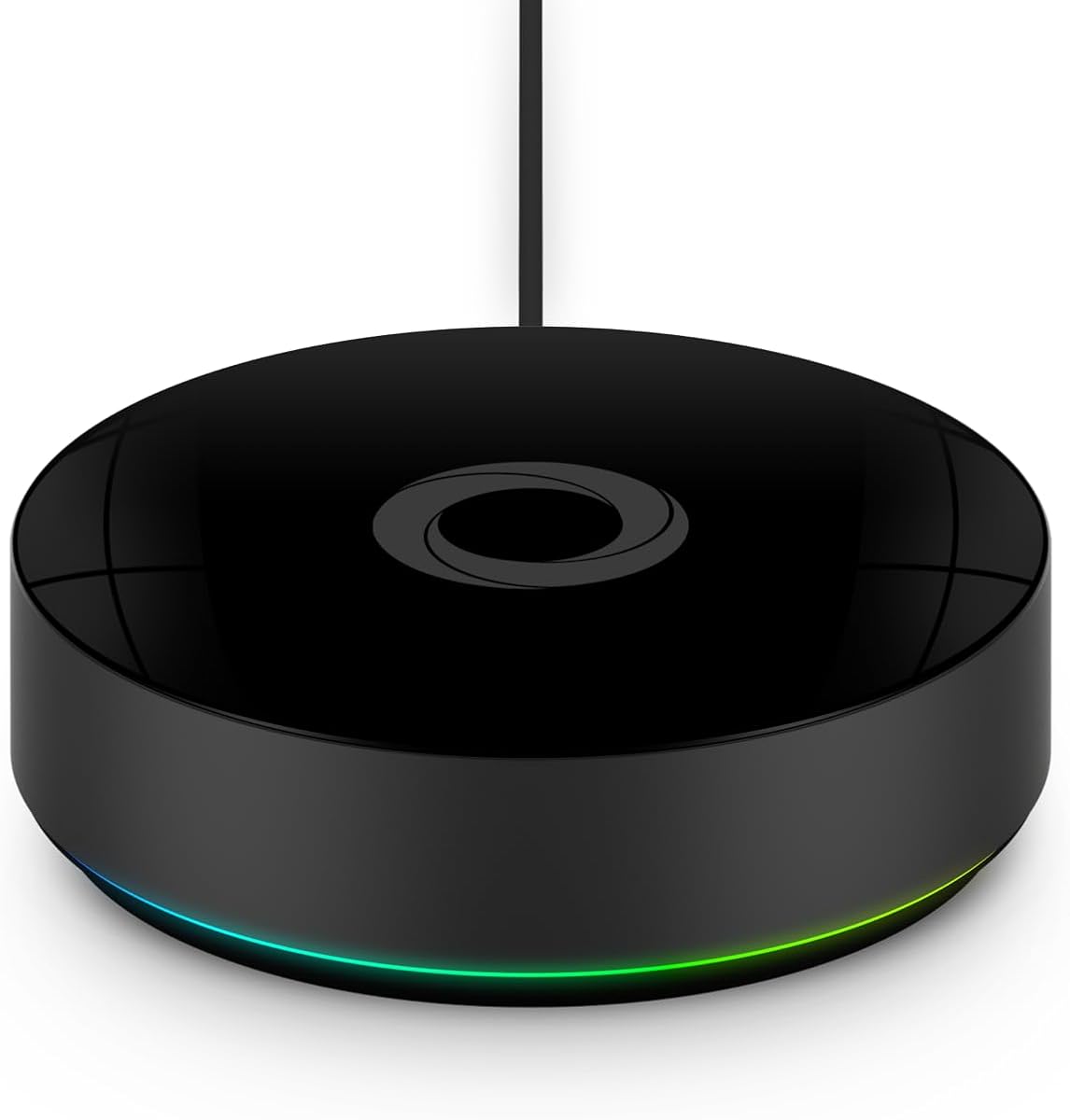
The Lutron Caseta Smart Hub is an excellent value for households whose priority is reliable smart lighting. Its 4.6 rating is among the highest in this guide, and its core strength is a focused Caseta device system that can scale to 75 connected accessories without competing with Wi-Fi devices on the same network.
We may earn a commission when you buy through this link, at no additional cost to you.
Clear Connect technology provides the dedicated communication layer for compatible Lutron devices. The hub supports Amazon Alexa, Apple HomeKit, the Google Assistant, Ring, Serena shades, and Sonos, enabling control of lighting, cameras, temperature, shades, and music when the associated products and accessories are compatible.
Setup is straightforward: plug the hub into an outlet, connect it to a router, download the Lutron app, and follow its instructions. The limitation is its specialization. It is designed around Caseta dimmers, switches, and related equipment, while coordinating accessories are sold separately, so it does not replace a universal multi-protocol controller.
This is the best choice for a focused lighting system, especially for someone who wants dependable local lighting control alongside popular voice assistants. It is less appropriate as the central hub for a broad collection of sensors, locks, and products from unrelated brands.
Clear Connect keeps compatible lighting communication separate from ordinary Wi-Fi traffic. This focused architecture can improve reliability in a heavily networked home.
Support for major voice assistants and the Lutron app gives users several ways to manage lighting. The device scales to 75 Caseta accessories as the installation grows.
We may earn a commission when you buy through this link, at no additional cost to you.
The SONOFF Zigbee Bridge Pro is a high-capacity gateway for compatible SONOFF Zigbee devices. Its 3.9 rating is the second-lowest among the featured products, but that figure should be interpreted alongside its specialized capabilities. The bridge supports up to 128 sub-devices and combines Zigbee 3.0 with Wi-Fi connectivity.
We may earn a commission when you buy through this link, at no additional cost to you.
Local scene and timing linkage can execute even when the network is disconnected, which is a meaningful advantage for recurring automations. It also offers home, away, and sleep security modes and can function as a local alarm. These features make it more than a simple protocol translator for users building routines around compatible devices.
Its main limitation is ecosystem concentration. The stated compatibility includes SONOFF equipment such as the ZBMINI-L switch and S26R2ZB plug, and the product does not present itself as a universal SmartThings controller. Buyers considering a broader range of third-party devices should verify exact model support before relying on them.
The bridge is best for a SONOFF-heavy household needing many Zigbee sub-devices and local scene behavior. It is less compelling for users who want advanced voice-assistant integration, a polished SmartThings dashboard, or one hub for unrelated smart-home brands.
Local timing and scene linkage can continue when the network is unavailable. This is useful for lighting schedules and other routines that should not depend on an external connection.
Supporting up to 128 sub-devices offers ample room for a substantial compatible installation. The capacity is most valuable when many switches, plugs, or sensors share the same bridge.
We may earn a commission when you buy through this link, at no additional cost to you.
Homey Pro (2026) is the most expansive hub in the guide, combining Wi-Fi, Zigbee, Z-Wave Plus, Infrared, BLE, Matter, and Thread in a local-first platform. Despite carrying the lowest rating at 3.7, its feature set makes it particularly attractive to advanced users who want one flexible home-automation center spanning many brands and technologies.
We may earn a commission when you buy through this link, at no additional cost to you.
The supplied details state support for more than 50,000 devices from over 1,000 brands, including Sonos, Philips Hue, Kwikset, Govee, Aqara, TP-Link, iRobot, Ecobee, Spotify Connect, IKEA, Yale, LG, Dyson, Withings, Shelly, and Somfy. Official and community-built Homey Apps expand the catalog as the platform develops.
Everything is processed locally, data is stored on the hub, and cloud dependence is minimized. This is a strong privacy and reliability argument, although it does not mean every integration lacks external service requirements. The newer version has double the RAM for expansion, while Homey Flow supports phone-based and advanced browser-based automations, historical energy tracking, sensor alerts, and solar-aware scheduling.
Homey Pro is the premium choice for an ambitious mixed ecosystem or a technically inclined household. Its 3.7 rating may give cautious buyers pause, so reading recent customer feedback is advisable. The product is best chosen for breadth, local-first operation, and flexible workflows rather than for a single specialized device category.
Combining seven communication technologies removes much of the need for separate bridges. The broad set covers mainstream radio standards, infrared equipment, and newer smart-home protocols.
On-device processing, local data storage, and reduced cloud reliance offer a compelling privacy model. Homey Flow also provides detailed triggers and actions for sophisticated household routines.
We may earn a commission when you buy through this link, at no additional cost to you.
The right hub depends on your device brands, radio protocols, automation goals, privacy preferences, and tolerance for specialist ecosystems. Start with equipment you already own, then narrow the field by protocol support and required integrations.
A SmartThings hub can only communicate with equipment using protocols it supports. Matter and Zigbee are common in modern homes, while Z-Wave remains important for locks, sensors, lighting, and other security-oriented devices. Bluetooth Mesh, Thread, infrared, and proprietary radio support may matter for specialist installations. Check the exact model of every device rather than relying only on a brand name, because a hub supporting a protocol may still exclude particular products.
A product described as a SmartThings Hub may be certified for the SmartThings platform, work with the SmartThings app, or merely be compatible with selected ecosystems. Those are different claims. Matter certification can provide a forward-looking path for mixed-brand control, but individual Matter features vary by platform and device. Verify whether your required switches, locks, sensors, and lighting expose the controls you need through the relevant app or voice assistant.
Local routines can respond faster, continue during internet outages, and reduce the amount of information sent to remote services. The Aeotec hub notes that many automations run locally, while SONOFF Bridge Max provides a local console and Homey Pro emphasizes on-device processing. By contrast, cloud-to-cloud functions can introduce broader integration options but may depend on service availability. Decide which functions are essential offline and which external integrations are worth the trade-off.
Capacity figures should be compared with realistic growth plans. Tapo supports up to 64 devices, the SONOFF Zigbee Bridge Pro supports 128 sub-devices, and Linkind can pair as many as 200 compatible lights. Wireless range matters just as much as capacity. Pay attention to stated distances, but remember that walls, floors, appliance interference, device placement, and competing radio networks can reduce real-world performance. A range extender may be more useful than another high-capacity hub.
Alexa, Google Home, Apple Home, Siri, SmartThings, and IFTTT support can all provide useful control paths, but the available commands depend on device integration. A hub may connect to an ecosystem without exposing every feature, such as battery status or specific automations, through voice. Review the device list for your preferred assistant and test important routines in the app before treating voice control as a replacement for direct management.
Some hubs connect through Ethernet, some require 2.4GHz Wi-Fi, and others use a convenient outlet or USB-A connection. A secure 2.4GHz network is specifically required by the Linkind, Weffort, and Tapo options. Consider where the hub will be mounted, whether an outlet is nearby, how visible the device will be, and whether its status lights or built-in siren could be disruptive. App-based setup is convenient, but physical placement still determines radio quality.
A specialist hub can be a better fit than a universal controller. The Linkind model targets outdoor BLE Mesh lights, Weffort targets its own blind motors, and Tapo centers on a Tapo device ecosystem. These focused products may offer deeper information or capacity for their own devices. A general-purpose hub such as Aeotec or Homey is more appropriate when different brands and protocols must operate together.
Some hubs add a local alarm, while others emphasize local processing or compatibility with security devices. A 90 dB siren can provide an immediate indoor warning, but it should complement rather than replace professionally monitored protection where appropriate. Privacy-conscious buyers should examine where data is stored, which functions require cloud services, and whether the platform supports local routines and direct network access.
Begin by identifying the hub's required network and power connection, then install the relevant application or local management interface. Keep the router's 2.4GHz network available when required, follow the pairing instructions, and add one device at a time before attempting to build a larger routine. Updating the hub's software and compatible device firmware early can prevent avoidable pairing or integration problems.
Place the hub centrally when radio range is important, but keep it accessible for setup and troubleshooting. Avoid enclosing it inside dense metal cabinets or crowding it with networking equipment. Specialist hubs should remain within their stated range of the devices they serve, while a Z-Wave extender should sit between a weak device and the central controller rather than at an arbitrary location.
For maintenance, review connected-device lists regularly, remove abandoned accessories, and test important automations after major router, hub, or ecosystem changes. Preserve access to the local interface where offered, document custom routines, and keep emergency or security functions separate from ordinary convenience scenes. Periodically check sensor batteries and confirm that alarms remain audible.
No. Many lights, plugs, sensors, and appliances communicate directly with Wi-Fi, Bluetooth, Matter, Thread, or a manufacturer-specific cloud service. A hub is most useful when you want to combine multiple radio standards, run coordinated automations, reduce cloud dependence, or preserve some control if an internet service is unavailable.
Not necessarily. A Matter controller can operate Matter devices and may support other standards, while a SmartThings hub may be platform-certified, compatible with the app, or able to bridge selected devices. Buyers should confirm the specific certification and required integrations rather than assuming every similarly named product has identical capabilities.
Prioritize the protocols used by your existing equipment, beginning with Matter, Zigbee, Z-Wave, or Thread as applicable. Also check whether particular device models are supported. A hub with broad protocol claims can still exclude certain brands, and specialist accessories generally offer much deeper control for only their own devices.
That depends on the model and the function involved. The Aeotec hub can run many routines locally, SONOFF Bridge Max offers local configuration and automations, and the SONOFF Zigbee Bridge Pro can execute local scenes. Cloud-linked products, remote access, and voice commands may still require an internet connection, so essential offline behavior should be checked before setup.
A specialist hub can be better when one device category is the main goal. Tapo, Linkind, Weffort, and Lutron models can provide focused pairing, capacity, and information for their own ecosystems. A universal option such as Aeotec or Homey is more attractive when devices from several manufacturers and radio standards need to work together.
Capacity varies substantially among the featured products. The Linkind hub supports as many as 200 compatible lights, SONOFF Zigbee Bridge Pro supports 128 sub-devices, Tapo supports 64 devices, Lutron supports 75 Caseta devices, and Weffort supports 20 motors. The stated maximum should be checked against device type, firmware, and network conditions.
It depends on the product. The Aeotec Smart Home Hub supports both Wi-Fi and Ethernet, which can be useful for a fixed installation. The Linkind, Weffort, and Tapo hubs require 2.4GHz Wi-Fi, while other models may have their own connection requirements. Follow the specified setup method rather than assuming every hub behaves identically.
A range extender can help when the problem is specifically weak Z-Wave radio communication. The Aeotec Range Extender 7 repeats Z-Wave signals and works with several hubs, including SmartThings systems. It cannot repair incompatible devices, poor internet service, incorrect Wi-Fi configuration, or a lack of supported protocols, so the underlying cause should be identified first.
The Aeotec Smart Home Hub is the strongest all-around choice for readers who want a SmartThings-centered controller with Matter, Zigbee, Z-Wave, Wi-Fi, voice-assistant support, and many locally runnable routines. The SmartThings Hub 3rd Generation remains a natural fit for existing users, while Homey Pro leads advanced users seeking the widest mix of technologies and local-first automation.
Specific needs can point toward a more focused product. Linkind suits large outdoor lighting installations, Tapo supports a broad Tapo device network, Lutron is excellent for dedicated lighting, Weffort serves compatible motorized blinds, and the SONOFF bridges prioritize Zigbee, local control, and home-security functions. Compatibility with the devices you already own should always come first.
Finally, check current specifications, availability, and pricing before purchasing. Hub capabilities, supported devices, and app features can change, and current cost can materially affect which option offers the best value. Confirm the required radio, network, power, and ecosystem support to ensure a smooth installation.