
BESIGN LS03 Aluminum Laptop Stand
4.8Editor score
Raises screen 5.7 inches
Supports 10- to 15.6-inch laptops
Open aluminum cooling design
Folds flat for storage
A laptop riser can make a compact computer feel more comfortable, productive, and visually organized. The best models raise the screen, improve airflow, reduce neck strain, and may create useful space below the device. Important differences include adjustability, portability, stability, supported size, and desk footprint.
The ten stands in this guide were compared using their stated compatibility, supported weight, adjustment range, construction, cooling design, portability, and customer rating. The list includes fixed-height and adjustable models, compact folding stands, rotating platforms, monitor-style risers, and a telescopic sit-to-stand option.
Each review identifies the stand most likely to suit a particular setup rather than treating one design as ideal for every user. Top choices include the BESIGN LS03 for value, the Lamicall adjustable stand for versatility, and the tounee telescopic model for active work. Product details and prices can change over time.
4.8Editor score

4.7Editor score
4.7Editor score
As an Amazon Associate we earn from qualifying purchases.
This side-by-side overview compares every stand's key characteristics, including supported laptop sizes, height options, stability, cooling, and portability, helping you identify the design that best fits your desk and routine.



The BESIGN LS03 is a detachable aluminum laptop stand with a 4.8 customer rating, making it a strong choice for users seeking a straightforward riser without complicated controls. It accommodates laptops from 10 to 15.6 inches and raises the screen by up to 5.7 inches, or 14.5 centimeters. Its appeal comes from a clean, familiar design that adds function without overwhelming a workspace.
We may earn a commission when you buy through this link, at no additional cost to you.
Construction is a major strength. The aluminum alloy frame is stated to support up to 8.8 pounds, while rubber contact points keep the laptop from sliding and help protect its finish. The open structure allows air to circulate beneath the computer, which can be useful during extended work sessions. Assembly takes three steps, and the frame folds flat for storage or travel.
The main limitation is its fixed position. Buyers who need to change the viewing angle or elevate the device substantially will find less flexibility than adjustable models provide. Its six-inch maximum lift is still meaningful for many seated users, but the design is less suitable for alternate sitting and standing positions or collaborative screen sharing.
This stand is best for students, office workers, and home users with a typical 10-to-15.6-inch laptop who want a reliable, portable elevation platform. It is particularly attractive when simplicity and value matter more than motorized height changes or a rotating base. For those needs, the BESIGN LS03 is our top budget-oriented recommendation.
The 5.7-inch lift moves the display higher without requiring users to learn complex adjustment mechanisms. That makes the LS03 well suited to users who primarily work seated and want a steadier screen position.
The open aluminum frame encourages airflow, while the folding profile lets the stand disappear into a laptop bag or drawer when it is not needed. Both qualities suit hybrid workers and students.
We may earn a commission when you buy through this link, at no additional cost to you.
The Lamicall Aluminum Laptop Stand combines broad compatibility with a useful range of positioning options. Its 4.7 rating reflects a well-liked design, and the stated fit covers laptops from 10 to 17.3 inches. That range includes MacBook, MacBook Air, MacBook Pro, Surface, Dell XPS, Pixelbook, HP, ASUS, Acer, Chromebook, and Alienware models.
We may earn a commission when you buy through this link, at no additional cost to you.
Its most valuable feature is straightforward adjustability. Users can change the height and angle according to their preferences, which is useful when alternating between typing, reading, and viewing. The enlarged, heavier aluminum base is intended to resist shaking and sliding while the laptop is used for extended sessions. Multiple ventilation holes add airflow beneath the device.
The design folds for travel, but it is not the smallest option in the list, so users with a very small bag should check the folded dimensions before purchasing. It also lacks the 360-degree rotating base found on two of the more specialized models. Those omissions are reasonable if your priority is stable, repeatable adjustment rather than screen sharing.
This Lamicall stand is a strong all-around recommendation for home offices, conventional workspaces, and frequent travelers. It accommodates a broad range of devices without requiring separate risers. For a buyer who wants one adaptable laptop platform to handle seated work, different viewing angles, and multiple computer brands, it offers the most balanced specification set.
Compatibility extending to 17.3 inches means the stand can serve several laptop sizes over time. It is a practical choice for households or teams where different people may use different computers at the same desk.
Adjustable height and angle allow the display to move closer to eye level while still supporting productive typing. The larger base helps keep those adjustments stable on a solid desktop.
We may earn a commission when you buy through this link, at no additional cost to you.
The LOXP Adjustable Laptop Stand is built around a 360-degree rotating base, making it especially useful for presentations, group work, and client conversations. It carries a 4.6 customer rating and supports laptops from 10 to 16 inches. Height and angle can also be adjusted, allowing users to improve screen position while seated or standing.
We may earn a commission when you buy through this link, at no additional cost to you.
The product information describes a one-piece fiber metal construction and an upgraded rotating base designed for stability. Non-slip silicone protects the laptop from sliding, while the open structure supports the general goal of airflow around the device. The frame folds for storage, so the rotating feature does not require a permanently fixed installation.
Rotating a full-size laptop changes the space it occupies and may require more clearance than a basic stand. Users should also note the explicit 16-inch limit; the stand does not cover the 17- to 17.3-inch range supported by the larger Lamicall models. Adjustability and rotation work together, but the product is still primarily designed for desk-based use.
Choose the LOXP when sharing your display is a regular part of your work or study. It is less compelling for someone who only needs a fixed viewing angle, but the rotating base adds a useful level of interaction that most conventional risers cannot provide.
The rotating base allows the screen to move toward another person without lifting or relocating the entire laptop. That makes presentations and collaborative work more natural.
Users can select a comfortable height and angle while working at a desk. The folding profile also supports mobile use, although the product is optimized for setups where rotation is useful.
We may earn a commission when you buy through this link, at no additional cost to you.
The Nulaxy Ergonomic Adjustable Laptop Stand is a heavy-duty option rated 4.7 by customers. Its dual-support rod design is intended to distribute the laptop's weight and minimize wobble during typing. It accommodates 10- to 16-inch laptops, including common business, student, Chromebook, and larger gaming models.
We may earn a commission when you buy through this link, at no additional cost to you.
The stated support limit of 22 pounds sets it apart from many portable stands. A geometric heat-vent pattern in the upper panel is designed to improve airflow compared with a solid surface, which can help during demanding workloads. Anti-slip silicone pads hold the device in place and reduce the chance of scratches.
Dual-foldable construction lets the stand collapse flat, which is convenient for business trips and hybrid schedules. However, that portability comes with a more substantial structure than a lightweight plastic riser. Buyers should think of it as a robust workstation accessory that happens to fold, rather than an ultra-minimal travel accessory. It also does not rotate the display.
The Nulaxy is recommended for users with larger or heavier laptops, intensive typing routines, or a need for strong cooling and stable support. It is especially useful for work sessions involving frequent keyboard use, where wobble and heat management can interfere with comfort. Its combination of adjustability, strength, and folding convenience makes it a versatile heavy-duty choice.
The dual-rod support system and 22-pound capacity are intended to provide a stable platform for larger devices. That makes the stand more relevant to owners of substantial gaming laptops or workstations.
The vented upper panel is designed to promote continuous airflow beneath the laptop. Users performing sustained, processor-intensive tasks may find this more useful than a simple closed platform.
We may earn a commission when you buy through this link, at no additional cost to you.
The Amazon Basics Sturdy and Portable Ergonomic Laptop Stand offers a balanced mix of adjustment, portability, and cooling. It has a 4.6 rating and supports laptops and tablets from 10 to 15.6 inches. Up to seven inches of height adjustment gives users more placement range than many fixed-height or limited-step models.
We may earn a commission when you buy through this link, at no additional cost to you.
The stand is made from lightweight, rust-resistant aluminum and has an 11-pound loading capacity. Non-slip silicone pads and protective hooks help keep the computer stable, although the product guidance recommends using a flat, solid surface and avoiding excessive downward pressure during typing. An open hollow design promotes airflow around the device.
It folds into a stated 10 by 8.7 by 1.8 inches and weighs 1.7 pounds, making it manageable for travel or hybrid work. The maximum size is worth considering carefully: the manufacturer notes that larger or heavier devices may affect balance even within the general compatibility range. It also lacks the swivel capability offered by rotating models.
This stand is a good choice for someone who wants meaningful height adjustment without adopting a large sit-to-stand frame. It suits students, remote workers, and office users with mainstream laptops. The combination of folding construction, ventilated aluminum, and a broad adjustment range also makes it a sensible general-purpose choice when no one specialized feature is essential.
Seven inches of adjustment helps users find a more comfortable relationship between the display and their eyes. It can also accommodate different desk heights and working styles.
The stated folded size and relatively low weight make this model easier to carry than a full telescopic riser. It remains useful for moving between a home office, classroom, or shared workspace.
We may earn a commission when you buy through this link, at no additional cost to you.
The WALI Computer Monitor Stand is a broad platform designed for laptops, printers, and flat-screen displays. It has a 4.7 rating, a 14.6 by 9.3-inch shelf, and a substantial 44-pound support capacity. Although marketed primarily as a monitor riser, its size and strength make it a practical option for a notebook that needs elevation.
We may earn a commission when you buy through this link, at no additional cost to you.
Height can be set to three positions: 3.9, 4.7, or 5.5 inches above the desk. This range offers meaningful ergonomic choices, though it is less fluid than a continuously adjustable mechanism. Vent holes in the platform encourage airflow, and rubber pads help prevent slipping or damage to the desk surface.
The largest differentiator is the open area underneath. A keyboard, notebooks, and other accessories can be stored beneath the shelf, helping recover valuable desk space. The tradeoff is a larger permanent footprint and less convenient portability than a compact folding laptop stand. Buyers should also verify that a 14.6-inch platform comfortably accommodates the width and depth of their specific computer.
Choose the WALI when your desk needs both vertical organization and device elevation. It is particularly appropriate for a fixed workstation that also holds a monitor, printer, or other equipment. If the priority is a lightweight laptop accessory that travels easily, a smaller folding stand will be more suitable, but for a permanent tidy desk, this model has a clear advantage.
The elevated shelf creates a storage cavity for frequently used items. Keeping a keyboard or notebook below the laptop platform can make a compact workstation feel more orderly.
The 14.6-inch shelf and 44-pound capacity extend beyond ordinary laptop stands. It can also support suitable displays and printers, making it a flexible organizer for a permanent desk.
We may earn a commission when you buy through this link, at no additional cost to you.
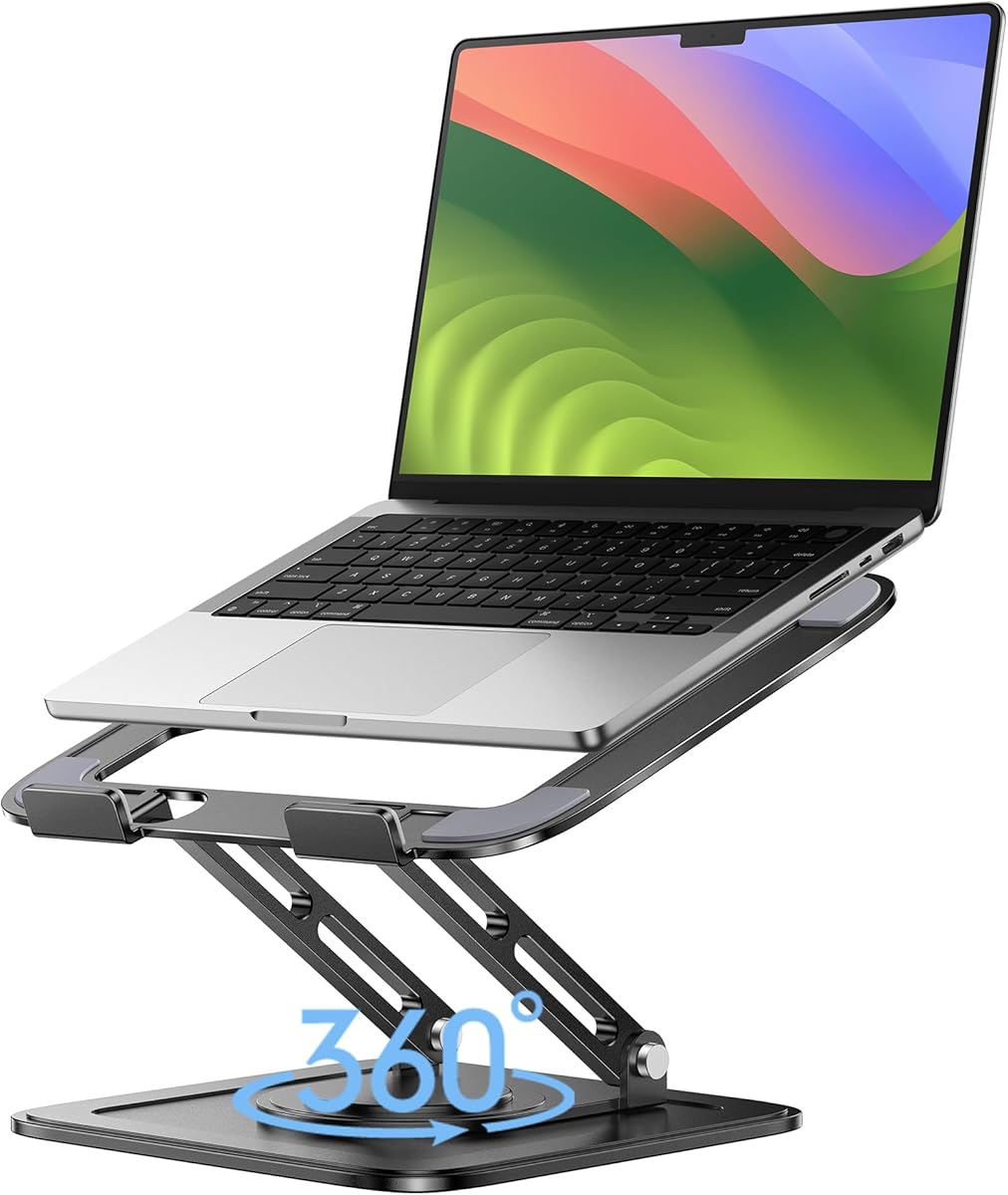
The Lamicall Aluminum Laptop Stand with 360-degree rotation is one of the most versatile displays in this guide. It carries a 4.7 rating and fits laptops from 10 to 17.3 inches, while also serving as a projector mount. Popular MacBook, Surface, Dell XPS, Pixelbook, HP, ASUS, Acer, Chromebook, and Alienware systems are listed as compatible.
We may earn a commission when you buy through this link, at no additional cost to you.
The rotating base is designed for presentations, demonstrations, and collaboration. Rather than moving an entire computer, a user can swivel the display toward a colleague or client. Height and angle adjustments add ergonomic control, and the larger aluminum base is intended to prevent shaking or sliding while the laptop is typed on.
All-aluminum construction and multiple ventilation holes support heat dissipation. The stand folds for travel and storage, although the extra base and rotating mechanism make it bulkier than a standard folding riser. The projector capability further differentiates it, but buyers interested only in basic elevation may not use that function.
This model is ideal for offices, classrooms, meeting rooms, and shared desks where a screen often needs to face another person. It is also a strong general choice for a home setup because of its broad compatibility and substantial base. Choose it when rotation, larger-device support, and multi-angle positioning justify a more substantial design.
A swivel base lets the display turn toward coworkers or clients without rearranging the whole desk. That is especially helpful during reviews, lessons, and presentations.
Compatibility with laptops up to 17.3 inches and a stated projector-mount function broaden the stand's role. It can serve as a central elevation platform in a varied equipment setup.
We may earn a commission when you buy through this link, at no additional cost to you.
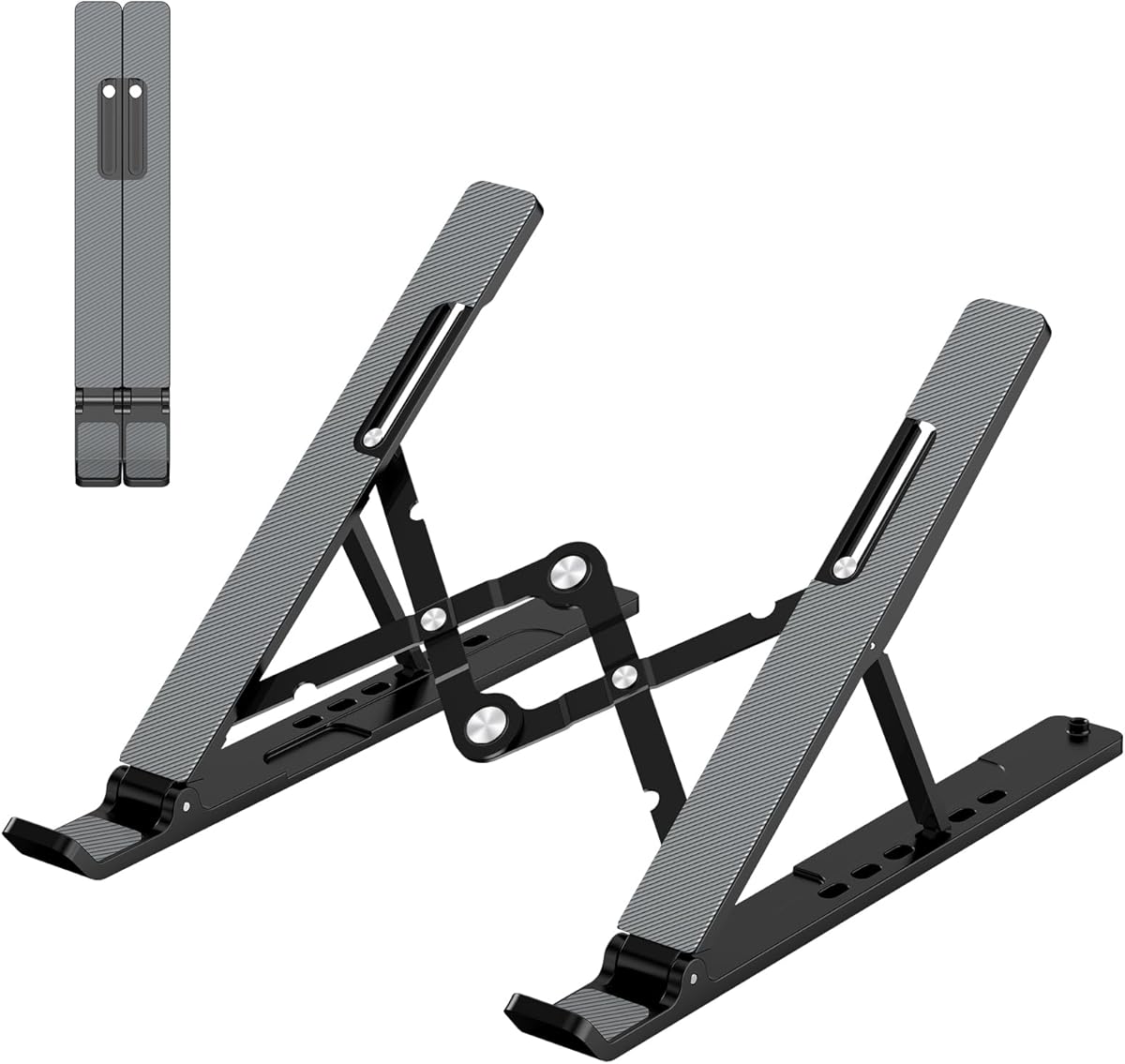
The Portable Adjustable Stand is designed around mobility. It has a 4.5 rating, weighs only 0.49 pounds, and folds to a stated 9.96 by 1.98 by 0.68 inches. Its compact shape makes it a practical choice for business travelers, students, and people who move between desks frequently.
We may earn a commission when you buy through this link, at no additional cost to you.
Height can be adjusted across six levels, spanning 4.34 to 6.59 inches. A forward tilt and open frame increase ventilation compared with placing the laptop directly on a closed desk. The triangular support structure and large anti-slip pad help keep the computer stable, while smooth edges are intended to avoid uncomfortable contact with the hands.
The design is less mechanically sophisticated than adjustable aluminum models, and its six settings do not offer continuous movement. The manufacturer specifically notes that both support bars must be inserted at the same level to maintain balance, making careful setup important. That requirement favors users comfortable with a straightforward slotted frame.
This is a good choice for frequent travelers who value low weight and compact storage over maximum desk organization. It works with common 10- to 15.6-inch laptops, including MacBook, Dell XPS, HP, ASUS, Pixelbook, Lenovo ThinkPad, Acer, Chromebook, and Microsoft Surface models. If a screen is used mostly in one position, its portability can outweigh the benefits of heavier, more elaborate frames.
The sub-half-pound weight and narrow folded profile make the stand easy to slip into a bag. It is particularly useful for people who regularly change workspaces rather than maintain one permanent desk.
The forward-tilted open surface allows air to move beneath the laptop. That basic passive cooling is helpful without requiring a powered accessory.
We may earn a commission when you buy through this link, at no additional cost to you.
The Metal Adjustable Riser is a practical option for buyers who want a durable frame with more support than a lightweight plastic model. It has a 4.6 rating and is stated to hold up to 17.6 pounds. Compatibility extends across laptops from 10 to 15.6 inches, covering several widely used families and form factors.
We may earn a commission when you buy through this link, at no additional cost to you.
Its height and angle can be changed to suit the user's position, making it more accommodating than a fixed riser. The top includes multiple ventilation holes, and the open design promotes airflow around the laptop. Rubber mats at the hooks plus anti-skid silicone pads above and below are intended to reduce sliding and protect the device from scratches.
The foldable structure allows the stand to be placed in a backpack, which is useful for business travel. However, folding does not make it the lightest model in the guide, and the lack of rotation limits its usefulness for collaborative screen sharing. Its metal construction should also be considered in terms of carried weight, though it avoids the bulk of a full-height telescopic frame.
This riser is well suited to the user who wants a sturdy, adjustable, ventilated stand without paying for a rotating mechanism. It works for home offices, travel, and conventional workstations, especially where a laptop may be used for many hours. Buyers should simply confirm the width of larger laptops against the supported size before ordering.
A stated 17.6-pound capacity provides a reassuring margin for mainstream laptops. The protective contact materials also help keep the computer steady against the frame.
Multiple openings in the top platform support passive cooling. They are especially relevant during long sessions or when a computer runs demanding applications.
We may earn a commission when you buy through this link, at no additional cost to you.
The tounee Telescopic Laptop Stand is the most specialized option here, with a 4.7 customer rating and a height range extending from 2.1 to 21 inches. That unusually broad adjustment allows the laptop to be positioned for either seated work or an active standing setup. It supports computers from 10 to 17 inches.
We may earn a commission when you buy through this link, at no additional cost to you.
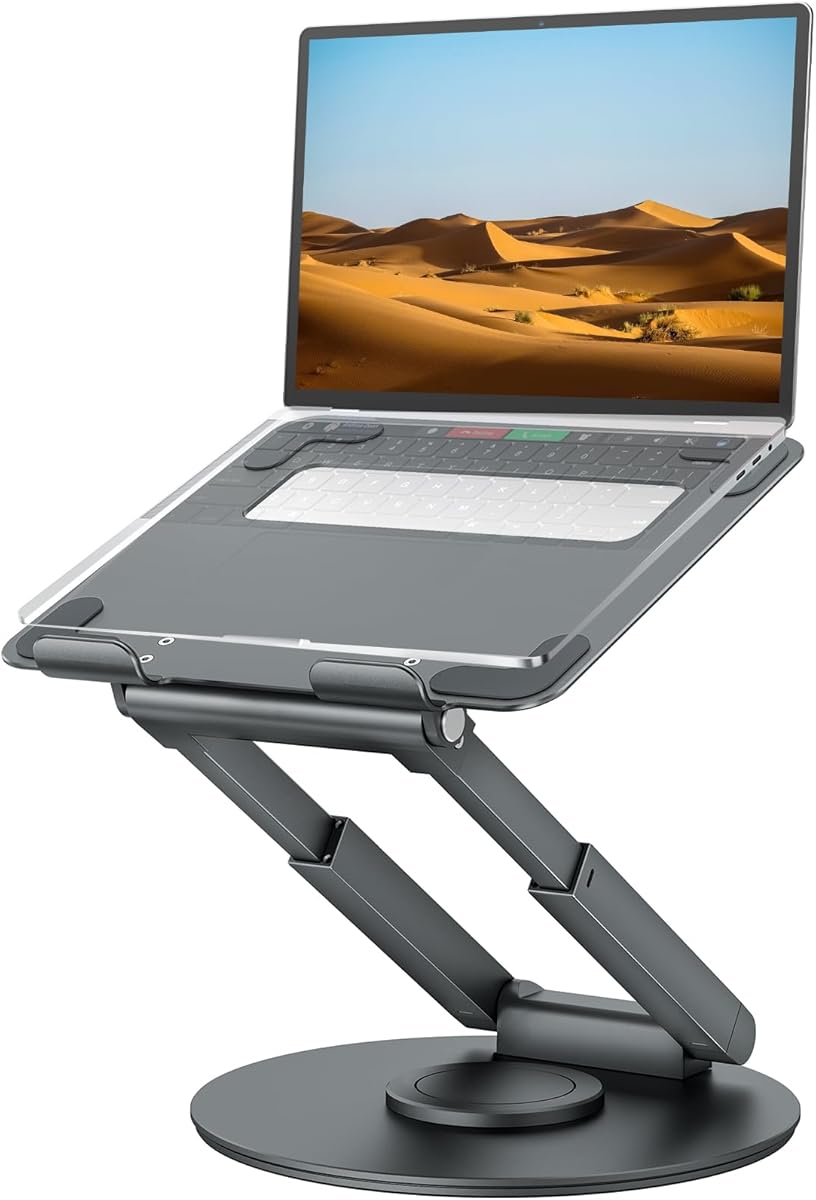
A smooth 360-degree rotating base makes the screen easy to turn toward another person. The telescoping column is activated by a button, while two pivot joints and a large aluminum base are designed to provide stability. Its stated load capacity is 22 pounds, giving it the same strength class as the Nulaxy dual-rod model.
The stand can fold for storage, but its full-height mechanism occupies more space than a conventional desktop riser. A low position can keep the device relatively close to the desk, while a high setting is useful for standing work. Users who need frequent transitions between sitting and standing may find that versatility more valuable than a smaller footprint.
The tounee is best for ergonomic workstations, hot-desking environments, and users who actively alternate between seated and standing positions. It is also appropriate for collaborative work because the swivel base complements the substantial height adjustment. This premium model is less necessary for someone who only wants a modest fixed lift, but it offers the most comprehensive working-position control in the group.
The telescoping range lets users raise the laptop to a standing-friendly height and lower it again for seated work. This flexibility is the defining benefit of the tounee design.
A large aluminum base, two pivot joints, and a stated 22-pound capacity support a stable platform. The rotating turntable also allows the display to move smoothly without relocating the computer.
We may earn a commission when you buy through this link, at no additional cost to you.
The right laptop riser depends on your device size, working position, portability needs, and cooling expectations. Review these factors before choosing a model so its adjustment system and physical design fit your desk.
A useful riser should place the upper portion of the display closer to eye level without forcing the keyboard into an uncomfortable position. Fixed models are easiest to use but offer limited control. Six-step or slotted systems provide distinct positions, while continuously adjustable and telescopic stands can accommodate a wider variety of body sizes and desk heights. Check the stated elevation range rather than assuming that a visually tall stand will work for every user.
Choose the least complicated adjustment that meets your needs. For a single seated workstation, fixed or stepped elevation may be sufficient; for frequent sit-to-stand work, a telescopic riser offers greater value.
Compatibility claims should be checked against both screen size and the physical width and depth of the computer. A stand listed for 15.6-inch laptops may not comfortably hold a wider 17-inch model. Weight capacity matters as well, especially for large gaming laptops and workstations. Products in this guide state support limits ranging from 8.8 pounds to 44 pounds, with many portable models clustered around 11 to 22 pounds.
Match the stand's size limit and load rating to your computer rather than choosing only by appearance. Leave enough edge contact and avoid placing a device near the end of a platform.
A riser that wobbles can make typing unpleasant and may place unnecessary stress on the computer's chassis. Look for a wide base, multiple support points, anti-skid pads, and locking or secure adjustment positions. The BESIGN and Lamicall models use broad bases, while the Nulaxy emphasizes a dual-rod support mechanism. Heavy metal designs can also feel steady, but their weight may not suit a mobile routine.
Always place the stand on a flat, solid surface and use its support bars at corresponding levels. Avoid pushing down excessively on the keyboard while the computer is elevated, and check for a stable fit before beginning serious typing.
Every laptop needs airflow around its underside, especially during video calls, gaming, compilation, or other demanding work. Open aluminum frames and platforms with ventilation holes promote passive cooling. Designs with a geometric vent pattern, such as the Nulaxy, go further, while solid platforms can still be used if sufficient space remains around the device. A riser does not replace good room ventilation, but it can avoid trapping the computer directly against a closed desk.
Look for open construction or explicit ventilation features if you regularly perform intensive tasks. Also consider whether the riser leaves room for the laptop's intake and exhaust openings to remain unobstructed.
A folding stand is useful for hybrid work, business travel, and shared workspaces. Some models collapse into a thin shape weighing under one pound, while others fold but remain substantial because of a weighted base or complex mechanism. The LOXP and Lamicall adjustable models combine folding with adjustment, while the WALI platform prioritizes a permanent desk arrangement. Before buying, consider not only the folded size but also how the stand will be carried.
For frequent travel, prioritize low weight, a narrow profile, and quick setup. For occasional portability, a larger adjustable model may be more useful because it can remain at home as part of a primary workstation.
A 360-degree base changes how a stand performs in meetings, classrooms, and shared workspaces. The user can turn the display toward a colleague without moving the entire computer. Models with rotation include the LOXP, Lamicall rotating, and tounee stands. They are especially helpful for presentations, demonstrations, and group study, but they occupy additional space and may be unnecessary for a private workstation.
Buy a rotating model if screen sharing is frequent. If your laptop always faces you and desk area is limited, a stationary stand with stable adjustment is usually a better fit.
Laptop risers can improve organization in two ways: elevating the computer makes room for accessories below it, and a compact platform can clear usable space on the desktop. The WALI model explicitly provides an open storage area, while smaller folding stands simply reduce the device's visual footprint. Taller rotating and telescopic products need more clearance during use, especially when the laptop is swung to the side.
Measure the available desk depth and storage area before ordering. A riser that improves posture but prevents you from using a mouse comfortably may not suit your workflow.
Begin by placing the riser on a flat, solid desktop and unfolding or extending it fully before putting your laptop on top. Check that both support bars, hooks, or legs are engaged at matching levels. If the model is adjustable, choose a height that brings the display toward eye level while preserving comfortable access to the keyboard and pointing device.
Position the computer so its weight is centered and its feet or lower edge sit securely on the platform. Keep vents, ports, and speaker openings unobstructed. For rotating stands, move the display with light pressure and avoid twisting the laptop independently of the base. On telescopic models, let the column move smoothly and confirm that it locks at the intended height before typing.
For care, wipe the aluminum or metal surfaces with a soft, dry or lightly damp cloth and avoid harsh chemical cleaners. Keep silicone pads free of dust and debris, since trapped particles can reduce grip or scratch the laptop. Fold or collapse the stand before transporting it, and place it in a protective bag if its finish or moving joints could rub against other equipment.
A laptop riser can raise the screen closer to eye level, reducing the need to look downward for long periods. It does not replace an external keyboard and mouse, which are still important when the screen is elevated significantly. A properly positioned riser may encourage a more upright neck and shoulder position during extended computer work.
They can be, provided the device stays within the stand's size and weight ratings. A larger gaming laptop benefits from a sturdy platform, secure contact points, and ventilation beneath the chassis. Avoid placing excess pressure on the keyboard while the laptop is elevated, and make sure none of the intake or exhaust openings are blocked.
An external keyboard and mouse become especially useful when a riser elevates the screen considerably. They allow the computer to be placed farther back at a more natural viewing height without forcing the user to reach upward. If you use a fixed stand with a modest lift, the built-in keyboard may remain practical for shorter sessions.
The required space depends on the model and how you use it. A simple folding stand needs room only for the laptop footprint, while rotating and telescopic models need additional clearance to turn or raise the device. Measure both the stand's stated dimensions and your available desk depth before purchasing, especially if a mouse and external keyboard are also in use.
Open stands can help by allowing air to circulate beneath the laptop rather than pressing its underside against a closed surface. Models with vent holes, such as the Nulaxy, Amazon Basics, Metal Adjustable Riser, and Lamicall designs, make airflow a central feature. Passive elevation can still leave an already hot computer hot, so users should monitor temperatures and maintain reasonable airflow around the device.
A model that supports approximately 10 to 17 inches offers a broad range for portable notebooks, business laptops, Chromebooks, and many larger computers. The Lamicall models extend to 17.3 inches, while the tounee supports up to 17 inches. Always confirm the actual width and depth of your device as well as the stated screen-size range.
They are valuable when you frequently present information, work with another person, or want to move your display between yourself and a group. The LOXP, Lamicall rotating, and tounee models offer 360-degree bases. If you work alone in one position and want to conserve desk space, a stationary riser is usually simpler and more practical.
Yes, provided the stand is designed to fold and fits within your available carrying space. The Portable Adjustable Stand and several Lamicall and LOXP models have folding or portable construction. Pack the riser in a sleeve or separate pocket so its contact surfaces do not rub against other equipment, and confirm that all moving pieces are secured before packing.
The BESIGN LS03 is the strongest value-oriented choice, offering a simple 5.7-inch lift, broad mainstream compatibility, passive airflow, and a folding profile. The Lamicall Adjustable Stand is the most versatile general recommendation because it combines height and angle control with support for laptops up to 17.3 inches. The tounee Telescopic Stand leads the premium group for users who want frequent sitting-to-standing transitions.
Prioritize the features your routine actually demands. Lightweight folding construction matters for travel, a weighted base and high capacity matter for larger computers, and 360-degree rotation matters for collaboration. Also consider whether you need storage below the laptop, uninterrupted cooling, or a mechanism that can be adjusted without tools. Those details matter more than choosing solely by screen-size range.
Before purchasing, verify the current product listing, dimensions, load rating, and compatibility for your exact laptop. Prices, designs, and product details can change over time, so checking the live listing is essential. With the right combination of height, stability, cooling, and portability, a laptop riser can become one of the most useful upgrades to a personal or professional workspace.