
Anker 240W Right-Angle Cable
4.6Editor score
Up to 240W charging
Six-foot braided construction
Two-cable multipack
Our 90 Degree USB C Cable guide compares charging speed, cable length, durability, compatibility, and data transfer features.
A 90 Degree USB C Cable is designed to connect more comfortably in crowded desks, gaming setups, car mounts, and bedside charging stations. The angled connector can reduce awkward sideways pressure, but the best model also depends on charging power, cable length, durability, and device compatibility.
We compared ten right-angle cables using the specifications and feature details provided for each product. The list includes USB-C to USB-C and USB-A to USB-C options, covering short desk leads, extended household cables, two-packs, high-output charging models, and cables designed for gaming or travel.
Each review explains the strongest reasons to choose a model, along with limitations that may affect particular setups. The recommendations span different needs rather than declaring one cable suitable for every device, and prices and availability can change after publication.
4.6Editor score
4.7Editor score

4.6Editor score
The comparison highlights connector format, charging capacity, length, pack quantity, and the most important practical features. It also makes clear which models are true USB-C to USB-C cables and which require a USB-A charging source.




The Anker USB C to USB C Right-Angle Cable combines a 240W charging specification with a two-pack of six-foot braided leads. Its 4.6 rating reflects a broadly favorable user reception, while the right-angle format is intended to improve comfort and reduce strain when a device is connected in a tight position.
We may earn a commission when you buy through this link, at no additional cost to you.
The standout feature is the 240W rating, comfortably above the 60W class represented by many other products in this guide. The supplied information says the cable can charge an iPhone 15 Pro to 57% or a MacBook Air 15-inch with M2 to 44% in 30 minutes, although actual results depend on the device, battery state, and power adapter.
Its braided six-foot length also makes it more practical than a compact desk cable for reaching across a workspace or connecting to a charging hub. The stated lifespan of more than 10,000 bends is useful, though it is less impressive than the bend figures listed for several AINOPE and SUNGUY models. Users should also account for the 3-millimeter case limit.
Choose this cable when charging capacity is the priority, particularly for compatible USB-C laptops or other high-power devices. It is the strongest premium option in the group, but the right-angle fit and full charging performance require compatible hardware rather than ordinary adapters alone.
A 240W specification makes this the most capable charging option listed here. Pair it with a compatible USB-C power adapter and a device that accepts the required power profile for the strongest results.
The two six-foot cables can serve separate devices, rooms, or travel kits. Their extended reach also reduces the temptation to pull a device toward a distant outlet.
We may earn a commission when you buy through this link, at no additional cost to you.
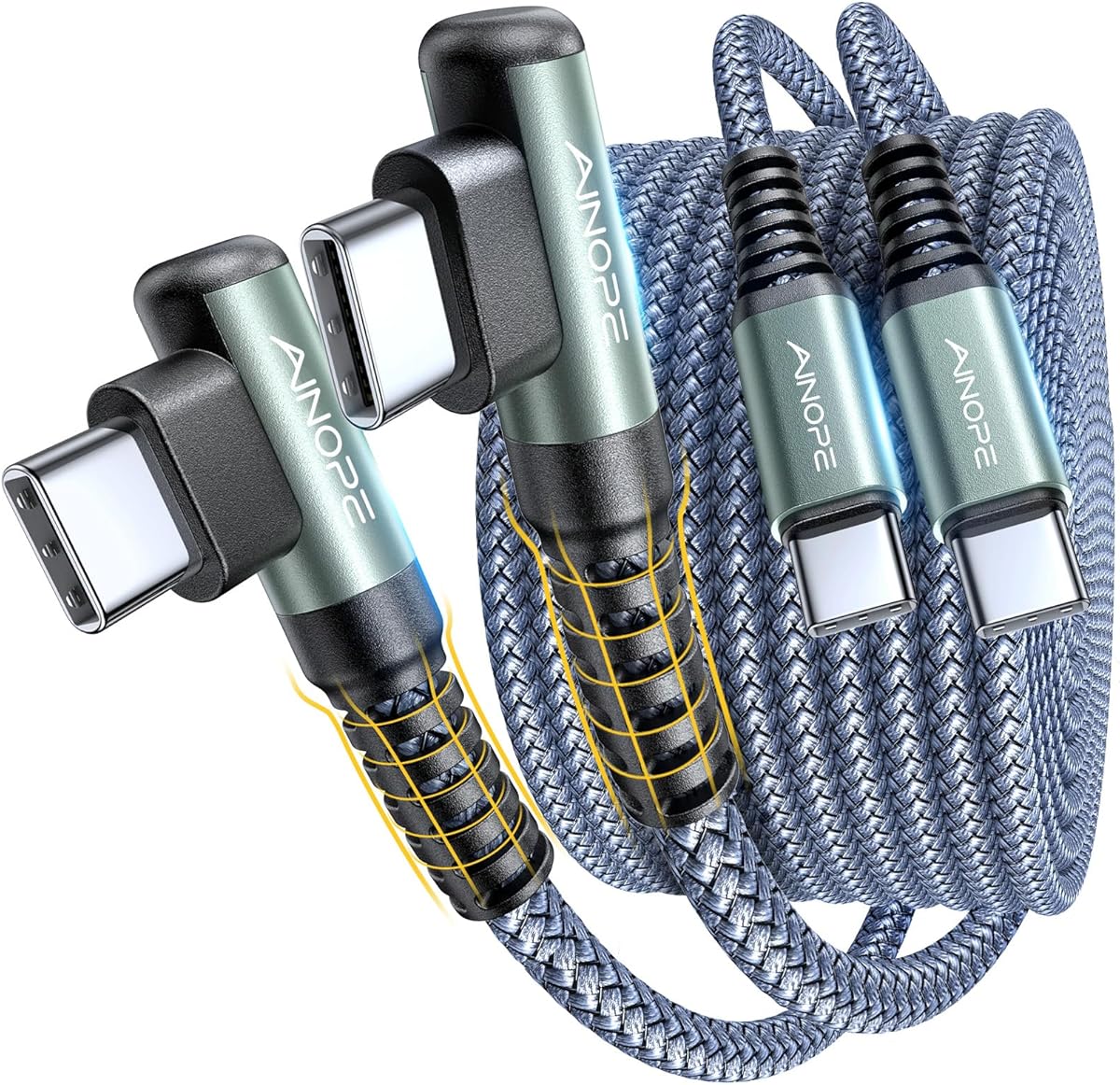
This AINOPE USB-C to USB-C cable is one of the most complete options in the roundup, combining a 4.7 rating with 60W charging, a 6.6-foot length, and two reinforced cables. It is designed for phones, tablets, laptops, handhelds, and other USB-C devices used in games, vehicles, or cramped charging locations.
We may earn a commission when you buy through this link, at no additional cost to you.
The durability claim is especially prominent: the manufacturer reports laboratory testing to 400,000-plus bends and says the reinforced right-angle joint lasts 30 times longer than ordinary cables. The cable also uses laser welding and has a stated tensile strength of 175 pounds, giving it a convincing durability profile for regular travel and daily use.
Charging performance supports PD 3.0, QC 4.0, and PPS 2.0 up to 60W when used with a suitable Type-C power adapter. Data transfer is listed at up to 480Mbps. The internal smart chip is designed to maintain stable current and reduce overheating, though the cable alone cannot provide the advertised charging speed.
This is an easy recommendation for most buyers seeking a native USB-C cable, two included leads, solid charging, and strong construction. The main limitation is explicit: it does not support video output, and older Lightning-based iPhones are not compatible.
A reinforced elbow and very high stated bend rating target the part of a cable most likely to fail. This makes the two-pack useful for devices that are connected and disconnected throughout the day.
Support for PD 3.0, QC 4.0, and PPS 2.0 gives the cable flexibility across modern USB-C phones and tablets. A compatible power adapter remains necessary to reach the stated maximum.
We may earn a commission when you buy through this link, at no additional cost to you.
The AINOPE USB A to USB C Cable is a practical option for anyone who still relies on a USB-A wall adapter. It includes two 6.6-foot braided cables with reinforced right-angle USB-C connectors, a 4.6 rating, and a stated charging output of up to 9V and 3.1A.
We may earn a commission when you buy through this link, at no additional cost to you.
Its right-angle USB-C end can make phone use more comfortable during gaming, reading, video viewing, or car charging. The product information also gives the compatible phone-case charging-port thickness as 5.5 millimeters, so owners of thick cases should verify clearance before purchase.
The cable's laboratory-tested 400,000-plus bend rating, laser-welded construction, and aluminum housing form a strong durability story. Data synchronization is listed at up to 480Mbps, while an internal NTC control chip is intended to stabilize current and help prevent overheating.
This option makes the most sense when compatibility with existing USB-A chargers matters more than using a fully native USB-C setup. Remember that the cable and power block must both support the desired charging rate; a cable cannot accelerate charging by itself.
The standard USB-A end works with many older adapters, wall chargers, and power strips. That makes the cable a useful bridge for offices or households that have not transitioned fully to USB-C power.
The right-angle joint is reinforced with a special SR joint and laser welding. Its stated bend tolerance and 16-kilogram tensile strength are aimed at reducing failures around the connector.
We may earn a commission when you buy through this link, at no additional cost to you.
The DbillionDa USB C to USB C Cable is a straightforward right-angle option with a 4.2 rating, 60W power delivery, and a 3.3-foot length. It targets everyday desk charging where a shorter lead is easier to manage than a cable stretching across the room.
We may earn a commission when you buy through this link, at no additional cost to you.
Its angled USB-C connector is intended to reduce strain on both the cable and the device port. The stated 60W power-delivery capability makes it appropriate for many modern phones, tablets, and laptops, provided the connected charger and device support the relevant protocol.
The product information also identifies data synchronization as a supported function, which makes it more versatile than a charge-only lead. However, it does not provide a specific transfer-rate figure, so buyers who need exact performance for large transfers should verify the current listing before ordering.
This is a sensible compact choice for a single desk, nightstand, or travel bag. Its lower rating and one-cable format offer fewer reasons to prefer it over the two-packs, but the simple design and 3.3-foot reach serve defined setups well.
At 3.3 feet, the cable can reach a nearby socket or charging stand without creating as much loose slack as a six- or ten-foot lead. It also folds into a smaller travel bundle.
The 60W power-delivery target covers many common charging needs while preserving a straightforward USB-C to USB-C format. Device and adapter capabilities ultimately determine the result.
We may earn a commission when you buy through this link, at no additional cost to you.
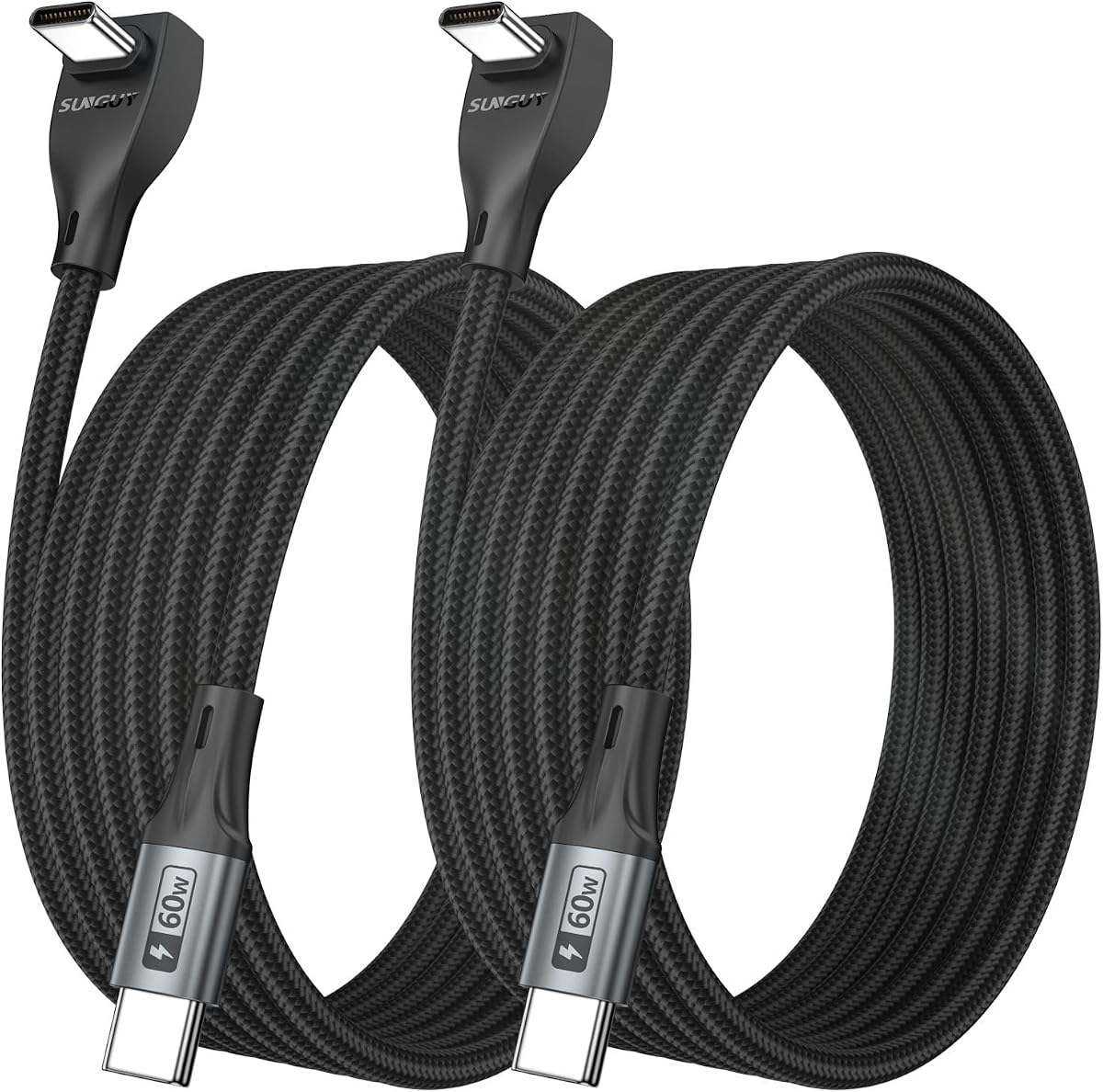
This SUNGUY two-pack combines three-foot right-angle USB-C cables with charging up to 60W and data transfer up to 480Mbps. Its 4.5 rating and emphasis on gaming, couch use, and tight spaces make it especially relevant to handheld and phone users.
We may earn a commission when you buy through this link, at no additional cost to you.
The 90-degree connector keeps the cable aligned naturally rather than pressing sideways against a port. That can reduce twisting and pulling during play, while the low-profile shape lies flatter when a phone rests on a sofa, lap, or bedside surface. The product is also positioned for use with handheld gaming devices, VR headsets, stands, and car environments.
Construction includes braided nylon, an aluminum alloy housing, and pure copper wire. The manufacturer reports testing more than 30,000 times and lists protection against overcurrent, short circuits, overvoltage, and excessive temperature. Two three-foot leads provide a useful backup or allow charging in separate locations.
Choose this model for compact gaming or bedside charging where a native USB-C connection and moderate cable length are priorities. It does not support video output to displays or projectors, so it is better suited to charging and data tasks than monitor connections.
The angled connector reduces the sideways force associated with a straight plug. On a handheld or phone, that can make prolonged charging sessions less disruptive to the user's grip.
The three-foot cable and low-profile connector work well beside a stand, couch, or nightstand. The included safety features are also useful in setups where a cable remains connected for long periods.
We may earn a commission when you buy through this link, at no additional cost to you.
The MEOU-branded USB to USB C Cable is a 3.3-foot right-angle lead with a USB-A source end and support for charging up to 60W. Its 4.4 rating reflects a solid, versatile option for users who need both power and data transfer from a familiar adapter.
We may earn a commission when you buy through this link, at no additional cost to you.
The cable supports PD 3.0, QC 4.0, and PPS 2.0, with the supplied information identifying 30W, 45W, and 60W USB-C power adapters as suitable sources. Data transfer is stated at up to 480Mbps, allowing the same lead to handle synchronization as well as charging.
A nylon braid, aluminum alloy construction, and stated tensile strength of 175 pounds support everyday durability. The right-angle connector is designed to reduce strain and make gaming, reading, and video viewing more comfortable by keeping the plug away from the user's hand.
The important limitation concerns iPhone CarPlay support, which the product details explicitly exclude. It remains a useful charging-and-data cable for compatible USB-C devices, but buyers should verify the exact function they need before choosing it.
Charging and synchronization are both supported, so the lead can serve as a general-purpose connection. Its 480Mbps transfer rate is suitable for routine file movement and media synchronization.
Support for PD 3.0, QC 4.0, and PPS 2.0 broadens its device compatibility. The attached charger must support the selected protocol for the expected performance.
We may earn a commission when you buy through this link, at no additional cost to you.
This SUNGUY 10-foot two-pack is built for locations where the charging source is far from the device. It maintains the same stated 60W charging and 480Mbps data transfer as the shorter SUNGUY models, but its extended reach makes it more suitable for vehicles, bedside setups, and large desks.
We may earn a commission when you buy through this link, at no additional cost to you.
The product details highlight the right-angle connector in vehicle storage compartments, where a straight cable can take up valuable space or be crushed by a compartment lid. It is also positioned for gaming, phone stands, and narrow areas where the cable needs to remain neatly out of the way.
Braided nylon, an aluminum alloy housing, and pure copper wire form the cable construction. The stated test count exceeds 30,000, and built-in protections cover overcurrent, short circuit, overvoltage, and overtemperature. Two ten-foot cables also allow placement in separate rooms or use as spares.
This is the right choice when reach matters more than compactness. Just keep the cable routed so it does not become a trip or snagging hazard, and note that it is intended for charging and data transfer rather than display or projector output.
Ten feet provides more freedom around a desk, couch, or bedside table. It can also connect to a power source located outside the immediate reach of a short lead.
The right-angle profile can sit more neatly inside a storage compartment and reduce sharp bends near the socket. Users should verify the compartment's clearance and lid clearance before installation.
We may earn a commission when you buy through this link, at no additional cost to you.
The UGREEN USB A to USB C Cable is a compact 1.6-foot model designed for nearby outlets, power banks, travel kits, and desk charging. It has a 4.6 rating, an angled USB-C end, 18W fast charging, and data transfer at up to 480Mbps.
We may earn a commission when you buy through this link, at no additional cost to you.
Its short length makes it easy to carry and reduces loose cable clutter. The right-angle connector is comfortable during phone use and minimizes awkward leverage at the port. The listing also notes that the USB-A end has a fixed orientation, which is worth checking when planning the connection.
Durability testing includes more than 20,000 bends and 3,000 plug-and-unplug cycles. That makes the cable appropriate for regular mobile use, although its maximum charging output is much lower than the 60W and 240W options elsewhere in the guide.
This is a good pick for a compact charging cable with useful data-transfer capability. The primary restrictions are the 18W charging ceiling and the stated maximum case thickness of 2 millimeters, both of which should be checked against the user's device and case.
A 1.6-foot lead is simple to organize and can fit into a pocket, pouch, or laptop bag. It is particularly convenient when the power source is already close to the device.
The 480Mbps data rate and extensive bend testing make this more than a basic charge lead. Verify connector clearance and charging requirements before use with a thick case.
We may earn a commission when you buy through this link, at no additional cost to you.
The SUNGUY 3.3-foot two-pack sits between the shorter and longer SUNGUY options in the guide. It offers up to 60W charging, data transfer at up to 480Mbps, a 4.6 rating, and two right-angle USB-C cables for use in separate locations.
We may earn a commission when you buy through this link, at no additional cost to you.
The product is promoted for gamers, vehicle storage compartments, and phone stands. Its 90-degree connector helps the cable avoid pushing directly against the port or the user's hand. The 3.3-foot length is a practical middle ground for a desk or nearby bedside outlet without creating excessive slack.
Its materials include braided nylon, an aluminum alloy housing, and pure copper wire. The stated testing exceeds 30,000 cycles, and safety features include overcurrent, short circuit, overvoltage, and overtemperature protection. The pack also carries a 36-month worry-free period according to the listing.
Choose this cable when one spare is rarely enough or when two nearby setups need matching leads. It supports charging and data transfer but not video output, so it should not be selected for a monitor, projector, or similar display connection.
Keeping one cable at a desk and another beside a sofa or stand reduces repeated unplugging. The moderate length also keeps each installation relatively tidy.
The combination of 60W charging and 480Mbps data transfer serves many routine phone, tablet, and computer tasks. Use a compatible adapter and ensure the device supports the desired function.
We may earn a commission when you buy through this link, at no additional cost to you.
The AINOPE 10-foot USB-C to USB-C two-pack is built for extended reach while retaining a 60W charging target. Its 4.6 rating, reinforced right-angle connectors, and data-transfer support make it a practical long-cable option for many modern devices.
We may earn a commission when you buy through this link, at no additional cost to you.
The 90-degree L-shaped connector is designed to reduce cord-end bending and improve comfort during gaming, video viewing, or reading. It is particularly helpful when a device is connected in a constrained orientation and the straight cable would otherwise press against the user's hand.
Charging supports PD 3.0 and QC 3.0 up to 20V and 3.1A when paired with an 18W, 30W, 45W, or 60W USB-C power adapter. Data transfer is listed at up to 480Mbps. The connector uses laser welding, a special SR joint, and a construction rated for 40,000 bends and 175 pounds of tensile strength.
Choose this model for a large room, wall-mounted setup, or vehicle where a short cable cannot reach comfortably. Its native USB-C format excludes older Lightning-based iPhones, and ten-foot leads require careful routing to avoid clutter.
The ten-foot length solves reach problems while retaining the 60W maximum used by many shorter cables. It can serve rooms, travel layouts, and charging stations where the outlet is distant.
A special SR joint, laser welding, and a stated 40,000-bend rating target the connector area. The design is intended to withstand repeated bending at the point where angled cables commonly wear.
We may earn a commission when you buy through this link, at no additional cost to you.
The most useful right-angle cable is one that matches your connector format, charging hardware, physical space, and intended tasks. Review these factors before choosing a model.
A USB-C to USB-C cable connects two modern USB-C ends and allows the source device to negotiate the appropriate charging profile. A USB-A to USB-C cable has a rectangular USB-A end that works with many older adapters, power banks, and wall outlets. The distinction is important because a USB-A cable cannot simply be treated as a native USB-C-to-USB-C cable, even though both may charge compatible devices.
Choose USB-C to USB-C for newer setups and USB-A to USB-C when compatibility with an existing USB-A charger is essential. Always verify the connector and port type rather than relying on the product's abbreviated title.
Charging capacity is a maximum capability, not a guarantee of the speed every device will receive. A 240W cable is suited to high-power USB-C laptops, while 60W models cover many phones, tablets, and smaller computers. More modest cables can work well for lower-power devices. Protocol support may include PD, QC, and PPS, but the wall charger and connected device must also support the relevant protocol.
Select a rating that comfortably covers your highest-powered device without paying for unnecessary capability. Remember that the cable alone cannot deliver 60W or 240W; it needs a compatible power source.
Short cables are easy to carry and reduce desk clutter, while long cables provide freedom when the outlet is distant. A three-foot lead is a common desk and bedside compromise, six-foot cables handle broader workspaces, and ten-foot models suit large rooms, vehicles, or charging locations. The angled connector also needs enough space around the device port, especially with a thick protective case.
Choose the shortest length that comfortably reaches the intended setup. If a case is involved, check the stated clearance limit and make sure the cable can sit flat without forcing the connector sideways.
The area around the connector experiences the greatest bending stress, which is why a reinforced right-angle joint is especially useful. Published bend counts offer a useful comparison, although laboratory methods and manufacturer conditions can differ. Braided exteriors, laser-welded metal parts, and reinforced strain reliefs are additional indicators that a cable is intended for repeated use.
For frequent travel or daily reconnection, favor a clear bend rating and reinforced connector construction. Treat very high figures as comparative specifications rather than a guarantee that every cable will last the same number of bends in real-world use.
A cable advertised for charging may or may not support data synchronization. Models in this guide with stated data-transfer support provide rates up to 480Mbps, which is useful for routine files and media. Several products explicitly do not support video output, so they should not be expected to connect a phone to a monitor or projector.
Check the individual product notes for display limitations before purchasing for video. If display output is essential, choose a cable explicitly described as supporting it rather than assuming that every USB-C cable carries video.
USB-C describes a connector, but it does not guarantee identical behavior across every device. Some newer phones use USB-C, while older iPhone models use a Lightning port and require a different cable. Cars, handheld gaming devices, tablets, laptops, and monitors may also support different subsets of charging, data, CarPlay, Android Auto, or video functions.
Confirm that both the device port and charging adapter match the cable connectors. If a feature such as CarPlay or monitor output matters, verify the product note that addresses it rather than relying only on general compatibility language.
A two-pack is useful for separating a desk from a bedside table, keeping a spare during travel, or sharing with a family member. Single cables offer a simpler setup but leave no immediate replacement. Warranty periods and customer-support terms vary among the listed brands, so those details can also influence the decision for buyers who expect regular use.
Choose a two-pack if you already know you need more than one charging location. Choose a single cable for a focused setup or when one included lead is sufficient.
Begin by identifying the connector on each end and matching it to the device and power source. Connect the cable firmly but without twisting the right-angle housing, especially when the device is in a case. If using USB-A to USB-C, plug the standard USB-A end into a compatible adapter and the angled USB-C end into the device.
For the fastest stable charging, use a power adapter and device that support the cable's stated protocols and power level. Observe the connected device for heat, unusual noise, or repeated connection interruptions, and stop using the cable if the connector or insulation appears damaged. Do not bend the cable sharply immediately beside the reinforced joint.
Store a longer cable loosely coiled rather than tightly wrapped around the connector. Keep the right-angle end clear of pressure from compartment lids, stands, and tightly packed bags. Clean the exposed connector gently with a dry, lint-free cloth, and replace the cable if its housing cracks, the braid frays, or the connection becomes intermittent.
The angled connector can reduce sideways pressure on the device port and keep the cable from obstructing your hand. It is especially helpful while gaming, reading, watching video, or using a phone stand. The benefit depends on the cable being able to sit straight and the surrounding case or space allowing enough clearance.
The right-angle shape itself does not reduce charging speed. Speed depends on the cable's supported power rating, the charger, the device, and its battery-management system. A cable rated for 60W or 240W can still reach its stated maximum when all connected hardware is compatible.
No. Some models use a USB-C connector at both ends, while others have USB-A at the source end and a right-angle USB-C connector at the device end. These two types cannot be substituted for one another without checking the port on the charger or computer.
It depends on the case and cable geometry. The Anker model is compatible with cases up to 3 millimeters thick, while the UGREEN listing specifies up to 2 millimeters. Other products provide different case-clearance information, so measure the charging-port opening and allow room for the angled housing.
Not necessarily. The AINOPE 60W 2-Pack, SUNGUY 3-Foot 2-Pack, SUNGUY 10-Foot 2-Pack, and SUNGUY 3.3-Foot 2-Pack explicitly state that they are not suitable for video output. If connecting a display or projector is important, verify that the exact cable and device combination support it.
The charging block, device, and protocol must all support the intended level. Some products require an adapter of a particular output, and some phones or tablets accept a lower rate. Check the charger label, device charging specification, and protocol support before assuming the cable is at fault.
Choose three feet for a nearby outlet, travel, or a tidier desk, and ten feet for a distant socket, large room, or vehicle. Longer cables provide more freedom but can create clutter and should be routed carefully. The USB-A to USB-C model in this guide offers another useful middle ground at 6.6 feet.
Avoid pulling the cable by the device end and do not create a sharp bend directly beside the housing. Route long leads along the edge of a desk or through a cable guide, and leave clearance around compartment lids. The reinforced joints in several listed cables are designed to tolerate normal movement, but they cannot eliminate damage from crushing or excessive force.
The Anker 240W Right-Angle Cable is the strongest choice for maximum charging capacity, while the AINOPE 60W 2-Pack offers the guide's highest rating, extensive bend rating, and broad protocol support. The UGREEN 1.6-Foot Cable is a compact option for nearby charging, power banks, and travel.
Prioritize the connector format, required charging level, cable length, and case clearance before considering secondary features. Native USB-C models are preferable for newer equipment, while USB-A cables remain useful with older adapters. A two-pack is particularly convenient for multiple locations, and right-angle models are particularly useful for gaming, stands, vehicles, and bedside charging.
Finally, check the current product listing, charger specifications, and device requirements before ordering. Ratings, features, availability, and prices can change, and the most capable cable still needs compatible hardware to deliver its stated charging or data performance.