
MOSISO 23.8-24 Inch Blue Light Filter
4.4Editor score
Filters up to 99% UV
Reduces blue light 45%
95% clear transparency
Acrylic scratch protection
A blue light filter for a computer screen can make extended viewing more comfortable by reducing the amount of certain high-energy light reaching your eyes. The right panel also needs to fit correctly, preserve color and brightness, install easily, and provide a useful level of scratch and glare protection.
This guide compares ten monitor and laptop filters based on the stated dimensions, optical specifications, installation method, layer construction, light filtration levels, and compatibility information. The list covers desktop panels from roughly 20 to 28 inches, a 15.6-inch laptop option, single filters, and multipacks.
Each review highlights the strongest benefit and the practical compromises of its featured filter, while the comparison table makes size differences easier to scan. Product availability and pricing can change, so verify the current listing, measurements, and screen dimensions before making a final purchase.
4.4Editor score

4.4Editor score

4.4Editor score
As an Amazon Associate we earn from qualifying purchases.
The table below compares all ten filters by screen coverage, filtration, installation style, and practical protection, helping you identify the option that best matches your display and routine.


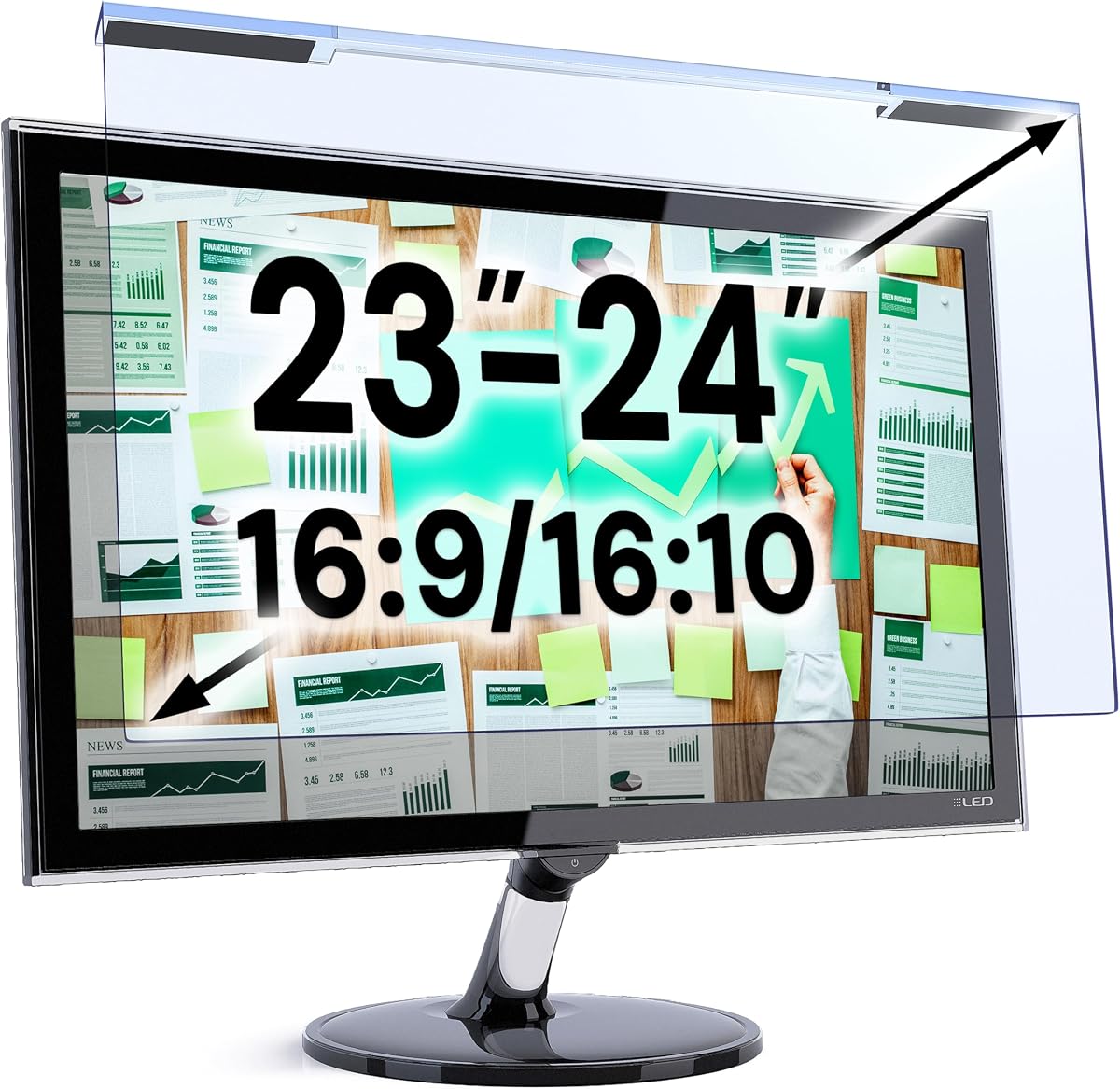

The MOSISO Computer Blue Light Blocking Screen Protector is a 4.4-rated acrylic filter designed primarily for 23.8- and 24-inch widescreen displays. Its 21.26-by-13.39-inch dimensions, 45% reduction in blue light between 420nm and 460nm, and stated 99% harmful-UV filtering make it a practical all-around option for users who want basic light filtering without a complex installation.
We may earn a commission when you buy through this link, at no additional cost to you.
A major strength is its combination of eye-protection features and physical screen protection. The acrylic panel is described as helping resist dust, fingerprints, and scratches, making it useful in an office, home workspace, gaming setup, or programming environment. At 0.05 inch thick and approximately 95% transparent, it is also designed to retain the original brightness and clarity of the display rather than significantly darkening it.
The main limitation is that the stated blue-light reduction is 45%, which is lower than the 90%-plus or 98%-plus filtration figures advertised by several other selections in this guide. Compatibility also requires care: the listing names particular iMac, Lenovo, HP, Dell, Sceptre, Acer, and ViewSonic models, so buyers should compare the listed measurements with their own display rather than relying on the diagonal size alone.
This filter is a sensible recommendation for most 23.8- or 24-inch monitor owners who prioritize transparency, simple installation, and scratch protection at a modest feature level. It is especially compelling for users who do not want an noticeably dark panel and who prefer straightforward hanging installation over adhesive mounting.
The stated 95% transparency and thin acrylic profile are central to the MOSISO appeal. This design is intended to preserve the display's original brightness while adding a physical layer against dust, fingerprints, and scratches.
The panel covers a range of listed 23-, 23.6-, 23.8-, and 24-inch 16:9 monitors. Measuring the visible screen and checking the compatibility list can prevent a mismatch, especially for all-in-one computers and curved displays.
We may earn a commission when you buy through this link, at no additional cost to you.
The VizoBlueX 23-24 inch Anti-Blue Light Filter earns a 4.4 rating and stands out as a balanced choice for owners of standard 16:9 monitors in the 23- to 24-inch class. Its 21.5-by-13-inch panel is described as a multilayer optical product that blocks harmful high-energy visible light and eliminates hazardous UV without functioning as a privacy or anti-glare screen.
We may earn a commission when you buy through this link, at no additional cost to you.
The filter is listed as compatible with the Apple iMac 24 Retina and 24-inch all-in-one models, along with Samsung, LG, Dell, HP, Lenovo, Asus, Acer, BenQ, ViewSonic, and Philips displays. That broad brand coverage is useful when you want a straightforward hanging panel rather than a model-specific accessory. Removing the protective films from both sides is the only stated installation step.
One trade-off is that the listing does not provide a precise blue-light filtration percentage. It focuses instead on multilayer protection, HEV-light blocking, and UV elimination, making it difficult to compare directly with the ZYY and IPROKKO products that publish specific percentages. The instructions also emphasize measuring only the screen diagonal without including the frame.
The VizoBlueX is a strong recommendation for users who value easy installation, visible color maintenance, and broad compatibility. It works especially well for 23- or 24-inch widescreen monitors, including common all-in-one models, and is a good middle choice when exact filtration percentages are less important than a well-rounded optical design.
VizoBlueX distinguishes its hanging filter from privacy and anti-glare panels, emphasizing full visible-color maintenance. That makes it a practical choice for users who want light filtering without deliberately darkening or restricting the display.
The hanging design and stated support for major monitor brands reduce installation complexity. Confirming the visible dimensions before ordering remains important because the screen diagonal alone does not establish exact panel coverage.
We may earn a commission when you buy through this link, at no additional cost to you.
The ZYY 2 Pack 23-24 Inch Computer Screen Blue Light Blocker is a 4.4-rated multipack with some of the most detailed filtration specifications in the guide. It claims at least 90% blue-light blocking, at least 98% UV blocking, and at least 99% blocking of other harmful light using five optical layers and Japanese Fujimori nano-optical stacking technology.
We may earn a commission when you buy through this link, at no additional cost to you.
Beyond filtration, the 8H reinforced acrylic construction adds scratch resistance and anti-fingerprint protection. The panel is only 2mm thick and is designed to provide a high-resolution view with realistic colors. Compatibility covers 23-, 23.5-, 23.6-, 23.8-, and 24-inch displays, including the iMac 24-inch screen and compatible curved monitors.
As a two-pack, the product may be more than one person needs, but it offers a useful option for multiple displays, separate work and gaming setups, or keeping a replacement panel on hand. The tradeoff is that the high level of optical blocking may create a more noticeable color or brightness change than a lighter filter, depending on the display and personal preference.
This ZYY package is the premium pick for users who prioritize specific and comparatively high filtration figures, layered construction, and a spare panel. It is best suited to 23- to 24-inch users who have verified the stated 21.25-by-13.39-inch dimensions and want more substantial optical protection than the simpler single-layer alternatives.
The stated 90%-plus blue-light and 98%-plus UV blocking figures make this one of the most transparent options in the guide. It is a compelling choice for users who prioritize quantified light filtration rather than general multilayer protection.
Two filters provide flexibility for a multi-monitor office, a desktop and laptop pairing, or a replacement. The reinforced acrylic and anti-fingerprint layers add value beyond light filtering, although the included quantity may exceed individual needs.
We may earn a commission when you buy through this link, at no additional cost to you.
The MOSISO Computer Blue Light Blocking Screen Protector in the 19.29-by-12.48-inch size is a 4.4-rated option for 20-, 21.5-, and 22-inch 16:9 widescreen monitors. It follows the same practical formula as the larger MOSISO panel, combining light filtering with a thin, transparent acrylic screen protector.
We may earn a commission when you buy through this link, at no additional cost to you.
The product listing states 99% harmful-UV filtering and a 45% reduction in blue light between 420nm and 460nm. Its 0.05-inch thickness and 95% transparency are intended to preserve the original screen brightness, while the acrylic surface offers added resistance to dust, fingerprints, and scratches. Installation requires removing the films and hanging the panel over the display.
Compatibility is a strength because the listing includes several HP, Dell, Acer, Sceptre, and ViewSonic models, as well as the iMac 21.5 inch. However, users should not treat the size range as universal. The dimensions and aspect ratio must match the visible screen, and unusual desktop replacements or models with larger bezels may require careful comparison.
This is a good recommendation for owners of smaller 20- to 22-inch office monitors who value transparency and physical protection. It is less suited to anyone seeking the highest published blue-light blocking percentage, but it remains a straightforward option for basic eye-comfort filtering and scratch coverage.
The sub-0.1-inch acrylic panel is designed to avoid a heavily dimmed appearance. Its stated transparency makes it appealing for smaller office screens where text clarity and normal brightness are important.
Measurements should exclude the bezel and be compared with the listed width and height. The included compatibility examples are helpful, but the dimensions remain the most dependable basis for a good fit.
We may earn a commission when you buy through this link, at no additional cost to you.
The VizoBlueX 20-22 inch Anti-Blue Light Filter is a 4.4-rated hanging panel for smaller 16:9 monitors. Its 19.5-by-12.1-inch dimensions are intended for displays with a diagonal measurement of 20, 21, 21.5, or 22 inches, including the Apple iMac 21.5 and monitors from major brands such as Samsung, LG, Dell, HP, Lenovo, and others.
We may earn a commission when you buy through this link, at no additional cost to you.
The product is described as a multilayer filter that eliminates hazardous UV and blocks harmful high-energy visible light. Importantly, the listing says it is not an anti-glare or privacy filter and maintains the full visible colors of an LCD or LED monitor. That makes it suitable for users who want a clean-looking screen without the visual restrictions of a privacy panel.
As with the larger VizoBlueX model, no exact blue-light blocking percentage is supplied. The result is a less quantifiable but still robustly described optical product. Installation is uncomplicated: peel the protective films from both sides and hang the filter over the monitor.
This panel is a strong fit for smaller home-office and productivity displays where users want multilayer optical protection and easy installation. It is less compelling if your screen is larger than 22 inches or if published filtration percentages are central to your decision.
The stated goal is to maintain the visible colors of the underlying display. Because the panel is explicitly not a privacy or anti-glare filter, it offers a more conventional view than those specialized accessories.
A 19.5-by-12.1-inch hanging format suits common 20- to 22-inch widescreen monitors. The product listing includes several major manufacturers, giving buyers useful guidance when matching their model.
We may earn a commission when you buy through this link, at no additional cost to you.
The VizoBlueX 27-28 inch Anti-Blue Light Filter is designed for larger productivity and creative displays. Its 24.8-by-14.6-inch panel carries a 4.4 rating and is stated to fit 16:9 monitors measuring 27 to 28 inches diagonally, with compatibility highlighted for the Apple iMac 27-inch all-in-one, Studio Display, and XDR 27-inch model.
We may earn a commission when you buy through this link, at no additional cost to you.
Its multilayer construction is intended to block hazardous UV and harmful high-energy visible light while maintaining the full visible colors of the monitor. Because it is a hanging panel rather than a privacy or anti-glare filter, it can suit users who want broad optical coverage without a deliberately darkened or restricted view.
The main disadvantage is the lack of a specific blue-light reduction percentage. Comparisons with products such as the ZYY 27-inch filter therefore rely on the product's broader optical claims rather than a like-for-like filtration number. Exact dimensions should also be checked because 27-inch displays can have different visible proportions.
This is a strong recommendation for users of large 27- or 28-inch monitors who want broad screen coverage and a straightforward installation process. It is especially relevant to 16:9 creative workstations, while owners of compact or ultrawide displays should look for a filter with matching dimensions.
The 24.8-by-14.6-inch panel gives broad protection across larger 16:9 monitors. That scale is useful for editing, office work, and multi-window productivity where the entire display receives extended use.
The listing specifically identifies several 27-inch Apple displays while also naming Samsung, LG, Dell, HP, Lenovo, Asus, Acer, BenQ, ViewSonic, Philips, and NEC monitors. Buyers should still compare visible width and height before ordering.
We may earn a commission when you buy through this link, at no additional cost to you.
The IPROKKO 2-Pack 24 Inch Blue Light Screen Protector combines high stated light filtration with an anti-glare function. It carries a 4.0 rating and is designed for 24-inch 16:9 monitors, measuring 20.9 by 11.8 inches and supporting curved displays as well as models from HP, Dell, Samsung, Lenovo, LG, Acer, Asus, and ViewSonic.
We may earn a commission when you buy through this link, at no additional cost to you.
The optical specifications include filtering of up to 98% of blue light, up to 99% of UV rays in the 380-460nm range, and a stated 95% reduction in glare and reflected light. This combination is especially relevant for users working near windows or bright ambient light, since it addresses both screen-emitted light and reflections from the surroundings.
Installation differs from many hanging filters because the product uses no plastic tabs or tape and is designed to avoid air bubbles and residue. It is removable and washable, which makes maintenance easier when dust accumulates. A one-year warranty adds another layer of buyer reassurance, although its 4.0 rating is lower than the ratings of the other products in the roundup.
The IPROKKO 2-pack is most compelling for owners of one or two 24-inch displays who want both light filtering and glare control. The fixed dimensions require careful measurement, but the combination of washable construction, curved-screen support, and high filtration claims makes it a versatile choice for bright workspaces.
The stated 95% glare and reflective-light reduction differentiates this option from filters that only target blue light. It is a practical feature for desks positioned near windows or strong room lighting.
The removable panel can be cleaned and restored according to the product description. Its installation avoids the plastic tabs and adhesive residue associated with some screen protectors, supporting convenient long-term use.
We may earn a commission when you buy through this link, at no additional cost to you.
The VINTEZ 15.6-inch laptop filter is a 4.3-rated option for portable computer users. Its actual filter area is 14.2 by 8.7 inches, allowing it to sit over the visible area of a 15.6-inch laptop screen without extending across the entire lid and keyboard deck.
We may earn a commission when you buy through this link, at no additional cost to you.
The listing states up to 61% blue-light reduction and 99% UV filtration over the 420-460nm range. It also protects the display from scratches, dirt, and dust. Unlike several competing products, the VINTEZ filter expressly does not include an anti-glare function, so it should be considered primarily a light-filtering and physical-protection accessory.
Setup is straightforward: peel the matte protective film from both sides and position the filter over the screen. A lifetime replacement policy is also listed for a damaged screen. As with the larger VINTEZ panel, compatibility is described in general terms, including HP, Samsung, Dell, Asus, LG, Huawei, and MSI devices, so exact dimensions should take priority over the laptop diagonal.
This filter is a good recommendation for students, mobile workers, and anyone who spends significant time on a 15.6-inch laptop. It offers a more targeted portable solution than a desktop monitor panel, although users experiencing strong reflections may prefer a product that includes anti-glare protection.
The compact 14.2-by-8.7-inch filter area is designed for a 15.6-inch laptop rather than a desktop monitor. It offers optical filtering while also helping shield the panel from scratches, dirt, and dust during travel.
Removing the films from both sides and positioning the panel makes installation quick. Buyers should still confirm the visible dimensions because laptop bezels and panel proportions can vary among manufacturers.
We may earn a commission when you buy through this link, at no additional cost to you.
The VINTEZ 23-24 inch Blue Light Screen Protector is a 4.3-rated option for several common widescreen displays. Its 21.2-by-13.4-inch filter is intended for 23-, 23.6-, 23.8-, and 24-inch monitors and laptops, with compatibility noted for HP, Samsung, Dell, Asus, LG, Huawei, MSI, and other brands.
We may earn a commission when you buy through this link, at no additional cost to you.
Its stated specifications include up to 61% blue-light reduction and 99% UV filtration, with the blue-light filtering focused on the 420-460nm range. The screen is also designed to guard against scratches, dirt, and dust, and the brand includes a lifetime replacement policy for a damaged screen.
One important limitation is that the product does not include an anti-glare function. This distinguishes it from the IPROKKO model, which is built around glare reduction, and may make it less suitable for a desk with intense reflections. Its stated blue-light reduction is also lower than the 90%-plus figures offered by the ZYY products.
The VINTEZ is a practical recommendation for office users with a standard 23- to 24-inch display who want clear, simple light filtering and physical screen protection. It is particularly attractive for those who value a replacement policy and a one-pack format without committing to a multipack.
One panel covers four frequently used display sizes, simplifying the selection process. The 21.2-by-13.4-inch dimensions should still be checked against the visible screen area before purchase.
Resistance to scratches, dirt, and dust adds value in busy offices and home workspaces. The listed lifetime replacement policy provides added reassurance if the filter itself becomes damaged.
We may earn a commission when you buy through this link, at no additional cost to you.
The ZYY 27 Inch Anti Blue Light Screen Protector is a 4.4-rated filter for large 16:9 monitors. It measures 24.13 by 14 inches, providing substantial screen coverage, and is explicitly designed for curved monitors while remaining unsuitable for the iMac display.
We may earn a commission when you buy through this link, at no additional cost to you.
The product uses Japanese Fujimori nano-optical stacking technology across five layers of optical engineering protection. It states at least 90% blue-light blocking, at least 98% UV blocking, and at least 99% blocking of other harmful light. Its 8H reinforced acrylic, anti-fingerprint surface, and 2mm thickness also provide physical protection without the bulk of a much thicker panel.
Installation follows a hanging process in which both protective films are removed. The product is described as suitable for work, study, gaming, and television viewing. The stronger filtration can alter the apparent color temperature or brightness more noticeably than a lighter panel, so users who are sensitive to display changes should consider their personal preference.
This ZYY filter is a strong recommendation for a precisely measured 27-inch monitor that needs high stated light blocking and layered optical construction. It combines eye-protection claims with scratch and fingerprint resistance, making it a well-rounded large-screen option outside the Apple ecosystem.
Five optical layers and quantified blue-light and UV blocking offer a more substantial design than simpler transparent films. The result is aimed at users who want pronounced filtering on a large monitor.
The 24.13-by-14-inch acrylic panel covers a large display area and resists scratches and fingerprints. Curved-monitor support broadens its use, while the explicit iMac exclusion should be noted before ordering.
We may earn a commission when you buy through this link, at no additional cost to you.
The most important considerations are accurate sizing, the level and type of light filtration, color and brightness impact, installation method, and whether glare protection is needed for your workspace.
A monitor's advertised diagonal is only part of the fit equation. Measure the visible width and height without the bezel, then compare those figures with the filter's actual dimensions. This is especially important for 16:9 displays, all-in-one computers, ultrawide monitors, and curved screens because similar diagonal measurements can correspond to very different shapes. Some listings also name compatible models, but checking the actual screen area remains the safest approach.
Published filtration figures vary significantly across the guide. The ZYY filters claim at least 90% blue-light blocking, IPROKKO states up to 98%, and the MOSISO filters advertise a 45% reduction in the 420-460nm range. VINTEZ specifies up to 61%, while VizoBlueX emphasizes multilayer protection without providing a precise percentage. These numbers are manufacturer claims rather than an independently standardized comparison, so consider the target wavelength range and overall optical design alongside the headline figure.
A stronger filter is not automatically the most comfortable choice. The MOSISO models emphasize 95% transparency and preserving original brightness, while stronger-blocking products may create a more noticeable shift in color or luminance. Look for descriptions that mention high-definition viewing, realistic colors, and maintained visible colors. If you work with color-critical images, a moderate filter or one that can be removed during exacting tasks may be preferable.
Blue-light filtering and anti-glare treatment address different problems. A filter can reduce light emitted by the display, whereas glare control helps with reflections from windows, lamps, and other room lighting. The IPROKKO product combines both and advertises a 95% glare reduction. Several other options explicitly lack an anti-glare function. If your monitor sits opposite a bright window, glare reduction may matter more than an additional layer of blue-light filtering.
Hanging filters use the display itself to hold the panel in place and generally avoid adhesive residue. The MOSISO, VizoBlueX, and ZYY products use this approach, while the IPROKKO product is described as removable, washable, and free of tape or plastic tabs. For a permanently mounted desktop, hanging or washable designs may be convenient. For a frequently transported laptop, the smaller VINTEZ panel offers a more compact and portable format.
Many of these filters double as physical screen protectors. The MOSISO panels use acrylic to help resist dust, fingerprints, and scratches. ZYY adds 8H reinforced acrylic, anti-fingerprint properties, and scratch resistance. IPROKKO similarly emphasizes scratch and dust protection. These benefits are useful in shared offices, homes with children or pets, and environments where the screen is touched frequently.
Compatibility extends beyond nominal screen size. The 23-24-inch MOSISO and ZYY filters mention the iMac 24-inch model, the 20-22-inch VizoBlueX supports the iMac 21.5, and the 27-inch VizoBlueX names several Apple displays. The ZYY 27-inch filter explicitly is not for the iMac. Several ZYY and IPROKKO products support curved monitors, but the dimensions and shape still need to match. Always compare the specific display rather than assuming a model family shares one design.
A single panel is adequate for one display, while multipacks are useful for dual-monitor setups, separate work and study areas, or keeping a spare on hand. The ZYY 23-24-inch and IPROKKO 24-inch products each include two filters. Replacement policies, warranties, cleaning instructions, and included mounting materials can also influence long-term usefulness. Consider these details after confirming that the core dimensions and optical features meet your needs.
Begin by cleaning the display with an appropriate soft cloth, then measure its visible width and height to confirm the filter will cover the intended area. Compare the screen with the product's listed dimensions and check any model-specific compatibility notes. Keep the panel away from dusty surfaces during installation so you do not trap particles between the display and filter.
For hanging filters, remove the protective film from both sides and carefully position the panel over the screen. Align its upper edge with the upper edge of the visible display, then lower it into place so the hanging tabs support the filter. For the IPROKKO product, follow its removable installation method and avoid leaving protective film on either surface. Do not use adhesive tape unless it is included and explicitly approved by the manufacturer.
Clean the filter according to its listing, using a soft, lint-free cloth and avoiding harsh chemicals that could damage the optical coating. A washable product can be removed and cleaned as directed, while non-washable models should be wiped carefully. Store an unused panel in its original packaging, and replace it if it becomes scratched, cloudy, detached from its tabs, or visibly reduces image clarity.
Measure the visible width and height of the screen, excluding the bezel, and compare those measurements with the filter's actual dimensions. A diagonal measurement alone may not distinguish between different 16:9, ultrawide, curved, or all-in-one designs. Also check the listing for model-specific compatibility notes before ordering.
It can, depending on the optical design and how much light it blocks. Products that emphasize high transparency may preserve the original brightness more closely, while stronger filtration can create a more noticeable color or brightness shift. The MOSISO filters advertise 95% transparency, whereas the ZYY and IPROKKO products publish higher blue-light blocking figures.
No. A blue light filter targets particular wavelengths of light emitted by a display, while an anti-glare protector reduces reflections from surrounding light sources. Some products combine both functions, such as the IPROKKO filter, while the VINTEZ filters and VizoBlueX listings explicitly do not provide an anti-glare function.
Several products in this guide specifically support curved monitors, including the ZYY filters and the IPROKKO 24-inch option. Even with stated support, you should check the filter's width, height, and hanging method against your particular display. A curved screen with a bezel or unusually narrow panel may require extra care.
Fit depends on the exact model and filter size. The 23-24-inch MOSISO and ZYY products mention compatibility with the iMac 24-inch screen, the 20-22-inch VizoBlueX supports the iMac 21.5, and the 27-inch VizoBlueX names several Apple displays. The ZYY 27-inch filter is explicitly not intended for the iMac.
Clean and dry the display, remove the protective films from both sides of the filter, and align the panel with the top edge of the visible screen. Lower it gently so the hanging tabs rest in position. Avoid touching the optical surfaces once their protective films have been removed.
The IPROKKO product is specifically described as removable and washable, allowing it to be cleaned and restored. Other filters may also be gently wiped, but you should follow their individual care instructions and avoid solvents or abrasive materials. If cleaning leaves streaks or damages the coating, replacement may be necessary.
There is no single requirement for every user. The options in this guide range from a stated 45% reduction to blocking claims of at least 90% or up to 98%, with some products emphasizing multilayer protection without a precise percentage. The better approach is to balance quantified filtration with clarity, comfort, fit, and the environment in which you use the monitor.
The MOSISO 23.8-24-inch filter is the strongest overall-value choice because it combines 45% stated blue-light reduction, 99% UV filtering, high transparency, and physical scratch protection in a simple hanging design. The VizoBlueX 23-24-inch panel is the balanced editor's choice for its multilayer optical construction and broad compatibility, while the ZYY 23-24-inch two-pack is the premium option for buyers who prioritize at least 90% stated blue-light blocking and five optical layers.
Size and viewing priorities should guide every purchase. Smaller-screen users can consider the 20-22-inch MOSISO or VizoBlueX models, portable setups fit the VINTEZ 15.6-inch panel, and large displays are covered by the VizoBlueX 27-28-inch or ZYY 27-inch filter. Buyers in bright rooms should also consider glare control, while color-sensitive users should prioritize transparency and a natural-looking image.
Always verify the visible screen dimensions, aspect ratio, and model compatibility before ordering, and compare the current product listing because availability and pricing can change. With the right fit and an appropriate filtration level, the selected panel can add a more comfortable viewing layer to a daily computer setup.