
LED Busy Light Status Indicator
4.6Editor score
Touch controls for status changes
Adjustable red and green brightness
Compact decorative desk design
USB-C charging support
Busy Light for Office buying guide compares ten status indicators for visibility, app-free controls, meeting-room use, call alerts, and effortless daily setup.
A busy light gives coworkers a visible cue showing whether someone is available, focused, away, or already occupied. The best office signals are easy to read from a distance, simple to operate, and capable of supporting individual desks, meeting rooms, or hybrid teams without creating unnecessary daily friction.
This guide compares ten busy lights using the information supplied for each product, including platform compatibility, visual status colors, physical design, call alerts, installation methods, and manual controls. It covers clip-on models, desktop indicators, software-connected lights, and wireless meeting-room systems for different working environments.
Each review explains who the product is best suited for, along with its most useful features and practical limitations. Ratings reflect the supplied customer feedback, while product availability and current pricing can change. Always confirm the latest listing details before making a purchase.
4.6Editor score

4.6Editor score

5.0Editor score
The table below compares all ten office busy lights by control method, connectivity, status visibility, and intended placement, helping readers identify the most suitable option for a desk, meeting room, or restricted IT environment.




The Clip Busy Light Standard is a straightforward availability indicator for offices that need an immediate visual signal without complicated setup. It has a 4.4 rating and stands out for its tall illuminated tube, which can be seen more readily than many small desktop lamps. The supplied 59-inch USB cable makes it particularly suitable for a monitor, desk edge, wall, or door.
We may earn a commission when you buy through this link, at no additional cost to you.
Its core operation is intentionally uncomplicated. A red light communicates that work is in progress, such as a call, deadline task, or focused session, while green indicates that the user is idle or available. The metal clip can grip a monitor or another border measuring less than 30 millimeters, and the product can also sit on a table or attach to a wall or door.
The trade-off is that this is primarily a manual red-and-green system rather than a fully connected presence tool. It does not describe automatic syncing with calendars, chat tools, or unified communications platforms. The long cable can also be inconvenient in layouts where a freestanding or wireless indicator would be easier to reposition.
It is a sensible choice for individual desks, shared offices, or meeting-room doors where workers already follow a simple color convention. Buy it when straightforward visibility, minimal software involvement, and inexpensive installation matter more than automatic status detection or a wide palette of colors.
The elongated illuminated form makes status recognizable without requiring people to approach the desk. That makes it useful in open-plan areas where a small, low-profile lamp could be overlooked.
The included metal clip simplifies attachment to compatible monitor frames and other narrow borders. It can also be placed on a surface, giving the office flexibility without complex mounting tools.
We may earn a commission when you buy through this link, at no additional cost to you.
The Kuando Busylight UC Omega combines a presence indicator, unified communications status display, and ringer in a compact rounded unit. Its 4.3 rating reflects a well-rounded feature set, particularly for workers who rely on multiple communication platforms. The device measures roughly 1.5 by 1.5 inches and fits naturally on a desk.
We may earn a commission when you buy through this link, at no additional cost to you.
Its strongest benefit is the required free busylight software, which supports Microsoft Teams, Skype for Business, Cisco Jabber, Webex, RingCentral, Zoom, Avaya One-X Communicator, Avaya IX Workplace, and other UC platforms. The kuandoHUB interface can control multiple platforms, support manual changes, and integrate with Microsoft Outlook so meeting status can appear automatically.
The built-in ringer adds a layer beyond a visual status light. It offers eight ringtones for incoming calls and chats when the relevant platform supports those alerts. However, users should not treat every notification as universal because the supplied information specifically notes that functionality depends on the UC platform and softphone configuration.
This model fits an office that wants automatic status updates without giving up manual control or audible alerts. It is less appropriate for security-restricted environments where required software cannot be installed or for workers who want a completely app-free indicator.
The ability to manage several UC platforms through kuandoHUB reduces the need to check several separate applications. Outlook integration further helps maintain an accurate meeting status.
Eight selectable ringtones make the device useful when a worker is not wearing a headset. The option to mute and adjust volume through software prevents unwanted interruptions.
We may earn a commission when you buy through this link, at no additional cost to you.
This Clip Busy Light Standard offers the same useful core concept as the other clip model: a conspicuous red-and-green signal that communicates focus and availability. It carries a 4.4 rating, uses a 59-inch USB cable, and includes a metal clip suitable for a monitor or another border under 30 millimeters.
We may earn a commission when you buy through this link, at no additional cost to you.
Users can position it beside a computer, outside an office, or near a meeting-room entrance. Red indicates that a task is being processed and that colleagues should avoid interrupting, while green indicates availability. Its simple two-state system makes the expectations easy for an entire team to understand and use consistently.
The listing also mentions support for scheduling the busy light with favorite tools to build a more systematic workflow. Even so, the device should be evaluated primarily as a manually controlled indicator, because the supplied details do not establish broad native compatibility with specific communication platforms.
This model is a practical choice for small teams that want a low-complexity status signal. It is especially suitable for desks near walkways, where a taller indicator is easier to notice than a compact lamp. Its limitations are the restricted color system and the need to remain connected by a cable.
Using red for busy and green for available creates an immediately understandable routine. Consistent color discipline matters more than advanced features for many workplaces.
The tall format works well beside a monitor or near an office entrance, where the indicator can discourage unnecessary approaches before they interrupt focused work.
We may earn a commission when you buy through this link, at no additional cost to you.
The USB Status Busylight is a versatile desk indicator that combines automatic synchronization with convenient manual control. It has a 4.6 rating, supports Microsoft Teams, Zoom, and Cisco Jabber/Webex, and offers a helpful six-color vocabulary for availability, busy work, away time, incoming calls, and do-not-disturb states.
We may earn a commission when you buy through this link, at no additional cost to you.
Its automatic mode flashes blue for an incoming call and turns red when the user answers or joins a meeting. The free busylight software handles synchronization, while tapping the top allows immediate manual color changes without software. That combination is valuable because it keeps the device dependable when automatic data is unavailable or when a worker wants to override the displayed state.
There are platform limitations to consider. Free software must be installed for automatic syncing, and Cisco Jabber/Webex support is specified for Windows only. The supplied setup information also directs users to the user guide and support contact, so installation should be handled as part of onboarding rather than treated as entirely automatic.
This is the strongest all-around recommendation for an office already using mainstream UC tools. It suits individual contributors, hybrid workers, and small teams that want a highly visible signal with both automated and manual operation. It is less suitable for locked-down systems where software installation is prohibited.
Automatic updates keep normal work periods accurate, while tap control provides a dependable override. This makes the light useful for meetings, focus blocks, and unexpected tasks.
Green, red, yellow, blue, and purple communicate more than a simple available-or-busy state. The documented rules make it easier for a team to adopt the device consistently.
We may earn a commission when you buy through this link, at no additional cost to you.
The Switch Pro 2 is designed primarily for meeting rooms and shared work areas where an external indicator must reflect what is happening inside. It has a 4.2 rating and consists of a wireless remote-control cube and an indicator that can be mounted outside the room. Rotating the cube changes the visible color without desktop software.
We may earn a commission when you buy through this link, at no additional cost to you.
The system supports red for busy, green for available, blue for a call, and yellow for away, along with custom colors configured on the cube. Pairing over Bluetooth 5.2 supports a stated range of up to 80 meters without obstacles. A magnet and anti-slip pads allow the outside indicator to attach without drilling, while the cube can remain on a conference table.
Its major advantage is freedom from installation tickets and administrative approval. No desktop or mobile application is required, and it does not need Microsoft Teams or Zoom configuration. That makes it particularly relevant to security-restricted or IT-locked offices where employees cannot add background software.
The trade-off is that this is a two-unit system designed for coordination between an interior controller and an exterior signal. It may be more than an individual desk user needs. Even so, it offers an unusually practical way to manage meeting-room interruptions without installing new applications.
The exterior indicator prevents people from approaching occupied rooms unnecessarily. Its large, color-coded display is designed to communicate the room condition before anyone attempts to knock.
Because the units communicate wirelessly without desktop software, offices can add visibility without requesting device access or IT configuration. That makes the system useful for unusually restricted workplaces.
We may earn a commission when you buy through this link, at no additional cost to you.
The Embrava Blynclight Standard is a connected availability display intended for both home and office use. Its 4.2 rating reflects a broad feature set that includes presence indication, incoming-call and instant-message flashing, adjustable color, and brightness control. It is particularly relevant to businesses with established communication infrastructure.
We may earn a commission when you buy through this link, at no additional cost to you.
Compatibility information covers Microsoft Teams, Skype for Business, Cisco Jabber, RingCentral, Cisco Finesse, CounterPath Bria, and the Home edition of Skype. The supplied information also mentions Genesys PureCloud through a CCO Genesys Feature License and Cisco Finesse through a CCO Finesse Feature License. A Software Development Kit can support integration with internal business applications.
Compatibility boundaries are important, though. Incoming-call alerts through Cisco Jabber are supported for the Windows softphone rather than the Cisco desk phone. Alerts for calls and messages are not supported on Mac or Attendant versions, and incoming-message alerts are not supported by Cisco Jabber.
This Blynclight is a good fit for administrators supporting established UC estates or developers who want to integrate presence into a business application. Buyers should verify the exact platform and operating-system combination they use rather than assuming every alert will function identically.
The light shows colleagues when a worker is available while also drawing attention to incoming calls and messages. That combination supports more thoughtful interruption habits than a static sign.
The SDK gives organizations a path to connect availability with their own applications. It is useful for teams that want a status indicator to fit a broader workflow rather than operate as a standalone accessory.
We may earn a commission when you buy through this link, at no additional cost to you.
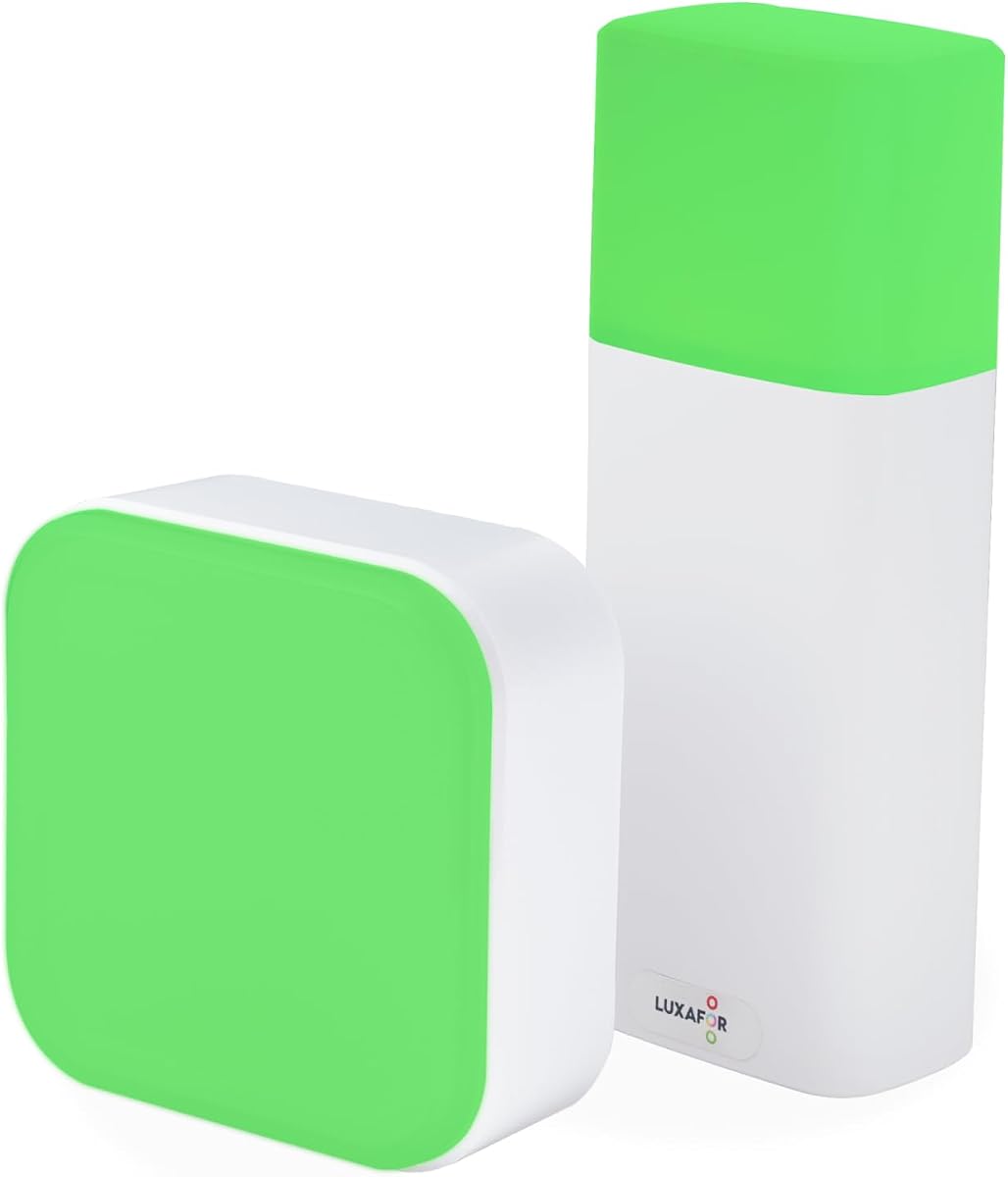
The LED Busy Light Status Indicator is a compact, attractive option for a personal desk or home-office workspace. It carries a 4.6 rating and focuses on the basics that matter at a workstation: two easily interpreted colors, touch-based control, and adjustable brightness. No application or advanced configuration is required.
We may earn a commission when you buy through this link, at no additional cost to you.
Users can briefly touch the base to change the status color and press and hold to adjust brightness. Green represents availability and red represents being busy, making the controls understandable on the first day. The smooth, compact housing also functions as an office accessory rather than looking purely industrial on a desk.
The product supports its original adapter and Type-C phone charger cables for charging. One limitation is that state switching does not work while the unit is charging. It also lacks automatic calendar, meeting, or communication-platform syncing, so users must update it themselves.
For someone seeking an uncomplicated signal without software, this is an especially accessible choice. It works well for remote workers, individual cubicles, and shared desks where a small decorative lamp is preferred. Teams needing automatic status should choose a connected model instead.
Brightness adjustment helps the indicator remain noticeable in a bright office while avoiding an overly intense glow in a home setting. A long press provides a straightforward way to tune the output.
Touch controls and a compact housing make this light convenient for remote work and personal focus routines. It avoids requiring account setup, permissions, or a connected computer.
We may earn a commission when you buy through this link, at no additional cost to you.
The Kuando Busylight UC Alpha is a slim, software-connected option for workers who want automatic presence information in a familiar desk format. It has a 4.2 rating and is described as roughly 4.5 inches tall with a half-inch diameter. Its narrow shape is less visually dominant than a wide lamp or cube.
We may earn a commission when you buy through this link, at no additional cost to you.
The required free busylight software supports Microsoft Teams, Skype for Business, Cisco Jabber, Webex, RingCentral, Zoom, Avaya One-X Communicator, Avaya IX Workplace, and other UC platforms. Green and red communicate basic availability, while additional colors may appear depending on the connected platform. The kuandoHUB interface supports multiple platforms, manual control, and Microsoft Outlook meeting integration.
A built-in ringer includes eight ringtones for incoming calls and chats, along with volume and mute controls in the software. This is useful for remote workers who may not wear a headset, although the alert capability remains dependent on the relevant UC platform and softphone.
The Alpha is best for an office seeking a narrow, connected presence light with audio alerts. It is less attractive where installing software is prohibited or where a simple manual indicator would be sufficient.
Its slim profile takes up little desk space while retaining a clearly visible illuminated surface. It suits workers who want a professional signal without a large meeting-room device.
The kuandoHUB controls support multiple platforms, manual status changes, and Outlook meeting visibility. That gives users both automation and direct control from one interface.
We may earn a commission when you buy through this link, at no additional cost to you.
The Kuando Busylight Omega Plus is built for users who want a small presence indicator that can fit neatly onto a desk or magnetic surface. Its 4.0 rating is lower than those of several alternatives, but its compact design and software-connected functions make it worth considering for targeted workspaces.
We may earn a commission when you buy through this link, at no additional cost to you.
The housing is described as roughly the size of a table-tennis ball, with a diameter of 1.5 inches or 3.8 centimeters. Despite the small footprint, the strong LED remains clearly visible. The included magnet kit expands placement options beyond a standard desktop position, which is useful for cubicle panels, shared workstations, or other vertical surfaces.
The device performs three core functions: displaying availability, providing call or chat alerts, and supporting connected status. Required busylight software works with major platforms including Microsoft Teams and Zoom, as well as the wider collection listed for the Kuando range. The built-in ringer offers eight tones, and kuandoHUB supports manual control and Outlook meeting integration.
This model is well suited to a compact hybrid office or individual desk where visual discretion matters. It may not be the first choice for a large shared room, and buyers should expect the standard software requirements associated with the Kuando ecosystem.
The one-and-a-half-inch form preserves valuable desk space while keeping the LED easy to recognize. It is particularly useful for workers who dislike large status accessories.
The included magnet kit allows the light to move between work areas and vertical surfaces. This is helpful for hot desks, shared pods, and workers who alternate between office and home.
We may earn a commission when you buy through this link, at no additional cost to you.
The Cube 2 Wireless App-Free Office Busy Light delivers a refined, portable approach to visual status. It has a 5.0 rating and distinguishes itself through a clean cube design, a rechargeable 1200 mAh battery, and operation without a desktop application, platform integration, or administrator permission.
We may earn a commission when you buy through this link, at no additional cost to you.
Rotating the cube cycles through the status colors. Red represents busy, green represents available, and yellow and blue can communicate additional color-coded messages. The supplied information describes a runtime of 46 to 90 hours depending on the selected color and eco mode, allowing the unit to stay on a desk without a permanently connected cable.
A magnet mount and anti-slip pads are included, so it can be attached outside a meeting room or placed securely on a table without drilling. Its wireless design makes it easy to move between work desks, meeting rooms, and focus pods. This portability also makes it more flexible than a permanently cabled indicator.
The limitation is its manual nature. It does not automatically sync with Teams, Zoom, or calendars, so someone must update the color. For offices that value clean design, cordless convenience, and immediate app-free operation, the Cube 2 is an excellent choice.
The rechargeable battery removes the need for a permanent USB connection. The light can move with the user or be placed at whichever shared space needs an immediate availability signal.
Rotating the cube is fast and self-explanatory. Since no application or UC configuration is involved, the product can enter service even in offices where IT access is limited.
We may earn a commission when you buy through this link, at no additional cost to you.
The right office busy light depends on how it will be used, who will update its status, and whether the workplace permits software on employee devices. Visibility, installation, alerts, and compatibility should be weighed together.
Automatic status synchronization is most useful when workers regularly move between meetings, calls, and focus time without remembering to update a physical light. Software-connected models can reflect supported platforms and calendar events automatically, reducing the chance of a red light remaining on after a meeting has ended. They are particularly suitable for disciplined teams that already standardize their communication tools and can install the required applications.
Manual control remains valuable when the workplace is flexible, restricted, or interested in only a basic available-or-busy convention. App-free and touch-controlled products require no account, background process, or administrator approval. The trade-off is that users must actively change the status, so a stale signal can still cause confusion.
Choose automatic syncing for consistent platform-driven status, and choose manual control for simplicity, portability, and installation-free operation.
A busy light must be noticeable from a realistic viewing distance. Tall tube models can be easier to spot across an open office, while wide lamps and cubes may offer larger colored surfaces for meeting-room doors. Compact spherical indicators save space but are best suited to close desk viewing rather than long corridors or crowded shared areas.
Color consistency also matters. Green and red are familiar conventions, but adding yellow, blue, or purple can communicate away, incoming-call, and do-not-disturb conditions more precisely. Consider whether everyone nearby will understand those colors and whether the light remains clear under bright lighting or at different angles.
Prioritize a large, high-contrast display when visibility is the main goal. Choose a smaller indicator only when desk space and discretion matter more.
Compatibility should be checked at three levels: the communication platform, the operating system, and the specific alert type. A device may synchronize presence with a service while failing to support every call, chat, or message alert. Microsoft Teams, Zoom, Webex, Cisco Jabber, Skype for Business, RingCentral, and Avaya products appear across several connected options, but each listing defines different exclusions.
Some platform support is limited to Windows, while alerts may not work with desktop phones, Mac versions, or attendant software. Application developers should also verify operating-system support, notification privileges, and whether the vendor supplies the required integration utilities.
List the exact software used by your team, then verify each required function. Do not treat broad platform branding as proof that every alert will work.
Installation methods range from clip-on monitor attachments and simple desktop placement to magnetic mounting and two-unit meeting-room systems. A clip is useful when the status light should follow a computer, while a magnet can make a shared indicator easy to relocate. Wall and door mounting may improve visibility but can involve more permanent placement than a desk accessory.
Consider cable length carefully. A long USB cable provides flexibility around a desk but can create visual clutter or fail to reach a power outlet. Cordless models avoid that limitation but require charging and may eventually need to be returned to a power source during busy periods.
Match the mounting method to the space. Favor a clip or magnet for movable workstations, and use an exterior indicator for high-traffic meeting-room doors.
A visual status light tells others whether a worker is available, but an audible alert can help the worker notice an incoming call or chat. Several connected models include a built-in ringer with multiple tones, while software-based controls may provide volume and mute options. This is useful for remote workers who are not wearing a headset or who want a secondary notification beyond computer sounds.
Audible features are never automatically universal. Support depends on the UC platform, softphone, operating system, and sometimes a specific license. A model that supports automatic presence but not incoming-message alerts may still be valuable, provided its limitations match the user's priorities.
Choose a ringer when missed calls are a common concern. Confirm that the relevant alert type and platform combination are supported before buying.
Software-connected busy lights can simplify daily status management, but they also introduce installation, permission, and support considerations. Some products require free software per user, while others work as entirely independent devices. The latter can be especially useful in security-restricted teams, hot-desking environments, and workplaces where IT does not approve additional background applications.
A no-software product also makes installation easier for a small business. However, manual operation places responsibility on employees and may require a team agreement about what each color means. App-free does not mean maintenance-free: rechargeable models still need charging, and all indicators need a consistent location.
Favor software integration where digital workflows are standardized. Choose app-free hardware when installation freedom and immediate deployment matter most.
A desk busy light primarily helps nearby colleagues judge whether to approach an individual. A meeting-room system must be visible from outside the room and ideally be changeable by someone inside without walking to the door. Two-unit wireless systems are built around that workflow, while single cube or lamp products can also be placed beside a room entrance.
For meeting rooms, verify the viewing angle, available mounting surface, and how many people need to update the signal. A cube that can be rotated on a conference table is quick to operate, while a door-mounted indicator provides clearer guidance to people outside. Desk users should prioritize low-profile placement and easy personal updates.
Match the product to the decision point. Optimize desk lights for nearby awareness and meeting-room systems for clear external visibility.
Power requirements influence how portable a busy light can be. USB-powered models stay ready while connected and may include long cables for flexible placement. Rechargeable products remove cable clutter and make it easier to move between shared spaces, but their operating time should be considered in relation to charging schedules and color settings.
Physical design also affects daily usability. A stable base prevents accidental movement, anti-slip pads help on a conference table, and a magnet gives a portable option for vertical surfaces. A tall indicator may be easier to notice, while a compact model may blend more neatly into a professional desk.
Choose power and construction that suit your routine. Prioritize cordless convenience for mobility and permanent power for uninterrupted desk use.
Begin by establishing a simple team agreement for status colors. Define which colors mean available, busy, away, on a call, and do not disturb, and place the light where coworkers can see it without approaching the workstation. The same convention should be used consistently across desks and meeting rooms.
For automatic models, install the required software on every user device, grant the necessary notification permissions, and test each supported platform before relying on the light for daily coordination. For manual models, make the physical control easy to reach and develop a habit of changing the status when starting a call, joining a meeting, or entering a focus block.
Clean the indicator with a soft, dry cloth and avoid pushing liquid into buttons, ports, or seams. Check cables for damage, keep charging contacts clean, and recharge cordless models before long periods of use. Update the software when instructed by the manufacturer and revisit the team color guide if your communication workflow changes.
A busy light provides a visible indication of a person's availability or current activity. Green commonly means available and red means busy, although some models add blue for incoming calls, yellow for away, and purple for do-not-disturb. The exact convention should be agreed upon by the office so the signal is understood consistently.
Several models support automatic status updates through required busylight software. Compatible models can reflect supported call and meeting states, while app-free products must be changed manually. Verify the specific listing, communication platform, operating system, and alert type because platform support is not identical across every product.
A large exterior indicator is usually best for a meeting room because people need to see it before entering. Wireless two-unit systems let someone inside rotate a cube and update the door-side signal without software. A single magnetic cube can also work well when meeting rooms are smaller or the signal only needs to be visible from nearby.
App-free models are often more suitable when employees cannot install additional applications or administrators do not approve background software. They also tend to be easier to deploy in small businesses and temporary workspaces. Their main drawback is that people must update the color manually, which can lead to inaccurate signals without a shared habit.
Yes. A desktop indicator can signal availability to family members, partners, or housemates while remote working. Compact models are especially convenient for small desks, while software-connected options can synchronize with online meetings. Use a consistent color convention and avoid confusing personal availability with family interruptions.
Green and red provide the clearest familiar baseline, with green indicating availability and red indicating focused work or a meeting. Yellow for away and blue for an incoming call are useful extensions when the product supports them. Purple can represent do-not-disturb, but teams should document the meaning to prevent confusion.
That depends on the model. USB-connected indicators require a suitable power source, while rechargeable models can operate cordlessly for the stated runtime. Automatic platform syncing always requires the relevant software and connectivity, whereas a manual light can operate independently of a computer.
Automatic models are least likely to remain stale because supported meeting and call changes update the display. Manual lights require a routine: update the indicator at the start and end of calls, meetings, and focus periods. Placing the control in an obvious location and assigning a simple team convention can improve compliance.
The USB Status Busylight is the most balanced overall option because it combines automatic syncing, tap-based manual control, and a clear six-color status vocabulary. The LED Busy Light Status Indicator is an appealing budget choice for a simple desk, while the Cube 2 Wireless App-Free model stands out for its cordless design and premium meeting-room flexibility.
Prioritize the environment before the feature list. Choose a connected model when your office already uses supported UC platforms and can install the necessary software. Select an app-free light for restricted systems, quick deployment, or simple manual routines. For meeting rooms, favor a highly visible exterior indicator; for individual desks, consider footprint, brightness, and ease of changing status.
Before purchasing, confirm the current listing, compatibility details, mounting accessories, and operating requirements. Availability and pricing can change, so compare the current offer at the time of purchase. The most effective busy light is not necessarily the most advanced one; it is the one your team will understand, operate, and maintain consistently.