
MUNBYN Portable Printer
4.4Editor score
Compact 1.57-pound body
US Letter and A4 support
Bluetooth mobile connectivity
Multi-format mobile app
An inkless portable printer for travel gives travelers, students, and mobile workers a practical way to produce contracts, boarding passes, notes, receipts, and other documents without relying on a hotel, office, or nearby copy shop. The best models combine compact construction, thermal printing, flexible paper handling, dependable battery life, and straightforward connection to the devices travelers already carry.
This guide compares ten inkless portable thermal printers using the specifications and feature information supplied for each product. It examines weight, dimensions, print resolution, supported paper sizes, mobile and computer connectivity, required apps, battery claims, included accessories, and important limitations, with particular attention to how each device fits a travel-oriented workflow.
Each numbered review explains the strongest reasons to consider that model alongside its practical trade-offs. The top selections represent the most balanced, budget-conscious, and premium options in the group, although the right choice depends on your paper needs and devices. Prices and availability can change, so verify current listings before purchasing.
4.4Editor score

4.6Editor score

4.2Editor score
As an Amazon Associate we earn from qualifying purchases.
The comparison below highlights the physical design, paper capabilities, connection methods, print resolution, and battery details that distinguish these ten travel-oriented thermal printers. Every model prints black and white and requires compatible thermal paper rather than ordinary copy paper.
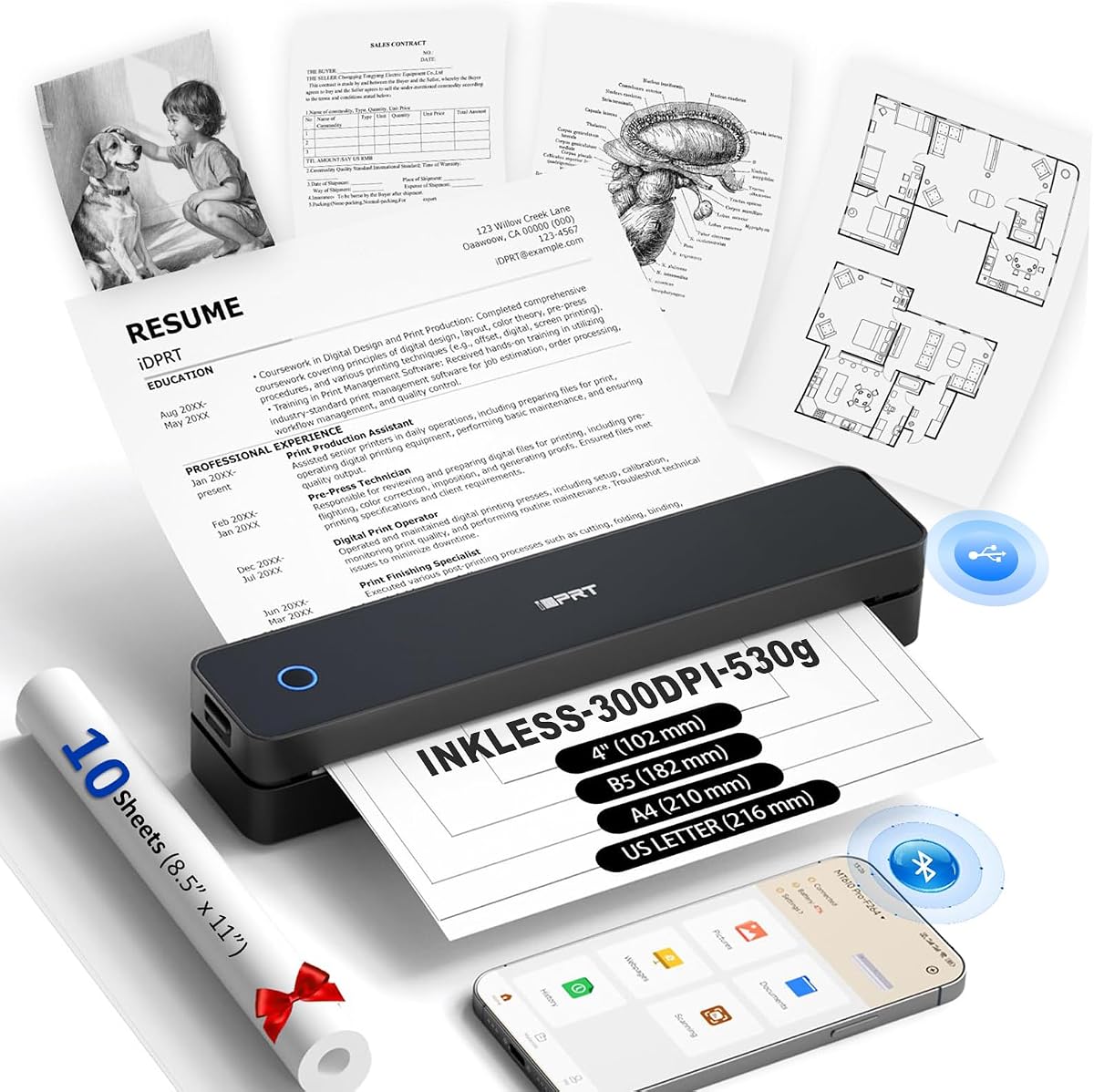





The iDPRT MT610Pro combines a 1.2-pound weight, a thickness of 1.6 inches, 300 DPI thermal printing, and flexible paper support, making it one of the most travel-conscious models in this guide. Its 4.1 rating reflects a practical package, although buyers should remember that it handles black-and-white thermal documents rather than full-color pages.
We may earn a commission when you buy through this link, at no additional cost to you.
Its standout strength is the balance between portability and usable output. The printer supports US Letter, A4, A5, B5, and four-inch paper, while Bluetooth 5.0 and USB-C connections cover phones, tablets, laptops, and computers. The rechargeable 2000mAh battery is stated to deliver as many as 200 pages per charge, which is useful for travelers producing multiple documents between charging opportunities.
There are some compromises to understand. Thermal paper is mandatory, so ordinary inkjet and laser paper cannot be used. Mobile printing requires the free HerePrint app, while computer printing requires appropriate drivers. The device is also limited to black-and-white output, which makes it better for contracts, notes, forms, and diagrams than for photographs or richly illustrated pages.
This is an excellent general choice for travelers who want a genuinely slim printer without giving up standard-page support. It suits students, business travelers, field professionals, and anyone who values low weight, useful connectivity, and a broad range of compatible paper sizes. For color printing or ordinary paper, however, a different product category would be necessary.
At only 1.2 pounds and 1.6 inches thick, the MT610Pro is designed to disappear into a backpack or work bag. Its compact profile is especially helpful for travelers who need hard copies but do not want to carry a conventional printer or depend on shared business centers.
Support for five listed paper sizes gives the printer more flexibility than many compact alternatives. Bluetooth 5.0 serves supported mobile devices, while USB-C provides a wired route to computers, giving travelers more than one way to move documents onto thermal paper.
We may earn a commission when you buy through this link, at no additional cost to you.
The ETIKEZ D90E pairs a 4.3 rating with a travel-focused package that includes a carrying case, USB-C cable, ten sheets of thermal paper, and a guide. It supports 8.5-by-11-inch US Letter thermal paper, making it a practical option for travelers who need to print contracts and office documents rather than only narrow receipts or notes.
We may earn a commission when you buy through this link, at no additional cost to you.
Connection options cover Bluetooth for supported iPhones and Android devices and USB for a PC. Mobile use requires the Labelnize app, while PC users must install drivers from Labelnize.com or the supplied USB drive. The documented setup process is straightforward: select the paper and file type in the app, or select the D90E as the computer printer after installation.
The main drawback is its 2.08-pound weight, which is greater than that of several competing models. It also does not support Chromebooks, and it only accepts A4 thermal paper rather than ordinary copy paper. Those restrictions make it less flexible than models with broader computer support, though the included case helps offset some of the portability drawback.
The D90E is well suited to travelers and students who prioritize a complete ready-to-give package and US Letter documents. Its jam-ejection guidance is a useful touch for mobile use, where paper alignment and loading may be less familiar. Buy it if the included case and straightforward Labelnize workflow appeal to you more than having the lightest body in the group.
The included travel case gives the D90E an advantage over bare-bones alternatives. With ten sheets of thermal paper, a USB-C cable, and setup documentation also in the box, it offers a more complete package for someone preparing a gift or assembling a mobile office.
The documented one-press ejection method can help resolve a jam without forcing the cover open. The manufacturer also recommends flat thermal paper to reduce curling, making careful paper selection part of maintaining consistent mobile output.
We may earn a commission when you buy through this link, at no additional cost to you.
The Gloryang portable printer earns a 4.2 rating and stands out for a travel package that includes the printer, three rolls of compatible thermal paper, a carrying case, a charging cable, a manual, and a guide card. That combination reduces the need to source paper immediately after opening the package, particularly helpful for trips where supply shops may be difficult to find.
We may earn a commission when you buy through this link, at no additional cost to you.
The device weighs 1.75 pounds and is 1.7 inches thick, making it reasonably compact for backpacks and briefcases. Its built-in paper bin saves space, and two loading methods add flexibility. Documents can range from 2 to 8.5 inches wide, supporting narrow notes as well as larger pages, although the package description specifically notes compatibility with Gloryang thermal paper.
Bluetooth connection is intended for iOS and Android devices through the Jadens Printer app. Laptops and computers use a wired driver-based setup, so travelers who print primarily from a phone or tablet will find the wireless route more convenient. The printer is also restricted to black-and-white thermal output, which should be considered if images or color charts are central to your work.
This printer makes the most sense for users who value a ready-to-use bundle and expect to bring along enough paper for a trip. It is a solid option for students, professionals, and families creating an inexpensive mobile printing kit. Those willing to source compatible paper independently may find more flexibility elsewhere, but the included supplies are a meaningful convenience.
The three supplied rolls make this one of the most immediately practical bundles in the guide. One roll is preinstalled and two extras are included, giving travelers a useful reserve for contracts, notes, and working documents before replenishment is necessary.
Two paper-loading methods and support from two- to 8.5-inch widths allow the printer to adapt to different tasks. The built-in paper compartment also keeps the thermal media contained and helps maintain a compact footprint inside a bag.
We may earn a commission when you buy through this link, at no additional cost to you.
The NDYIN N80 is a 4.1-rated thermal printer aimed at users who need more than conventional office documents. It supports US Letter and A4 thermal paper and can also handle roll paper, folded paper, and tattoo transfer paper, giving it a broader media profile than many travel printers in the comparison.
We may earn a commission when you buy through this link, at no additional cost to you.
Its 203 DPI resolution is designed for readable text and everyday graphics. The included battery is rated to support 160 sheets of 8.5-by-11-inch thermal paper after a full charge, while the 1.5-pound body remains small enough for a backpack or briefcase. Mobile users connect over Bluetooth through the Nada Print app and can print PDFs, Word documents, pictures, and web pages.
Laptop and computer users must connect by USB-C and install a driver because Bluetooth is not supported for those systems. Thermal media is also mandatory, and the manufacturer recommends its own paper for the best output. A USB-C adapter and soft cable are included, but the charging adapter is not, which is an important distinction from a fully self-contained charging kit.
The N80 is most attractive to travelers who want flexible media options and a substantial stated battery capacity. It works well for contracts, invoices, lists, and documents in vehicles, offices, schools, and outdoor settings. The tattoo transfer paper support is a niche bonus, while the requirement for a wired computer connection is the main compromise.
Support for roll, folded, and tattoo transfer paper gives the N80 a broader range of uses. This makes it useful for specialized creative workflows as well as the standard documents expected from a portable travel printer.
The stated 160-sheet capacity gives the N80 a practical advantage when several full-size documents may be required in a single day. Recharging over USB-C also aligns with the kinds of cables and power banks travelers commonly carry.
We may earn a commission when you buy through this link, at no additional cost to you.
The A285M has a 4.0 rating and distinguishes itself through its support for five thermal paper widths: US Letter, A4, 4.33 inches, 3.14 inches, and 2.08 inches. That range allows it to handle standard pages, receipt-width media, and intermediate formats without treating every narrow task as a separate printing scenario.
We may earn a commission when you buy through this link, at no additional cost to you.
Its 1.5-pound body, built-in paper bin, and support for roll, continuous, and single-sheet thermal paper create a compact and adaptable travel setup. Phones and tablets connect through Bluetooth using the app described in the manual, while laptops and computers use USB-C with a driver downloaded from the specified support address.
The trade-offs are familiar across this category but still worth noting. Only black-and-white thermal output is available, and ordinary copy paper cannot be loaded. A compatible 5V 2A charging arrangement is advised, with a warning against chargers that output more than 5V. These details make correct setup important if you intend to use the printer away from home.
The A285M is a strong option for travelers who switch between receipts, notes, and full documents. Mobile notaries, truck drivers, business travelers, office workers, teachers, and students can all benefit from the broad paper support. Choose it when flexible formats matter more than color output or a premium interface.
The A285M supports thermal paper from 2.08 inches through 8.5 inches wide. This is particularly helpful when a trip involves everything from boarding passes and short lists to contracts, invoices, and classroom materials.
The integrated paper compartment reduces the need for an external holder while the printer is being carried. Supporting roll, continuous, and single-sheet media further improves its usefulness for quick, changing print jobs.
We may earn a commission when you buy through this link, at no additional cost to you.
The Rongta F11A has a 4.0 rating and offers a straightforward route to portable thermal printing through the RONGTA mobile app. It supports iOS and Android phones and tablets over Bluetooth, while USB provides wired laptop access for Windows 7 through 11 and macOS systems.
We may earn a commission when you buy through this link, at no additional cost to you.
Its 203 DPI head is intended for forms, letters, assignments, study materials, and travel documents. The printer supports US Letter, Legal, and A4 thermal paper without requiring ink, toner, or ribbons. Its compact design is suitable for backpacks, totes, business trips, and outdoor use, where printing contracts, inventory lists, or schoolwork may be necessary.
One important limitation is that Bluetooth pairing cannot be initiated directly from the phone or tablet. Users must first download the RONGTA app and make the connection there. Chrome is also unsupported, which may matter for web-centric workflows, and thermal paper remains the only accepted medium.
The F11A is a sensible pick for travelers who already work with the RONGTA app or value a straightforward mobile setup. It accommodates common full-size paper formats and offers both wireless and wired options. It is less attractive for users who require direct browser-based pairing, but it remains a practical and broadly compatible travel printer.
The RONGTA app guides users through finding the F11A, selecting it, and establishing the wireless connection. Although this is not direct operating-system pairing, the process provides a consistent route for supported iOS and Android devices.
US Letter, Legal, and A4 thermal paper cover many standard office and school tasks. That range makes the F11A useful for letters, assignments, forms, contracts, and inventory lists without relying on a fixed receipt-only format.
We may earn a commission when you buy through this link, at no additional cost to you.
The Phomemo M832D combines a 4.2 rating with a smart digital display and 300 DPI thermal output. The touchscreen provides battery and connection status, assists with paper-placement identification, and makes settings easier to monitor. That interface gives the printer a more polished feel than models that require every adjustment to be made in a phone app.
We may earn a commission when you buy through this link, at no additional cost to you.
The 1.5-pound body is compact, and the product information states that motor and print-head refinements reduce printing noise by 30 percent. Its 2600mAh battery supports up to 200 pages per charge. Five paper sizes and three media types broaden the range of travel tasks, from narrow study notes to US Letter and A4 reports.
Bluetooth is reserved for iPhones, Android phones, and iPads, while laptops and computers require USB-C. As with the other models, only thermal paper is supported, and the output is monochrome. These are meaningful limitations for people expecting a universal wireless computer connection or full-color documents.
The M832D is best for travelers who want easy status checks, clear output, and a larger battery without moving into the folding, template-focused design of the M85. It is particularly compelling for students, consultants, and mobile professionals who print varied page sizes and value a built-in touchscreen. It is the premium pick here for interface and battery refinement.
Battery level, wireless status, connection details, and paper placement can be checked directly on the display. This visibility is useful when troubleshooting in an airport, hotel room, or client meeting without repeatedly opening the companion app.
The 300 DPI printhead produces clear text and graphics, while the claimed 200-page battery capacity is suited to a demanding travel day. Reduced operating noise also makes the printer less disruptive in shared workspaces and quiet environments.
We may earn a commission when you buy through this link, at no additional cost to you.
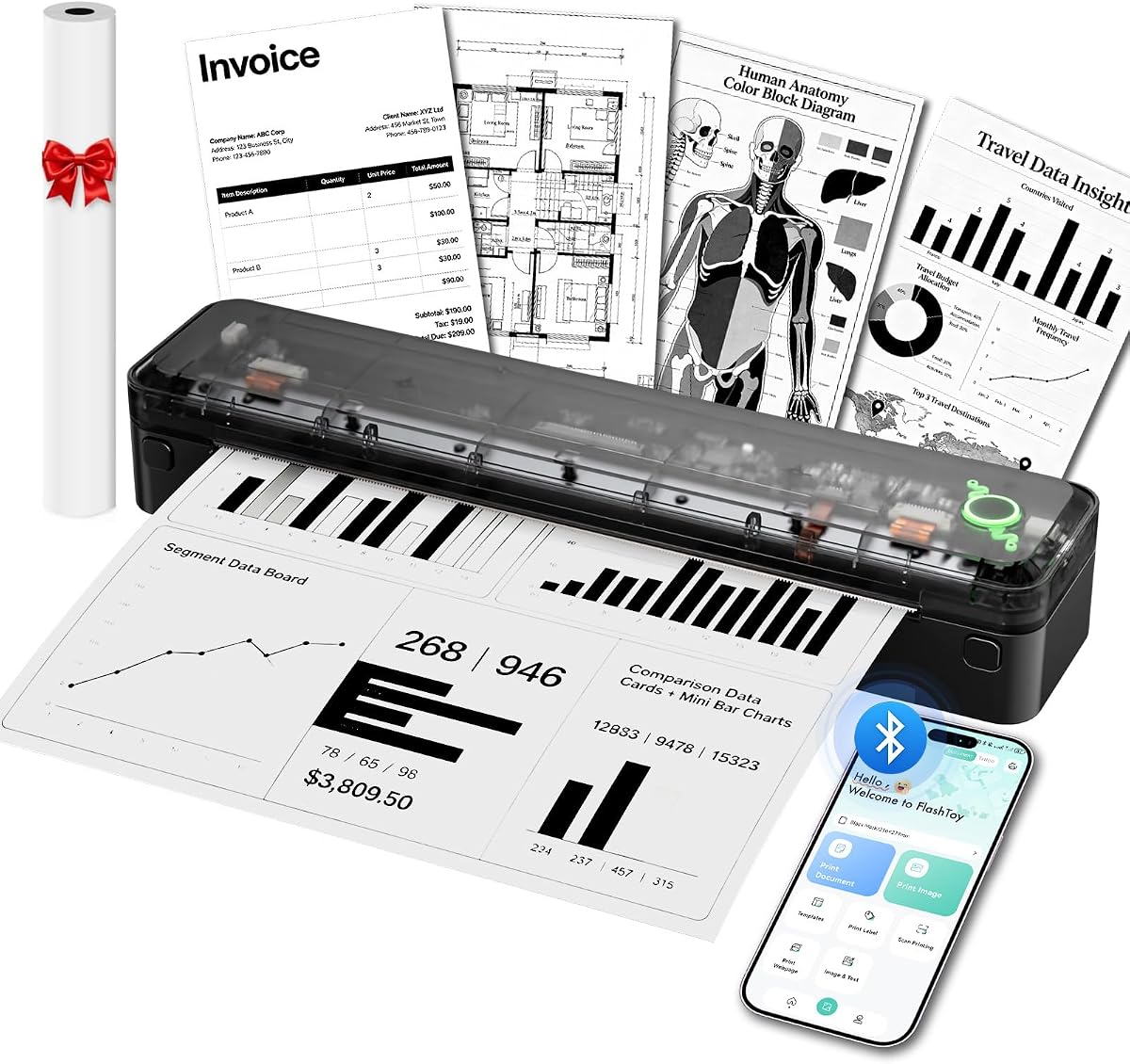
The Arrvel A8 combines a 4.2 rating with one of the broadest computer-platform descriptions in the group. Mobile devices use Bluetooth through the Flashtoy app, while USB connections support Windows, macOS, ChromeOS, and Linux after driver installation. Windows computers can also use Bluetooth once the appropriate driver has been added.
We may earn a commission when you buy through this link, at no additional cost to you.
Weighing 1.37 pounds and measuring 11.36 by 2.54 by 2.01 inches, the A8 has a slim profile intended for backpacks, briefcases, and truck cabs. Its 3000mAh battery is stated to print as many as 200 US Letter or A4 sheets per charge. The built-in paper compartment and support for 54mm, 80mm, and 110mm widths offer useful flexibility.
The device produces 203 DPI black-and-white output with an effective width of up to 216 millimeters. It can handle text, tables, charts, forms, line drawings, and common office file formats, but thermal paper is required. A USB-C adapter and cable are included, while a charging adapter is not, so travelers should plan to use their own compatible power source.
The A8 is ideal for users who switch among mobile devices and several computer operating systems. Its large battery, travel bag, and full-page support make it a strong road-trip companion. The missing charging adapter and monochrome-only output are the main points to verify before ordering, but its platform flexibility gives it a distinct advantage.
Support for Windows, macOS, ChromeOS, and Linux reduces the risk of buying a printer that cannot work with your current equipment. The A8 also accepts several thermal paper widths, including full-page formats and smaller receipt-style rolls.
The 3000mAh battery and stated 200-sheet capacity are strong choices for users who expect to print throughout a workday. A built-in paper compartment and included velvet travel bag help the printer remain organized during transport.
We may earn a commission when you buy through this link, at no additional cost to you.
The Phomemo M85 has the highest listed rating in the comparison at 4.6 and offers the most elaborate travel-printing interface. Its upgraded touchscreen supports template previews, direct template printing, wallpapers, multilingual displays, automatic updates, connection status, battery information, and paper-position guidance. Templates must be uploaded through the app during initial setup before they can be printed directly from the screen.
We may earn a commission when you buy through this link, at no additional cost to you.
At 1.6 pounds, the folding, umbrella-style body is still portable enough for a backpack. The large 3500mAh battery supports more than 200 pages per charge, while 300 DPI output and five paper sizes make it suitable for detailed documents, quick notes, and full-page reports. Thermal roll, folded, and single-sheet media are all supported.
Bluetooth serves Android and iOS devices, while USB-C handles macOS, Windows, ChromeOS, and Linux computers. The printer supports Word, Excel, PDF, and JPG files, along with other common formats. The main drawback is that the advanced screen and folding mechanism create a larger package than the simplest compact models, and direct touchscreen templates still depend on prior app setup.
The M85 is the strongest all-around recommendation for a traveler who values both document quality and an intuitive interface. It is particularly effective for professionals who print recurring forms or templates, as well as students who want quick access to study materials away from a classroom. The included case and four rolls of paper make it particularly ready for travel.
The large touchscreen can display and print previously uploaded templates directly, reducing repeated phone interaction. This is valuable for recurring checklists, forms, labels, and layouts used during business trips or mobile workdays.
A 300 DPI printhead, five paper sizes, three media formats, and a 3500mAh battery create a versatile printing system. The package includes a carry bag, USB-C cable, manual, and four rolls covering several supported widths.
We may earn a commission when you buy through this link, at no additional cost to you.
The MUNBYN Portable Printer combines a 4.4 rating with a particularly slim body measuring 10.7 by 2.56 by 1 inch and weighing 1.57 pounds. Its roughly water-bottle-like proportions make it convenient for a laptop bag, briefcase, or vehicle storage, while the stated use cases include invoices, contracts, and school assignments.
We may earn a commission when you buy through this link, at no additional cost to you.
Its adjustable paper slot supports US Letter, A4, B5, and A5 thermal paper. The MUNBYN app for iOS and Android supports PDF and Word documents, webpages, and a template library. Bluetooth is available for iOS, Android, and Windows devices, while macOS users must use a USB connection, which is an important device-specific limitation.
Thermal technology removes the need for ink, toner, or ribbons, but the printer produces black-and-white output only and cannot use ordinary paper. This is perfectly appropriate for legible reports, forms, receipts, and notes, but it is not the right tool for color photographs or conventional office stock.
The MUNBYN is an excellent value-oriented choice for travelers who want a slim printer, a high listed rating, and a broad selection of standard thermal paper sizes. It is particularly well suited to mobile workers who can print from a phone and need full-page documents without carrying a larger thermal system. macOS users should confirm that the required USB workflow fits their setup.
The one-inch thickness is one of the more compact profiles among models that support US Letter paper. That low-profile body is easier to accommodate in a laptop sleeve or narrow briefcase and can remain in a car when intermittent printing is needed.
The mobile app supports common document types and includes templates for faster recurring jobs. An adjustable paper slot and support for Letter, A4, B5, and A5 make the printer adaptable to both full pages and smaller working formats.
We may earn a commission when you buy through this link, at no additional cost to you.
A useful travel printer should be small enough to carry, simple enough to operate away from a desk, and compatible with the devices and documents you actually use. Because every model in this category has important paper and connectivity restrictions, those details deserve as much attention as weight or battery life.
Travel portability is usually judged by both dimensions and weight. The lightest option here is the iDPRT MT610Pro at 1.2 pounds, while the other models range from 1.37 to 2.08 pounds. Look beyond the bare printer and consider the depth, the need for a case, and whether the device must share space with a laptop, charger, and documents. A slim body may be more valuable than a small weight figure if the outer dimensions prevent it from fitting inside a narrow laptop sleeve or briefcase.
Choose the smallest model that supports the paper sizes and output quality you need. A slightly heavier printer with a larger battery or clearer controls may be easier to live with than the lightest model if you will print substantial documents every day.
A printer advertised as portable may support only narrow receipt media, while others handle US Letter and A4 pages. The MT610Pro lists US Letter, A4, A5, B5, and four-inch formats; the M85 and M832D each support five sizes; and the MUNBYN supports Letter, A4, B5, and A5. If your travel workflow involves contracts, worksheets, invoices, or boarding passes, standard-page support is usually more useful than very narrow printing.
Match the supported formats to the thermal paper you can reliably obtain. Do not assume that every thermal roll will work, because some brands specify only their own compatible media.
Most of these printers are controlled through a manufacturer app, while computer use generally requires a USB connection and a driver. Check the operating systems you use and whether Bluetooth is available for each device type. The A8 lists broad Windows, macOS, ChromeOS, and Linux support, while several rivals reserve Bluetooth for phones and tablets. The Rongta specifically requires pairing through its app rather than directly from the operating system.
Favor a model whose supported connection method matches your normal devices. If you work primarily from a phone, Bluetooth and app reliability may matter more than wired computer support.
Travel printers in this group use either 203 DPI or 300 DPI thermal printheads. The higher-resolution MT610Pro, M832D, and M85 are better suited to smaller text, charts, diagrams, and detailed forms. The 203 DPI models can still produce readable everyday documents, but their output may appear less refined when small characters or fine lines are central to the task.
Consider what you actually print. Simple receipts and short notes may not require the finest resolution, whereas contracts, schedules, and instructional worksheets benefit from greater clarity. All ten products are monochrome thermal printers, so none is intended for full-color photo or presentation output.
Battery claims range from 160 sheets for the N80 to more than 200 pages for the M85, with the M832D and MT610Pro also listed at up to 200 pages. These figures are useful for comparing capacity, but actual results can vary with page coverage, print density, connectivity, and battery condition. A larger battery can reduce anxiety during long flights, field visits, or multi-stop business trips.
Check whether a charging adapter is included. Several packages provide a cable or USB-C adapter but omit the wall charger, so travelers should plan to use an existing compatible adapter or power bank.
A carry case makes packing and unpacking more convenient, while included thermal paper provides immediate usability. The D90E includes a travel case and ten sheets, the Gloryang includes a case and three rolls, the A8 includes a velvet travel bag and one roll, and the M85 includes a case and four rolls. Other models may focus more heavily on the printer itself.
Check the package before ordering so you know whether you must purchase thermal paper separately. A bundled supply is especially useful for a first trip because thermal paper is not interchangeable with ordinary copy paper.
A built-in display can make paper alignment, battery monitoring, and troubleshooting easier when you are not near an office. The M85 provides the most expansive interface, with template previews and direct touchscreen printing, while the M832D uses a digital display to show status and paper placement. App-only models remain workable, but they may require more interaction with a phone during a busy travel day.
Choose an interface that matches your comfort with technology. First-time users and travelers who need to work independently may appreciate a display, while experienced users comfortable with apps may prioritize battery capacity, paper support, or price instead.
Every product reviewed prints black and white using direct thermal technology, and every model requires thermal paper. This eliminates ink cartridges, toner, ribbons, and nozzle-clogging concerns, but it also means ordinary copy paper cannot be used. Some manufacturers recommend their own branded media for the best output, and the Gloryang is explicitly limited to compatible Gloryang thermal paper.
Confirm the paper-loading method, supported roll or sheet style, and required paper dimensions before purchase. This is especially important if you plan to reprint forms, store documents for long periods, or use media supplied by a different manufacturer.
Before the first print, fully charge the printer using the appropriate power source, install the specified app on your phone or tablet, and confirm that the selected paper size in the app matches the thermal paper loaded in the device. For a computer, install the manufacturer's driver, connect by USB unless the model specifically supports wireless computer pairing, and select the portable printer as the output device.
Load the compatible thermal paper squarely and avoid forcing it into the mechanism. If a jam occurs, use the documented power-button ejection method where available rather than forcing the cover open. For the D90E, flat thermal paper is recommended to reduce curling. After printing, allow the paper to separate cleanly, store unused rolls in a cool and dry place, and keep the printhead and paper path free from dust and debris.
Travel with the printer in its case when possible, but do not place loose thermal paper next to heat, direct sunlight, or friction that could cause curling. Carry a compatible charging solution because some packages omit a wall adapter. Before an important meeting, run a short test print, check the battery indicator and paper position, and confirm that your document uses a supported file type and size.
No. The printers in this guide use direct thermal technology and require compatible thermal paper. Ordinary inkjet and laser paper cannot be used because it contains no thermally responsive coating. The thermal paper also produces black-and-white output, so these devices are better for documents, forms, notes, diagrams, and receipts than for color photographs.
Most support a wired USB connection to compatible computers after the required driver is installed. Bluetooth for laptops is less consistent: the Arrvel A8 lists Bluetooth support for Windows after driver installation, while other models generally reserve Bluetooth for phones and tablets. Always confirm the specific computer and operating system in the product instructions before traveling.
US Letter and A4 provide the most flexibility for contracts, worksheets, invoices, and reports. Smaller widths are useful for receipts, boarding passes, labels, and short notes. Because thermal media sizes vary, select a printer that supports both the width and sheet or roll style you expect to use, and check whether the manufacturer requires its own branded paper.
For most models, a mobile app handles Bluetooth pairing, document selection, and paper settings, while the M85 can print previously uploaded templates directly from its touchscreen. Computer printing normally uses USB and a driver. Downloading the app before leaving home is advisable so you can confirm compatibility and test the workflow without needing internet access later.
The required amount depends on the length of the trip and the size of each document. The Gloryang includes three rolls, the M85 includes four rolls, and some other packages include a smaller starter supply. Pack extra compatible media for high-volume printing, especially if the destination has limited access to the exact thermal paper your printer requires.
Thermal prints can fade when exposed to heat, light, or certain environmental conditions, so they may not be ideal for records that must remain readable for many years. Store completed documents in a cool, dark place and consider keeping a digital copy whenever retention or reproducibility is important.
A 300 DPI model generally produces finer text and cleaner small graphics, which can benefit contracts, charts, and detailed forms. A 203 DPI model can still handle everyday notes, receipts, and basic documents. The appropriate choice depends on the smallest text and most detailed graphics you need, rather than resolution alone.
It is wise to verify the package because some models include a USB cable or adapter but not a wall charger. A USB-C power bank may be sufficient for models that charge over USB-C, but travelers should confirm voltage and connector requirements. Keeping a compact compatible adapter prevents battery interruptions during a long travel day.
The iDPRT MT610Pro is the best-balanced choice for travelers who prioritize low weight, 300 DPI output, broad paper support, and flexible mobile and computer connections. The MUNBYN Portable Printer is the leading budget-oriented option, offering a slim profile, useful paper formats, and a strong listed rating. For the premium experience, the Phomemo M85 provides the most advanced interface, while the M832D is especially appealing for its touchscreen status display and 300 DPI output.
Before choosing, prioritize the media and devices you will actually use. Confirm that your required US Letter, A4, or smaller paper is supported, determine whether Bluetooth works with your phone or computer, and check what the package includes. Printers with batteries around 3000mAh to 3500mAh and touchscreen controls are particularly useful for intensive mobile work, while simpler models can satisfy occasional document needs with less bulk.
Finally, remember that thermal paper remains a required consumable and all of these printers are monochrome. Verify the paper compatibility, driver process, app requirements, and included charging accessories before your trip. Prices and availability change over time, so review the current listing and accessories when you are ready to purchase.