
Soke Keyboard Case for Samsung Galaxy Tab A11+ Plus 11 Inch, Black
4.6Editor score
Detachable Bluetooth keyboard
Seven-color backlighting
Two adjustable viewing angles
Automatic sleep and wake
Integrated S Pen holder
Best keyboard for Samsung A11 Tablet comparisons cover compatibility, typing, trackpads, backlights, battery life, angles, protection, and portability for
A keyboard case can transform a Samsung Galaxy Tab A11+ or compatible A9+ tablet into a more practical productivity device for writing, editing, browsing, and remote work. The right model should fit securely, feel comfortable to type on, hold the tablet at a useful angle, and protect it during travel while adding as little bulk as possible.
We compared ten keyboard cases using the specifications supplied for each product, focusing on exact model compatibility, keyboard layout, backlighting, touchpad or mouse support, viewing angles, charging method, battery claims, magnetic attachment, stylus storage, and case protection. The list also distinguishes basic detachable designs from fuller laptop-style workstations.
Each review reveals which setup is best for a particular use case, from a lightweight two-in-one tablet cover to a feature-rich workstation with a trackpad, mouse, and rechargeable backlit keyboard. Ratings and product details reflect the supplied listings, while prices can change, so compare the current listing and confirm your tablet model before ordering.
4.6Editor score

4.3Editor score

4.6Editor score
The comparison below covers the key differences among all ten cases, including supported Samsung models, input options, lighting, viewing flexibility, battery behavior, and protective features. Exact model numbers deserve particular attention because the Galaxy Tab A11+ and A9+ families use several identifiers across release years and connectivity variants.




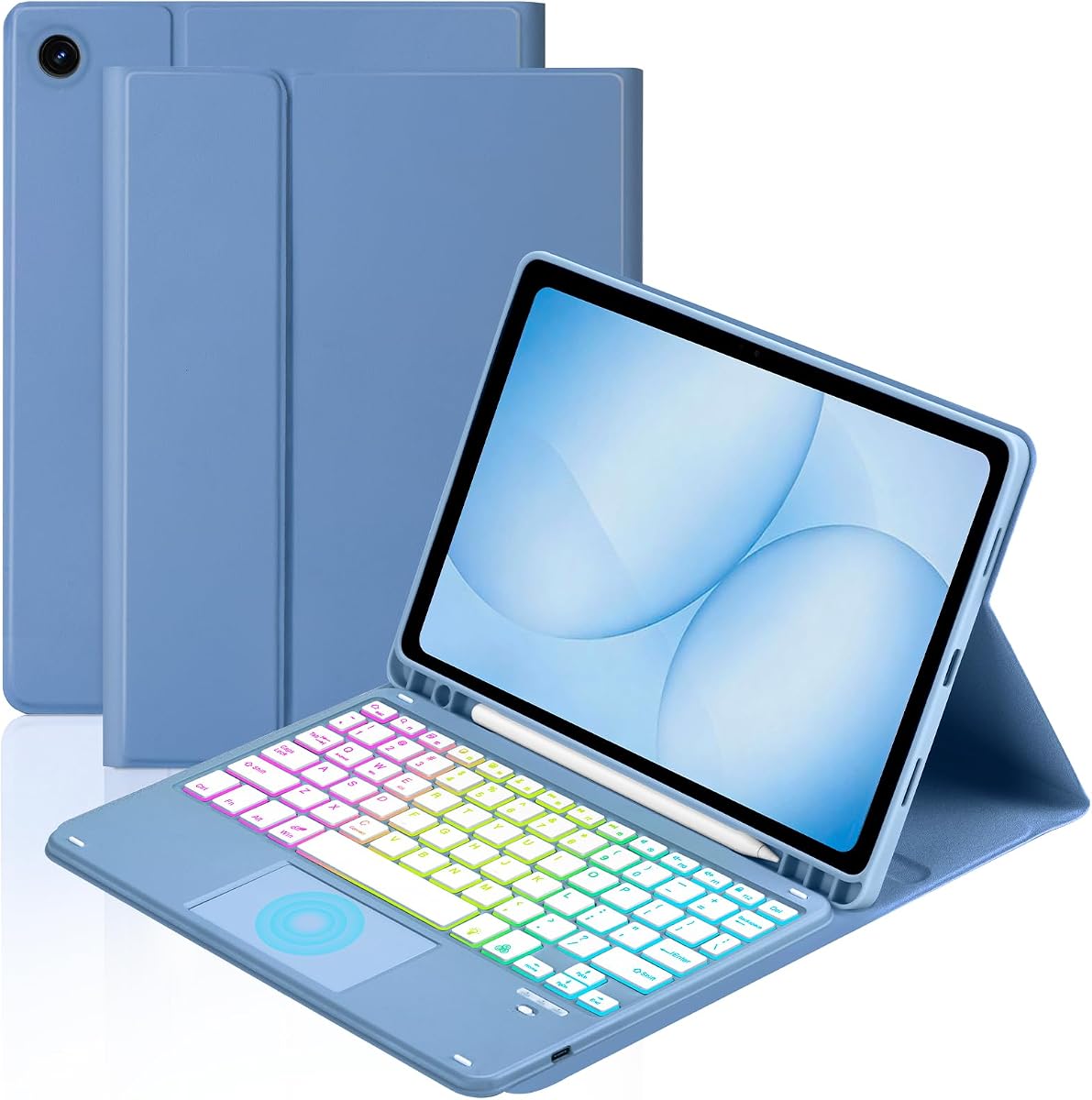

The Dexnor is a full folio-style keyboard case designed for several 11-inch Galaxy Tab A11+ and A9+ variants, including SM-X230, SM-X236B, SM-X315, SM-X210, SM-X215, SM-X216, and SM-X218. It holds a 4.3 rating in the supplied listing, with a built-in multi-touch trackpad and rechargeable backlit keyboard providing the most complete laptop-style experience in this group.
We may earn a commission when you buy through this link, at no additional cost to you.
Its strongest feature is the integrated trackpad, which supports multi-finger navigation and can be disabled through the FN and spacebar combination when palm rejection becomes an issue. The 650mAh lithium polymer battery is claimed to deliver up to 720 hours of standby, 200 hours of use without backlighting, and 10 hours with the brightest backlight setting, while a full charge takes about three hours.
The tablet attaches to strong embedded magnets, and the supplied information specifies an ergonomic 120-degree viewing angle. This is a conventional supported arrangement rather than a floating cantilever design, so the screen remains on the keyboard base and is not raised. The keyboard also cannot wrap around to the back, meaning the folio profile remains present during use.
This is a strong recommendation for students, office workers, and travelers who want a keyboard and pointer without carrying separate accessories. It combines a trackpad, backlight, shortcut keys, stylus storage, and protection in one relatively light package. Buyers who specifically need an elevated screen or a keyboard that folds behind the tablet should choose a more flexible folio design instead.
The combination of responsive scissor-switch keys, a dedicated shortcut row, and a multi-touch trackpad makes this setup better suited to extended document work than a keyboard-only folio. The trackpad can also be disabled when the user prefers to avoid accidental input from a resting palm.
The rechargeable battery, automatic sleep behavior, and magnetic closure support convenient daily use. The case also protects against everyday scratches and wear, while its built-in holder keeps an S Pen accessible, although the tablet and stylus are not included.
We may earn a commission when you buy through this link, at no additional cost to you.
The TUNKARMOR combines a slim protective case with a detachable magnetic keyboard for the Galaxy Tab A9+ and A11+ 11-inch models. It carries a 4.3 rating and is aimed at users who want a straightforward folio that can separate into a tablet cover and a compact typing accessory.
We may earn a commission when you buy through this link, at no additional cost to you.
Three viewing positions and anti-slip slots allow the tablet to be moved forward or backward for writing, viewing, reading, or drawing. The keyboard attaches firmly with magnets, and the cover can wake the tablet when opened and put it to sleep when closed. A built-in holder stores an S Pen, though the pen itself is not included.
Protection is a major focus. The listing describes full edge coverage against scratches, bumps, and dents, plus a honeycomb-pattern interior intended to cushion the device and assist with heat dissipation. The case also provides a more traditional folio experience than rotating designs that leave more of the tablet exposed.
This is a sensible choice for users who mainly type and navigate with touch, want a slim case, and do not need a trackpad or mouse. It is less suitable for people who require pointer control in a desktop workflow or a listed backlit keyboard, since neither feature is included in the supplied specifications.
Because the keyboard releases magnetically, it can be removed when the tablet is used for reading, streaming, or drawing. That flexibility makes the folio easier to reposition and helps separate the bulkier keyboard from the tablet when only protection is needed.
The three-slot arrangement is useful for switching between typing and media-viewing positions. Automatic sleep and wake adds convenience, while edge coverage and the honeycomb interior provide a more protective design than a loose standalone keyboard.
We may earn a commission when you buy through this link, at no additional cost to you.
This keyboard case serves Galaxy Tab A11+ and A9+ owners with an unusually broad accessory bundle: a detachable backlit keyboard, a built-in smart trackpad, and a rechargeable Bluetooth mouse. The supplied rating is 4.4, and the keyboard is compatible with iOS, Windows, and Android according to its product information.
We may earn a commission when you buy through this link, at no additional cost to you.
The trackpad supports one-, two-, and three-finger gestures for cursor movement, scrolling, zooming, and app navigation. The included mouse provides an alternative for users who prefer a separate pointer. Meanwhile, the magnetic keyboard offers seven rainbow colors, three brightness levels, and constant-on, breathing-light, and off modes.
The rechargeable keyboard uses USB-C and is stated to recharge in two to three hours. Three non-slip grooves provide different positions for browsing, writing, or drawing, and a top stylus slot helps keep an S Pen organized. Unlike several competing folios, the supplied details do not specify an automatic sleep-and-wake function for the case.
Choose this option when you want the most flexible pointer setup in the roundup or work across different operating systems. It is especially attractive for users who alternate between typing with a trackpad and using a mouse for precise navigation. Verify your exact tablet model because compatibility is restricted to the listed SM-X identifiers.
The touchpad supports the common one-, two-, and three-finger gestures, while the rechargeable Bluetooth mouse offers a familiar alternative. Having both allows the user to choose the input method that feels best for a particular task or workspace.
Seven colors, three brightness levels, and multiple lighting effects make the keyboard suitable for both dim and bright environments. The detachable design also lets users leave the keyboard behind when only the tablet and protective folio are needed.
We may earn a commission when you buy through this link, at no additional cost to you.
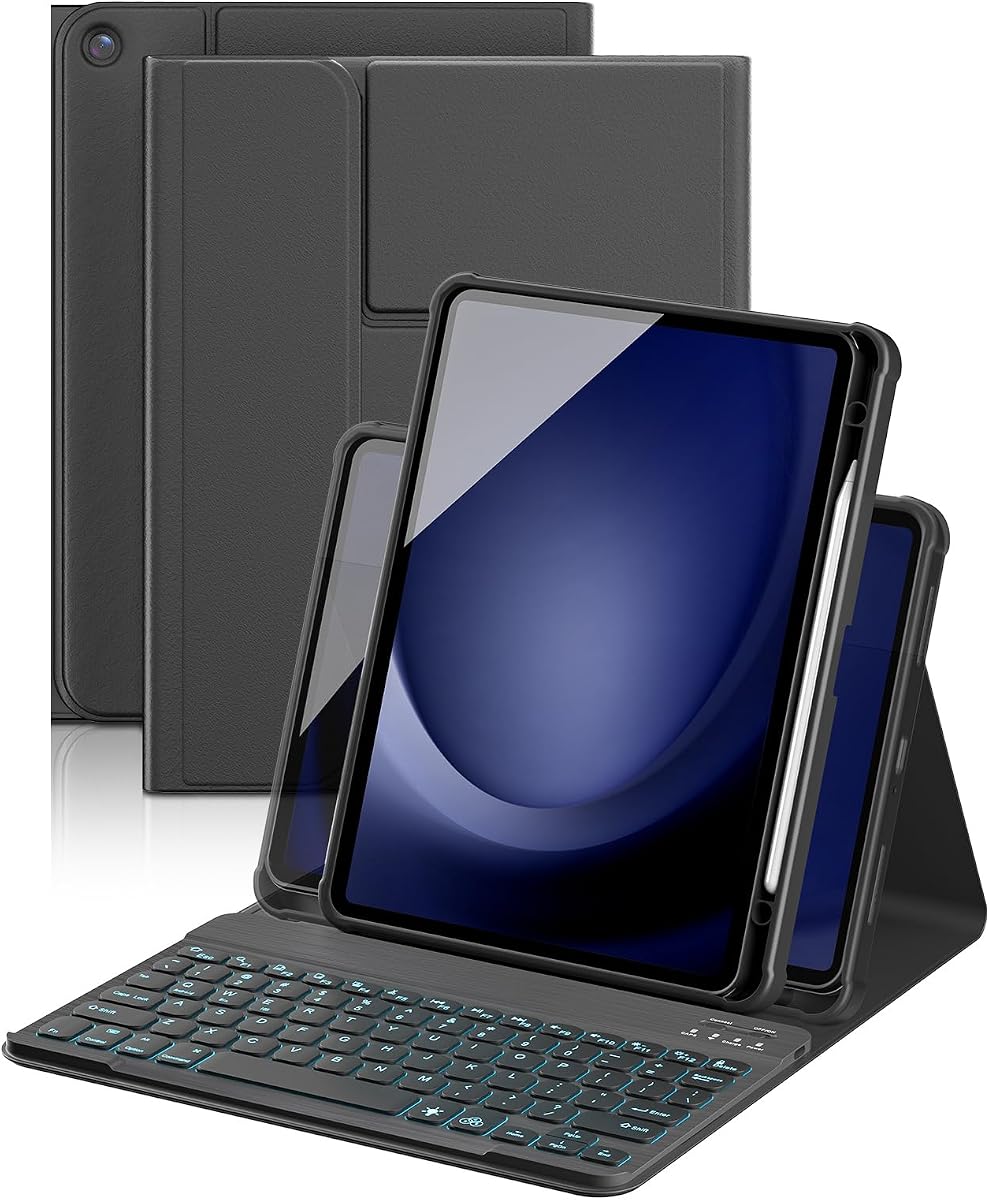
The Soke case is a focused, economical option for the Galaxy Tab A11+ 11-inch 2025 models SM-X230, X236, and X238. Its 4.6 rating is among the highest in this comparison, and the supplied design combines a detachable Bluetooth keyboard, a two-position stand, seven-color lighting, and an S Pen holder.
We may earn a commission when you buy through this link, at no additional cost to you.
The keyboard operates over a stated Bluetooth distance of 10 meters and takes approximately three to four hours to charge. A magnetic stripe in the case detects whether the cover is open or closed, allowing the tablet to wake or sleep accordingly. The case supports iOS, Android, and Windows operation according to the listing.
Two non-slip grooves create 120-degree and 130-degree viewing positions. The built-in pen holder keeps an S Pen accessible, but neither the pen, tablet, nor charging head is included. Compared with larger workstation designs, the feature set is focused on portability, stable viewing, and typing rather than pointer control.
This is a strong pick for students and casual users who want an affordable, protective keyboard with reliable backlighting and automatic tablet management. Its 4.6 rating and simple detachable design also make it an attractive general-purpose option. It is best suited to touch-first navigation rather than desktop-style cursor work.
The keyboard can be removed from the folio for easier carrying, then reattached magnetically when typing is needed. This approach preserves a traditional case shape while giving the user control over when the extra keyboard weight is necessary.
The magnetic sleep-and-wake function helps manage the tablet when the cover is opened and closed. This is particularly useful in a study or work routine where the device is repeatedly put away and returned to the desk.
We may earn a commission when you buy through this link, at no additional cost to you.
The YBING is designed for Galaxy Tab A11+ and A9+ 11-inch tablets from the 2023 and 2025 releases, covering SM-X230, SM-X235, SM-X236B, SM-X210, SM-X215, SM-X216, and SM-X218. It has a 4.5 rating and distinguishes itself with a 360-degree rotating back cover and a strong magnetic connection.
We may earn a commission when you buy through this link, at no additional cost to you.
Sixteen built-in magnets help keep the detachable keyboard from shifting. Three anti-slip grooves provide different angles, while the rotating back allows the tablet to be used horizontally or vertically for video, reading, drawing, or messaging. A shortcut row supplies commands such as select all, copy, paste, and media playback.
The rechargeable keyboard charges over USB-C in approximately two to three hours. Its stated operating time is about five hours with the backlight on and around 80 hours with the backlight off, making light management important for extended sessions. The PU leather case and magnetic buckle provide everyday scratch and wear protection.
This case suits users who switch frequently between typing, reading, and watching video, especially in portrait orientation. The rotating construction offers more placement flexibility than fixed folios. If you need long backlit runtime, turn the lighting off, and follow the product's portrait recommendation by using the first two bottom slots.
The 360-degree back cover is the defining feature, allowing the display to shift between landscape and vertical use. Combined with the three grooves, it supports a wider variety of positions than a standard fixed-angle keyboard folio.
Runtime differs significantly with the illumination active. Users who expect to type for long periods in the dark may prefer a model with a longer stated backlit runtime, while frequent travelers can conserve power by switching the backlight off.
We may earn a commission when you buy through this link, at no additional cost to you.
The Harvopu combines a Galaxy Tab A11+ and A9+ case with a detachable wireless keyboard and a separate mouse. It supports the SM-X230, X235, X236, X210, X216, and X218 models associated with the 2023 release, and its supplied rating is 4.3.
We may earn a commission when you buy through this link, at no additional cost to you.
The mouse offers three DPI levels, allowing users to adjust sensitivity for detailed editing, ordinary document work, or faster browsing. The keyboard can be removed and used independently, while the case's cleanable surface is designed to resist marks and routine staining while protecting against scratches and bumps.
Backlighting includes single-color and three-color modes for low-light use. The rechargeable keyboard is stated to reach up to 180 hours of continuous use after a two-hour USB-C charge and automatically enters sleep mode to conserve power. These endurance figures are supplied product claims rather than independent test results.
The included adjustable-sensitivity mouse makes this an attractive choice for users who prefer traditional pointer navigation or need finer control than a touchpad. Its main limitation is that the supplied information does not identify a trackpad, specific viewing angles, or automatic cover sleep and wake, so buyers should confirm those details if they are priorities.
Three selectable DPI levels provide a practical way to adapt the mouse to different tasks. A lower setting can support careful editing, while a higher setting can make navigation through large documents or web pages feel more efficient.
The keyboard's stated two-hour charging time and up to 180 hours of continuous use are among the longer endurance claims in the group. Automatic keyboard sleep further helps conserve energy during periods when the tablet is being viewed without typing.
We may earn a commission when you buy through this link, at no additional cost to you.
The TiMOVO is a straightforward folio keyboard for the Galaxy Tab A11+ 11-inch 2026 models SM-X230, X235, and X236B. Its 4.4 rating reflects a balanced combination of adjustable viewing positions, backlighting, rechargeable power, and protective construction without the extra size of a mouse or trackpad bundle.
We may earn a commission when you buy through this link, at no additional cost to you.
The detachable keyboard includes seven backlight colors and three brightness levels. It has a built-in 420mA rechargeable battery, with a stated two-to-three-hour charging time, more than 90 hours of operation, and up to 90 days of standby. After ten minutes without use, it enters sleep mode and disconnects until a key is pressed.
Three viewing angles accommodate different activities, while the anti-slide design protects against scratches, bumps, dents, fingerprints, shocks, and dust. The keyboard can be stored separately when it is not required, making the remaining case easier to carry during reading or media use.
This is a good general recommendation for a student or commuter who wants a protected tablet with a capable backlit keyboard but does not need advanced pointer control. Its exact 2026 compatibility is the main issue to consider, as it is not presented as a universal Galaxy Tab keyboard case.
The keyboard's ten-minute inactivity sleep and reconnect behavior help prevent unnecessary battery drain. The claimed standby period and operating time also make it practical for users who want to charge less frequently than they would with a disposable-battery keyboard.
Three viewing positions let the user balance typing, reading, and media viewing. The detachable keyboard means the tablet can also be used independently, while the anti-slip design helps keep the device stable.
We may earn a commission when you buy through this link, at no additional cost to you.
The MePadKey Four-Finger Touchpad case targets Galaxy Tab A11+ and A9+ 11-inch models from the 2023 and 2025 releases. With a 4.2 rating, it offers the broadest explicit touchpad gesture description in the group, including support for one, two, three, and four-finger actions.
We may earn a commission when you buy through this link, at no additional cost to you.
The touchpad can move the cursor, click, scroll, zoom images, switch applications with three-finger swipes, and take a screenshot with a four-finger click. The keyboard includes shortcut functions such as select all, copy, paste, and pause or play. Its rainbow backlight can switch between a multicolor mode and a breathing-light effect.
The rechargeable keyboard detaches from the case and takes approximately two to three hours to charge. Listed runtime is about five hours with the backlight on and approximately 80 hours with it off. Strong built-in magnets keep the keyboard attached, while two anti-slip grooves provide two supported viewing positions.
This model is best for users who want touchpad-driven navigation but prefer not to carry a separate mouse. Its four-finger shortcut is especially useful for quickly capturing the screen, while the detachable keyboard protects portability. Buyers seeking more viewing positions should compare it with the rotating alternatives in the roundup.
The four-finger click is mapped to taking a screenshot, making it faster than navigating through a longer menu sequence. Three-finger swipes can also move between applications, supporting a more desktop-like workflow from the built-in touchpad.
Removing the keyboard reduces bulk when the tablet is used for reading or entertainment. Its magnetic return makes the transition back to typing straightforward, and the lighting can be turned off to extend the stated operating time.
We may earn a commission when you buy through this link, at no additional cost to you.
The MePadKey Rotating Touchpad combines a 360-degree folio with a detachable rechargeable keyboard and a multi-touch trackpad. It supports the listed Galaxy Tab A11+ and A9+ 11-inch models from 2023 and 2025, including SM-X230, X235, SM-X236B, SM-X210, SM-X215, SM-X216, and SM-X218.
We may earn a commission when you buy through this link, at no additional cost to you.
Four viewing positions are protected by thickened convex edges, and non-slip grooves help maintain the selected angle. The rotating cover allows the tablet to move between work and entertainment orientations. A magnetic buckle adds closure security, while the keyboard can be removed and used on its own.
The touchpad supports single-finger cursor movement and clicking, two-finger page switching and image opening or zooming, and three-finger gestures for screenshots and returning to the main interface. The keyboard's first row provides common shortcut commands, and the FN plus Q, W, or E combination switches among iOS, Android, and Windows systems.
This case is a good choice for users who want both rotating flexibility and a built-in pointer. It is particularly useful when switching between landscape typing and portrait reading. However, the supplied information does not state the backlit battery runtime, and exact model verification remains essential before purchase.
The rotating back and reinforced edges provide more placement options than a fixed folio. This makes it easier to find a comfortable angle for typing, reading, drawing, or watching media without fully exposing the tablet.
A built-in touchpad supports common navigation gestures, while the shortcut row provides rapid access to frequent commands. System switching through FN and Q, W, or E broadens compatibility for users who also work across other device platforms.
We may earn a commission when you buy through this link, at no additional cost to you.
The Supveco is a premium-style magnetic keyboard case for Galaxy Tab A11+ and A11 Plus 11-inch 2026 models SM-X230, X236, and X238. It has a 4.6 rating, tying the strongest rating in the group, and combines a flexible silicone back, TPU cover, cushioned interior, backlit keyboard, and automatic cover operation.
We may earn a commission when you buy through this link, at no additional cost to you.
Its honeycomb-pattern inner layer is intended to cushion the tablet and assist with heat dissipation. A front anti-slip stand supports landscape viewing and typing, while magnets secure the keyboard, closure, and overall arrangement. The keyboard can be repositioned or removed as needed, and shortcut switching is listed as compatible with iOS, Windows, and Android.
Seven backlight colors are available with an automatic color-change effect, making the keyboard more visible and visually distinctive in dim settings. Its rechargeable battery is stated to charge fully in 3.5 hours using the included cable, and the cover wakes the tablet when opened and returns it to sleep when closed.
The Supveco is the strongest premium recommendation for users who prioritize refined materials, cohesive protection, and seamless sleep-and-wake behavior. It lacks a mouse or trackpad, so touchpad-focused buyers should look to the Dexnor or MePadKey alternatives. Exact 2026 model verification is essential.
The silicone back, TPU cover, magnetic closure, and cushioned honeycomb layer work together to shield the tablet from shocks, scratches, and routine wear. This layered approach gives the case a more finished feel than a simple keyboard sleeve.
Seven automatically changing backlight colors add visual appeal while improving key visibility. Opening the cover wakes the tablet and closing it prompts sleep, reducing the need to manage the screen manually during a normal case-based routine.
We may earn a commission when you buy through this link, at no additional cost to you.
Choosing a keyboard case for a Samsung tablet is mostly a balance of exact fit, input convenience, viewing flexibility, power management, and protection. Because the A11+ and A9+ families include several model identifiers, begin by confirming the hardware before comparing cosmetic or secondary features.
The most important step is to locate the complete model number in the tablet's settings and compare it with the seller's compatibility list. The Galaxy Tab A11+ and A9+ appear in the supplied listings with identifiers including SM-X230, SM-X235, SM-X236, SM-X236B, SM-X238, SM-X210, SM-X215, SM-X216, and SM-X218. Even two tablets of similar size can have different cutouts, ports, dimensions, or release years.
Pay close attention to phrases such as 2023, 2025, or 2026 because the included products are not all designed for every release. A case that appears broadly similar in a product photograph may have a different keyboard layout or tablet holder. Compatibility should be confirmed using the full model identifier rather than only the marketing name.
Fixed folio designs generally keep the tablet in landscape orientation and offer a smaller, more conventional profile. Rotating covers can move between landscape and portrait positions, making them useful for reading, drawing, and video. Products such as the YBING and MePadKey Rotating Touchpad emphasize 360-degree movement, while the TUNKARMOR, Soke, and TiMOVO use fixed stands with selectable grooves.
Rotation is not automatically better. A rotating cover introduces more moving parts and may leave the tablet less uniformly enclosed. A fixed keyboard case is often simpler for prolonged typing because the screen remains directly above the keyboard. Consider the activities you expect to perform and how often you will change orientation.
A touchpad creates a more compact all-in-one workstation and supports gestures for navigation, zooming, switching apps, and taking screenshots. The Dexnor, Tablet Case Keyboard with Mouse, and both MePadKey products provide built-in touchpads. Their gesture counts vary, with the MePadKey Four-Finger Touchpad explicitly supporting four-finger actions.
A separate mouse can offer more familiar precision and adjustable sensitivity. The Harvopu includes a wireless mouse with three DPI levels, while the Tablet Case Keyboard with Mouse includes both a rechargeable Bluetooth mouse and a multi-touch trackpad. If your workflow is mainly short-form typing and tapping, neither accessory may be necessary.
A magnetic detachable keyboard allows the tablet to be used as a light standalone device for reading or media, then reconfigured for typing. The Soke keyboard uses Bluetooth with a stated 10-meter operating distance, and several other listings describe magnetic or Bluetooth attachment. Detachability is especially helpful for students moving between classes or travelers managing limited bag space.
A fixed keyboard may feel more integrated and reduce the chance of leaving a component behind, but it keeps the device bulkier. Review whether the case remains stable after detachment and whether the keyboard wakes automatically when reattached. Connectivity details also matter if you plan to pair the keyboard separately with another compatible tablet.
Most backlit keyboards in this roundup offer seven colors, while some add breathing effects or multiple brightness levels. Lighting is valuable in dim classrooms, evening travel, or low-light workspaces, but the runtime claims differ considerably. The YBING and MePadKey Four-Finger Touchpad list about five hours with the backlight on, whereas the Dexnor lists 10 hours at its brightest setting and the Harvopu claims a much longer overall use duration.
Check the charging method, recharge time, and standby behavior as well. USB-C charging appears across several options, and automatic keyboard sleep is mentioned by numerous products. Treat stated battery durations as manufacturer claims, since actual use depends on brightness, typing frequency, standby settings, and the age and condition of the battery.
The number of supported positions affects comfort for typing, reading, drawing, and watching video. The TUNKARMOR, Tablet Case Keyboard with Mouse, and TiMOVO list three positions; the Soke supports 120-degree and 130-degree angles; the YBING uses three anti-slip grooves; and the MePadKey Four-Finger Touchpad lists two. The Dexnor provides one explicitly stated 120-degree viewing angle.
More angles offer useful flexibility, but a stable position matters more than a long feature list. Look for non-slip grooves, a front stand, magnetic attachment, or a rotating back that holds the selected angle under normal touch pressure. Also note whether the design raises the tablet above the keyboard, as some users prefer a more elevated laptop-like screen.
Protection includes edge coverage, raised or thickened edges, anti-slip surfaces, magnetic clasps, and cushioning around the tablet. The TUNKARMOR and Supveco highlight full edge coverage and a honeycomb interior, while the Harvopu emphasizes a stain-resistant, easy-clean exterior. These features matter most when the tablet travels in a backpack or shared work area.
Also consider the supplied accessories. Several cases include an S Pen holder, but the stylus is generally not included. Some packages include a USB-C cable, mouse, or printed user guide, while charging heads and tablets are not included. A case that is too thick may reduce portability, so compare the overall folio design rather than considering protection in isolation.
Before installation, confirm the tablet model, fully charge the keyboard if it is rechargeable, and read the included instructions. A magnetic keyboard can usually be attached by positioning its connector or magnetic edge with the corresponding section of the case. Do not force the tablet into a holder, and avoid pulling on a cable or stylus that may be trapped in a groove.
Open the case fully before placing the tablet in landscape orientation, then adjust the stand or non-slip groove to a comfortable angle. If the product supports automatic sleep and wake, close the cover to put the tablet to sleep and reopen it to resume. Pair a Bluetooth keyboard through the tablet's settings, test the touchpad or mouse, and confirm that shortcut or system-selection keys respond as intended.
To preserve the case and keyboard, clean the exterior with a soft, lightly dampened cloth and avoid abrasive cleaners or excessive moisture. Keep the charging port free of debris, recharge the keyboard before its indicator signals low power, and allow heat to dissipate during long sessions. Remove the keyboard before cleaning the interior and store the tablet with the cover closed when it is not in use.
Open the tablet's Settings and look for the model or model number information, which should begin with SM-X for the A11+ and A9+ models covered here. Compare the complete identifier with the seller's list rather than relying only on the product family name. Release year, screen size, and cellular or Wi-Fi configuration can affect the correct fit.
Some cases in this roundup support both A11+ and A9+ models, but only when the full SM-X identifier is included in the compatibility list. A case listed for a 2023 A9+ model may not fit a newer A11+ configuration. Always verify the exact model and release year stated by the manufacturer before purchasing.
A touchpad is more compact and supports gestures, making it convenient for travel and mobile productivity. A mouse offers familiar pointer behavior and may be preferable for detailed editing, while some users prefer both. If you mostly type short messages and navigate by touching the screen, a keyboard-only case may be sufficient.
Across these listings, the tablet and S Pen are generally not included. Some packages include a USB-C charging cable, and one model includes a rechargeable wireless mouse, but a charging head is usually not part of the package. Review the package contents carefully so you can purchase any missing stylus or power adapter separately.
Runtime varies significantly by model and backlight setting. Some listings report around five hours with illumination on and roughly 80 hours with it off, while others claim longer continuous-use periods. Actual performance depends on brightness, activity, standby settings, battery condition, and whether the backlight is used.
Yes, most of the listed keyboards are detachable and can be used separately, generally through Bluetooth. A magnetic keyboard can be removed for reading or media and reattached when typing is required. Confirm the stated wireless range and ensure the tablet's Bluetooth settings allow the keyboard to reconnect after inactivity.
A rotating case is better when portrait reading, drawing, or media viewing is important because the tablet can change orientation. A fixed folio usually presents a more consistent typing position and may be simpler to carry. Your most frequent activity should determine which design is more useful.
Use a soft microfiber cloth lightly dampened with water or a suitable electronics cleaner, then wipe the surface gently. Avoid flooding openings, spraying liquid directly onto the device, and using abrasive or harsh chemical products. Disconnect charging cables and remove detachable components before cleaning the interior.
The Dexnor stands out as the most complete laptop-style option because it combines a rechargeable backlit keyboard, multi-touch trackpad, shortcut keys, magnetic support, and automatic power management. The Soke provides a focused and economical route to a detachable backlit keyboard, while the Supveco offers a premium protective build with refined materials, seven-color lighting, and automatic sleep and wake.
Your exact tablet model should remain the first priority. After confirming compatibility, choose based on the way you work: a touchpad for compact gesture navigation, a mouse for precise control, a rotating cover for changing orientations, or extra battery life for long backlit sessions. Detachability, stable viewing angles, and a built-in S Pen holder can further improve portability and convenience.
Ratings, feature bundles, and prices can change over time, so review the current listing before making a final decision. Compare the included accessories and the manufacturer's compatibility language, then check the live product page for updated specifications, availability, and current pricing.