
Canon imageCLASS LBP122dw
3.9Editor score
Automatic duplex printing
Up to 30 pages per minute
Compact wireless-only design
Genuine 071 toner support
Discover the best laser printer with cheap toner by comparing print speed, duplexing, wireless connectivity, paper handling, and toner options.
A laser printer with cheap toner can lower the real cost of printing, but the printer itself is only part of the equation. Toner yield, cartridge availability, energy use, duplexing, and the volume of pages you regularly print all influence how economical a machine will be over time.
This guide compares ten monochrome laser printers designed for homes, home offices, small teams, and compact workplaces. We evaluated the supplied specifications and customer ratings, focusing on print speed, toner compatibility and yield, connectivity, paper capacity, document handling, multifunction features, and the practical value of each configuration.
Each review identifies the feature that makes a particular printer most suitable for a defined need, while the comparison table shows the important differences at a glance. Product ratings and specifications can change, availability fluctuates, and pricing varies by retailer, so confirm current details before purchasing.
3.9Editor score

4.3Editor score

4.5Editor score
The table below compares all ten printers by output speed, toner format, connectivity, and core document functions. It is designed to make the differences clear for shoppers who want to balance low operating costs with the capabilities their workspace actually needs.



The Brother HL-L2405W is a compact monochrome laser printer built for homes and home offices that need dependable text-heavy output. Its 4.1 rating reflects a generally positive balance of speed, connectivity, and paper handling. At up to 30 pages per minute, it is well suited to reports, invoices, schoolwork, forms, and routine business documents.
We may earn a commission when you buy through this link, at no additional cost to you.
One of its strongest economic advantages is its use of Brother TN830 and TN830XL toner, together with access to the Refresh EZ Print subscription service. Those options can make replenishment easier and help control the ongoing cost of consumables. The 250-sheet tray also reduces the need for frequent paper refills, while the manual feed slot handles envelopes and specialty media.
Its main limitation is the lack of automatic duplex printing. Multipage documents must be flipped manually unless another workflow is used, which can consume more paper and take additional time. The printer also does not scan or copy, so buyers who need those functions should consider a multifunction model instead.
This Brother is a strong recommendation for a home office that prints frequently in black and white, values Wi-Fi connectivity, and needs a relatively large paper tray. It is especially attractive for shoppers who want flexible toner purchasing through genuine supplies or a subscription. Automatic duplexing and scanning are worth paying attention to, but the core print-only design remains practical.
The combination of 30-page-per-minute output and a 250-sheet tray supports regular document workflows without requiring constant replenishment. Brother TN830-series toner options and the available Refresh service give owners multiple ways to manage ongoing consumable needs.
Dual-band wireless connectivity can provide a more flexible setup than a USB-only printer, while the Brother Mobile Connect app supports mobile printing, toner tracking, and supply ordering from a compatible device.
We may earn a commission when you buy through this link, at no additional cost to you.
The Canon imageCLASS LBP6030w is a straightforward monochrome laser printer intended for light-to-moderate document volumes. Its 3.8 rating places it among the more basic options in this group, but its compact design, wireless capability, and Canon Toner 125 support can suit a student, home user, or very small office that mainly needs dependable black-and-white printing.
We may earn a commission when you buy through this link, at no additional cost to you.
Its rated speed of up to 19 pages per minute is adequate for invoices, reports, forms, and everyday personal documents. The printer accepts up to 150 sheets, and its energy saver mode uses less than two watts. Canon Genuine Toner 125 cartridges offer a listed page yield of 1,600 pages, giving owners a clear consumable to plan around.
The trade-offs are modest output speed and a limited feature set. It is a print-only device without automatic duplexing, scanning, or copying. Those omissions may frustrate users who regularly produce long reports or need to digitize paper, although the simpler design can be advantageous in a compact workspace.
Choose this Canon when space, simplicity, and wireless printing matter more than maximum speed. It is a practical option for occasional home printing and basic small-office use. Buyers with steadily increasing page volumes should compare its 19-page-per-minute speed and 150-sheet tray with faster models that include duplexing and larger paper handling.
Its space-saving body and wireless connection make it easy to place in a home office or shared study area. Canon’s straightforward consumable model also provides a familiar option for planning cartridge replacement.
The LBP6030w works best when the workload consists of occasional reports, forms, and school assignments. High-volume offices will find that faster models and automatic duplexing offer greater efficiency.
We may earn a commission when you buy through this link, at no additional cost to you.
The Brother MFC-L2820DW is the most complete small-office option in this roundup, combining printing, copying, scanning, and faxing in one compact monochrome laser device. Its 4.3 rating reflects a strong balance of productivity features and straightforward office connectivity. It is designed for users who want more than a basic desktop printer without moving to a large, specialized machine.
We may earn a commission when you buy through this link, at no additional cost to you.
The printer produces up to 36 pages per minute and scans at up to 23.6 or 7.9 images per minute for black-and-white or color work. Its 50-page automatic document feeder makes multi-page copying, scanning, and faxing less dependent on manual page handling. Automatic duplex printing further improves its value for lengthy documents.
Connection options include dual-band Wi-Fi, Ethernet, and USB. A 2.7-inch touchscreen offers direct navigation and access to popular cloud services, while the Brother Mobile Connect app supports printing, scanning, supply ordering, and toner tracking. TN830 and TN830XL toner and the Refresh subscription trial add several convenient ways to manage consumables.
This is the top overall recommendation for a small office that needs copy, scan, and fax functions in addition to economical monochrome output. The combination of speed, automatic duplexing, an automatic document feeder, and flexible connectivity reduces the need for separate office devices. Those who only print occasional documents may find some of the multifunction capability unnecessary.
Combining print, copy, scan, and fax can simplify a home office or small workplace. The 50-page automatic document feeder is especially useful for processing batches of forms without repeatedly feeding individual pages.
Dual-band wireless, Ethernet, USB, a touchscreen, and cloud-oriented mobile functions support several common office setups. The Brother Mobile Connect app also provides a convenient way to monitor supplies and manage common tasks.
We may earn a commission when you buy through this link, at no additional cost to you.
The Canon imageCLASS MF3010 VP is a wired monochrome multifunction laser printer aimed at users who want printing, scanning, and copying without a wireless network. Its 4.2 rating is supported by a practical feature set, a large included toner yield, and compatibility across major desktop operating systems.
We may earn a commission when you buy through this link, at no additional cost to you.
Its most attractive feature for cost-conscious buyers is the listed toner yield of up to 2,300 pages in the box. This can reduce the urgency of replacing the initial consumable. It also provides color scanning at up to 600 dpi interpolated quality, ID card copying, and a 150-sheet paper capacity, making it useful for administrative tasks.
The primary compromise is connectivity. A USB cable is included, and the printer is designed for a wired setup rather than flexible Wi-Fi printing. It also does not list automatic duplex printing in the supplied specifications. Those limitations make it less appealing to mobile-heavy users, though they do not reduce its value for a fixed desk.
This Canon is a good fit for a home office or small business with a dedicated computer and a need for copying or scanning. It is particularly compelling when avoiding an early cartridge purchase is a priority. Users who require wireless access or automatic two-sided output should favor one of the newer wireless duplex models.
The listed yield of up to 2,300 pages in the box gives this model a practical advantage for buyers trying to stretch the first consumable across a substantial document volume.
A wired USB connection can offer a stable, uncomplicated link to one computer. This design suits fixed offices that prioritize scanning, copying, and toner capacity over wireless flexibility.
We may earn a commission when you buy through this link, at no additional cost to you.
The Brother HL-L2460DW is a print-only monochrome laser model focused on efficient everyday output. Its 4.0 rating reflects a balanced set of features, particularly fast print speed, automatic duplexing, flexible connectivity, and a generous paper tray. It is a strong contender for home offices and small teams that regularly produce multi-page black-and-white documents.
We may earn a commission when you buy through this link, at no additional cost to you.
Output reaches up to 36 pages per minute, and automatic duplex printing allows the machine to handle both sides of a document without manual intervention. That feature can reduce paper use and make lengthy reports, contracts, and internal documents more convenient to print. The 250-sheet input tray further supports a steady workflow.
Dual-band wireless, Ethernet, and USB give users several ways to connect. The Brother Mobile Connect app adds mobile printing, remote management, toner tracking, and supply ordering. TN830 and TN830XL toner choices and the Refresh EZ Print subscription service provide flexible ways to manage the recurring cost of printing.
Its limitations are the absence of scanning and copying. There is also no touchscreen, so configuration and common tasks rely on the computer, mobile app, and physical controls. Despite these trade-offs, the HL-L2460DW is a compelling recommendation for a print-focused workspace that values speed and duplex efficiency over multifunction capability.
Automatic two-sided printing is one of the most consequential features for frequent document users. It supports a more convenient workflow and can reduce the amount of paper needed for multipage files.
A rated speed of up to 36 pages per minute and three connection methods make this printer adaptable to different homes and offices. The 250-sheet tray minimizes interruptions during routine print jobs.
We may earn a commission when you buy through this link, at no additional cost to you.
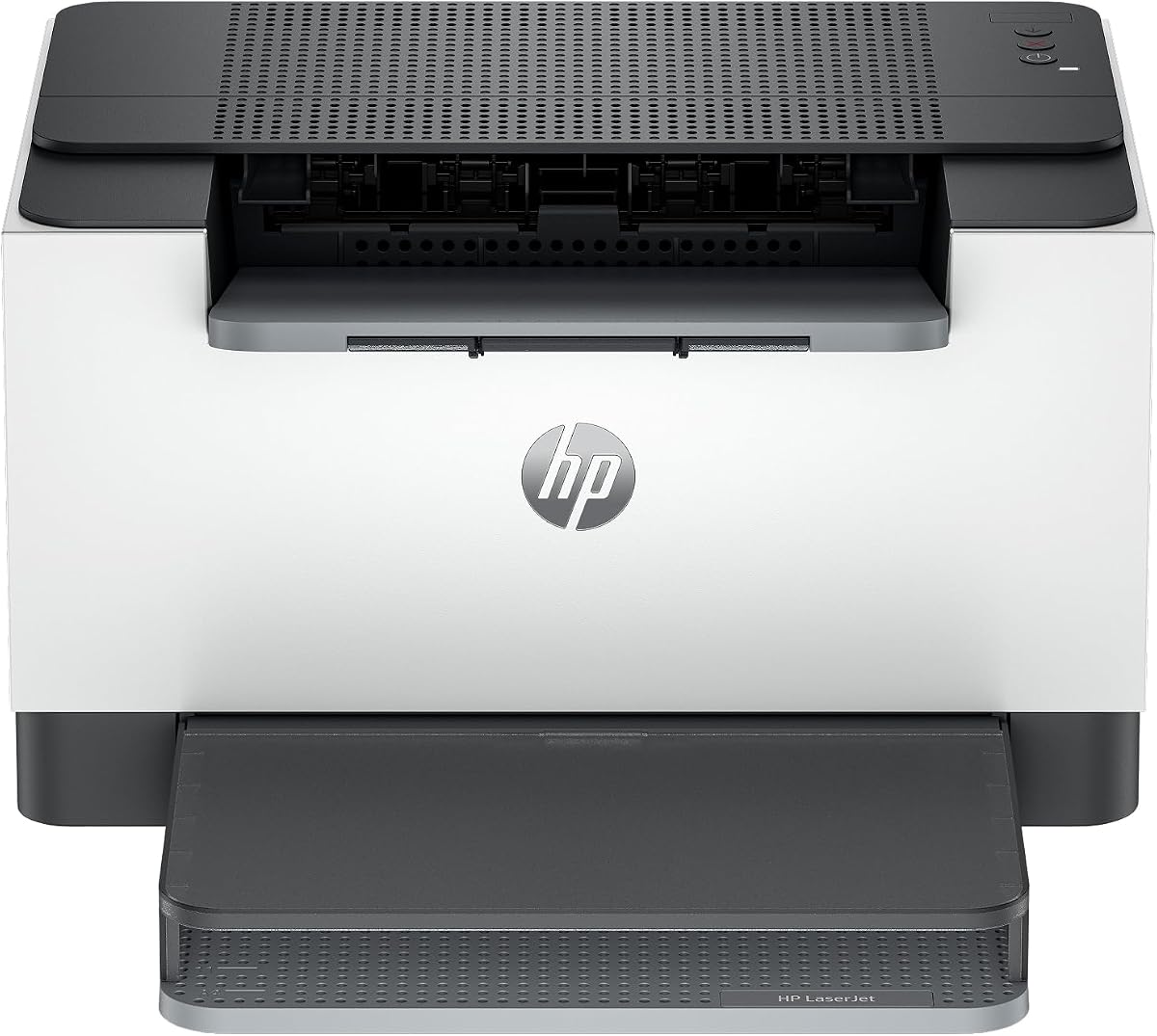
The HP LaserJet M110w is a small wireless monochrome laser printer designed for one to three people. Its 3.9 rating reflects a simple feature set and a design that emphasizes compact placement, quick setup, and printing from common personal devices. It is a logical choice for a small home office or a very small team that does not need copying or scanning.
We may earn a commission when you buy through this link, at no additional cost to you.
The printer produces up to 21 black-and-white pages per minute and supports wireless printing from mobile devices, PCs, and tablets. Its stated compatibility includes Microsoft and Mac systems, AirPrint, Android, and Chromebook environments. The HP Smart app provides access to common mobile workflows, while the wireless self-reset feature is intended to simplify connection maintenance.
A major ownership consideration is the supplied cartridge restriction. The printer is intended to work only with cartridges containing original HP chips or circuitry and will block cartridges with non-HP chips or circuitry. Shoppers should treat that restriction as part of the total cost of ownership and verify cartridge compatibility before committing.
The M110w is most suitable for occasional or moderate printing in a tight workspace. It omits automatic duplexing and multifunction tools, while its 21-page-per-minute speed is sufficient for typical forms and reports. Buyers wanting more capacity, lower consumable restrictions, or automatic two-sided output should compare the M209dw or a Brother alternative.
Its compact form is designed to fit where larger office printers cannot. Wireless printing and broad platform support make it convenient for users who work from a phone, tablet, or laptop.
The original-chip requirement is the key consideration before purchase. Buyers should confirm that original HP cartridges meet their volume and refill preferences rather than assuming every compatible-looking cartridge will function.
We may earn a commission when you buy through this link, at no additional cost to you.
The HP LaserJet M209dw is a wireless monochrome laser printer designed for small teams needing fast output and automatic two-sided printing. Its 4.2 rating makes it one of the stronger mid-range choices in the group. It is particularly well suited to offices printing one to five people’s reports, forms, drafts, and other black-and-white documents.
We may earn a commission when you buy through this link, at no additional cost to you.
The printer reaches up to 30 pages per minute for single-sided output and up to 19 black-and-white images per minute for automatic two-sided printing. Dual-band Wi-Fi includes a self-reset function intended to detect and resolve connectivity issues, while built-in security features help guard the device against potential attacks.
Automatic duplexing gives this model a practical advantage over the M110w. It can reduce paper consumption and operator effort for multi-page jobs without adding scanning and copying complexity. Its Instant Ink eligibility may also suit users who want a subscription-oriented approach, although the printer’s broader cost analysis should consider page volume and cartridge requirements.
This HP is a strong recommendation for small teams that want secure wireless printing, automatic duplexing, and solid speed in a relatively focused device. It does not include a scanner or copier, and original HP cartridge requirements should be considered when assessing ongoing toner economics. For print-only users who value duplex efficiency, it is a strong contender.
Automatic duplexing is a meaningful advantage for offices producing recurring multipage documents. It helps reduce paper use while improving the speed and convenience of routine printing.
Dual-band Wi-Fi and a self-reset function simplify network use, while the listed security features provide reassurance for shared office deployments.
We may earn a commission when you buy through this link, at no additional cost to you.
The Canon imageCLASS LBP122dw delivers the most important economical printing features in a compact package: wireless connectivity, automatic duplexing, and solid monochrome speed. Its 3.9 rating is solid for a focused home-use printer. It offers an attractive balance for shoppers who want to reduce paper waste without paying for a full office multifunction system.
We may earn a commission when you buy through this link, at no additional cost to you.
The printer produces up to 30 pages per minute and prints both sides automatically. It uses Canon Genuine Toner 071 or 071 high-capacity cartridges, giving owners access to a standard and a high-capacity consumable choice. The Canon PRINT app supports printing away from the desk, which is useful in a home or shared environment.
Its compact design is intended to fit into home spaces, and the print-only format keeps the feature set focused. The limitations are obvious but narrow: there is no scanner, copier, fax machine, touchscreen, or listed automatic document feeder. Those are not shortcomings for a buyer whose core need is economical document printing, but they make it less suitable for complex office workflows.
This Canon earns the budget recommendation because it combines duplexing and useful speed without adding functions that many home users would not use. It is an excellent match for students, home workers, and families that need convenient black-and-white printing. Compare paper capacity and toner options carefully if your print volume is beginning to increase.
Automatic two-sided output is often overlooked in entry-level printers, yet it can materially improve efficiency for reports and multipage documents. The LBP122dw includes this feature while maintaining a compact footprint.
Support for both Canon Toner 071 and the high-capacity version lets owners match cartridge size to their usage pattern. This choice is especially relevant when keeping consumable expenses predictable.
We may earn a commission when you buy through this link, at no additional cost to you.
The HP LaserJet MFP M235sdw is a wireless monochrome all-in-one designed for offices that print, scan, and copy black-and-white materials. Its 4.0 rating reflects a capable feature set, including automatic duplexing, flexible wired and wireless connectivity, and a stated focus on offices with one to five users.
We may earn a commission when you buy through this link, at no additional cost to you.
It produces up to 28 pages per minute and is described as having the fastest two-sided printing in its class. Dual-band Wi-Fi with self-reset supports easier network management, while built-in security features help protect the printer from potential attacks. Ethernet is included, and the printer supports mobile devices, PCs, tablets, and several major computing platforms.
The multifunction design is its key advantage over the M209dw and other print-only models. It removes the need for separate scanners or copiers in many small offices, making it a more complete daily workflow tool. The trade-off is a somewhat larger and more complex device, along with the need to use original HP cartridges that contain the required chips or circuitry.
This HP is well suited to a small office that needs secure connectivity and mixed document handling. Choose it over a basic printer when scanning and copying will be used regularly rather than only occasionally. Cartridge availability and compatibility should be verified before purchase, particularly for buyers focused on long-term toner costs.
Printing, scanning, and copying are combined in a single office-focused unit. This reduces desk clutter and makes it easier to handle mixed digital and paper tasks without separate equipment.
Dual-band wireless, Ethernet, and support for common mobile and desktop platforms offer deployment choices. Automatic connection recovery and built-in security are valuable for shared workplaces.
We may earn a commission when you buy through this link, at no additional cost to you.
The Brother HL-L2480DW is a premium compact monochrome multifunction printer for small offices and work-from-home environments. Its 4.5 rating is the highest among the selected models. It combines fast printing, automatic duplexing, flatbed scanning, copying, a large paper tray, and a touchscreen in a relatively compact footprint.
We may earn a commission when you buy through this link, at no additional cost to you.
Black-and-white output reaches up to 36 pages per minute. The 250-sheet tray supports continuous document workloads, while the manual feed slot handles envelopes and specialty paper. Dual-band wireless, Ethernet, and USB create flexible installation options, and the Brother Mobile Connect app supports remote printing, scanning, toner tracking, and supply ordering.
The 2.7-inch touchscreen adds direct navigation and cloud-oriented print and scan destinations, including Google Drive, Dropbox, Evernote, and OneNote. TN830 and TN830XL toner, plus the Refresh EZ Print subscription service, offer convenient replenishment choices. Compared with the MFC-L2820DW, this model omits fax, but its flatbed scanner and touchscreen create a different workflow emphasis.
This is the premium recommendation for buyers who want fast monochrome output and useful multifunction capability in a relatively compact office machine. Its strong rating, paper capacity, connectivity, and flexible toner service make it particularly well suited to regular document work. It is less appropriate for users who need fax or only need an inexpensive single-function printer.
A rated speed of up to 36 pages per minute and a 250-sheet tray support demanding document workflows. Scanning and copying are incorporated without requiring separate desktop devices.
The touchscreen and Brother Mobile Connect app provide multiple paths for document handling, including mobile tasks and cloud-based destinations. Flexible toner and subscription options simplify ongoing supply planning.
We may earn a commission when you buy through this link, at no additional cost to you.
Choosing an economical laser printer requires looking beyond the initial purchase. The most suitable model depends on page volume, toner format, required functions, connection method, paper handling, and how frequently your office prints multi-page documents.
Begin with a realistic estimate of how many pages you print each month, including copies and one-sided pages that may become duplex jobs. A light user with occasional forms and school assignments may be well served by a compact 19- or 21-page-per-minute printer. A busy home office or small team will benefit more from models rated at 28, 30, or 36 pages per minute because faster output reduces waiting during larger jobs. Speed is most useful when pages are generated in batches, such as reports, invoices, forms, or scanned document sets.
In short, match rated print speed to your busiest routine rather than your quietest day.
Toner yield indicates how many pages a cartridge can produce under the manufacturer’s testing conditions. The Canon MF3010 VP is highlighted for an included yield of up to 2,300 pages, while other models use specified cartridge families such as Brother TN830, TN830XL, Canon Toner 125, and Canon Toner 071. High-capacity cartridges may lower the need for replacements but require a larger upfront consumable purchase. Subscription services such as Brother Refresh can simplify replenishment for eligible users.
Choose a toner system with cartridges you can readily obtain and understand, rather than focusing only on the printer’s initial cost.
Automatic duplex printing handles both sides of a document without manual intervention. It can save paper, reduce operator effort, and make lengthy reports easier to produce. The Brother HL-L2460DW, HL-L2480DW, and MFC-L2820DW, Canon LBP122dw, and HP LaserJet M209dw and MFP M235sdw include this capability. The HL-L2405W, Canon LBP6030w, Canon MF3010 VP, and HP M110w do not list it in the supplied specifications.
For regular multipage printing, automatic duplexing is usually more valuable than a faster processor or convenience feature you rarely use.
Print-only models are smaller and easier to place, while all-in-one machines add scanning and copying, and some add fax. The Brother MFC-L2820DW provides print, copy, scan, and fax along with a 50-page automatic document feeder. The Brother HL-L2480DW and HP LaserJet MFP M235sdw combine printing, scanning, and copying, with the Brother also offering a touchscreen and cloud destinations. Choose a multifunction printer when paper workflows are routine; choose a print-only model when you already have separate devices.
Buy extra functions only when they support a task you perform regularly.
Paper tray capacity affects how often you must refill a printer during normal use. The Brother HL-L2405W, HL-L2460DW, and HL-L2480DW provide 250-sheet trays, making them suitable for heavier document runs. Canon models in this roundup use 150-sheet capacities. A manual feed slot, available on the featured Brother models, adds flexibility for envelopes and specialty media but is intended for occasional use rather than bulk handling.
Choose a tray that can hold a meaningful portion of your normal job so routine printing does not require constant refills.
Wireless connectivity is useful for phones, tablets, and computers placed around a home or office. Dual-band Wi-Fi, offered by the featured Brother models and several HP printers, can provide a more flexible network experience. Ethernet is valuable for fixed offices that want a stable wired network link, while USB remains a straightforward option for one-computer setups. The Canon LBP6030w and LBP122dw support wireless use, whereas the Canon MF3010 VP is presented as a wired USB model.
Select connectivity that matches how your devices are actually used rather than adding unnecessary network complexity.
Some manufacturers place technical restrictions on third-party or remanufactured cartridges. Both featured HP LaserJet models are described as requiring original HP chips or circuitry. Brother and Canon models identify genuine toner families, so buyers should verify cartridge compatibility and availability before purchase. Warranty coverage and support also matter: several products include a one-year limited warranty, while Brother models additionally list online, call, and live chat support for the life of the printer.
A widely available, fully compatible consumable can be more important to long-term convenience than a small difference in one-time pricing.
A larger feature set can make a printer more versatile, but it may also increase size, setup complexity, and purchase cost. The HP M110w is extremely compact and focused on wireless printing, while the Canon LBP122dw adds duplexing without adding a scanner. The Brother HL-L2480DW provides a 2.7-inch touchscreen and cloud workflow options, and the MFC-L2820DW adds fax and an automatic document feeder. The right balance depends on available desk space, shared-use patterns, and the frequency of each task.
Favor features that improve your regular workflow, not merely those that appear longest on a specification list.
Begin by unpacking the printer, removing any packing material, and installing the supplied toner according to the manufacturer’s instructions. Load dry, clean paper into the main tray and adjust the guides so the sheets sit flat. Connect the unit using the method that best fits your setup, whether that means USB, Ethernet, or Wi-Fi. For network models, complete the setup process before attempting to print from a phone or computer.
For the best toner efficiency, use the cartridge family specified by the manufacturer and avoid frequent partial replacements that can leave a cartridge near the end of its usable yield. Print a test page after setup to check alignment and darkness. Use automatic duplexing for multipage documents when available, and select the correct paper type in the print settings for envelopes, labels, and specialty stock.
Keep the printer in a clean, dry area and follow the manual’s guidance for the toner drum and fuser area. Use a dry, lint-free cloth to wipe the exterior and accessible paper paths, while avoiding direct cleaning of components that the manufacturer instructs users not to touch. Replace toner and other listed consumables on schedule, and address paper jams gently by removing the source paper rather than pulling forcefully through the mechanism.
The total cost includes the printer, toner, paper, energy, maintenance, and any supplies that must be replaced over time. Toner yield, cartridge pricing, duplexing, and actual page volume are especially important. A slightly higher-capacity cartridge may be more economical if it is readily available and meets the printer’s requirements.
Not necessarily. A high-yield cartridge can reduce replacement frequency, but its total cost and cartridge compatibility still need to be compared with the standard option. You should also confirm that the genuine high-yield cartridge is available for the exact printer model and that your print volume justifies purchasing it.
The Brother HL-L2460DW is a strong choice for a home office that prioritizes fast monochrome printing, automatic duplexing, wireless connectivity, and a 250-sheet tray. The Brother HL-L2405W is a simpler alternative when duplexing and scanning are unnecessary, while the HL-L2480DW adds copying and scanning.
You need one if regularly copying or scanning paper is part of your workflow. The Brother MFC-L2820DW, HL-L2480DW, HP LaserJet MFP M235sdw, and Canon imageCLASS MF3010 VP provide scanning or copying, with the Brother MFC also offering fax. A print-only model is usually simpler and more compact.
Most wireless models in this guide support mobile printing through their manufacturer’s app or compatible services. HP models list support for AirPrint, Android, Chromebook, and other environments, while Brother models use Brother Mobile Connect and Canon models list Canon PRINT. Confirm the specific app and operating-system requirements before setup.
Compatibility varies by brand and model. Both HP LaserJet selections are specifically described as requiring cartridges with original HP chips or circuitry. Brother and Canon models use named genuine toner families, so buyers should verify any alternative cartridge against the manufacturer’s requirements before using it.
Its main direct benefit is reducing paper consumption because multipage documents are printed on both sides. Duplexing can also reduce the time and effort involved in handling reams. It does not change how much toner a page normally uses, but it can lower the overall consumable and paper cost of a document.
Replacement frequency depends on page volume, the cartridge’s rated yield, document density, and how often the printer is used. Rather than waiting for a complete failure, check the printer’s toner status and replace the specified genuine cartridge when quality declines or the device reports that it is low.
The Canon imageCLASS LBP122dw is the leading budget choice because it combines automatic duplexing, wireless printing, and useful monochrome speed in a compact body. The Brother MFC-L2820DW is the strongest all-around option for a small office, while the Brother HL-L2480DW stands out as the premium compact model with a touchscreen, scanner, copier, and strong 4.5 rating.
Prioritize the features that affect your daily output: toner yield and availability, automatic duplexing, the required scan or copy functions, appropriate paper capacity, and a connection method that suits your devices. A simple print-only model can be the most economical choice for occasional users, while regular multipage work usually benefits from duplexing and a larger tray.
Before ordering, verify the current cartridge type, included accessories, operating-system compatibility, warranty terms, and retailer pricing. Ratings, product specifications, and availability can change, so the information provided here should be treated as a structured buying guide rather than a substitute for checking the current product listing.