
240W Dell G16 G15 G7 G5 G3 Charger
4.4Editor score
240W high-power output
Seven-point-four millimeter tip
Ten-foot combined cable reach
Explore the best Alienware laptop charger replacement options, comparing wattage, connectors, model compatibility, safety features, and portability for your
Replacing a damaged or missing Alienware charger requires more than finding a similar-looking power brick. A suitable replacement must match the connector, voltage, amperage, wattage, and power requirements of your specific laptop while providing dependable protection during demanding gaming or creative workloads.
This guide compares ten Alienware laptop charger replacement options across output power, supported model families, connector design, input range, safety protections, cable design, portability, warranty support, and practical compatibility details. It covers 180W, 240W, and 330W adapters, including slim models designed for several generations of Alienware laptops.
Each review explains who the charger is most suitable for and where its limitations matter. The Editor's Choice, Best Budget, and Best Premium selections offer distinct starting points, while the full comparison helps readers identify the right option for an older M-series, a newer x-series, or a Precision and G-series system.
4.4Editor score

4.4Editor score

4.3Editor score
The table below compares all ten chargers by output, connector, supported systems, and notable practical features, making it easier to identify the correct power rating and connection for your Alienware laptop.


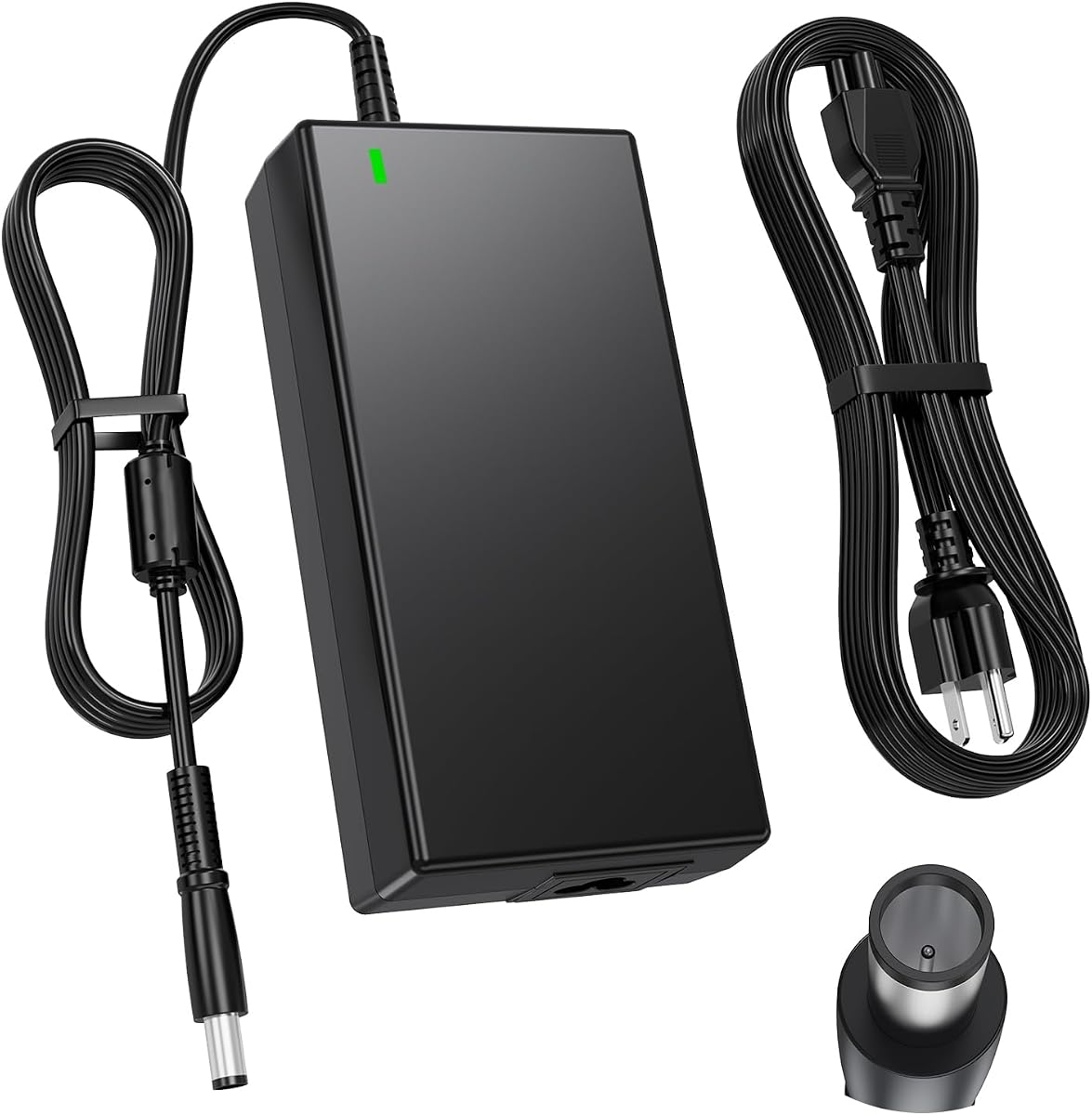


This 240W replacement earns the Best Budget distinction because it combines a high-power rating, broad Dell compatibility, and unusually generous cable length. Its 4.4 rating reflects a generally favorable customer response, while the listed output of 19.5V and 12.3A makes it appropriate for many Alienware gaming systems that originally used a 240W adapter.
We may earn a commission when you buy through this link, at no additional cost to you.
The most immediately useful feature is the ten-foot total reach, consisting of a six-foot charger cord and four-foot power cord. That gives users more freedom when placing a laptop on a desk, near a wall outlet, or beside a gaming station. A sturdy shell, global 100–240V input, and protections against short circuits, overcurrent, overvoltage, and overheating make it a well-rounded daily replacement.
The charger also supports Dell Alienware, Precision, and G3, G5, and G7 families, including factory adapter references LA240PM200, HA240PM200, and DA240PM200. The trade-off is that it is a conventional barrel-style replacement with a 7.4 x 5.0mm tip rather than a USB-C charger, so buyers should confirm both the laptop model and its original connector before ordering.
This is a strong recommendation for owners of a compatible 240W Alienware or Dell gaming laptop who wants substantial cable length and broad international input support. It offers the most balanced package in the guide for everyday replacement needs without requiring a higher-wattage adapter.
The ten-foot combined cable is the standout practical benefit. It reduces dependence on a nearby outlet and gives users more freedom to arrange a desk, couch, or temporary gaming station.
Short-circuit, overcurrent, overvoltage, and overheating safeguards support dependable use. The 240W output is also better aligned with power-hungry gaming laptops than a lower-wattage travel adapter.
We may earn a commission when you buy through this link, at no additional cost to you.
This DECSZDY adapter is aimed at owners of several generations of Alienware M-series systems, including M17 R1 through R5, M17X, M18X, and Area-51m. Its 4.2 rating and 240W output make it a viable option for users seeking more power than a 180W adapter but whose laptop does not require 330W.
We may earn a commission when you buy through this link, at no additional cost to you.
The specifications are unusually helpful because they list 240W, 180W, 150W, and 130W compatibility at the appropriate 19.5V outputs. The 5.0 x 7.4mm connector remains the essential match point, while a three-prong outlet design provides a substantial power connection for stationary use. Heat dissipation helps manage sustained output, and an integrated chip provides overload, short-circuit, and overheat protection.
A three-prong plug and the broad internal design may make this less convenient than a compact travel adapter. Compatibility also remains model-specific, so the absence of a model from the listing should not be treated as proof that the charger will work. Support is offered through email, with a stated 12-month warranty and 60-day refund arrangement.
Choose this option if your laptop appears in its detailed compatibility list and you want a full-power replacement with flexible lower-wattage support. It is especially attractive for M17, M17X, M18X, and Area-51m owners who use their systems heavily and want a stationary charger with built-in thermal management.
Support for 240W, 180W, 150W, and 130W devices gives owners of several compatible Alienware generations a practical way to use one replacement across multiple systems.
A dedicated heat-dissipation design supports more stable operation during demanding workloads. This is particularly relevant for gaming laptops drawing substantial power from the adapter.
We may earn a commission when you buy through this link, at no additional cost to you.
The Editor's Choice is the most comprehensive general-purpose option in this guide. It combines a 240W slim adapter with compatibility spanning Alienware 13, 15, and 17 systems, M11 through M18X families, X51, Dell Precision mobile workstations, and Dell G3, G5, and G7 gaming laptops. Its 4.4 rating supports its position as a well-received all-around choice.
We may earn a commission when you buy through this link, at no additional cost to you.
The 19.5V, 12.3A output and 100–240V, 50–60Hz input make it suitable for use in many regions, while the 7.4 x 5.0mm connector is the familiar barrel connection used by many of the targeted models. Compatibility also extends to 180W devices, giving owners of older systems a useful upgrade path without needing to hunt for a separate 180W adapter.
The product's long compatibility list is both an advantage and a reason to read carefully. It includes numerous part numbers such as J211H, J938H, Y044M, Y047M, FWCRC, GA240PE1-00, and several 330-series references. It does not provide 330W output, however, so it should not be selected for an Alienware configuration whose original adapter requires the higher rating.
This slim 240W charger is recommended for buyers who want one adaptable replacement across many Alienware, Precision, and G-series models. Confirm the exact laptop label and original part number, and it offers one of the strongest overall combinations of compatibility, portability, and support.
Coverage across Alienware, Precision, and G-series systems reduces the need to match several very specific charger listings. Part-number references add another useful way to confirm a match.
The slim adapter is easier to pack and generally more convenient to carry than a bulky high-wattage brick. It still delivers the 240W output expected by many performance laptops.
We may earn a commission when you buy through this link, at no additional cost to you.
This 180W adapter is a practical match for older Alienware 13, 15, and 17 models and the Dell Precision, G-series, and select all-in-one systems listed in its description. With a 4.3 rating, it provides a solid option when the original charger used 19.5V, 9.23A, and the familiar 7.4 x 5.0mm center-pin connector.
We may earn a commission when you buy through this link, at no additional cost to you.
Its compatibility list includes older Precision models such as the 7510, 7520, 7530, 7710, and several mobile workstation families. It also supports G3, G5, and G7 models, along with specific docking hardware and part numbers. A US power cable is included, making the package straightforward for owners replacing a standard Dell adapter.
The main limitation is the fixed 180W rating. Systems that arrived with a 240W or 330W adapter may draw more power during intensive gaming or maximum-performance workloads, making this option unsuitable despite similar connector dimensions. A visually identical tip does not guarantee that a lower-wattage charger is electrically appropriate.
This charger is recommended for owners of an older Alienware laptop whose original label shows 19.5V and 9.23A, particularly if their device uses a center-pin barrel connection. It offers strong model coverage and straightforward setup, provided the wattage matches the laptop's requirements.
Older Alienware and Precision systems frequently relied on 180W adapters. This option reproduces that output level and identifies the center-pin connector clearly, reducing ambiguity during purchase.
The adapter and US power cable provide the core items needed for a standard replacement. Users can connect the charger and begin normal laptop operation without needing another proprietary component.
We may earn a commission when you buy through this link, at no additional cost to you.
This 330W slim adapter is the Best Premium choice because it offers the highest output in the group and explicitly supports newer high-performance Alienware configurations. It targets m16, m18, x16 R1, and systems associated with the listed P124F001, P51E001, and P120F001 references. Its 4.3 rating reflects a favorable reception despite being a more specialized replacement.
We may earn a commission when you buy through this link, at no additional cost to you.
The adapter produces 19.5V at 16.92A for 330W, allowing it to serve systems that once required a higher-rated factory charger. It is also compatible with 240W and 180W Dell Alienware chargers, so buyers with a lower requirement can use the same unit if their connector and voltage align. The 7.4mm connector and 100–240V input support convenient use across different outlets.
A three-prong power cord is included, which suits desktop-style power delivery, but the 330W brick will naturally be larger and heavier than a 180W or 240W travel adapter. The listing also centers on a smaller group of modern systems, making it less attractive for owners of older 13, 15, or 17 series machines unless their part numbers match.
Choose this charger for a compatible m18, m16, x16 R1, or other listed configuration that requires substantial power, especially one equipped with a high-end discrete graphics option. It is the strongest dedicated option for modern maximum-performance machines, not a universal upgrade for every Alienware laptop.
The 330W rating gives modern high-performance laptops more headroom than a 240W replacement. It is the more appropriate choice when the original adapter itself used 330W.
Compatibility with 240W and 180W Dell Alienware chargers broadens its usefulness. Buyers should still verify connector shape and the voltage requirement printed on their laptop.
We may earn a commission when you buy through this link, at no additional cost to you.
This compact 240W charger holds the highest listed rating in the collection at 5.0. It is designed for Alienware laptops using the Smart Blue 7.4 x 5.0mm connection and provides 19.5V at 12.3A, making it a relevant option for owners of compatible 240W systems who value a smaller power brick.
We may earn a commission when you buy through this link, at no additional cost to you.
Its clearest advantage is portability. The stated housing is 15% smaller than standard chargers, while the woven high-density nylon cable is claimed to withstand 30,000 bend tests. Built-in IC technology supplies overload, short-circuit, and overheat protection, and the listing describes a 240W fast-charging design intended to maintain performance during demanding applications.
Its 4.4 rating and shorter compatibility description provide less documentation than several other options. The stated 45% faster charging comparison is not tied to a clearly defined test condition, so it should be treated as a marketing claim rather than a guaranteed result. Users should also verify that the Smart Blue tip is the correct connector for their particular model.
This charger is recommended for a compatible Alienware model that uses the Smart Blue connection and where compact storage matters. It may be especially attractive to travelers, although users should still compare the dimensions with their original adapter and inspect the connector color before ordering.
A housing described as 15% smaller than standard chargers makes this option easier to carry. That benefit is meaningful when the adapter must live in a laptop bag or travel case.
The product description emphasizes power delivery for productive workflows and sustained performance. Actual charging behavior will depend on the laptop, battery condition, and workload.
We may earn a commission when you buy through this link, at no additional cost to you.
This adapter stands out for its extensive list of recent Alienware families, including M15, M17, x15, x16, x17, M18x, M17x, M14x, M11x, Area-51m, and Alpha models across numerous revisions. It carries a 4.5 rating, placing it among the strongest-reviewed options, and its 240W output is appropriate for many contemporary gaming laptops.
We may earn a commission when you buy through this link, at no additional cost to you.
The 19.5V, 12.3A output also works with 180W, 150W, and 130W devices, making it more versatile than a single-output replacement. Its round 7.4 x 5.0mm connector and 100–240V input support common household and international outlets. The built-in chip is described as automatically adjusting power according to device temperature and battery status.
The product description does not extend beyond 240W, making it unsuitable for a laptop that specifically requires 330W. Its extensive model and code list also needs careful review because a similar name does not guarantee that every revision uses the same connector. Heat-resistant and flame-retardant materials add useful construction details, but they should complement rather than replace sound charging practices.
This is a strong recommendation for owners of a compatible recent Alienware system who want a single charger that can also cover many lower-wattage Dell laptops. Confirm both the model code and original adapter rating, especially for x-series, Area-51m, and Alpha configurations.
The model list reaches across current and recent naming conventions, including M, x, Alpha, and Area-51m families. This makes the charger useful for buyers who need more than an old 180W replacement.
Automatic adjustment based on temperature and battery status can support steadier charging. Built-in protections also cover overcurrent, short circuits, and overheating.
We may earn a commission when you buy through this link, at no additional cost to you.
This 240W adapter provides one of the clearest all-around profiles for Alienware users. It supports 240W output while remaining compatible with 180W, 150W, and 130W devices. Its 4.4 rating and 7.4 x 5.0mm connector make it a credible option for a broad set of Dell systems when the original power specification matches.
We may earn a commission when you buy through this link, at no additional cost to you.
Compatibility covers Alienware 13, 15, and 17 models, M11 through M18X, X51, Dell Precision mobile workstations, and Dell G3, G5, and G7 gaming lines. The product also provides a useful list of part numbers, including FWCRC, C3MFM, U896K, J211H, J938H, GA240PE1-00, and 450-AGCX, helping buyers verify a match beyond the retail model name.
The charger includes protection against overvoltage, overcurrent, short circuits, and overheating, while its global input range makes it suitable for travel. As with the other 240W choices, it cannot safely replace a 330W factory adapter, and connector shape alone should not be used to determine compatibility. The laptop's original label remains the most reliable reference.
This is a good selection for a compatible Alienware, Precision, or G-series laptop that accepts a 7.4 x 5.0mm connection at 19.5V. It is particularly helpful for buyers who want a versatile 240W unit with clear model and part-number guidance rather than a narrow single-series replacement.
Named model families and factory part numbers offer two levels of confirmation. This reduces the risk of choosing solely by appearance and helps buyers locate the right reference before purchase.
Overvoltage, overcurrent, short-circuit, and overheating safeguards provide a useful safety layer. The 240W output also suits many performance laptops without the bulk of a 330W unit.
We may earn a commission when you buy through this link, at no additional cost to you.
This charger is especially easy to recommend to owners of Dell G15 and G7 systems because it lists numerous G-series model numbers explicitly. It provides 240W at 19.5V and 12.3A through a 5.0 x 7.4mm connector, and it also covers numerous Alienware models. The 4.2 rating remains solid within the group.
We may earn a commission when you buy through this link, at no additional cost to you.
The G-series list includes G15 5510, 5511, 5515, 5520, 5521, 5525, 5530, and 5535 variants, plus several G3, G5, and G7 systems. Alienware support includes M11x, M14x, M15, M17, M17x, Area-51m R2, X51, and x15 through x17 families. A long list of factory part numbers makes it possible to identify a match without relying on the laptop's marketing name alone.
The three-prong outlet plug and full-size 240W housing emphasize stable stationary use rather than minimalist travel. The product does not provide 330W output, so a system originally paired with a 330W charger remains outside its scope. Buyers should also check the center-pin configuration and original amperage rather than assuming every similar-looking 240W adapter is interchangeable.
This is a practical recommendation for owners of a compatible Dell G15, G7, G5, or G3 laptop, especially those who want a clearly documented 240W replacement. Its listed exchange period and one-year quality assurance add useful support, provided the exact model and part number are verified.
The inclusion of individual G15 and G7 model numbers is unusually helpful for buyers comparing replacements. It reduces ambiguity and makes verification before checkout straightforward.
A three-prong wall connection and 240W output make this suitable for a fixed gaming or work desk. It prioritizes sustained power delivery over the smallest possible travel footprint.
We may earn a commission when you buy through this link, at no additional cost to you.
This compact-listing 240W replacement is designed for broad use across Alienware, Precision, and Dell G-series laptops. It has a 4.4 rating and specifies 19.5V at 12.3A, 100–240V input, and a 7.4 x 5.0mm connector. It also supports 180W, 150W, and 130W systems with matching electrical requirements.
We may earn a commission when you buy through this link, at no additional cost to you.
The supported model list covers Alienware 13, 15, and 17 R2 through R5, M17X, M18X, X51, and several common model codes. Precision coverage includes the 7510, 7520, 7530, 7710, 7720, 7730, and multiple M-series mobile workstations, while G3, G5, and G7 models are also included. Numerous part numbers support more precise verification.
Built-in IC technology and surge protection are described as providing protection from overvoltage, overload, and short circuits. A critical limitation is explicitly stated: this is not a USB-C charger. It also cannot substitute for a 330W adapter, even though some of its supported Dell systems share visually similar connectors.
This adapter is recommended for a barrel-connector Alienware, Precision, or G-series laptop with a 19.5V requirement. It offers straightforward compatibility and solid protection without a specialized high-wattage design, making it a sensible general replacement when the model and part number are confirmed.
The mix of Alienware, Precision, and G-series support gives the charger broader usefulness than a model-specific replacement. A single verified unit can serve several compatible Dell laptops.
Overvoltage, overload, and short-circuit protection support safer everyday operation. These safeguards are particularly useful for a frequently used desktop charging setup.
We may earn a commission when you buy through this link, at no additional cost to you.
Choosing a replacement charger safely depends on matching the power specification and connector of your exact laptop. Use the factory label, service manual, or an existing compatible adapter to verify these factors before ordering.
Wattage is the total amount of power the adapter is designed to supply. Most systems in this guide use a 180W or 240W replacement, while newer high-performance configurations may use 330W. The safe approach is to match the rating printed on the original adapter or laptop documentation rather than choosing solely by connector shape. A higher-rated charger can be appropriate when the charger itself explicitly supports the target wattage and the voltage, amperage, and connector all align.
Almost every option here outputs 19.5V, which is central to the shared Dell Alienware charging platform. Amperage changes with wattage: a 240W adapter at 19.5V is rated at 12.3A, while a 180W unit is rated at 9.23A. The 330W option reaches 16.92A. Users should read the output label on the laptop or original charger and avoid assumptions based on a visually similar plug.
Most targeted chargers use a round 7.4 x 5.0mm barrel connector, sometimes called the Smart Blue tip in compatible Alienware systems. Center-pin construction can matter, so buyers should compare the original tip carefully rather than relying on diameter alone. The 330W model lists a 7.4mm connector and is explicitly a barrel-style replacement. None of these products should be treated as a USB-C solution.
Alienware model names often span multiple revisions, and similar names may use different power arrangements. Review the complete system model, service tag, factory part number, and charger markings. Several options in this guide include useful part-number references, such as J211H, J938H, Y044M, Y047M, FWCRC, and GA240PE1-00. If the laptop is not listed, contact the seller with the exact model and connector photos before purchasing.
A charger can have the correct electrical rating but still be inconvenient to use. The first pick offers a ten-foot combined cable, while several others use a three-prong outlet connection and a separate power cord. The Fancy Buying model is described as 15% smaller for portability, and the Editor's Choice uses a slim design. Consider where the laptop will be charged, how far the outlet is from the desk, and whether the adapter must fit in a travel bag.
Short-circuit, overcurrent, overvoltage, surge, and overheating protection are desirable in any replacement adapter. Several products in this guide use integrated IC chips for these safeguards, while the DECSZDY model also emphasizes a dedicated heat-dissipation system. Protection features add confidence but do not justify using a damaged cable, an incompatible connector, or an adapter in a hot or poorly ventilated area.
Every charger listed provides 100–240V, 50–60Hz input, making it suitable for many international outlets. The actual power cord may be region-specific, however, and the 330W model includes a three-prong cord. Travelers should confirm that the included cord fits the destination and use an appropriate grounded outlet. A universal input rating does not mean every plug shape is included.
Warranty terms vary across the list. The DECSZDY charger includes a stated 12-month warranty and email support, the Dell G15 G7 option offers exchange support and one-year quality assurance, and the slim 240W model also references a 12-month warranty. Understand whether the coverage begins on delivery, how to contact the seller, and what documentation is required for a replacement or refund.
Begin by shutting down the laptop before connecting a new replacement, especially if the original charger was damaged. Inspect the new adapter, barrel tip, and cable for bends, discoloration, cracks, loose pins, or exposed conductors. Do not use the charger if the connector does not fit smoothly or if the plug becomes unusually hot during ordinary charging.
Connect the charger directly to a grounded wall outlet and the matching barrel connector to the laptop's charging port. Keep the adapter uncovered and place it on a stable, hard, ventilated surface rather than on soft bedding. When the system is operating under a heavy gaming or rendering workload, allow the cable to remain untwisted and avoid pulling the connector sideways.
Unplug the charger when it is not needed, particularly before moving the laptop or traveling. Keep the power brick and cords away from liquids, direct heat, and crowded cable paths. Periodically clean the connector gently with a dry cloth, check the wall plug for discoloration, and stop using it if the output becomes unstable or the adapter shows physical damage.
Only when the charger and laptop both use the same 19.5V output and compatible connector. A 240W adapter can generally serve a laptop rated for 180W because it has more power capacity, but the charger should also explicitly support lower-wattage devices and use the correct tip. Never connect a charger whose voltage, connector, or wattage rating does not match the original specification.
No. Alienware has used 180W, 240W, and 330W adapters, and the physical dimensions can differ considerably. The wattage and amperage often provide a quick clue, with 240W commonly using 12.3A and 330W using 16.92A. A visually similar connector does not guarantee that the adapter is interchangeable.
No. A 7.4 x 5.0mm barrel charger requires a matching round charging port on the laptop. The chargers in this guide are not substitutes for USB-C power delivery, and the final product explicitly notes that it is not USB-C compatible. Confirm the port shape printed in your laptop's specifications before ordering.
Look for the model label on the original power brick, which should show input voltage, output voltage, amperage, and wattage. You can also check the laptop's service information or documentation for compatible adapter part numbers. If the original charger is missing, use the exact laptop model and service tag to confirm requirements with the seller.
A 330W charger is reasonable only if it explicitly supports 240W and 180W devices and its voltage and connector match. The 330W option reviewed here claims compatibility with those lower ratings. Even with sufficient wattage, a compatible tip and correct 19.5V output remain essential.
It means the adapter can accept a wide range of household AC inputs, making it suitable for use in many countries. The output specification still needs to match the laptop's required 19.5V rating. The included wall cord may still be designed for one plug style, so travelers should check whether an appropriate cord is needed for the destination.
A correctly matched, undamaged replacement with suitable electrical protections is designed for normal laptop operation, including demanding workloads. Keep the adapter ventilated and never cover it with fabric or place it beneath the laptop. If the connector, cable, plug, or charger becomes unusually hot, stop using it and seek a qualified repair or replacement.
Some Dell and Alienware barrel connectors use a center pin to carry a detection or identification signal. The tip must match both the outer dimensions and the internal center-pin arrangement. A plug that fits loosely, requires force, or leaves the center pin incorrectly positioned should not be used.
The Best Budget choice, the 240W Dell G16 G15 G7 G5 G3 charger, stands out for its long combined cable, global input, and broad Dell support. The Editor's Choice, the slim 240W Alienware charger, offers the most complete general-purpose compatibility across Alienware, Precision, and G-series systems. The Best Premium option, the 330W m18 and x16 charger, is the appropriate direction for newer high-performance configurations that require the highest output.
Before ordering any replacement, prioritize the requirements printed on the original adapter: wattage, 19.5V output, rated amperage, connector size, center-pin arrangement, and plug format. Then confirm that the exact laptop model or factory part number appears in the listing. Model branding alone can be ambiguous, so a careful comparison provides the most dependable basis for selection.
Prices, availability, and seller support can change over time, so check the current listing and any updated compatibility information before completing a purchase. Also review the included cable, warranty terms, and return or exchange process at that moment. With those checks completed, the correct charger can restore reliable power without guesswork.