
Mini Projector with WiFi 6
4.6Editor score
Built-in streaming app store
Compact 0.85-pound design
Automatic focus and keystone
Ceiling projection support
Explore the best projector with smart apps, comparing streaming platforms, picture quality, portability, audio, wireless features, and setup ease.
A projector with smart apps turns a blank wall into a ready-to-stream entertainment center without requiring a separate streaming stick. The most useful models combine familiar streaming platforms, clear picture quality, convenient wireless connections, simple correction features, and enough portability to work indoors or outdoors.
This guide compares ten projectors with smart apps based on their operating platforms, supported applications, resolution, brightness specifications, audio, connectivity, placement features, and everyday convenience. It covers compact mini projectors, higher-output models for brighter rooms, and portable options designed for bedrooms, backyards, campsites, and travel.
Each review highlights the features that distinguish its projector from the others and identifies the circumstances in which it makes the most sense. Ratings and specifications can change over time, while features and availability vary by market, so readers should confirm current details before purchasing.
4.6Editor score

4.6Editor score
4.4Editor score
The table below compares the ten projectors across smart platform, picture capability, wireless connectivity, and placement flexibility, making it easier to identify the model that best matches your room and viewing habits.


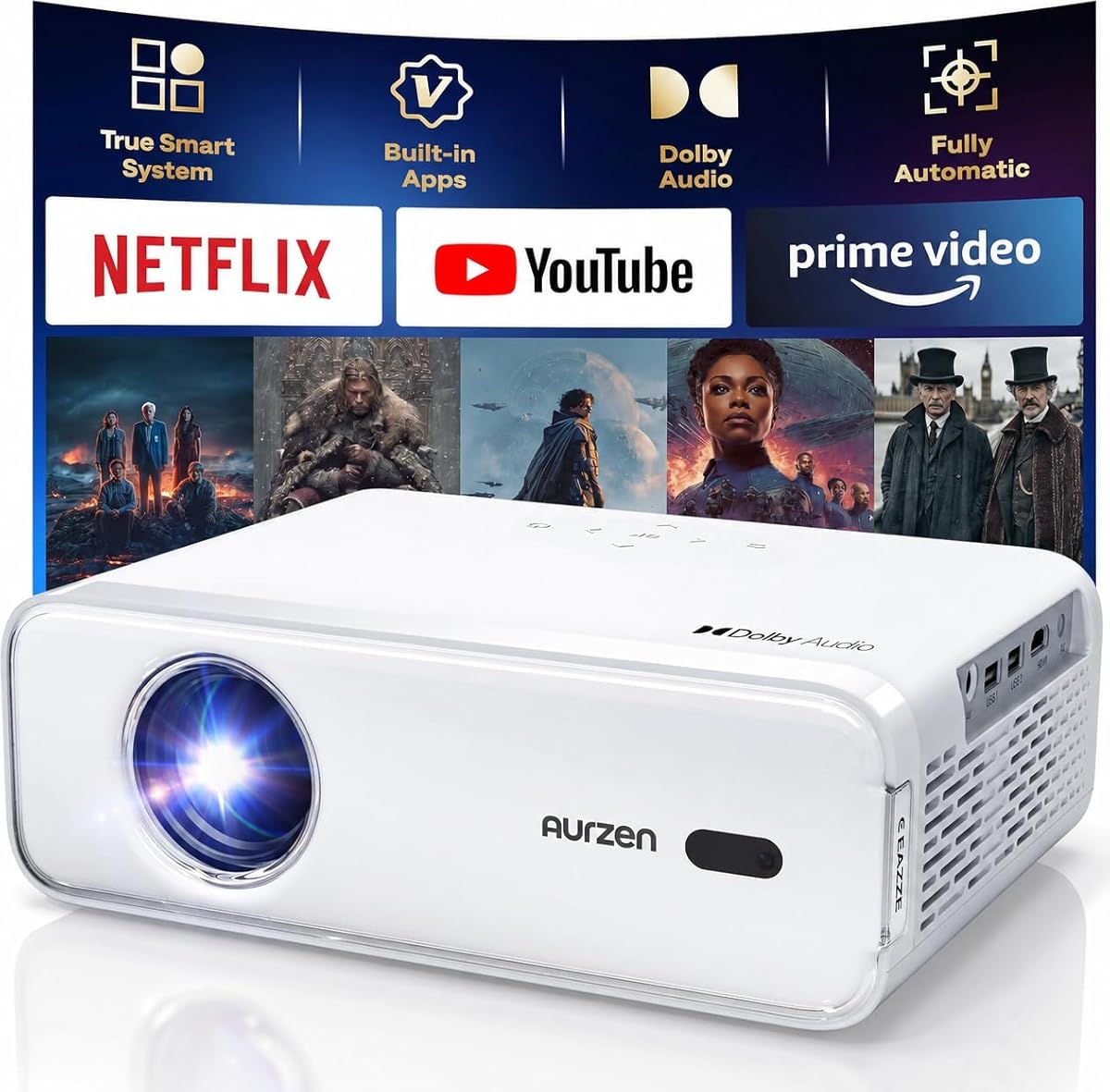


The Aurzen Roku TV D1R combines a recognized smart-TV platform with a portable form and a full set of automatic setup features. Its 4.6 rating reflects a strong balance of usability, streaming convenience, picture specifications, and built-in sound. For buyers who want a projector to replace a separate streaming stick and television combination, it offers one of the most complete packages in this guide.
We may earn a commission when you buy through this link, at no additional cost to you.
Native 1080P resolution supports detailed images on the advertised 60- to 150-inch range, while automatic focus and automatic keystone correction minimize the usual placement adjustments. The included dual 5W speakers support Dolby Audio, which is a meaningful advantage when the projector cannot be connected to a separate sound system. Two-way Bluetooth 5.2 and dual-band WiFi also make it easier to switch between external headphones, speakers, and direct streaming.
The D1R requires a Roku account and an internet connection for activation, so buyers should not expect all of its smart features to work as an entirely offline device. Its lens should also be inspected and cleaned regularly, and the product should operate in a clean, low-dust environment. These are normal smart-projector maintenance considerations rather than reasons to avoid it, particularly if the unit is kept indoors.
This is the best overall choice for someone who values a familiar streaming experience, straightforward automatic setup, flexible screen sizing, and useful built-in audio. It also suits outdoor movie nights because of its portable design and dust-maintenance guidance. Users who specifically want Google TV or a very compact model may prefer alternatives, but few products combine Roku, AirPlay support, smart-home compatibility, and automatic correction as neatly as the D1R.
Roku brings Netflix, Prime Video, Hulu, YouTube, The Roku Channel, and other familiar services into one clear interface. The Roku mobile app adds phone control, text entry, and voice commands without requiring another streaming device.
Automatic focus and keystone correction make temporary setups much less demanding. A flexible projected size also allows the same unit to serve a bedroom wall, living-room screen, or outdoor gathering area.
We may earn a commission when you buy through this link, at no additional cost to you.
The Mini Projector with WiFi 6 and BT 5.4 is a budget-minded way to add smart streaming to a compact projector. It carries a 4.6 rating despite its entry-level positioning, largely because it offers direct app access, modern wireless standards, automatic image assistance, and a body light enough to move between rooms. The built-in store can provide Prime Video, YouTube, and additional compatible applications.
We may earn a commission when you buy through this link, at no additional cost to you.
Its picture specification combines 200 ANSI lumens with support for 1080P and 4K content. That support should not be confused with native 4K, but it is sufficient for many popular streaming formats in a controlled viewing environment. Autofocus, a manual focus slider, automatic vertical keystone correction, and a 0.8:1 short-throw ratio help produce a large picture in bedrooms, dorms, and apartments where projector-to-screen distance is limited.
The main limitation is brightness. Its 200-ANSI-lumen specification is better suited to nighttime viewing or rooms where ambient light can be controlled than to daytime use in a bright living space. It also lacks the more precisely defined catalog associated with Roku or officially licensed Google TV, so buyers should confirm which apps they expect to use before purchase. On the other hand, the 0.85-pound weight and approximately 25 dB operation make it exceptionally practical for mobile use.
This projector is best for students, renters, travelers, and anyone wanting a simple secondary streaming screen without adding a separate streaming stick. The 180-degree rotation supports relaxed wall or ceiling viewing, while HDMI and USB connections expand the device beyond its built-in apps. It is the strongest budget recommendation in the list for portability, modern connectivity, and approachable operation.
The integrated app store removes the need to connect and configure a separate TV stick for supported services. WiFi 6 also targets stable streaming and compatible-device screen mirroring in a compact package.
Its short-throw ratio and 180-degree rotating body make it useful for compact rooms and bed-directed viewing. At 0.85 pounds, it is one of the easiest models here to pack for a trip.
We may earn a commission when you buy through this link, at no additional cost to you.
The HAPPRUN 1500 ANSI Smart Outdoor Projector is built for people who want more brightness and stronger built-in audio than a typical compact mini projector. Its 4.3 rating reflects a specification-led package that includes 1,500 ANSI lumens, access to more than 1,000 apps, and 30 watts of speaker power. It is particularly relevant to patios, yards, living rooms, and other spaces where controlling every light source may be difficult.
We may earn a commission when you buy through this link, at no additional cost to you.
The projector supports 4K decoding with a stated 20,000:1 contrast ratio and a 95% color gamut. These are meaningful specifications for a device intended to handle movies, live viewing, and gaming across larger screens. Its 15-watt speakers on each side with Dolby Audio reduce reliance on external sound, while Bluetooth 5.2 provides another way to connect headphones or a larger speaker system.
Setup is partly automated. It can complete automatic focus and reportedly produce a clear rectangular picture within three seconds of startup, while an adjustable bottom screw bracket changes the upward angle. Ceiling, table, tripod, and wall mounting are supported, which adds unusual placement versatility. However, the specification summary does not identify an official platform such as Roku or Google TV, and app behavior may be less familiar than on a licensed TV operating system.
This HAPPRUN makes sense for buyers who prioritize output, sound, and app breadth over a small footprint or a named smart-TV ecosystem. It is less attractive for someone seeking a truly pocketable projector, but its flexible mounting and stated brightness give it a strong outdoor-entertainment role. Buyers should check the current app catalog and subscription requirements before committing.
The 1,500-ANSI-lumen specification provides more headroom for daylight and outdoor use than the smaller projectors in this guide. Actual clarity still depends on ambient conditions, screen material, and placement.
Dual 15-watt speakers with Dolby Audio give the unit a substantial advantage when no soundbar is available. Bluetooth adds flexibility for private listening or a larger home audio setup.
We may earn a commission when you buy through this link, at no additional cost to you.
The Android 14 Mini Projector stands out for software flexibility. It provides access to more than 7,000 apps, built-in sleep timer functionality, and a dedicated Lumina Go phone remote with navigation controls, a full keyboard, touchpad, air-mouse functions, and voice commands. Its 4.1 rating is lower than those of several competitors, but the breadth of its software is difficult to find at this size.
We may earn a commission when you buy through this link, at no additional cost to you.
The picture system uses 400 ANSI lumens, a 10,000:1 contrast ratio, and a native 1280-by-720 resolution with support for 1080P and 4K decoding. It also has a stated 30,000-hour lamp life. That combination makes it a practical choice for casual viewing, gaming, presentations, and content in a dim room, though buyers seeking native 1080P should look elsewhere in this list.
The rotating 270-degree stand is a major practical advantage because it supports wall and ceiling projection without requiring a separate mounting accessory. Automatic keystone correction and manual focus provide additional image controls. Its 356.5-gram weight and 0.8:1 throw ratio make it easy to carry, although the built-in speaker and modest light output are better suited to personal or small-group viewing.
The strongest reason to choose this model is the Android ecosystem and the smartphone remote. It is well suited to users who want broad app access, convenient text entry, or a ceiling-viewing option in a compact device. The lower native resolution and rating should be accepted only if those software and portability advantages matter more than maximum picture detail.
The broad app catalog and familiar Android environment offer more choice than a tightly controlled storefront. That flexibility can be useful for services, utilities, and media apps beyond the major streaming platforms.
The Lumina Go app combines a physical-style navigation layout, full QWERTY keyboard, touchpad, air mouse, and voice commands. Pairing requires the phone and projector to share the same WiFi network.
We may earn a commission when you buy through this link, at no additional cost to you.
The Aurzen Roku TV E1R earns the highest customer rating among the ten products at 4.7. It combines the familiar Roku environment with a compact body weighing under one pound, making it particularly convincing as a portable smart projector. Its central appeal is simple: familiar streaming, flexible placement, and a more robust built-in sound chamber than many mini projectors offer.
We may earn a commission when you buy through this link, at no additional cost to you.
The E1R supports Netflix, Prime Video, Hulu, YouTube, The Roku Channel, Apple TV, live sports, and other Roku features. Roku Smart Picture can tune the display automatically, while six picture modes allow manual selection of Movie, Sports, Vivid, Standard, and Low Power options. Its 1.12:1 throw ratio supports a 20- to 120-inch picture, making it flexible for bedrooms, dorms, and compact living spaces.
The built-in stand rotates 180 degrees for wall or ceiling viewing, while automatic vertical keystone correction and a top focus wheel simplify image alignment. Two-way Bluetooth 5.2 allows the projector to send audio to headphones or speakers and also play music from a phone or tablet. As with the other Roku model, an internet connection and Roku account are required for activation. Users should also inspect the lens every three months because black spots can appear in dusty environments.
This is the best choice for buyers who want the lowest-rated-risk compact model with Roku, particularly if they regularly move the projector between rooms. It is also appealing for travel because its rounded body, built-in strap, and low weight reduce packing friction. It is not the strongest option for very bright rooms, but it offers the most persuasive combination of rating, portability, sound, and familiar smart features.
The enlarged sound chamber and two-way Bluetooth make the E1R more practical for music as well as film. Its under-one-pound weight preserves the benefits of true mini-projector portability.
Automatic Roku Smart Picture tuning is convenient, while six manual modes provide useful control for sports, films, vivid content, standard viewing, or reduced power use. The 20- to 120-inch range suits both casual and dedicated viewing.
We may earn a commission when you buy through this link, at no additional cost to you.
The XuanPad Smart Mini differentiates itself through placement flexibility and a detailed application-oriented feature set. It has a 4.2 rating, native 1080P support, an officially licensed Netflix application, and a detachable 360-degree stand. That combination makes it a strong option for users who want to switch easily between a wall, ceiling, and outdoor screen.
We may earn a commission when you buy through this link, at no additional cost to you.
Its AI autofocus is described as capturing focus in three seconds, while 6D one-touch automatic keystone correction adjusts skewed images. A single-button zoom ranges from half to full screen, reducing the need to physically move the device. Picture support extends to projected sizes from 40 to 200 inches, and intelligent light sensing is included to adjust the image according to ambient conditions.
Unlike the smallest models in the list, the XuanPad weighs 1.89 pounds and is about 2.69 inches thick. It is still described as tablet-sized and suitable for a backpack, but it is less convenient for constant mobile use than the 0.85-pound and 0.79-pound alternatives. Dual-band 5GHz and 2.4GHz WiFi and Bluetooth 5.2 support streaming, mirroring, and audio accessories, while the detachable stand improves ceiling and angled positioning.
This projector is best for users who care more about native picture detail and flexible mounting than minimum weight. It suits bedroom ceiling viewing, travel, gaming, and outdoor movie nights. The licensed application adds convenience, but buyers should still confirm which additional apps are available for their region and whether every streaming service is fully supported.
The 360-degree detachable mount allows the projector to orient toward walls, ceilings, or screens while the main unit remains compact. It removes much of the need to carry separate mounting hardware for common positions.
AI autofocus, one-touch automatic keystone correction, and digital zoom simplify setup in temporary locations. These features are particularly helpful when the projector cannot be placed perfectly in front of the screen.
We may earn a commission when you buy through this link, at no additional cost to you.
The Aurzen EAZZE D1 focuses on making a projector adapt to its surroundings. Its 4.3 rating reflects a capable smart system with native 1080P, HDR10, strong built-in sound, and an unusually broad collection of automatic image tools. It is a good match for users who expect to reposition their projector frequently and do not want to repeatedly adjust focus and geometry.
We may earn a commission when you buy through this link, at no additional cost to you.
Automatic features include focus, keystone correction within plus or minus 15 degrees vertically and horizontally, obstacle avoidance, and screen alignment. A 50% to 100% zoom range further reduces the need to move the unit when the available image area differs from the desired one. The D1R also uses a two-piece tilting stand, automatic keystone, and dual-band WiFi, while preserving a more conventional form factor than some of the rotating mini models.
Its built-in smart TV operating system offers access to Netflix, Prime Video, YouTube, hundreds of applications, My App, an app store, and a browser. However, the supplied information explicitly notes that additional streaming applications cannot be downloaded and advises buyers who need more apps to choose the GTV version. Copyright restrictions may also prevent Netflix, Hulu, and similar content from being mirrored or cast; the built-in applications should be used instead. WiFi is not WiFi 6, but it remains dual-band and Bluetooth supports two-way audio.
The D1 is best for flexible indoor and outdoor placement where automatic alignment is more valuable than access to every possible app. Its native 1080P picture, HDR10, dual 8-watt speakers, and broad mounting compatibility cover many common needs. The restricted software choice and casting limitation are important for anyone who depends on unofficial app downloads or mobile content casting.
Focus, keystone correction, obstacle avoidance, and screen alignment work together to reduce manual setup. Digital zoom from 50% to 100% adds further framing control without changing the projector's physical position.
The operating system includes major streaming applications and an app store, but the supplied product information says additional streaming apps cannot be downloaded. Netflix and similar protected content may also need to be viewed through the built-in apps rather than mirrored.
We may earn a commission when you buy through this link, at no additional cost to you.
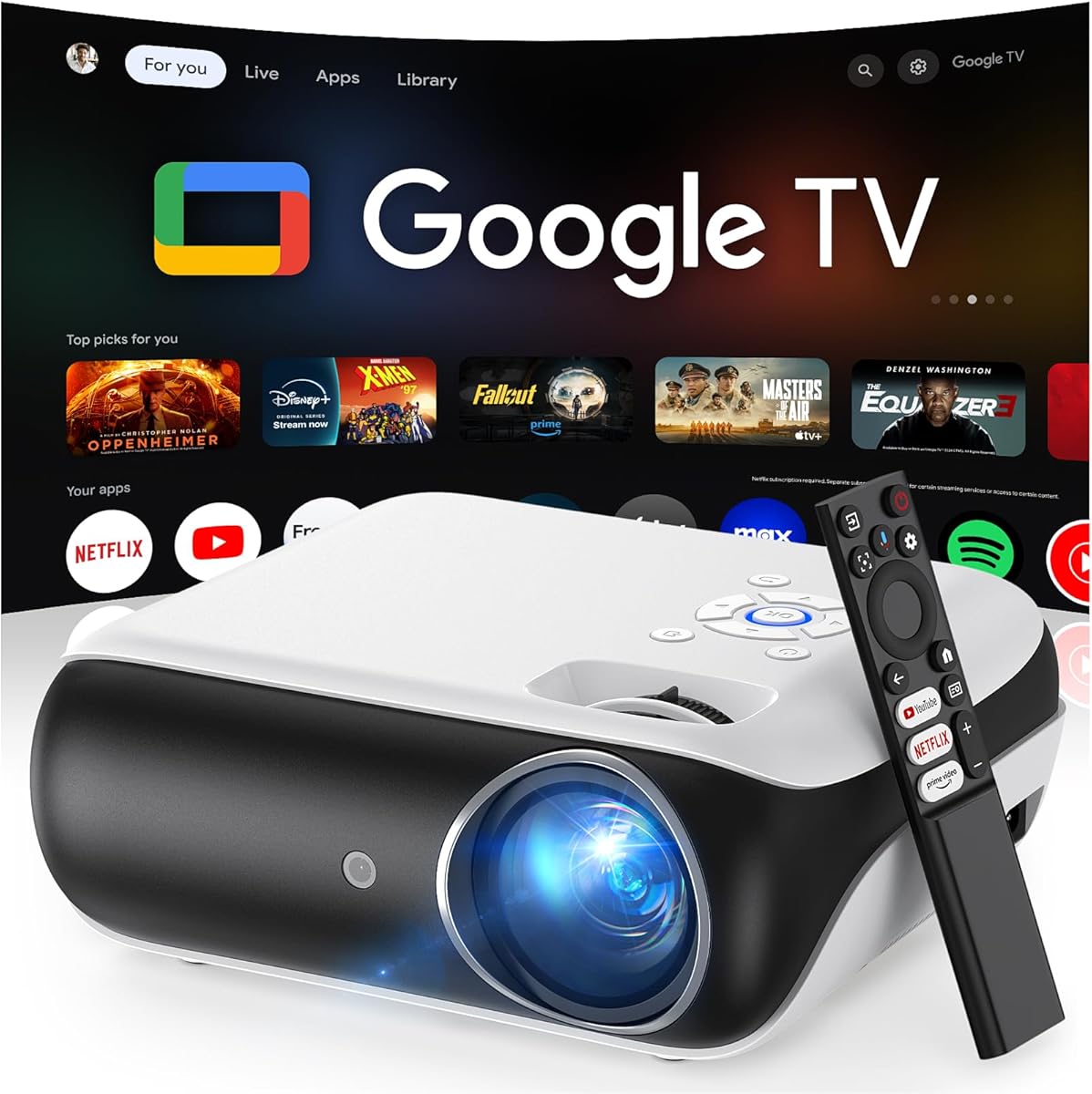
The HAPPRUN Native 1080P Bluetooth Projector is the clearest choice for buyers who want an officially licensed Google TV experience. Its 4.4 rating, direct access to major streaming applications, and integrated Google Voice Assistant give it a more conventional smart-TV proposition. It combines native 1080P, 400 ANSI lumens, WiFi 6, and a short-throw design capable of supporting an advertised image size of up to 300 inches.
We may earn a commission when you buy through this link, at no additional cost to you.
Holding the voice-control button allows users to open Netflix, search for a film, adjust volume, or request the weather without navigating menus. This is especially useful for a projector because the built-in interface can be tedious to type into with a small remote. Google TV also provides direct access to Netflix, Prime Video, YouTube, Hulu, and other applications without requiring an additional streaming device.
The built-in 5-watt speaker with Dolby sound effects is respectable for a portable unit, although it is less powerful than the dual-speaker systems offered by several HAPPRUN models in this guide. Its 400-ANSI-lumen output is appropriate for controlled indoor lighting and evening outdoor viewing, but it is not the strongest choice for bright daytime projection. Bluetooth 5.2 can connect a soundbar or headphones when a larger audio system is preferred.
This projector earns the premium recommendation because the licensed Google TV experience, voice assistant, native 1080P output, and modern wireless standards form a mature and versatile package. It is well suited to a bedroom, living room, campsite, or hotel where the priority is easy access to familiar apps rather than maximum brightness or the smallest possible body.
The officially licensed platform gives direct access to major services and makes the projector feel more like a smart television. Voice search reduces the amount of typing and menu navigation required for everyday tasks.
WiFi 6 supports smoother online playback, while Bluetooth 5.2 gives users a straightforward path to external speakers or private headphones. The platform remains useful even when no traditional TV is nearby.
We may earn a commission when you buy through this link, at no additional cost to you.
The HAPPRUN Roku TV Smart Mini Projector combines Roku streaming with a compact body and a rotating stand. Its 4.4 rating indicates solid customer reception, and the product is aimed at users who want simple setup, familiar applications, and portable placement. Netflix, Prime Video, Hulu, YouTube, Roku Channel, and Apple TV are supported through the built-in platform.
We may earn a commission when you buy through this link, at no additional cost to you.
The 270-degree rotating stand lets the projector point toward a wall or ceiling without requiring a separate bracket, making it useful for relaxed viewing from a bed. Dual-band 2.4GHz and 5GHz WiFi is intended to reduce buffering during streaming, live sports, and casting, while two-way Bluetooth 5.2 can connect external speakers or headphones and allow the projector to play phone music.
Dolby Audio and dual stereo speakers provide more integrated sound than many similarly compact devices. Voice control works with Roku Smart Home, Siri, Alexa, and Google Assistant. The product also includes a 24-month warranty and lifetime technical support according to its listing, adding reassurance for buyers who may need help with activation or connectivity.
The main limitation is that the supplied information provides less detail about native picture resolution and brightness than it does for competing models. For shoppers whose priority is a familiar interface, flexible mounting, sound, and portability rather than maximum image specification, this HAPPRUN remains a well-rounded option. It is particularly suited to dorm rooms, bedrooms, RVs, hotels, and family vacations.
The familiar Roku home screen puts major streaming services in one place and removes input switching. Its 270-degree stand supports both wall and ceiling viewing without making the projector feel difficult to position.
Dolby Audio and dual stereo speakers cover casual viewing, while two-way Bluetooth allows a more personal or more powerful audio setup. Voice-control support broadens compatibility with popular smart-home ecosystems.
We may earn a commission when you buy through this link, at no additional cost to you.
The HAPPRUN 1500 ANSI 4K Decoding Outdoor Projector offers a high-brightness smart system with a built-in streaming application. Its 4.3 rating reflects a feature-rich combination of 1,500 ANSI lumens, 4K decoding, WiFi 6, and 20 watts of built-in speaker power. It is aimed at people who want a large outdoor or indoor image without attaching a separate streaming device.
We may earn a commission when you buy through this link, at no additional cost to you.
The projector is compatible with Netflix, YouTube, and Prime Video and advertises access to more than 1.2 million videos through its streaming system. Its upgraded chip supports 4K decoding, although that should not be interpreted as native 4K panel output. Automatic keystone correction, manual focus, and a 50% zoom function provide enough control for many environments, while HDMI, USB, and a 3.5mm headphone jack support external sources and private audio.
Dolby Audio and dual 10-watt speakers give it considerable sound capability for portable use. Bluetooth 5.2 allows external speakers or headphones, and WiFi 6 is specified for stable streaming and wireless transmission. The adjustable stand supports wall, ceiling, and screen projection, but ceiling placement requires manual focus and keystone adjustment, so buyers who expect hands-free alignment there should consider one of the more automated models.
This model is best for patios, gardens, living rooms, RVs, and camping tents where brightness and built-in sound are priorities. It offers projected images up to 300 inches and compatibility with many source devices. Its primary trade-off is the absence of a named licensed platform such as Roku or Google TV, so the exact application experience should be checked before purchase.
The 1,500-ANSI-lumen specification gives the projector more room for daylight and open-air viewing than most compact alternatives. A suitable screen and sensible placement remain important for preserving image clarity.
Built-in Netflix, YouTube, and Prime Video support handles common viewing needs directly. HDMI, USB, and a headphone jack preserve flexibility for media drives, consoles, computers, and private listening.
We may earn a commission when you buy through this link, at no additional cost to you.
The best smart projector balances platform quality, picture capability, light output, sound, connectivity, and physical flexibility. Comparing those factors against the room, screen size, and viewing habits will produce a more satisfying purchase than focusing on any single specification.
Choose a platform with the applications you actually use. Check whether activation requires an account, whether the apps are officially licensed, and whether your region supports them. Favor a current interface with a reliable remote or smartphone control.
Treat 4K decoding and native 4K as separate features. Choose native 1080P when detail and text legibility matter, and verify the specification before assuming that a 4K-support label guarantees a 4K image.
Match brightness to the environment rather than choosing the highest number automatically. Use a darker room for compact models and consider 1,000 ANSI lumens or more for regular daylight or outdoor entertainment.
Measure the room before choosing a maximum screen size. A short-throw design is advantageous when the projector cannot sit far from the wall, while a conventional throw ratio may suit a deeper room.
Decide whether built-in audio is the main solution or merely a backup. For frequent use in a living room, adding external speakers can produce a noticeably better home-theater experience.
Check the exact correction features rather than assuming they are included. For frequent outdoor or bedroom use, autofocus and automatic keystone are particularly valuable.
For daily room-to-room movement, prioritize low weight and simple placement. For occasional travel, a slightly larger unit may provide better audio and brightness without becoming burdensome.
Prioritize stable WiFi for built-in apps and wired ports for reliable high-bandwidth sources. Bluetooth is best viewed as an audio convenience rather than a replacement for HDMI.
Begin by choosing a stable surface with enough clearance around the vents, then connect the power cable and let the projector reach room temperature. Position it opposite the screen or wall, power it on, and allow automatic focus and keystone correction to complete before opening the smart interface. Connect it to WiFi, sign into the required account, and install or update the streaming applications you intend to use.
For ceiling projection, use the supplied stand, adjustable bracket, tripod, or compatible wall mount without obstructing the vents. Follow the model-specific guidance: some projectors require manual focus or keystone changes when aimed overhead, while others offer automatic correction. Connect external audio through Bluetooth or the relevant wired output, then select the desired screen size, picture mode, and zoom level.
Clean the lens regularly with the recommended material and keep the unit away from dust, moisture, and direct heat. Do not block cooling openings, and leave clearance at the sides and rear as directed by the manufacturer. For transport, power the unit down fully, protect the lens, secure loose cables, and avoid leaving it inside a hot vehicle. Periodically check app updates and reinstall streaming applications only when a genuine problem appears.
A projector with built-in apps can replace a separate streaming stick when the required services are officially supported and available in the buyer's region. It may not replace every television function, however, because some protected applications restrict casting or mirroring. Check the app catalog before purchase and use the projector's built-in interface for services that prohibit external streaming.
Native 1080P is a meaningful advantage when viewing detailed movies, sports, presentations, or text on a large screen. A model with 720P native output can still work well at moderate sizes, and 4K decoding does not change its native resolution. Consider the screen size, room brightness, and viewing distance alongside the resolution figure rather than relying on the 4K label alone.
A 400-ANSI-lumen projector is generally best for evening viewing in a controlled room or under moderate ambient light. It may look washed out near a bright window or during daytime use. For outdoor entertainment or regularly lit rooms, a model with a higher stated brightness and an appropriate screen will usually create a more convincing image.
Roku TV and Google TV are smart interfaces with different app layouts, navigation systems, remote controls, and voice-assistant ecosystems. Roku emphasizes a streamlined interface and broad streaming-platform familiarity, while Google TV centers on Google search and voice control. The better platform depends on the services used, the household's smart-home preferences, and comfort with each interface.
Many models in this guide are designed for portable outdoor use and include adjustable stands, WiFi, and built-in speakers. Outdoor success still depends on darkness, screen quality, power access, and weather protection. Keep the unit away from moisture and direct sun, provide ventilation, and use a suitable shaded location if the stated brightness cannot overcome ambient light.
No. Built-in applications allow direct streaming for supported services, while HDMI remains useful for laptops, game consoles, computers, existing streaming devices, and other sources. Keeping an HDMI connection available gives the projector more flexibility and can provide a more stable path for high-bandwidth content than wireless mirroring.
Black spots can indicate dust or contamination on the lens, so begin by powering off the projector and using a clean lens cloth or the supplied cleaning kit. Follow the manufacturer's cleaning instructions and avoid pressing hard against the optical surface. Cleaning the lens every three months and operating in a low-dust environment can help maintain image quality.
Bluetooth audio support is standard across the listed products, but exact functions vary. Some support two-way transmission for sending projector audio to headphones and receiving phone music, while others focus on sending audio to external speakers. The EAZZE D1 supports audio transmission only and does not support Bluetooth video, so compatibility should be confirmed before purchasing accessories.
The Aurzen Roku TV D1R is the strongest all-around choice, combining a familiar Roku interface with native 1080P, automatic correction, strong built-in sound, and flexible connectivity. The Mini Projector with WiFi 6 stands out as the best budget choice for buyers who prioritize low weight, quiet operation, and direct app access, while the HAPPRUN Native 1080P earns the premium recommendation for its officially licensed Google TV and voice assistant.
Your selection should begin with the platform and applications you use, followed by the viewing environment. Choose a brighter model for daytime or outdoor entertainment, a highly compact unit for travel and bedrooms, and a model with automatic alignment if you expect to reposition it frequently. Built-in audio should be considered alongside image output because a projector used without a separate sound system needs to handle both roles well.
Finally, check current specifications, streaming availability, account requirements, and accessory support before purchasing. Ratings, firmware, app catalogs, and product details can change over time, and features may vary by region. Comparing those current details against your room and habits will help you select the best projector with smart apps for your setup.