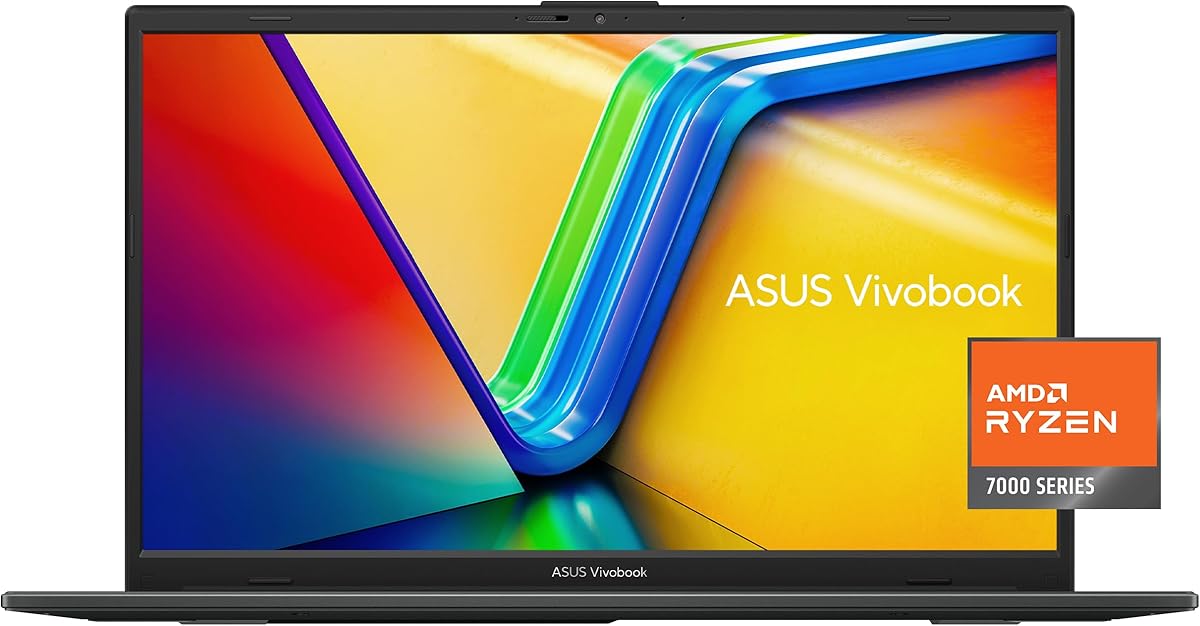
ASUS Vivobook Go 15 E1504FA-AS33
4.3Editor score
Quad-core Ryzen 3 processor
Eight gigabytes DDR5 memory
Portable 3.59-pound design
Comprehensive USB and HDMI ports
Privacy-shutter webcam
An ASUS student laptop should make coursework easier without becoming a burden to carry between classes. The right model balances processing power, memory, storage, battery endurance, keyboard comfort, display quality, and dependable connectivity while fitting the student budget. This guide covers models designed for essential schoolwork, demanding applications, portable note-taking, and specialized academic software.
The recommendations compare all ten available ASUS Vivobook configurations using their stated processors, memory, storage, screens, connectivity, portability, and special features. Rather than treating a higher specification as automatically better, the guide considers how each configuration fits common student needs such as writing reports, joining online classes, joining collaborative documents, coding, and using demanding applications.
Each review identifies the strongest reason to consider that model, along with practical compromises. The top selections represent the best balance of everyday performance, specialized capability, and premium specifications, while the remaining reviews reveal whether a particular option offers enough value for another type of student. Prices and availability can change, so shoppers should confirm current offers before buying.
4.3Editor score

4.8Editor score

4.5Editor score
As an Amazon Associate we earn from qualifying purchases.
The table below places all ten ASUS Vivobook options side by side, emphasizing the processor, memory, storage, and display differences that most directly affect a student's daily workload. It is designed to make quick comparisons easier while the full reviews explain the trade-offs behind each specification.


The ASUS Vivobook Go 15.6-inch E1504FA-AS33 combines an AMD Ryzen 3 7320U quad-core processor, 8GB of DDR5 memory, and a 128GB SSD in a slim chassis that weighs just 3.59 pounds. It has earned a 4.3 rating, making it one of the stronger balanced choices in this guide. Its appeal lies in offering modern fundamentals without the expense or complexity associated with a high-end workstation.
We may earn a commission when you buy through this link, at no additional cost to you.
The Ryzen 3 7320U is designed for browsing, document editing, online learning, and general productivity, while integrated AMD Radeon graphics handle routine visual tasks. DDR5 memory gives the system a more contemporary foundation than many entry-level alternatives, although 8GB is the amount at which larger workloads can begin to feel constrained. The 128GB SSD provides fast file access but leaves limited room for large application libraries, downloaded media, or project archives.
Connectivity is unusually practical for a budget-oriented model. It includes USB 3.2 Gen 1 Type-C with power and display support, USB 3.2 Gen 1 Type-A, another USB 2.0 Type-A port, HDMI 1.4, a 3.5mm audio jack, and a DC input. Wi-Fi 5 and Bluetooth 5.1 support everyday accessories, while the 720p camera and built-in privacy shutter make online classes and study sessions more private. The ErgoSense keyboard, precision touchpad, 180-degree hinge, and SonicMaster audio round out the daily-use features.
This is the strongest recommendation for a student who needs a capable everyday machine without spending heavily on a high-powered processor or discrete graphics. It is particularly suitable for note-taking, research, word processing, spreadsheets, video calls, and streamed lectures. Students who regularly maintain massive files or run demanding software should consider a model with more storage and memory, but for ordinary coursework this Vivobook offers an appealing combination of portability, useful ports, and modern components.
The quad-core Ryzen 3 7320U is suited to the browser-based and document-centered tasks that dominate most student schedules. It should handle research pages, online learning platforms, presentations, and several communication applications more comfortably than a basic entry model, provided students keep unnecessary background programs closed.
A 3.59-pound weight and 0.70-inch thickness make the laptop easy to carry between classes, while the 15.6-inch FHD panel offers more comfortable viewing and typing space than a compact model. The slim NanoEdge bezel design helps preserve that balance.
We may earn a commission when you buy through this link, at no additional cost to you.
The E1504FA-AS52 takes the basic Vivobook Go formula and adds a Ryzen 5 7520U processor and 512GB SSD, making it a more storage-friendly alternative to the first-ranked model. Its 4.3 rating reflects a generally favorable balance for students who need more room for coursework and applications than a 128GB drive can provide.
We may earn a commission when you buy through this link, at no additional cost to you.
Ryzen 5 7520U gives this laptop a stronger foundation for simultaneous browsing, document work, and online communication. The 512GB SSD is especially important for students who keep textbooks in PDF form, download lecture recordings, work with media, or install a collection of specialist applications. Fast charging can restore up to 50 percent of battery capacity in 30 minutes, reducing disruption between classes or study sessions.
The model also includes ASUS IceCool thermal technology, a durability claim referencing US military-grade standards, an ErgoSense keyboard, and AI noise-canceling technology for clearer video calls. Its connectivity supports USB-A, USB-C, HDMI, Wi-Fi 6E, and Bluetooth 5. The 15.6-inch FHD display uses slim NanoEdge bezels, making it a sensible size for regular schoolwork, although the listed display specifications do not suggest a particularly bright high-end panel.
This Vivobook is a strong fit for students balancing assignments with a growing collection of files. It is more attractive than a bare-bones entry laptop when storage is a daily concern, though 8GB of memory remains the key limitation. Buyers who can upgrade the memory later may find it particularly adaptable, but anyone who needs guaranteed multitasking headroom should compare it with a 16GB configuration.
A 512GB SSD reduces the need to rely on external storage for lecture notes, research documents, and application data. The additional capacity makes this model a better long-term companion for students than an otherwise similar laptop equipped with a much smaller drive.
Wi-Fi 6E can be valuable in a busy home, campus residence, or shared study space where congestion is common. USB-C, USB-A, and HDMI connectivity also reduces the need for a large collection of adapters when connecting a monitor or peripheral.
We may earn a commission when you buy through this link, at no additional cost to you.
The ASUS Vivobook 14 Snapdragon X stands out with a 4.8 rating, the highest score in this roundup, along with a capable Qualcomm chipset, 16GB of memory, and a 512GB SSD. Its combination of a 14-inch FHD Plus display and Copilot Plus PC positioning makes it the most balanced recommendation for a modern student who wants a capable everyday device with room to multitask.
We may earn a commission when you buy through this link, at no additional cost to you.
The Snapdragon X processor, Qualcomm Adreno GPU, and 16GB of memory are designed for smooth multitasking and efficient computing. That hardware should suit a student running a web browser with many tabs while editing documents, joining calls, and keeping a note application open. The 512GB SSD offers enough room for a significant software and document library, and the FHD Plus WUXGA screen provides a 1920-by-1200 resolution on a relatively compact panel.
The main consideration is platform compatibility. Qualcomm-based Windows systems can deliver strong efficiency and responsiveness, but students relying on specialized academic software, device drivers, lab utilities, or a particular VPN should confirm that every required program runs as expected. The included one-year manufacturer warranty covers parts and labor, which adds some reassurance for a newer architecture.
This is our overall pick because it avoids the compromises that are most visible in lower-cost models: it provides 16GB of memory, a 512GB SSD, a higher-resolution display, and a processor platform designed for current productivity demands. It is especially appropriate for general study, research, writing, communication, and AI-assisted Windows workflows. Students with architecture-specific software needs should test compatibility, but for most users, this is a forward-looking and well-balanced choice.
Sixteen gigabytes of memory gives students more room to keep browser tabs, documents, spreadsheets, and communication tools active at the same time. That capacity reduces the likelihood of slowdowns during ordinary academic multitasking.
The 14-inch WUXGA panel provides a 16:10 viewing area and 1920-by-1200 resolution, giving students a useful balance of screen detail and portability. It is well suited to reading, writing, reviewing annotated material, and joining online classes.
We may earn a commission when you buy through this link, at no additional cost to you.
The L510KA-ES04 is the most basic ASUS option in this guide, built around an Intel Celeron N4500 dual-core processor, 4GB of DDR4 memory, and 128GB of eMMC storage. Its 3.9 rating is the lowest listed, yet the configuration can still serve students whose work is limited to web research, word processing, and communication tools when the number of active applications remains modest.
We may earn a commission when you buy through this link, at no additional cost to you.
Its 15.6-inch Full HD display operates at 60Hz and reaches 220 nits of peak brightness. That specification is adequate for indoor use but is less impressive than brighter alternatives. Intel HD Graphics support basic to moderate visual workloads, including multimedia playback, web browsing, and light gaming. The dual-band Wi-Fi 5 and Bluetooth 5.1 wireless card cover standard networking needs.
The most notable convenience features are the 42Wh battery, fast charging to 60 percent in 49 minutes, an ErgoSense backlit chiclet keyboard, and a 720p camera with a physical shutter. SonicMaster audio, a Smart Amplifier, and ASUS Audio Booster are included. These features make the machine more pleasant for evening study and remote class attendance, but they do not compensate for the limited memory and storage under sustained workloads.
This laptop makes the most sense for a student with a very modest budget, a lightweight set of coursework, and no reliance on advanced engineering, design, or statistical software. It could also serve as a dedicated note-taking or browsing device. For heavier academic use, a Ryzen processor, 16GB of memory, and a larger SSD would provide a much better experience and are worth prioritizing over the additional space of a large display.
For a student focused on browsing articles, completing written assignments, and attending online classes, the N4500 can cover the essentials. Keeping the number of simultaneously open programs modest is the most sensible way to work within the 4GB memory limit.
The backlit keyboard is useful in dim rooms, while the camera shutter offers straightforward visual privacy. Fast charging helps the laptop recover quickly between classes, making the 42Wh battery easier to manage during a demanding day.
We may earn a commission when you buy through this link, at no additional cost to you.
The Vivobook 16 X1607QA-DS54 combines a Snapdragon X 8 Core SE processor, Qualcomm Adreno GPU, 16GB of memory, and a 512GB SSD with a large 16-inch WUXGA screen. Its 4.4 rating makes it one of the better-rated models here, and the generous display is likely to appeal to students who spend long periods reading, editing, or working with multiple windows.
We may earn a commission when you buy through this link, at no additional cost to you.
The 1920-by-1200, 16:10 display reaches 300 nits of sustained brightness and refreshes at 60Hz, offering a brighter and more vertically spacious canvas than many entry configurations. The Snapdragon X chipset includes a Qualcomm Hexagon NPU rated at up to 45 TOPS, supporting AI-oriented workloads and efficient operation. The Adreno GPU brings improved graphical capability and efficient power use.
With 16GB of memory, the laptop is equipped for substantial multitasking, and its 512GB SSD provides room for coursework, media, and applications. PCIe 4.0 storage can support rapid transfers and responsive access. As with the 14-inch Snapdragon X model, however, students should verify support for specialized engineering tools, lab applications, plugins, and peripherals before committing to an Arm-based Windows system.
The Vivobook 16 is best for students who prioritize a large, bright workspace and strong everyday performance over minimal carry weight. It can serve as a desk-based study machine, a media laptop, or a portable workstation for common academic applications. Students who frequently travel with minimal equipment may find a 14-inch option more convenient, while those running highly specialized software should prioritize compatibility testing.
The large 16-inch canvas is useful for long research sessions, spreadsheet work, and side-by-side application use. Its 16:10 aspect ratio provides more vertical space for reading and writing than a traditional widescreen panel.
The Qualcomm Hexagon NPU handles AI tasks efficiently, while the Snapdragon X processor and Adreno GPU support responsive general computing. This platform is particularly attractive for students interested in experimenting with current AI-assisted productivity tools.
We may earn a commission when you buy through this link, at no additional cost to you.
The Vivobook 14 Core 5 120U is a productivity-focused bundle for students who need a spacious drive, a capable processor, and a straightforward way to connect external equipment. It includes 12GB of DDR4 memory, a 1TB SSD, Windows 11 Pro, and a PLUSERA docking hub. Its 4.1 rating reflects a practical configuration rather than an exceptional enthusiast specification.
We may earn a commission when you buy through this link, at no additional cost to you.
The ten-core, twelve-thread Core 5 120U can boost as high as 3.8GHz and includes a 12MB cache, giving it ample capability for research, office applications, communication, and moderate multitasking. The 1TB SSD is the standout for students handling large document collections, media libraries, or large project directories. Twelve gigabytes of memory is better than entry-level configurations, though 16GB would be preferable for prolonged heavy multitasking.
The 14-inch IPS anti-glare display has a 1920-by-1080 resolution and 250-nit brightness. That panel is well suited to shared study spaces because the anti-glare finish can make viewing more comfortable under bright ambient light. Connectivity includes USB-C 3.2, two USB-A 3.2 ports, one USB-A 2.0 port, HDMI, a combo headphone and microphone jack, Wi-Fi 6, Bluetooth, and a camera privacy shutter.
The included docking hub makes this a practical choice for students with a fixed study desk who may use multiple monitors, wired networking, external storage, or several peripherals. Windows 11 Pro may also be valuable for students who need group-policy or business-oriented functionality. The laptop is less suited to constant travel than a smaller model, but its thin case preserves a degree of portability.
A 1TB SSD offers enough capacity to keep course materials, research archives, media, and applications together without constant cleanup. It also gives students room to maintain backups and organize separate project folders.
The bundled PLUSERA docking hub lets a student connect accessories through a single setup, which is useful in a dorm room or home office. The laptop's mix of USB-A, USB-C, and HDMI also supports common external displays and storage devices.
We may earn a commission when you buy through this link, at no additional cost to you.
This Vivobook 15 combines the Intel Core 5 120U with 16GB of memory and a 512GB SSD, creating one of the more conventional and versatile student-laptop configurations in the roundup. Its 4.2 rating reflects a dependable balance, and the familiar Intel platform lowers the application-compatibility questions associated with ARM-based alternatives.
We may earn a commission when you buy through this link, at no additional cost to you.
The Core 5 120U's ten cores and twelve threads provide a solid foundation for writing, research, spreadsheets, online learning, and multitasking. Sixteen gigabytes of memory is a major advantage for students who commonly keep many browser tabs and several Microsoft Office or communication applications open. The 512GB SSD is a sensible middle ground, offering enough space for a course's worth of files and a solid software library without requiring continual maintenance.
The non-touch 15.6-inch Full HD IPS display supplies a conventional 16:9 workspace and is likely to be more comfortable than a very small panel for extended typing and reading. Wi-Fi 6 and Bluetooth 5.2 provide current wireless support, while HDMI and USB 3.2 allow students to connect a monitor and common peripherals. Windows 11 Home supplies the standard environment expected by most students.
This model is a strong general recommendation when software compatibility and familiar Windows behavior matter. It is less likely to stand out in a showy specification list, but its balanced memory, storage, processor, and screen should handle the demands of a typical academic year. Students who need discrete graphics, a higher-resolution display, a numeric keypad, or specialized workstation features should look beyond this configuration.
The 16GB memory allowance is the configuration's most useful trait for a student computer. It supports a larger working set, reduces stuttering when applications share resources, and leaves room for the background services common in modern study workflows.
The Intel Core platform is broadly compatible with common productivity, communications, and educational software. This makes the model a conservative choice for students who do not want to validate every required program or accessory before class begins.
We may earn a commission when you buy through this link, at no additional cost to you.
The Core i9 Vivobook 15 is the premium selection in this guide, combining an Intel Core i9-13900H processor, 32GB of DDR4 memory, and a 1TB PCIe M.2 SSD. Its 4.5 rating and extensive feature set make it a convincing option for students who need more computing power than a conventional ultraportable can provide.
We may earn a commission when you buy through this link, at no additional cost to you.
The fourteen-core processor is built for demanding multitasking, complex simulations, AI-enhanced creative software, and other intensive workloads. Thirty-two gigabytes of RAM provides exceptional headroom for large datasets, virtual machines, development environments, and many simultaneous applications. A 1TB PCIe M.2 drive combines generous capacity with rapid file access, making it appropriate for students who work with large media or project files.
Security and comfort features distinguish this model. A fingerprint reader provides quick secure sign-in, a physical webcam shield protects privacy during online meetings, and a backlit keyboard improves usability in dim study environments. The 15.6-inch Full HD non-touch display is crisp for general work, while a comprehensive port selection includes USB-C, multiple USB-A ports, HDMI, and a 3.5mm audio connection.
The PCO bundle adds a cooler intended to support sustained performance, and the upgraded RAM and SSD carry a three-year PCOnline US coverage, while other components retain the original one-year manufacturer coverage. This is the laptop to consider for engineering, data science, advanced creative work, or programming. More conventional students may gain little visible benefit from the i9 and would receive better value from a less powerful configuration.
The combination of 32GB memory and a 1TB PCIe SSD supports demanding files and applications without the limitations of an entry-level machine. It is well suited to data analysis, code development, simulation, and advanced creative software.
The fingerprint reader and physical webcam shield address two practical concerns in frequent online collaboration. The backlit keyboard also helps students work comfortably during evening or low-light study sessions.
We may earn a commission when you buy through this link, at no additional cost to you.
The Vivobook 14 M1407KA-PS74 is built around the AMD Ryzen AI 7 350, an eight-core, sixteen-thread processor with an XDNA NPU rated at up to 50 TOPS. With 16GB of memory, a 512GB SSD, and a bright 14-inch WUXGA display, it offers a compelling mix of productivity, portability, and current AI capabilities.
We may earn a commission when you buy through this link, at no additional cost to you.
The dedicated AI accelerator is designed to improve the efficiency of AI workloads, while the Ryzen processor offers strong general performance for research, writing, content creation, and multitasking. Integrated AMD Radeon graphics support demanding productivity tasks, 4K video streaming, and some gaming-oriented activity without the heat and bulk of a dedicated graphics solution. The 512GB SSD provides a practical amount of storage for academic software and coursework.
Its 1920-by-1200 WUXGA panel reaches 300 nits of sustained brightness and runs at 60Hz. The 16:10 aspect ratio is useful for documents, and the backlit keyboard helps during late-night work. Wi-Fi 6, Bluetooth 5.3, a 42Wh battery, and fast charging support a mobile workflow, while the stated fast-charge cycle reaches full capacity in 1 hour and 20 minutes.
This is a good choice for a student who wants a capable daily computer and is interested in AI-assisted workflows. It is also a more conventional AMD x86 option than the Snapdragon models, which may simplify software compatibility. Students whose curriculum requires specialized 3D rendering, advanced engineering applications, or professional media tools should examine those demands in detail. For general study and productivity, the package is strong.
The XDNA NPU is built to handle AI-related tasks efficiently, complementing the CPU and Radeon graphics. Students exploring machine learning, generative tools, or AI-assisted document workflows can benefit from dedicated neural processing hardware.
The 300-nit WUXGA display is brighter than several competing configurations in this guide. Its 16:10 resolution offers more vertical working space for writing, reading, and arranging multiple application windows.
We may earn a commission when you buy through this link, at no additional cost to you.
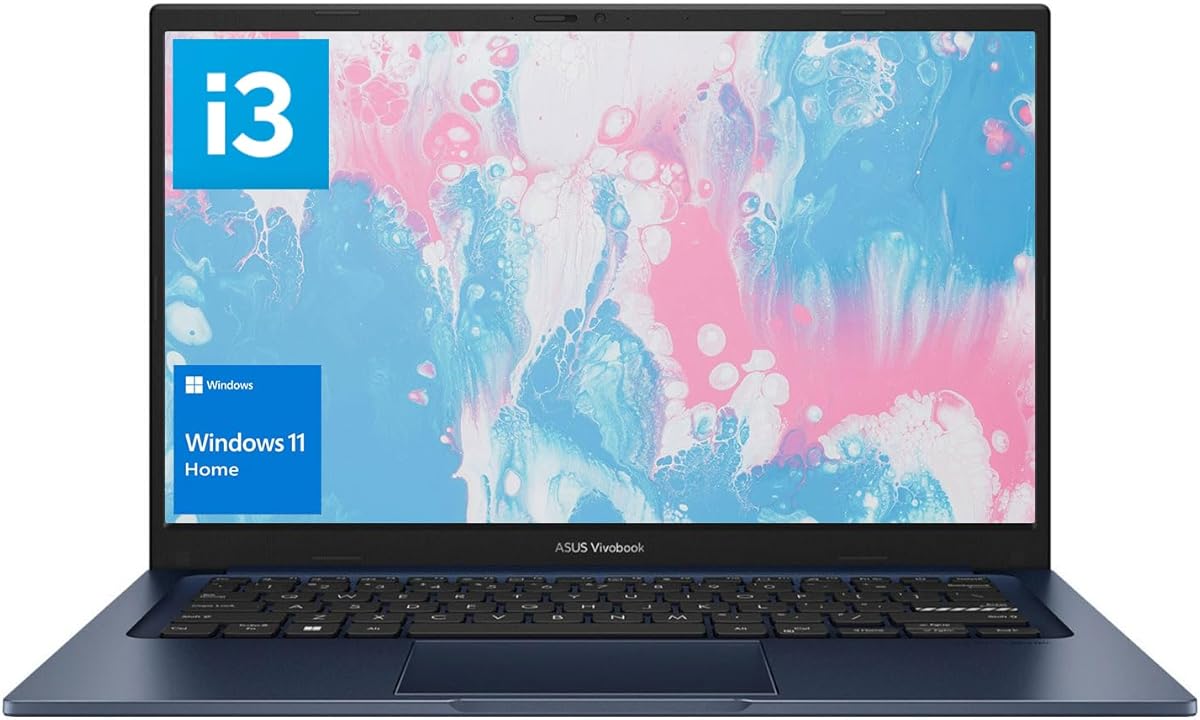
The final recommendation pairs an Intel Core i3-1215U with 16GB of memory, a 512GB PCIe NVMe SSD, and a 14-inch IPS display. Its 4.2 rating reflects a well-balanced configuration in which memory and storage are stronger than the processor tier, making it worth comparing with more expensive alternatives.
We may earn a commission when you buy through this link, at no additional cost to you.
The six-core, eight-thread i3-1215U has a 10MB L3 cache, a 0.9GHz base frequency, and turbo capability up to 4.4GHz. That is sufficient for browsing, writing, spreadsheets, video calls, online learning, and moderate use of standard academic applications. The 16GB memory allows students to keep many applications active, while the 512GB NVMe drive supports quick startup, efficient transfers, and comfortable file access.
The 14-inch IPS-level LED-backlit display has a 1920-by-1080 resolution, 16:9 aspect ratio, 250-nit brightness, and anti-glare treatment. Connectivity is thorough, with one USB 2.0 Type-A port, one USB 3.2 Gen 1 Type-C port, two USB 3.2 Gen 1 Type-A ports, HDMI 1.4, a 3.5mm combo jack, DC input, webcam, touchpad, and Wi-Fi 6.
This laptop is a sensible choice for students who need a compact, conventional machine but prioritize memory and storage over a high-end processor. It is well suited to mainstream coursework and general productivity. For heavy data analysis, complex simulation, or sustained professional creative work, a Core 5, Core i9, or Ryzen AI configuration would provide more processing headroom, but this model should keep everyday study tasks responsive.
Allocating 16GB to a Core i3 model prioritizes a part of the system that directly affects multitasking. Students can run a larger collection of browser tabs and educational applications without quickly exhausting available memory.
The 14-inch anti-glare IPS-style panel is a practical choice for libraries, shared rooms, and daytime study. Its compact footprint makes the laptop easier to carry, while the Full HD resolution remains suitable for reading and editing.
We may earn a commission when you buy through this link, at no additional cost to you.
The best student laptop is the one that comfortably handles the software, workload, and schedule you expect while remaining portable, dependable, and affordable. Students should assess processor performance, memory, storage, display, battery, connectivity, and software compatibility rather than focusing on a single specification.
Processor choice determines how quickly a laptop handles demanding work, but the best option depends on the academic field. AMD Ryzen 3, Ryzen 5, Intel Core i3, and Core 5 processors are appropriate for research, writing, browsing, online classes, and standard productivity. Core 5, Core i9, Ryzen 5, Ryzen AI 7, and Snapdragon X models provide additional headroom for programming, simulations, large datasets, or advanced applications. Students in architecture, engineering, data science, video production, or software development should identify the exact programs and workloads they expect to run before choosing.
RAM is especially important for students who keep a browser, cloud documents, a video meeting, and several communication applications open at once. A 4GB configuration is best limited to light work and tightly managed applications. Eight gigabytes can support typical study, while 16GB offers noticeably more flexibility. Models with 32GB are appropriate for heavy development, virtual machines, large datasets, and advanced creative tasks. Checking whether memory is upgradeable can make an eight-gigabyte model more attractive, although an upgrade should never be assumed without confirming compatibility.
A fast SSD improves startup time, application loading, and file transfers, but storage capacity determines how much can be kept on the device. A 128GB drive works for a small collection of essential applications and documents, though it fills quickly once lecture recordings, textbooks, media, and project files are added. A 512GB SSD is a more comfortable student configuration, and a 1TB drive is preferable for large archives or creative work. Students should also maintain backups and use cloud or external storage for completed assignments.
A 14-inch display is a common compromise between portability and comfortable typing space, while a 15.6-inch panel is better for documents and shared workspaces. A 16-inch model is most practical as a semi-portable study or entertainment system. WUXGA 1920-by-1200 screens provide a 16:10 format that can show more vertical content, whereas Full HD 1920-by-1080 panels are widely compatible. Brightness also matters: 250 nits is generally reasonable indoors, while 300 nits offers more flexibility in bright classrooms and cafes. Anti-glare can improve comfort under strong ambient lighting.
A student laptop may spend hours in lectures, libraries, or shared study spaces away from an outlet. Battery endurance therefore matters as much as processor speed, although actual runtime depends on the workload, display brightness, wireless activity, and power settings. Fast charging is particularly useful for short gaps between classes. The listed 42Wh configurations and 30-minute recharge claims are useful points of comparison, but they do not guarantee identical real-world runtime across every model. Students should carry a compatible charger or power bank for full-day schedules.
A modern USB-C port can support charging, data transfer, and external-display output, but not every USB-C port handles all three functions. USB-A remains useful for flash drives, mice, and legacy accessories, while HDMI simplifies monitor connections. Wi-Fi 6 is a sensible current standard, and Wi-Fi 6E can provide access to additional wireless bands in compatible networks. Bluetooth support matters for headphones, keyboards, and other peripherals. A docking hub can expand connectivity, but a student should compare the included hub with the number and type of ports already available on the laptop.
A laptop that feels comfortable to carry is more likely to accompany a student throughout the day. Weight and thickness are therefore important, but keyboard quality, hinge stability, and display size also affect prolonged use. The ErgoSense keyboard found across several models is designed to support comfortable typing, while backlighting helps during low-light work. A privacy shutter is valuable for students attending classes or meetings in public. Models described as meeting military-grade durability standards may provide reassurance for frequent transport, though the claim should be considered alongside ASUS's overall warranty terms.
Windows 11 Home is sufficient for most students, while Windows 11 Pro may be useful for group-policy, enterprise, or advanced administration features. Windows 11 Home in S mode on the most basic model provides a security-focused environment but may require switching to the standard edition to install broader software. The Snapdragon-based options introduce a compatibility consideration: common browsers, office applications, and mainstream communication tools are well suited to the platform, but specialized laboratory utilities, drivers, plugins, and certain academic applications should be checked. A conventional Intel or AMD x86 laptop offers the broadest choice for specialized coursework.
Begin by completing Windows setup, signing into the student's preferred account, and installing updates before the device is needed for coursework. Create separate study and personal profiles when family members share the computer, and configure folders for assignments, lecture recordings, reference material, and active projects. Required school applications, cloud storage, browser extensions, video-conferencing tools, and accessibility settings should then be installed and tested. Keeping the operating system and applications current reduces compatibility problems and closes security gaps.
A simple backup routine protects years of academic work. Students should sync important files to institutional or personal cloud storage while also maintaining a local copy on an external drive. They can use Windows File History, available in supported editions, or another trusted backup tool. Separate backup copies are advisable because synchronizing a damaged or deleted file to every device can replicate the mistake. Passwords should be managed with a reputable password manager, and recovery information should be recorded in a secure location.
For battery care, students should avoid leaving the laptop in hot cars, direct sunlight, or crowded bags that trap heat. Periodic use of the available fast-charging function is convenient, but keeping the system partially charged for long periods is better for long-term battery health than leaving it fully depleted or continuously plugged in. A clean, dry microfiber cloth is appropriate for the display, while compressed air can remove dust from vents. Software updates, adequate case ventilation, and occasional checks of storage space help preserve stable performance throughout the school year.
Sixteen gigabytes is the most comfortable target for a student who keeps many browser tabs, documents, and communication applications open. Eight gigabytes can work for lighter coursework, while 4GB is best reserved for basic browsing and writing. Students using specialized engineering, data, development, or creative software should consider still more memory or a system with a higher processor tier.
It can be enough for a small set of applications and active coursework, but storage can become tight after installing several academic programs and saving large files. A 512GB SSD provides much more flexibility, while 1TB is convenient for media and extensive project archives. Cloud or external storage can supplement a smaller drive, but students should keep essential work backed up outside the laptop.
A 14-inch model is usually easier to carry and can still offer a high-resolution, comfortable workspace. A 15.6-inch model provides more room for typing, reading, and arranging windows, making it useful for desk-based study. A 16-inch display is best when screen space matters more than weight and portability.
They support mainstream Windows productivity, web, and communication applications, but students should confirm compatibility for specialized academic programs. Architecture-dependent utilities, device drivers, engineering tools, and certain plugins may require extra attention. An Intel or AMD x86 configuration offers the broadest compatibility when the required software is uncertain.
Most general coursework, research, and office applications do not require one. Students in 3D animation, advanced engineering, data visualization, video editing, or professional game development should check the exact software requirements and select a stronger graphics solution when needed. The models in this guide focus on integrated graphics for efficiency and portability.
For personal study and common coursework, Windows 11 Home includes the core features students need. Windows 11 Pro may be preferable for institutional management policies or advanced system administration, while the S-mode configuration is more restrictive about installing applications. Students should confirm their school's software and account requirements before finalizing the operating system.
A compact charger, a USB-C or USB-A flash drive, and wired headphones can cover common needs. A portable power bank is useful during long days away from an outlet, while a mouse and short HDMI cable improve a fixed study setup. The correct charger and adapters depend on the selected model's ports and the student's field of study.
Keep the system updated, maintain at least one reliable backup, and avoid exposing it to excessive heat or physical impact. Using a stable power plan and limiting unnecessary background applications can improve responsiveness. Closing unused browser tabs and software also helps when memory is limited, while a clean screen and unobstructed ventilation support everyday reliability.
The ASUS Vivobook Go 15 E1504FA-AS33 is the best budget selection because it combines a modern Ryzen 3 processor, DDR5 memory, useful ports, a privacy shutter, and a portable 15.6-inch design. The Vivobook 14 Snapdragon X is the most balanced overall choice with its 4.8 rating, 16GB of memory, 512GB SSD, WUXGA display, and Copilot Plus PC platform. For students who need maximum performance, the Core i9 Vivobook 15 provides 32GB of memory, a 1TB PCIe SSD, advanced security features, and a high-end processor.
Most students should prioritize 16GB of memory, a 512GB SSD, a comfortable keyboard, and a screen size that matches their mobility. A Ryzen 5, Core i3, or Core 5 configuration will usually provide the most balanced performance for ordinary coursework, while Snapdragon and Ryzen AI systems appeal to students interested in efficient platforms and AI capabilities. Those running specialized software should verify compatibility before purchasing, and heavy technical users may need the stronger Core i9 or another system with more graphics power.
No single specification makes a laptop ideal for every student. After choosing a general performance tier, compare the actual memory, usable storage, port layout, display brightness, and weight against your daily schedule. Current prices, configurations, and availability can change, so shoppers should verify the final model number and its specifications on the listing before placing an order.