
EZDIY-FAB All White Extension Kit
4.8Editor score
Coordinated all-white cable set
Soft nylon braid construction
Complete motherboard CPU GPU coverage
Combs included for neat routing
Discover the best custom sleeved PC cables for clean routing, reliable power, and polished builds, with ten expert picks compared for fit, wire gauge, and
Custom sleeved PC cables transform the inside of a build from a collection of functional power leads into a coordinated, professional-looking system. A strong cable set should combine compatible connectors, dependable conductors, flexible sleeving, and enough combs to keep every run orderly through a crowded chassis.
This guide compares ten sleeved extension and replacement cable kits on connector coverage, wire gauge, sleeving style, cable management features, and stated power-supply compatibility. The list includes universal extensions, color-coordinated options, and model-specific kits for Corsair, ASUS, Seasonic, and Phanteks systems.
Each review explains the product's strongest qualities, practical limitations, and ideal build scenario. Ratings reflect the supplied customer feedback, while technical details come from the listed product information. Availability, bundle contents, and pricing can change, so confirm the current listing before buying.
4.8Editor score

4.7Editor score

4.7Editor score
The comparison below highlights each kit's cable format, conductor specification, sleeving, and best-fit use, making it easier to narrow the field before checking the full review.




The AsiaHorse Black-Pink Extension Kit is a flexible, color-conscious way to upgrade the visible power cabling in a custom PC. It carries a 4.7 customer rating and distinguishes itself with upgraded 16AWG tinned copper conductors, soft nylon braiding, and matching black-pink connectors. The result is aimed at builders who want cleaner routing without giving up a coordinated two-tone appearance.
We may earn a commission when you buy through this link, at no additional cost to you.
Its most useful detail is the claimed balance between electrical specification and handling. The 16AWG conductors are described as helping reduce resistance and heat while supporting connection stability. The nylon braid is intended to remain pliable around drive cages, fan brackets, and other obstacles, while the included comb set helps each cable retain a deliberate route instead of sagging into the case floor.
The bundle covers the principal PC power connections. It includes one 24-pin ATX motherboard cable, one 4+4-pin EPS CPU cable, and two 6+2-pin PCI-E GPU cables, each fitted with four combs according to the product information. The stated compatibility covers numerous Corsair power-supply families and other compatible modular systems, but the listing is explicit that these are extension cables rather than replacements for native modular PSU leads.
This is a strong choice for a black-and-pink build that needs soft extensions and a clear improvement over loose stock wiring. It may not fit a theme requiring more than two colors, and buyers should verify their PSU connector layout before ordering. Within those limits, the conductor specification, styling, routing support, and strong rating make it the most balanced entry in the list.
The soft nylon braid is designed to bend and remain manageable in tight spaces. Combined with the supplied combs, it helps produce deliberate motherboard and GPU cable runs without requiring a separate set of matching organizers.
Matching black-pink connectors and combs create a coordinated appearance rather than leaving the extensions visually separate from the rest of the power wiring. This makes the kit particularly suitable for themed builds with visible cable sections.
We may earn a commission when you buy through this link, at no additional cost to you.
The EZDIY-FAB All White Extension Kit is the cleanest thematic choice in the guide and holds the highest supplied rating at 4.8. It is designed for builders who want white cables, white connectors, and white combs to create a uniform result across a visible PC interior. Soft nylon braid and a 300mm length make it a natural fit for many custom-build layouts.
We may earn a commission when you buy through this link, at no additional cost to you.
The kit includes one 24-pin ATX extension, one 8-pin to 4+4-pin EPS CPU extension, and two 8-pin to 6+2-pin PCI-E GPU extensions. Because the GPU leads use the 6+2 format, they can support either six-pin or eight-pin GPU power configurations as described in the listing. Individual sleeving and a heat-shrink-free assembly give the cables a refined, display-oriented finish.
Its main trade-off is the 18AWG conductor specification. The manufacturer positions these cables for high-power modular power supplies and emphasizes stable long-term performance, but the lighter gauge is a consideration for builders comparing the AsiaHorse, Sirlyr, or upHere kits that specify 16AWG wire. As with the other extension sets here, users must confirm that their PSU has compatible modular connectors and adequate cable routing space.
The EZDIY-FAB is recommended for white, silver, pastel, or minimalist builds where visual consistency matters more than having several alternative colors. It is also appealing for builders who want the essentials—motherboard, CPU, and GPU extensions—without purchasing a model-specific replacement kit. The included combs and fully matched finish make it especially easy to create a polished result.
The cable braid, connector housings, and included organizers all use white. That attention to color matching is difficult to achieve when combining unrelated extension sets and can make a build look more considered.
One ATX extension, one EPS CPU extension, and two PCI-E extensions cover the most visible power requirements of a typical gaming or workstation build. The 6+2 GPU connectors also provide flexibility for different power configurations.
We may earn a commission when you buy through this link, at no additional cost to you.
The Sirlyr White Purple Extension Kit stands out for elaborate finishing and one of the most ambitious cable-management packages in the guide. It has a 4.7 rating and combines 16AWG conductors, woven white-and-purple PET sleeving, gold-plated terminals, pre-installed combs, and a substantial set of spare organizers. The result feels especially appropriate for a colorful showpiece build.
We may earn a commission when you buy through this link, at no additional cost to you.
The stated conductor construction uses finer tinned copper cores and is presented as capable of maintaining stable voltage under high current. The kit is described as suitable for ultra-high-power systems from 800W to 1600W, while the gold-plated terminals are intended to improve current transfer and reduce losses. Because these are extension cables, compatibility still depends on the modular PSU providing the matching native connectors.
Cable management is the standout category. Three non-removable combs arrive on each cable, and the package includes a second set that can be positioned as needed. The listed inventory includes fifteen pre-installed combs, three additional 24-pin combs, and nine additional eight-pin combs. The painted combs are designed to match the sleeve, making the hardware itself part of the visual design.
The bundle includes one 24-pin ATX cable, two 4+4-pin EPS CPU cables, and two 6+2-pin PCI-E GPU cables. That expanded CPU and GPU coverage makes the set useful for power-heavy configurations. The white-purple palette will not fit every chassis, but for builders wanting coordinated color, detailed organization, and substantial conductor specification, it is an especially compelling package.
The gold-plated terminal treatment is intended to support efficient current transfer and lower power loss. It adds a refined component to a kit already designed around high-power builds and repeated connector use.
Pre-installed combs immediately organize the main runs, while the spare set allows fine adjustment after the cables reach their final positions. Matching the hardware color to the braid avoids an unfinished contrast at the most visible points.
We may earn a commission when you buy through this link, at no additional cost to you.
The CableMod C-Series Classic ModFlex Sleeved Cable Kit is a model-specific solution for builders using Corsair Type 4 RM Black Label, RMi, or RMx power supplies. It carries a 4.7 rating and differs from universal extension kits by functioning as a direct replacement set. That distinction can produce a cleaner motherboard connection and reduce the need to stack extension adapters.
We may earn a commission when you buy through this link, at no additional cost to you.
CableMod's signature high-density ModFlex sleeving is the central visual and handling feature. The product information emphasizes flexibility for cable management, making the set useful in cases where even a modest loop could crowd neighboring components. Black combs accompany the black-and-red design and help maintain consistent bends and spacing.
A useful detail is the absence of merged terminals on the motherboard side. Rather than presenting a broad bundle of universal leads, the kit is tailored to the connector arrangement of the supported Corsair families. Buyers should therefore identify the exact PSU model and compare its type and connector layout with the listing before ordering. It is not intended to serve as a generic extension set for unrelated modular units.
This kit is best for a Corsair RM-series build in which a tidy, model-specific replacement is preferred over adding extensions to stock cables. Its dedicated design can make installation and cable presentation cleaner, although that precision comes with less flexibility. Confirm compatibility carefully, especially if the PSU has been upgraded or differs from the named series.
Using purpose-matched replacement cables can eliminate the visual and spatial effect of adding extension leads. The unmerged motherboard-side terminals support a neater connection than a broad universal bundle.
ModFlex sleeving is designed to remain easy to position behind the motherboard tray and around tight case geometry. Its flexibility supports deliberate bends and keeps the final arrangement easier to service.
We may earn a commission when you buy through this link, at no additional cost to you.
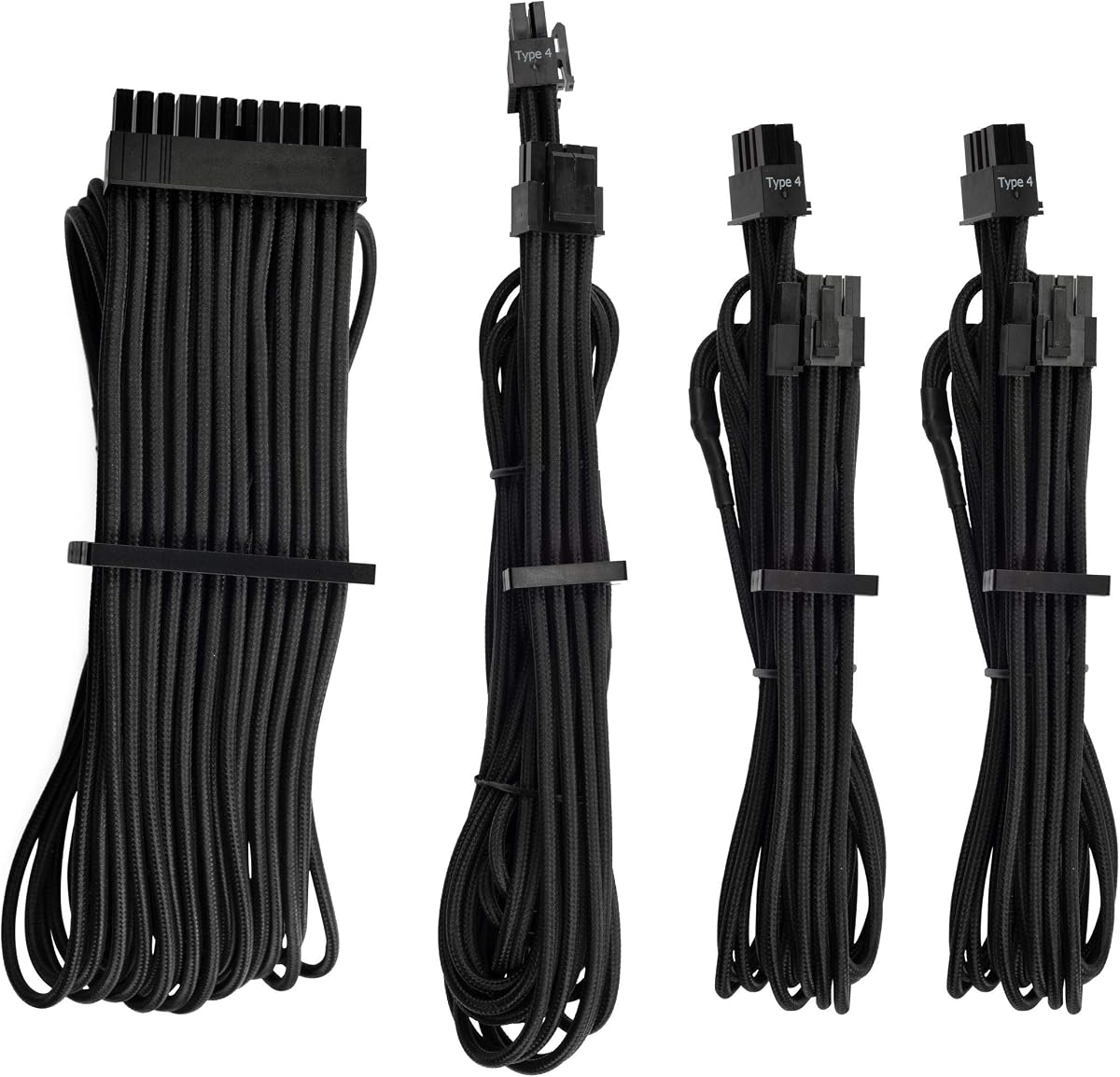
The Corsair Premium Individually Sleeved PSU Cables Starter Kit is a long-established premium option for custom builders. It has a 4.5 rating and focuses on a polished, display-ready finish using flexible triple-layer mesh paracord. Rather than treating cable management as an afterthought, the kit integrates it through interlocking combs and connector details designed to look clean inside a finished system.
We may earn a commission when you buy through this link, at no additional cost to you.
One of its most appealing features is the heatshrink-free connector presentation. Combined with individual sleeving, this creates a continuous visual line from the PSU through the case. Interlocking cable combs can be fitted during construction or repositioned later, which is useful when the routing changes after other components are installed.
The kit also includes in-line capacitors on the ATX 24-pin, EPS12V, and PCIe cables. The listing describes these as supporting clean voltage delivery and stable power, adding an electrical feature that goes beyond appearance. Corsair also offers seven color and pattern choices for the broader cable range, although the featured listing is black.
The set is intended for Corsair PSUs and therefore needs a compatibility check before purchase. Its 4.5 rating is solid but not the highest in the guide. Even so, for a builder who values a premium, established aesthetic and organized cable presentation, this starter kit remains a credible choice for a compatible Corsair-based system.
The absence of conventional connector heatshrink produces a cleaner visual transition between the sleeved cable and housing. That detail is especially noticeable in a case with a glass side panel and visible motherboard power connection.
In-line capacitors on the principal power leads are intended to support clean and stable voltage delivery. This feature makes the kit more than a cosmetic cable replacement for compatible systems.
We may earn a commission when you buy through this link, at no additional cost to you.
The Formulamod Sleeve Extension Power Supply Cable Kit is a blue extension set with a 4.6 rating and a particularly practical bent-cable design. It is intended to make visible motherboard and GPU wiring look orderly without requiring a model-specific replacement cable. The kit includes one 24-pin ATX extension, one 4+4-pin EPS extension, and two 8-pin PCI-E extensions.
We may earn a commission when you buy through this link, at no additional cost to you.
Its most distinctive feature is the pre-bent construction. The upper cable layers are slightly longer than the lower layers so the set can maintain a neat profile after a 180-degree bend. This is a thoughtful approach for cases where the PSU sits at the top and the motherboard power connection is below, because it reduces the tendency for cables to pull into an uneven shape.
The high-density sleeve is described as protective while retaining a balance of stiffness and adaptability. The kit also uses a heat-shrink-free design and includes several combs for organizing the runs. Its stated compatibility with all power supplies is best understood in the context of extension use: the PSU must have the appropriate modular connectors for the included leads.
The 18AWG conductor specification is the main point to compare against heavier 16AWG options. Formulamod presents the set as suitable for broad PC use, and the 4.6 rating supports a favorable buyer response. For builders who prioritize the pre-bent geometry, coordinated blue finish, and straightforward extension format, this kit offers a convincing package.
The staggered cable lengths are designed to keep the bundle aligned when folded back. This can simplify routing around a top-mounted or unconventional power-supply position.
The high-density sleeve is intended to resist deformation without becoming unnecessarily difficult to bend. That middle ground helps the set retain a finished appearance after installation.
We may earn a commission when you buy through this link, at no additional cost to you.
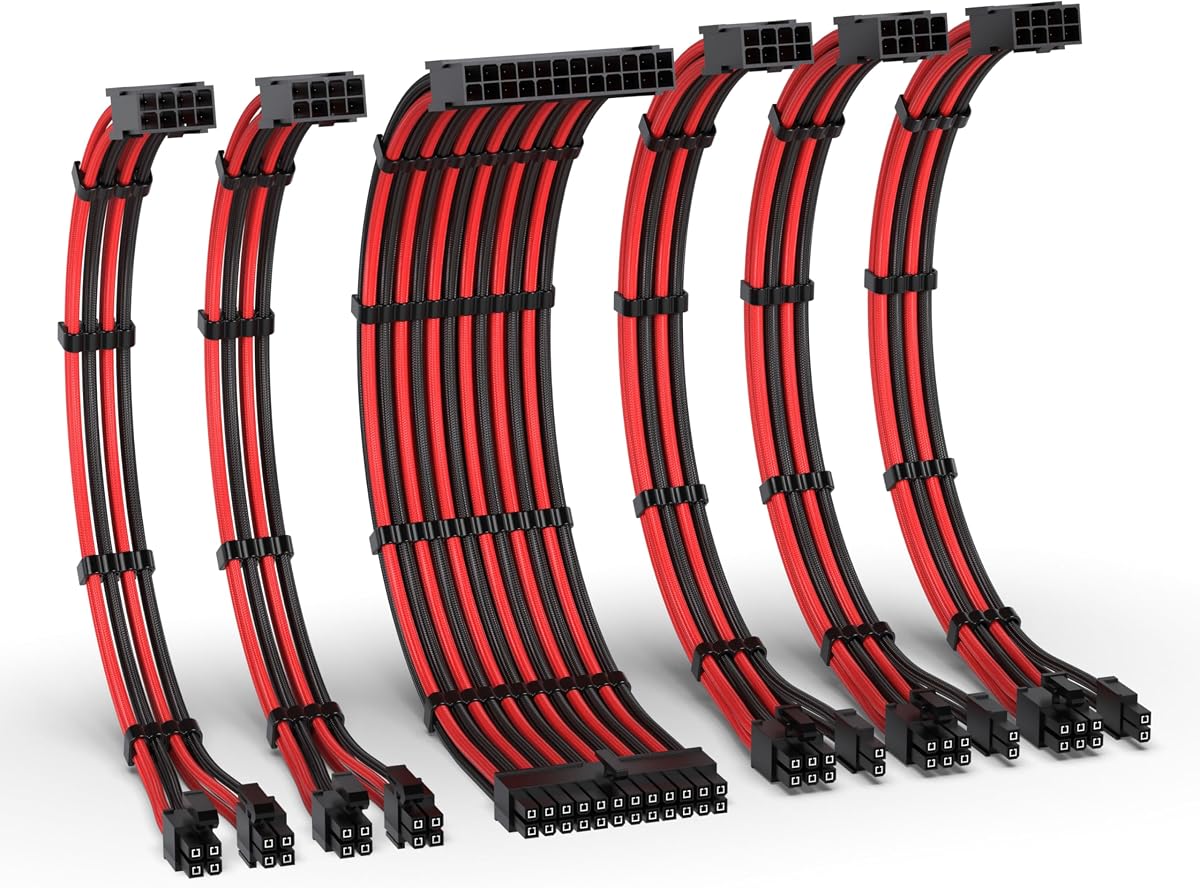
The EZDIY-FAB 16AWG PSU Extension Kit is a generous black-and-red extension bundle for builders who want more CPU and GPU options than a standard three-cable set provides. It has a 4.6 rating and includes two 4+4-pin EPS extensions, one 24-pin ATX extension, and three 8-pin to 6+2-pin PCIe GPU extensions.
We may earn a commission when you buy through this link, at no additional cost to you.
The larger PCIe inventory is the kit's defining practical advantage. Three GPU cables can suit a workstation or enthusiast system with multiple power-hungry graphics cards, or provide spares for a flexible build plan. The 6+2-pin format also allows each cable to serve six-pin or eight-pin GPU configurations according to the product information. Two EPS leads offer additional CPU connection options.
Conductor construction uses 16AWG high-density copper wire and is stated to support systems above 1000W. Alloy copper terminals are designed for high conductivity during demanding workloads, while PET sleeving is intended to resist deformation and retain a neat appearance. These claims make the kit especially interesting for high-output builds, provided the builder carefully matches every connector and keeps all leads fully seated.
The tradeoff is excess inventory for many ordinary systems. Some builders may find three GPU extensions and two CPU extensions unnecessary, while the black-red combination may not fit a monochrome theme. For a powerful or expandable workstation, however, the broad selection, heavy conductor specification, and resistant sleeving make this an adaptable and practical kit.
Three PCIe extension cables reduce the need to improvise or limit a multi-GPU layout. Their 6+2-pin construction also preserves compatibility with different GPU power connector formats.
The stated 16AWG copper wiring and alloy copper terminals target demanding power delivery. Users should still follow the power supply and graphics card manufacturer instructions when selecting and installing cables.
We may earn a commission when you buy through this link, at no additional cost to you.
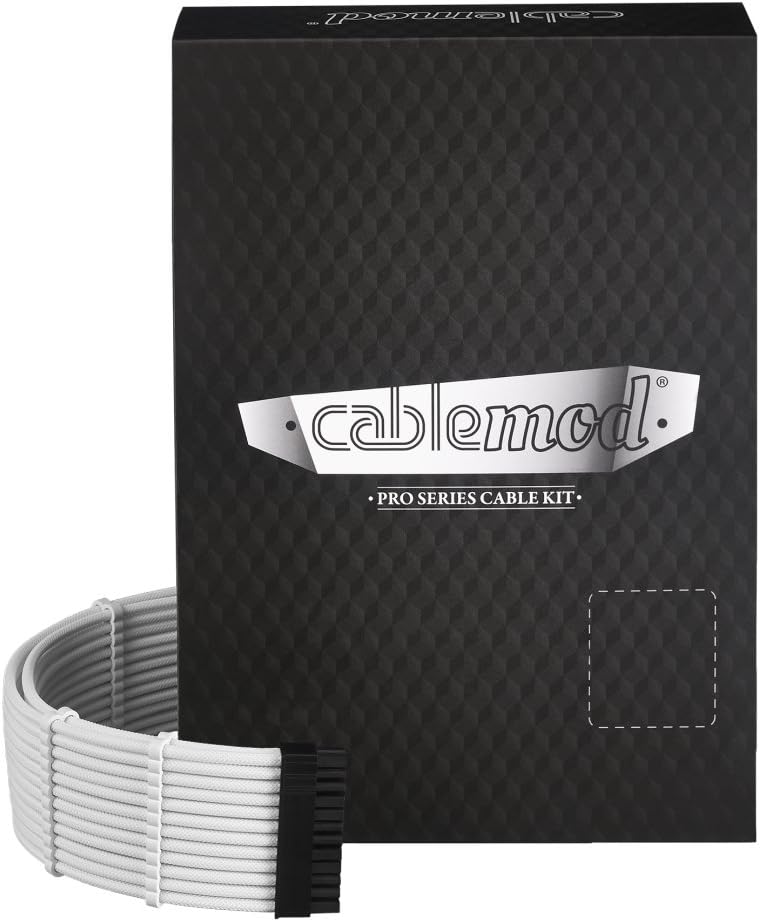
The CableMod RT-Series Pro ModMesh Sleeved Cable Kit is a white, model-specific option for compatible ASUS, Seasonic, and Phanteks Revolt systems. It carries a 4.3 rating, the lowest customer rating in this guide, but it also offers a polished purpose-built design with thicker wires, high-density ModMesh sleeving, and pre-installed closed combs.
We may earn a commission when you buy through this link, at no additional cost to you.
The thicker wire construction is intended to create a fuller visual profile than a very thin extension cable. Combined with white ModMesh sleeving and matching closed combs, it gives compatible builds a coherent, premium appearance. The closed combs appear especially useful for maintaining consistent spacing without a visible opening interrupting the finished look.
CableMod emphasizes durability, but the deciding factor is compatibility. This is not a universal extension set, and the exact PSU connector arrangement must match the named products. The kit may be particularly compelling for a white-themed build where replacing visible modular leads is preferable to stacking universal extensions in front of the PSU.
The 4.3 rating suggests some mixed customer experiences, so the listing should be reviewed carefully and the precise hardware model confirmed. Even so, for a compatible system, the focused design, fuller wire profile, and ready-installed organization make this a distinctive choice for builders who value a clean, model-specific white cable set.
Thicker wires give the sleeved runs a more substantial visual presence. The result can be especially effective in a light-colored build where thin cable bundles look less deliberate.
Pre-installed closed combs create neat cable groups from the start. They reduce the number of separate loose pieces a builder must sort through during initial assembly.
We may earn a commission when you buy through this link, at no additional cost to you.
The Corsair Premium Individually Sleeved Type 4 Gen 4 PSU Cables Pro Kit is a refined black cable set for compatible Corsair systems. Its 4.4 rating places it in the middle of the guide, but the product's appeal comes from premium individual sleeving, a heatshrink-free connector finish, and in-line capacitors on the main power leads.
We may earn a commission when you buy through this link, at no additional cost to you.
Flexible triple-layer mesh paracord is used to give each cable a finished, tactile appearance. The individual treatment makes even small exposed runs look deliberate, particularly around a glass-paneled case. Heatshrink-free connectors preserve the clean transition from sleeve to housing, while in-line capacitors are described as supporting clean voltage delivery and stable power.
The kit's defining constraint is the Type 4 Gen 4 format. A builder cannot treat it as a universal set of extension leads, because the connector and PSU type must match. This makes the purchase more deliberate but can also produce a better integrated result for a compatible system, particularly when the native PSU cables would otherwise be visible in an otherwise coordinated build.
Its rating is lower than that of the top extension kits, though the core aesthetic remains compelling. For a compatible Corsair build that values premium presentation, established cable organization, and electrical refinement, the Pro Kit is a strong fit. Confirm the PSU type and connector layout before ordering, and compare the full cable inventory with the build's actual needs.
Triple-layer mesh paracord creates a substantial, refined look while remaining flexible enough for routing. It is especially noticeable in builds where the motherboard and PSU connections are visible.
In-line capacitors on the ATX, EPS, and PCIe runs are intended to promote clean voltage delivery. Their inclusion supports the set's premium positioning beyond visual customization.
We may earn a commission when you buy through this link, at no additional cost to you.
The upHere PSU Cable Extension Kit is a broad, practical extension package with a 4.6 rating. Its red, white, and black color treatment is less uniform than the all-white or white-purple kits, but the 16AWG copper conductors, high-density nylon sleeving, and substantial collection of combs make it useful for builders who value practical cable management over a single-color aesthetic.
We may earn a commission when you buy through this link, at no additional cost to you.
The kit is designed around universal extension use. Its listed inventory includes one 24-pin ATX cable, one 4+4-pin EPS cable, two 8-pin PCI-E cables, and two 6-pin PCI-E cables, all measuring 300mm or 11.8 inches. That gives builders both 6+2-style and dedicated 6-pin options, subject to the graphics card's power requirements and the PSU's available modular connectors.
The high-density braid is described as balancing pliability and stiffness. That combination helps a cable follow a deliberate path while remaining manageable around tight case spaces. Four combs per cable support organized spacing, and the 16AWG wire specification provides a useful point of comparison with lighter 18AWG extension kits. The listing also emphasizes heat resistance and conductivity for long-term reliability.
This is a good choice for a mixed-component build or a user who wants several connector formats available at once. The colors may not suit a strictly coordinated theme, and these extensions should not be confused with native modular replacement cables. For compatible hardware and a builder who appreciates flexible routing and abundant organizers, however, the kit provides a capable foundation.
The inclusion of both 8-pin PCI-E and 6-pin PCI-E leads gives the package broader practical coverage than many smaller extension kits. Buyers should still match the correct lead to the GPU's specified input.
The nylon braid is designed to bend without behaving like a loose fabric sheath. Its structure helps preserve the intended shape while keeping the cable practical to move through a confined chassis.
We may earn a commission when you buy through this link, at no additional cost to you.
The right sleeved cable set depends on your PSU connector layout, build theme, electrical requirements, and willingness to replace native cables or add extensions. These factors help prevent a visually attractive purchase from creating installation or compatibility problems.
Start with the exact power-supply model rather than relying on a broad brand name. Extension kits require matching modular connectors, while direct replacement kits may depend on a particular cable type, generation, pin arrangement, and manufacturer. CableMod's Corsair-oriented sets and Corsair's Type 4 products illustrate why the connector standard matters. Review the connector photographs and descriptions, and check the PSU documentation before removing any original cable.
An extension cable connects to a modular PSU's native lead, adding length and allowing the native cable to remain hidden. A replacement cable substitutes for the native lead and can create a cleaner path when the connector layout is designed for it. Universal extension sets are convenient across different builds, while model-specific replacements may look more integrated but offer less hardware flexibility. Choose based on case layout, available connectors, and willingness to change the PSU's native cabling.
The products in this guide range from 18AWG to 16AWG conductor specifications. A heavier gauge can support more current with less resistance, although the correct choice still depends on the power supply, graphics card, CPU, and manufacturer guidance. Do not select a cable solely by its advertised wattage figure. Match each lead to the device and connector it will serve, and never combine or alter cables unless the hardware manufacturer permits it.
Sleeving affects both appearance and installation. Nylon braid, PET sleeving, ModFlex, and ModMesh can differ in stiffness, bend retention, texture, and resistance to deformation. A moderately stiff sleeve helps cables hold a deliberate route, while a softer braid is easier to push through narrow passages. Think about the case geometry, available space behind the motherboard tray, and how often the system will be opened for maintenance.
Cable combs are small but important. Interlocking, fixed, closed, and pre-installed designs help maintain consistent spacing, but the right number and placement depend on cable quantity and route length. Kits with spare combs offer more flexibility because the bundle can be adjusted after the system is assembled. Check whether the comb color matches the sleeve and whether it is removable or permanently positioned.
All-white, black-pink, white-purple, black-red, and multicolor kits suit different systems. A coordinated set is easiest to integrate with white or themed components, while a two-color or multicolor option can work well with a deliberately mixed aesthetic. Consider connector housings, not just the cable braid, because the connector remains visible at the motherboard and graphics card. Also inspect how the sleeve and combs look against the case interior and other components.
A complete-looking bundle may still be missing the exact lead a build needs. Look for 24-pin ATX for the motherboard, 4+4-pin EPS for the CPU, and the appropriate PCIe power configuration for the graphics card. Some graphics cards use multiple sockets, and workstation cards may require more than the two PCIe leads included in a standard kit. Check the hardware manual and count sockets rather than relying on the number of cables pictured.
Connector details can affect both appearance and electrical performance. Heatshrink-free finishes provide a cleaner transition, while gold-plated terminals are intended to improve conductivity and reduce losses. In-line capacitors may be included on selected premium sets for cleaner voltage delivery. These features do not replace correct sizing or careful installation, but they can distinguish a higher-end cable set when the system will be displayed prominently.
Power down the computer, switch off the PSU, unplug the wall cable, and hold the power button briefly before opening the case. Compare every extension or replacement connector with the corresponding port on the PSU and the device it will power. Never force a connector, and do not use a cable whose pin layout or voltage requirements are uncertain.
Install one connection at a time, keeping each cable fully seated until its latch clicks or sits flush. Route the wires with gentle bends, avoiding sharp folds and tension at the connector. Attach combs after the cables reach their final positions, since moving a bundle after the combs are fixed can create unnecessary strain. Follow the orientation markings and connection order supplied by the PSU and component manufacturers.
After installation, check that every latch is closed, no loose strands are trapped beside a connector, and no cable interferes with fans, radiators, drives, or the case panel. Keep the sleeving clean with gentle, indirect airflow and avoid pulling the braid itself when unplugging a cable. If a connector becomes hot, discolored, loose, or repeatedly fails to seat, stop using it and investigate the fit and power requirements.
No. An extension cable connects to an existing modular PSU lead and adds length while the native cable remains attached to the PSU. A replacement cable substitutes for the native lead and must match the PSU's exact type, connector layout, and electrical requirements. Extension kits in this guide are generally not direct replacements for native modular cables.
Identify the exact PSU model and compare its modular connector shapes with the kit's included leads. Pay attention to pin count, latch orientation, and whether the cable is an extension or replacement. Model-specific kits are intended only for the named systems or cable generation, while universal extension kits still require compatible modular ports and sufficient connector space.
A 16AWG conductor is heavier than an 18AWG conductor and is generally better suited to carrying high current with lower resistance. The correct choice still depends on the power supply and connected hardware, and every cable must meet the manufacturer's connector and power requirements. Wire gauge should be considered alongside fit, routing, and build quality rather than used as the only selection criterion.
Cable combs are small plastic guides that hold sleeved wires together in evenly spaced groups. They reduce loose overlap, keep a planned route intact, and make the visible portion of a build look more finished. Kits with pre-installed and spare combs offer the most flexibility because builders can reposition them after routing the cables.
It is physically possible, but consistent gauge, length, connector fit, and color make the result safer and more attractive. Mixing colors can also work in a deliberately eclectic build, provided each cable matches the correct port. Do not combine sleeving, pins, or connector housings yourself, and do not alter a cable's electrical specification.
Sleeving primarily improves appearance, routing, and organization rather than processing performance. Electrical characteristics such as conductor gauge, terminals, and integrated capacitors can affect power delivery, but the gain should not be confused with a faster processor or graphics card. The most visible benefit is usually a cleaner and easier-to-manage interior.
Plan the route before attaching the combs, use broad and gradual bends, and connect the cable farthest from the PSU first when practical. Leave enough slack near each connector to support its latch without creating loops. The supplied product information specifically highlights soft braid, ModFlex, and ModMesh options for tighter routing, but every case requires a little adjustment during installation.
No. Shut down the operating system, switch off and unplug the PSU, and discharge the system before handling power cables. Connect and disconnect cables only when the power supply is isolated from the wall. Even with a modern PSU, a powered-off computer should not be treated as a safe environment for installing or rearranging live power leads.
The EZDIY-FAB All White Extension Kit is the most approachable pick for a coordinated build, combining the highest listed rating with a complete all-white set. The AsiaHorse Black-Pink kit stands out for flexible routing and upgraded 16AWG conductors, while the Sirlyr White Purple kit offers the most elaborate premium presentation with gold-plated contacts and abundant combs.
Before choosing, prioritize exact PSU compatibility, the connector mix required by your motherboard, CPU, and graphics card, and whether a universal extension or model-specific replacement is more appropriate. Conductor gauge, sleeving flexibility, and organizer design then determine how cleanly the system will look and how comfortably it can be serviced.
Finally, confirm the current listing, package contents, connector diagrams, and price before ordering because product availability and bundles can change. A current comparison is especially important when selecting between a compact starter set, a high-cable-count kit, and a model-specific premium set.