
Portta VD22P VHS to Digital Converter
4.4Editor score
Five-inch HD preview
Full HD 1080p recording
Flexible media storage
Adjustable image controls
Multiple analog inputs
A Mini DV digital converter helps preserve aging tapes by transferring analog footage from camcorders, VCRs, VHS decks, and other legacy players into manageable digital files. The right device should make recording straightforward, support the connections available on your equipment, and produce files you can organize, share, and edit for years.
We compared the ten products in this guide by examining their recording methods, supported sources, preview displays, storage options, output formats, technical specifications, included accessories, and ease of use. The list covers standalone converters that need no computer, USB capture devices for computer-based workflows, and a professional tape-transfer service.
Each review explains what the product does best, where its limitations matter, and who is most likely to appreciate its approach. Mini DV and VHS tape playback equipment is generally required, and converters cannot restore lost detail or improve the original quality beyond what the source provides. Prices and availability can change, so check current listings before buying.
4.4Editor score

4.6Editor score

4.4Editor score
As an Amazon Associate we earn from qualifying purchases.
The comparison below covers standalone recorders, computer-connected capture devices, and a mail-in transfer service. Key differences include screen size, resolution, source compatibility, storage method, computer requirements, and whether the unit records only video or both video and audio.


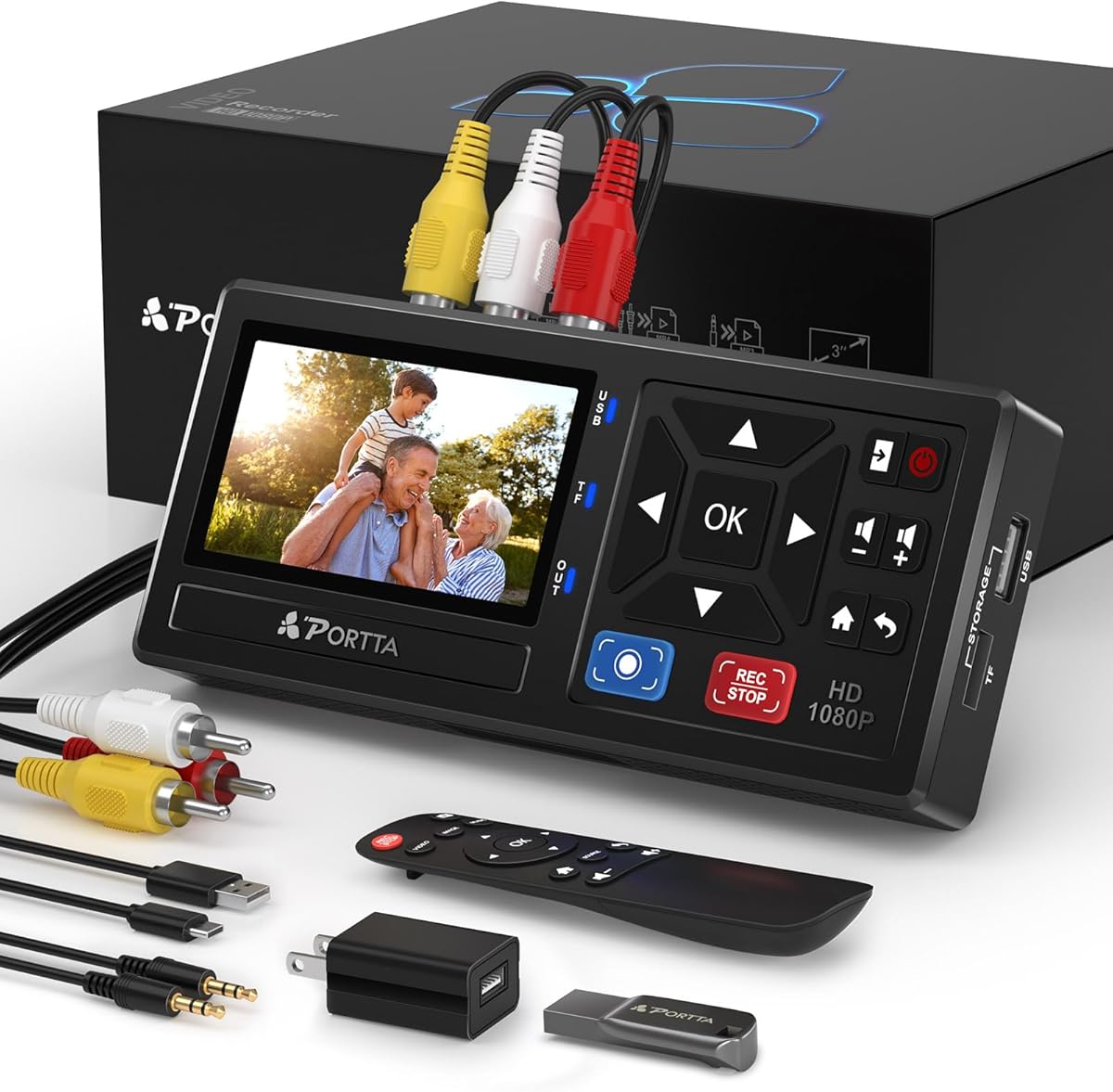
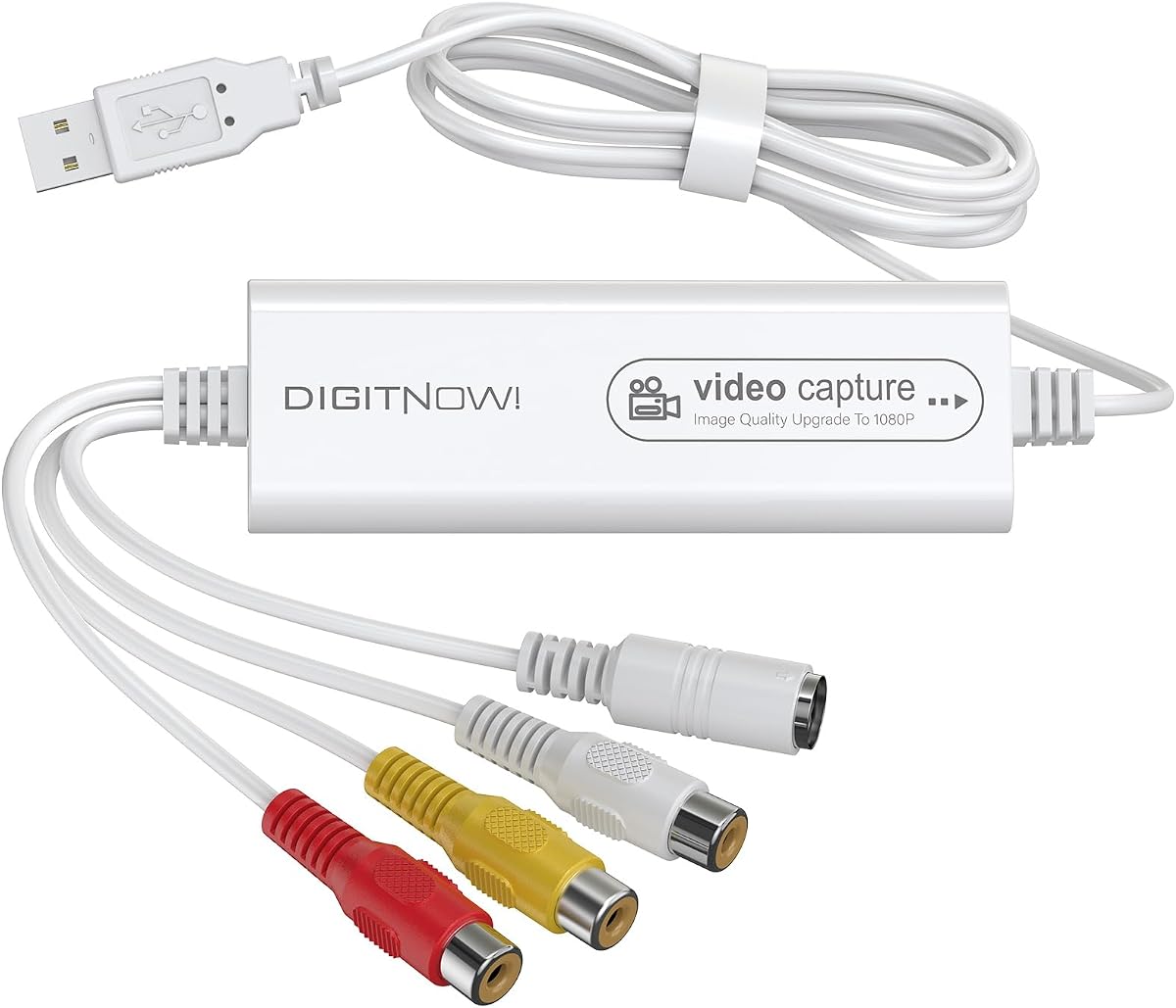
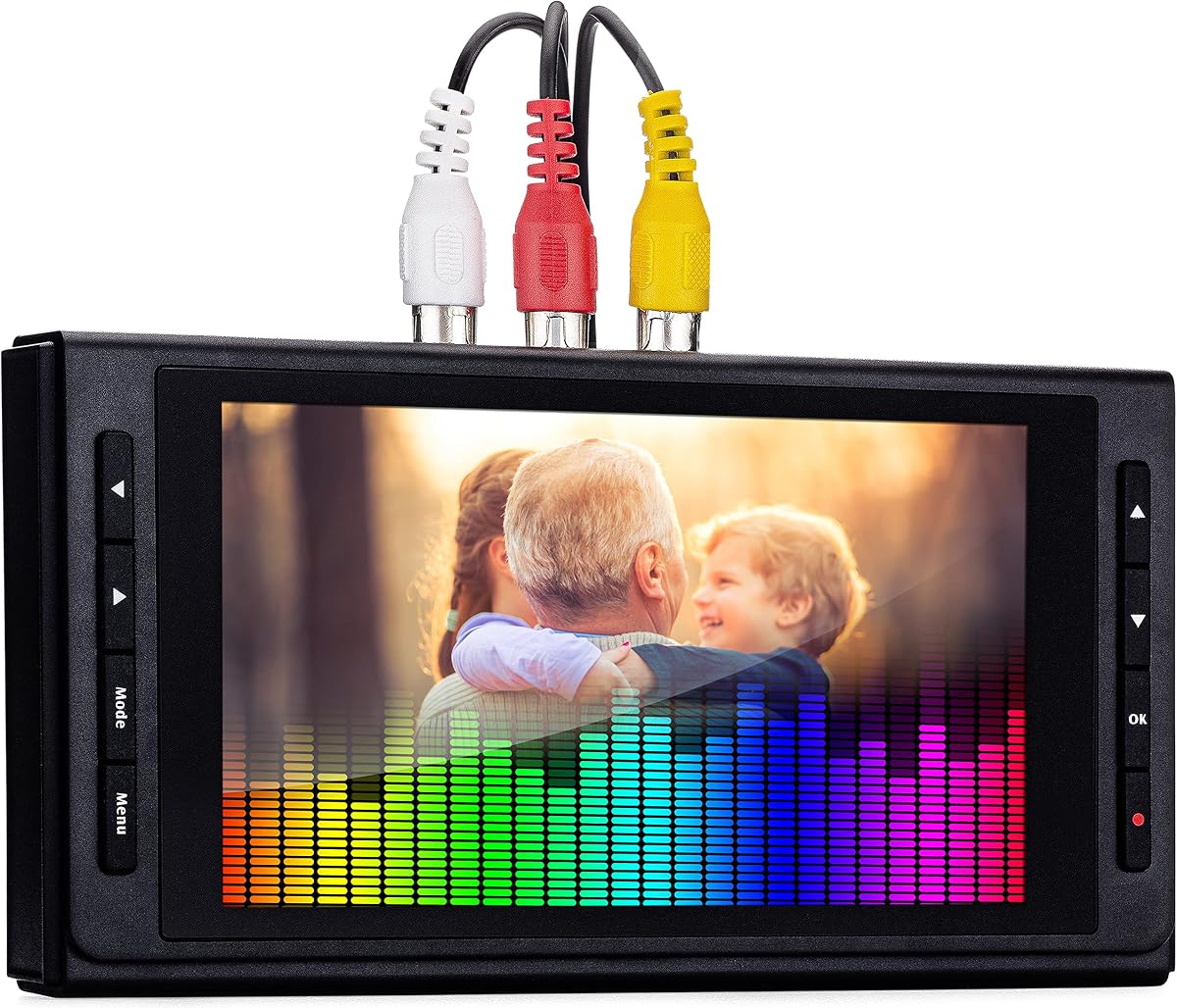


The Portta VHS to Digital Converter combines a standalone recording workflow with support for many of the analog sources found in home collections. Its 4.5 rating reflects a generally positive reception, particularly among buyers who want to digitize Mini DV, VHS, VCR, Hi8, DVD-player, DVR, and retro-console footage without routing every transfer through a computer.
We may earn a commission when you buy through this link, at no additional cost to you.
The recorder accepts composite AV/RCA, S-Video, and AUX input, then saves video as MP4 or audio as MP3. Recording can reach 1080p at 30Hz, while the preview LCD and built-in speaker allow immediate monitoring and playback of captured material. USB and TF card support also makes it practical to move files between a desktop, laptop, television, or external drive without repeatedly working through a particular computer.
Its most important limitation is that it is a capture and recording box, not a tape player. You still need a functioning Mini DV camcorder, VCR, VHS deck, DVD player, DVR, or other compatible source with intact playback. The listed output resolution also cannot create detail that was absent from the source tape, and the compact screen may feel less comfortable for monitoring long sessions than the larger displays on some alternatives.
This is a strong choice for families preserving several kinds of analog media or for users who want a one-button, computer-free workflow. It is particularly useful when removable storage and the ability to record standalone audio are priorities. Buyers should prepare suitable USB or TF media, check the input and volume settings before recording, and keep the original tapes as archival backups.
Because the converter does not require a computer, software, or drivers, it suits older adults, family archives, and anyone who prefers a device with a small display and direct physical controls. The included remote also reduces the need to reach behind the player or repeatedly navigate tiny on-screen menus.
USB drives and TF cards make it easy to expand capacity and organize multiple tape collections. High-capacity USB devices may require their own power, so choosing a properly powered drive can reduce recording interruptions.
We may earn a commission when you buy through this link, at no additional cost to you.
This standalone converter is one of the most approachable options in the roundup, earning a 4.6 rating and earning our Editor's Choice designation for its clear workflow. It is built around one-touch recording, a four-inch preview screen, and direct MP4 output, making it approachable for users who have never operated a video capture device.
We may earn a commission when you buy through this link, at no additional cost to you.
The unit can record from Mini DV players, VCRs, VHS decks, camcorders, Hi8 equipment, DVD players, DVRs, retro consoles, and other supported analog sources. Its built-in screen and speaker provide real-time monitoring, while HDMI output allows the preview to be shared on a television or monitor. Recording resolution can be set to 1080p or left on automatic detection for compatible NTSC and PAL sources.
The converter also supports independent video and audio recording, screenshots, timed recording, automatic file splitting, and USB or TF storage up to the stated capacity limit. Those features go beyond basic capture and make it easier to handle long tapes without producing one unwieldy file. However, the included accessories do not include storage media, and a working player remains essential.
Choose this model if the priority is a short learning curve and a complete standalone process rather than computer-based editing. It is well suited to Mini DV owners, families beginning an archive, and users who want to monitor recordings on a larger television. For the most straightforward first conversion, connect the source, verify the image and sound, choose a storage destination, and run a short test recording before transferring an entire tape.
The emphasis on one-click recording makes this model practical for quick sessions and simple batch transfers. Automatic detection, a built-in speed test, and clear source requirements reduce the amount of setup knowledge needed before the first recording.
The four-inch screen offers more visible working space than smaller integrated displays. HDMI output extends that convenience to a television, making it easier to check framing, color, and audio during long archival sessions.
We may earn a commission when you buy through this link, at no additional cost to you.
The Portta VD22P stands out for its polished, self-contained design and a five-inch HD preview screen. Its 4.4 rating indicates solid overall appeal, while the larger display, Full HD recording option, adjustable image settings, and flexible storage make it a strong choice for users who want to monitor and organize substantial analog collections.
We may earn a commission when you buy through this link, at no additional cost to you.
The converter records old VHS, Hi8, Mini DV, DVD, and camcorder footage as MP4 files at up to 1080p and 60fps. Brightness, contrast, and saturation can be adjusted directly from image settings, which helps when dealing with faded tape, poor playback contrast, or videos that need correction before archiving. USB flash drives, TF cards, portable hard drives, and SSDs are supported for different storage strategies.
AV composite and component YPbPr video inputs are joined by right and left stereo audio, with PAL, NTSC, and SECAM support listed for compatibility. This gives the converter broader appeal than a basic RCA-only unit, although actual results depend on the outputs of the connected player and the quality of the original recording. As with every converter, it cannot undo wear or reconstruct missing detail.
This model is best for archivists who value a large screen, direct controls, and substantial storage flexibility without needing a computer. It is also appropriate for Mini DV users who want a stable frame-rate option and multiple input types. Choose it when monitoring comfort and a polished standalone experience matter more than a low-cost capture kit, and remember that the required player is separate.
The five-inch HD display provides a practical way to inspect recordings before committing an entire tape. It is especially helpful for detecting tracking noise, unstable playback, color shifts, or an incorrect input selection before a long transfer.
Support for flash drives, memory cards, portable hard drives, and solid-state drives lets users match storage to the size and length of their collection. Fast media can also help preserve smoother recording when a long tape is digitized in one session.
We may earn a commission when you buy through this link, at no additional cost to you.
This USB capture device provides a direct, budget-conscious route for transferring Mini DV, VHS, VCR, Hi8, DVD-player, DVR, VCD, and set-top-box output to a computer. Its 4.4 rating suggests that users value the straightforward connection, broad platform support, and useful capture settings despite the absence of a standalone workflow.
We may earn a commission when you buy through this link, at no additional cost to you.
The converter supports both composite RCA and S-Video, connects through USB 2.0, and captures at resolutions up to 1920 by 1080 at 30Hz in MJPEG format. Brightness, contrast, hue, and saturation controls help improve the presentation of faded or poorly adjusted source footage. Automatic signal detection and UVC-compliant operation simplify setup on compatible Windows, macOS, and Android systems.
The central trade-off is that this is a computer-based capture product rather than a self-contained recorder. It has no built-in screen, does not save files directly to a USB drive, and requires compatible capture software on the connected computer. While that can be a disadvantage for occasional users, it also gives more control over filenames, folders, editing, and post-capture organization.
This is a sensible pick for someone who already owns a computer and wants an inexpensive first step toward digitizing tapes. It is particularly attractive for users who intend to edit the resulting files or organize them immediately. Make sure the connected player supplies the correct RCA or S-Video connection, install the necessary capture software, and test a short section before beginning a full tape.
Capturing directly through a computer makes it easy to route files into editing applications, organize them by tape or event, and back them up. Users comfortable with software can also monitor recording in a familiar application rather than relying on a small converter display.
Adjustable brightness, contrast, hue, and saturation can make weak or faded recordings more watchable. These controls do not repair physical tape damage, but they can improve the presentation of otherwise usable material.
We may earn a commission when you buy through this link, at no additional cost to you.
The Portta VD20P delivers a balanced standalone conversion experience and holds a 4.6 rating, matching the strongest customer feedback among the listed products. Its five-inch HD preview, 1080p recording at up to 60fps, and adjustable image controls make it well suited to users who want clear monitoring and smooth results.
We may earn a commission when you buy through this link, at no additional cost to you.
It digitizes VHS, Hi8, Mini DV, DVD, and camcorder footage into MP4 while supporting AV composite, S-Video, right and left stereo audio, and PAL, NTSC, and SECAM standards. Users can save directly to USB flash drives, TF cards, portable hard drives, or SSDs, giving them several ways to build a collection that can grow over time.
The approach resembles the VD22P closely, but the available product information does not establish a meaningful technical advantage for one over the other. Buyers should compare the exact current feature descriptions, included accessories, and compatibility details rather than assuming the model names indicate a specific performance tier. Neither device includes the source player or can independently play tapes.
Choose the VD20P when a large display, flexible storage, and direct MP4 recording are the priorities. It is well matched to family archives that include Mini DV alongside VHS and Hi8 tapes, as well as users who want to avoid maintaining a dedicated computer setup. A short test recording and a check of the connected player's output format should precede any large transfer project.
The combination of a built-in display, direct media saving, and a remote-friendly standalone design reduces the number of steps involved. It can be useful for users who want to capture a tape now and organize the digital files later on a computer.
Brightness, contrast, and saturation adjustments can make faded colors and low-contrast playback easier to inspect. They provide basic correction rather than advanced restoration, so severely degraded recordings may still require editing after transfer.
We may earn a commission when you buy through this link, at no additional cost to you.
This Portta package stands apart because it includes a 128GB USB 3.0 flash drive, making it more immediately ready for recording than converters that ship without storage. The 4.5 rating reflects a solid feature set for users who want standalone Mini DV, VHS, VCR, Hi8, and camcorder digitization with direct MP4 saving.
We may earn a commission when you buy through this link, at no additional cost to you.
The box records analog video and audio at up to 1080p and 30Hz. It accepts composite AV/RCA, S-Video, and AUX connections, stores video as MP4 or audio as MP3, and supports several NTSC and PAL television standards. A 3.0-inch preview LCD, built-in speaker, direct playback, and snapshot capability help users check results without relying on a computer.
The included drive eliminates one common setup obstacle, although it does not remove every power concern. The product guidance recommends an external power supply for high-capacity USB storage devices, which may be relevant when recording long tapes or using especially large media. The included remote also requires AAA batteries, which are not listed as included.
This is a convenient choice for buyers who want a converter and usable storage together without researching compatible drives first. It works well for a first standalone archive, particularly when Mini DV and VHS equipment share the same shelving. Users should still test input levels and image settings before a full transfer, and they should periodically back up the recorded files to a second location.
Supplying a 128GB USB 3.0 drive means a new owner can begin organizing the converter, cables, source player, and storage as one ready-to-use setup. It is useful for casual users who may be unsure which drive format or capacity to select.
The converter can save video as MP4 or record audio alone as MP3, adding flexibility for cassette transfers and other analog sound sources. Direct playback through the built-in screen and speaker provides a quick way to confirm that a recording succeeded.
We may earn a commission when you buy through this link, at no additional cost to you.
This compact USB video capture device offers a familiar computer-based method for digitizing Mini DV, VHS, VCR, Hi8, camcorder, and other analog sources. Its 4.2 rating is the lowest in this guide, but the underlying feature set covers the essentials for users who already understand basic computer capture software.
We may earn a commission when you buy through this link, at no additional cost to you.
The device automatically detects NTSC, PAL, and PAL/60 video and can record in MP4 or other digital formats. It offers 1920 by 1080 MJPEG and 720 by 576 YUV output, with actual resolution determined by the source signal. Suggested applications include OBS or PotPlayer on Windows and QuickTime Player on Mac, which can make the unit approachable for users who already work with those programs.
Compared with standalone converters, it provides less built-in guidance, no integrated monitor, and no direct media-saving workflow. It also lacks the explicit brightness, contrast, hue, and saturation controls described for some alternatives. Its saving grace is simplicity at the hardware level: the RCA connection and USB attachment are approachable, and the included discs and manual are intended to support setup.
This device is most suitable for a user who wants inexpensive, flexible computer capture and plans to edit the footage afterward. It can also serve as a simple input route for livestreaming or recording from a tape player into a computer. Users should choose compatible software, confirm that the output format meets their editing needs, and test several minutes of footage before committing to an entire Mini DV or VHS tape.
Automatic NTSC and PAL detection reduces the chance of incorrect color or frame-rate settings when the source standard is uncertain. It remains important to confirm that the picture and sound look correct before recording a full tape.
The device can feed established applications such as OBS, PotPlayer, QuickTime Player, and video-editing software. That makes it practical for users who want to capture once, edit afterward, and maintain a structured digital library on a computer.
We may earn a commission when you buy through this link, at no additional cost to you.
The third-generation ClearClick Video to Digital Converter stands out for supporting both video and standalone audio sources in a computer-free device. It carries a 4.5 rating and combines a five-inch preview screen, a rechargeable battery, USB-C charging, and flexible storage options for a polished archival workflow.
We may earn a commission when you buy through this link, at no additional cost to you.
Video is recorded in MP4 at 720 by 480 or 640 by 480, while audio can be captured in WAV or MP3. Compatible sources include VHS, VCR, DVD player, DVR, Hi8, camcorder, retro gaming system, cassette tape, turntable, and LP record output. A custom auto-stop can end a session after a selected number of minutes, adding control during long tape transfers.
The important qualification is that this unit does not upscale to HD and cannot record modern HDMI sources. Its stated resolutions reflect a focus on preserving standard-definition material accurately rather than manufacturing detail that was never present. USB flash drives and microSD cards can be used for storage, but those media are required and not included, with a stated maximum of 512GB.
This model is a strong all-in-one choice for households with mixed video and audio collections. It is particularly attractive if you want to digitize Mini DV tapes and also preserve records or cassettes without using separate equipment. The rechargeable battery and larger screen make it convenient for supervised sessions, while direct saving avoids dependence on a desktop or editing application.
The ability to capture both audio and video expands the product beyond a traditional VHS converter. Owners of vinyl, cassette tapes, turntables, and other analog sound sources can use one unit for multiple kinds of preservation.
The rechargeable battery, USB-C charging, five-inch screen, and selectable auto-stop improve control over extended transfers. Users should still confirm that their source player and connector remain active for the duration of each session.
We may earn a commission when you buy through this link, at no additional cost to you.
The mail-in transfer service offers a completely different route from the hardware converters in this guide. It is designed for people who want Mini DV, VHS, 8mm, VHS-C, or Hi8 tapes converted into digital MP4 files without buying a compatible player, arranging cables, or learning capture software.
We may earn a commission when you buy through this link, at no additional cost to you.
The service includes a prepaid shipping label and states that files can be returned in less than one week. That convenience is valuable for households with many tapes, limited technical confidence, or no access to functioning playback equipment. The customer rating of 4.4 indicates a generally favorable experience with the offering.
The trade-off is reduced direct control. The tapes must leave the home, and the final visual result will depend on the service's equipment, settings, and the condition of each source. The listing does not describe detailed controls such as frame-by-frame capture, image correction, custom filenames, or the inclusion of original audio levels, so customers with specialized requirements should clarify those points before shipping.
This is the best choice for convenience, high-volume archives, or anyone who does not want to maintain a home conversion setup. It may be less appealing for collectors who need immediate control, wish to keep an original tape in constant use, or have unusual edits that must be completed during capture. Back up every tape before mailing it and clearly identify the contents of the shipment.
The service removes the main barriers to beginning an archive: obsolete players, unsuitable cables, and unfamiliar capture applications. Customers simply prepare their tapes, use the supplied shipping label, and receive digital files.
A professional workflow can be especially useful when the collection includes many formats or when the owner does not know which equipment is compatible. Review the service terms and turnaround estimate before sending a large batch.
We may earn a commission when you buy through this link, at no additional cost to you.
The second-generation ClearClick Video to Digital Converter is a proven standalone option with a 4.5 rating. Its familiar one-button approach, direct saving to USB or SD storage, and compatibility with Mini DV, VHS, VCR, DVD players, DVRs, Hi8, and retro gaming systems make it relevant for straightforward preservation tasks.
We may earn a commission when you buy through this link, at no additional cost to you.
The converter records MP4 video at either 720 by 480 or 640 by 480 without requiring a computer or software. A 3.5-inch preview screen provides visual confirmation, while pause-and-resume support and automatic stop settings of 60, 90, 120, or 150 minutes help manage longer recordings. USB flash drives and SD cards up to the stated 512GB limit serve as recording destinations.
It does not upscale to HD and cannot record modern HDMI sources. The resolution figures are appropriate for standard-definition archival material, but buyers should not mistake the word digital for restoration or high-definition enhancement. A working VCR or camcorder, compatible tapes, and suitable storage media are still required.
This model is a good option for users who value a mature standalone design and simple controls over a larger screen or newer feature set. It may also make sense for owners who want a clear alternative to computer capture software. Before starting a collection, test several minutes of each source type, confirm the pause behavior with your player, and maintain separate backups of every digital file.
The ability to pause and resume while recording is useful when the source player needs attention or the operator needs to pause a transfer. It can also make the process of checking a tape less disruptive.
Selectable automatic stop times reduce the chance of an unexpectedly long recording and simplify planning around a tape's approximate length. These controls are especially helpful during unattended or scheduled archival sessions.
We may earn a commission when you buy through this link, at no additional cost to you.
The best Mini DV digital converter depends on whether you prefer a self-contained recorder or a computer-based capture device, the outputs available on your camcorder, and how much control you want over storage and image adjustment. The following factors help narrow the field without overlooking practical compatibility.
Choose standalone operation if your priority is simplicity and immediate recording. Choose computer capture if you already edit video, want to control file names and folders immediately, or plan to integrate transfers into an existing production workflow. For the simplest Mini DV project, verify that the converter can save directly to the type of storage you intend to use.
Match the converter to the player rather than relying on the Mini DV label alone. Check whether the converter accepts composite, S-Video, or component video and whether it includes the necessary cable. Also confirm that the unit supports the television standard used by your tapes; PAL, NTSC, and SECAM are mentioned across the featured products.
Prioritize a resolution that suits the source and your viewing equipment, not the largest number in the listing. For long archival sessions, confirm that the storage medium can sustain the selected recording settings. The more important quality factors are a stable signal, correct color, synchronized audio, and an accurate transfer from beginning to end.
Estimate storage needs from the number and duration of tapes rather than choosing solely by capacity. Leave additional room for photographs, saved project files, and backups, and use reliable media from a reputable source. Fast storage can reduce interruptions, but archiving is smarter when each captured file is copied to at least one separate location.
Choose a screen large enough for comfortable monitoring, particularly when checking detail or working through many tapes. Ensure the menus are understandable and that the required connections are reachable. A remote can be valuable if the converter and source player sit in a cabinet or entertainment center.
Audio-only capability is valuable for cassette tapes, records, and turntables, while stereo support is important for interviews, music, and family events. Leave a short silent lead-in and test passage for checking synchronization. If your main source is stereo Mini DV, confirm that the converter captures both channels.
MP4 is the safest general choice for simple archiving and playback. However, no converter can add editing features such as automatic stabilization, scene detection, or restoration after recording. Confirm that your computer can open the resulting files and retain copies in an open, widely supported format alongside any working project files.
Reliability depends on a repeatable process as much as on the converter itself. Keep the original media in a clean, stable environment, create a naming convention, and verify a short backup before discarding any temporary media. For large collections with unusual formats or fragile tapes, a mail-in service may reduce equipment-related risk.
Begin by confirming that the Mini DV camcorder or other source player works, then inspect the RCA, S-Video, or component cables. Connect the selected video and audio outputs to the converter, connect the converter to its power supply, and insert a formatted USB drive or memory card if the model records directly to removable storage. If using a computer-based capture device, connect its USB cable and launch compatible capture software before starting the tape.
Select the appropriate input, video standard, resolution, and storage location. On standalone models, check that the video and audio input levels are unmuted, and use the preview display to confirm the image, color, and sound. For a computer workflow, choose the desired format and verify that the preview is stable. Record a short test passage, play it back, and listen for synchronization problems before transferring the entire tape.
For the main recording, start the source and converter together, avoid touching the tape during playback, and let the file finish normally so it can be finalized. Pause or stop according to the converter's guidance rather than disconnecting it mid-file. After each session, label the file, copy it to a second storage location, and check that it opens correctly. Clean the source player's tape path and heads according to its manual, keep cables coiled without tight bends, and store the converter in a dry, ventilated location.
In almost every case, yes. A digital converter captures the output of a source player; it is not normally capable of opening Mini DV or VHS tapes by itself. You need a functioning Mini DV camcorder, VCR, VHS deck, DVD player, or another compatible device with the proper video and audio outputs. Products described as standalone still require this separate playback equipment.
No. A converter can digitize the signal that the tape player produces, but it cannot recover worn-away detail, correct severe tracking damage, or create high-definition information that was never recorded. Some products advertise 1080p output because the converter can store the signal in a high-resolution file, while others remain limited to standard-definition recording. Judge results by the quality of the original source.
Choose a standalone converter if you want the simplest process, an integrated preview, and files saved directly to a drive or memory card without installing capture software. Choose a USB capture device if you already have a computer, understand capture applications, and want immediate access to editing and organizational tools. Standalone devices are generally easier for families and occasional users.
Use a reliable USB flash drive, SD or TF card, portable hard drive, or solid-state drive that is explicitly supported by the converter. Check the maximum capacity and any power requirement for large USB devices. Reliable storage is especially important for long tapes because an interrupted recording can leave the current file incomplete. Always copy the finished recording to a separate backup.
Some devices provide basic brightness, contrast, saturation, or hue controls that can make faded footage easier to watch. These adjustments do not restore missing detail and can look unnatural if applied too aggressively. Make a short test recording before adjusting a full tape, and keep the original file whenever possible so the color treatment can be changed later.
It depends on the model. Several standalone recorders can capture audio-only sources into MP3 or WAV, making them suitable for cassette tapes, records, and turntables. Computer capture devices normally record analog audio while importing video through the same connection. Check whether the converter has stereo RCA or 3.5mm AUX input and whether the selected source actually supplies an audio signal.
Use a clear file-naming system, allow each recording to finalize properly, and verify that the resulting file opens before moving to the next tape. Copy every capture to at least one separate drive and retain the original tape as an additional safeguard. For large collections, maintain a catalog linking each digital file to its source label and transfer date.
A mail-in service is often more convenient when you do not own a compatible player, do not want to manage cables and software, or have many tapes to transfer. A hardware converter provides more direct control, immediate recording, and continued use of your source equipment. The best choice depends on convenience, collection size, technical comfort, and how much control you want over each transfer.
The VHS to Digital Converter 4" Screen is the most approachable all-around choice for users who want one-touch recording, a useful preview, direct MP4 saving, and no computer requirement. The Portta VD22P is the premium option for larger monitoring, 1080p at 60fps, image controls, and flexible storage, while the RCA-to-USB converter serves as a practical budget entry for computer-based capture.
Prioritize the connections on your existing Mini DV camcorder or VCR, the recording workflow you understand, and the amount of monitoring you need. A larger preview and direct saving are valuable for family archives, while a USB capture device makes more sense when editing software is already part of your routine. Also consider whether audio-only recording, timed stops, file splitting, or support for several legacy tape formats matters to your collection.
Before purchasing, verify the current specifications, included cables, storage requirements, warranty terms, and source compatibility. Product listings and prices can change, and obsolete playback equipment may affect what is available. Most importantly, keep the original tapes, test a short transfer first, and maintain more than one backup of every digital file you create.